
Agent 与会话
插件

nuwa-skill
alchaincyf
你想蒸馏的下一个员工,何必是同事。蒸馏任何人的思维方式——心智模型、决策启发式、表达DNA。Distill how anyone thinks.
PROJECT TOPICS
INSTALL REFERENCE
dsh plugin --profile web add github:gusibi/molibot
该命令指向仓库当前默认分支;尚无绑定当前 commit 的完整验证结果。
PROJECT README
English · 简体中文

Runs locally · Projects and files · Memory you control · Scheduled tasks
Download for macOS · Get started · Share feedback
Molibot is a personal AI assistant for ongoing projects, document work, and recurring tasks. Work with local files, inspect the results, keep useful preferences and context in memory, and schedule work you repeat.
You choose the model and control which tools, files, and memories the assistant can use.
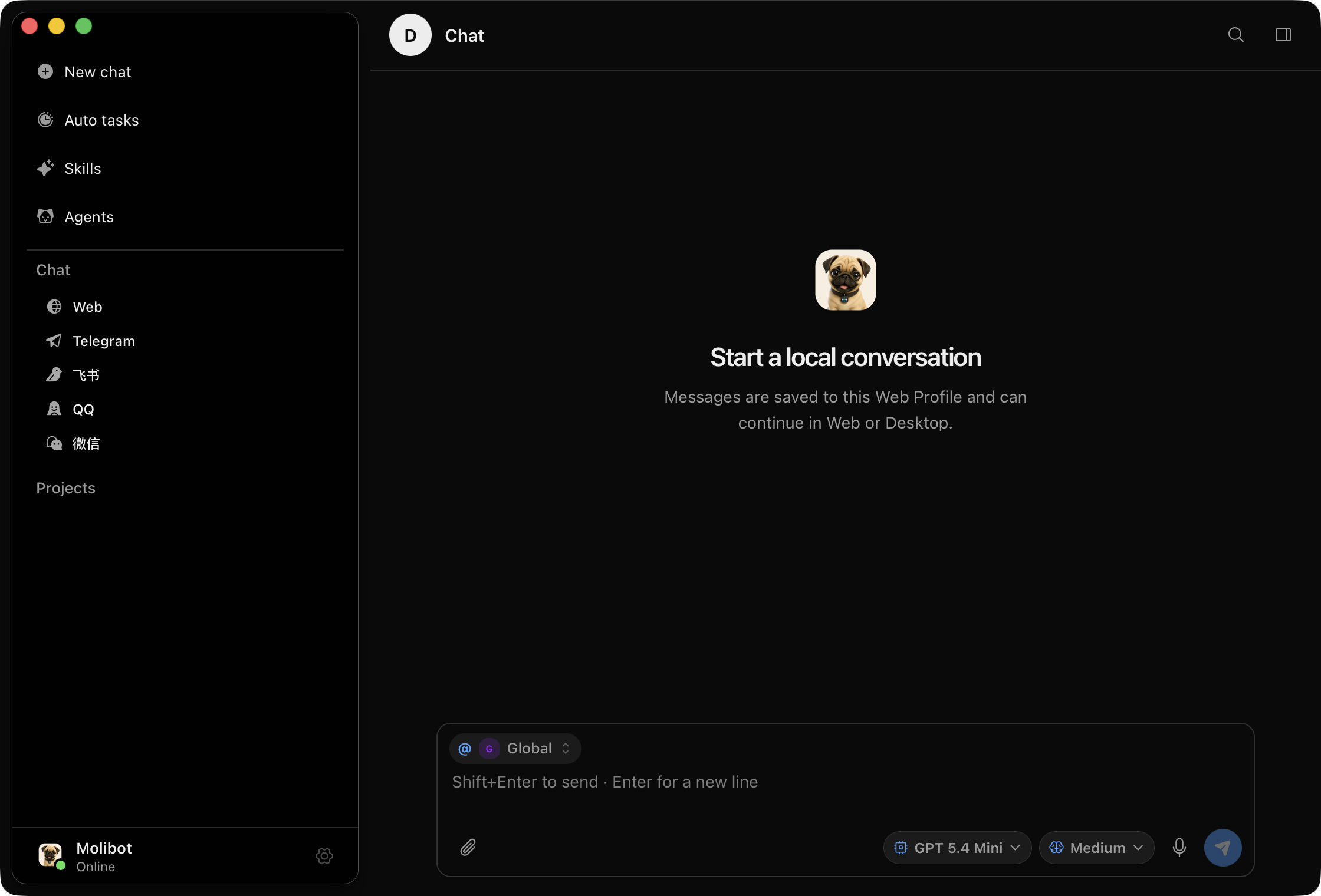
Give Molibot a PDF, Word document, or spreadsheet to extract key points, organize information, or create a new document. Inspect files and outputs beside the conversation, then ask for changes.
For example, attach a project brief and try:
Extract the goals, action items, and open questions from this project brief into a Markdown file. Flag any missing information.
Molibot supports PDF, DOCX, and XLSX extraction, plus DOCX, XLSX, and PDF export. Image recognition needs a vision-capable model or a separately configured recognition service. See tools and document processing.
Add a local folder as a Project to keep its conversations and files in one workspace. Project context stays separate from ordinary personal conversations; long-term memory can retain useful preferences and background so you repeat less setup.
For example, ask in a project conversation:
Read this folder's project brief and progress notes. Summarize the current status and suggest next steps, citing the source files.
You can inspect, edit, and delete memories, and control whether a turn enters memory or future context. Memory embeddings have their own Embedding Models page: keep multiple remote or local lanes, each with its own host, key and model, and choose one active lane. In the desktop app open Settings → Assistant → Embedding Models; in Web settings open Memory → Embedding Models. Local Ollama / LM Studio is optional; without it the remote lane stays in use. Memory does not guarantee recall of every message or replace your source documents. See Project workspaces and personal Agent and memory.
Create one-time or recurring tasks in Automations, then inspect their run history and results. Projects can also have scheduled tasks that use their own context and keep results inside the app.
For example, create a weekly task for a Project containing your work notes:
Every Friday, summarize this week's project notes into a draft status report, including completed work and open questions.
The local runtime must be running, with the model and required services available. Tasks cannot execute on time while the computer is asleep or off; recovery depends on the task type and catch-up rules. See scheduled task execution and recovery.
If you regularly discuss your work in Molibot, you can also enable Daily Materials to turn authorized conversations into source material in a selected Project for reflection or writing.
You need an Apple Silicon Mac and a working model account or API key. Check Releases for the currently available installers.
Molibot_*_aarch64.dmg, install, and open the app. The local runtime starts automatically.If the connection fails, test it in the provider settings and check account authorization, available quota, and endpoint configuration.
Requires Git, Node.js 22.19 or newer, and Corepack. These commands use the pnpm version specified by the repository:
git clone https://github.com/gusibi/molibot.git
cd molibot
corepack enable
pnpm install
pnpm link --global
cp .env.example .env
molibot init
molibot
Open http://localhost:3040, configure a model provider, create or confirm an Agent, and start chatting. The default data directory is ~/.molibot; see .env.example for environment configuration.
Ordinary Agent conversations and resources live in <DATA_DIR>/sessions/<agentId>; identity files live in agents/<agentId>, and channel connection data lives in channels/<channel>/bots/<botId>. Session contexts and metadata are files under contexts/, with no per-Session workspace. When upgrading older storage, the Desktop app waits for service readiness, then asks for confirmation before copying and switching data. Runs and tasks stay paused until migration succeeds; original files are preserved. Rebuildable dependencies and caches under scratch are skipped automatically. Resource conflicts offer Skip this resource and Migrate remaining data; skipped files remain in the original location and are unavailable in the new workspace. For a missing Bot, choose a destination Agent or Skip this Bot’s old data in the dialog without editing original files. Existing fixed ownership is preserved; once migration starts, retries retain the confirmed choices. Unavailable exclusion actions are hidden. Closing a pending dialog leaves a visible review entry in the main pane. Context, identity and recoverable execution references must be resolved before migration. See the storage specification and verification record.
Try Molibot with a task you actually need to finish. Whether it works or gets stuck, share your experience through GitHub Issues:
Use cases, documentation improvements, bug fixes, and code contributions are welcome. Read the contribution guidelines before development. Run corepack pnpm check for the root TypeScript check and corepack pnpm desktop:check for Desktop components.
CLASSIFICATION EVIDENCE
系统优先读取 GitHub Topics,再与站内分类词典和词根规则比对。当前命中: agent、personal-ai。
alchaincyf
你想蒸馏的下一个员工,何必是同事。蒸馏任何人的思维方式——心智模型、决策启发式、表达DNA。Distill how anyone thinks.

freestylefly
Prompt as Code | GPT Image 2 / 2.5 提示词与案例库,530+ 个案例、20+ 套工业级模板与可复用 Skills,新增 2.5 同提示词对比专区,附完整提示词与生成记录,持续更新。

titanwings
Distilly — Distill how they think into reusable Skills for any Agent or Bot. Formerly Colleague Skill(原同事 Skill).