
模型与 MCP
待识别

rea
morluto
Reverse engineer anything with agents, from app behavior down to native binaries.
PROJECT TOPICS
INSTALL REFERENCE
dsh plugin --profile web add github:gmchocolate/dsh-deepseek-status
该命令指向仓库当前默认分支;尚无绑定当前 commit 的完整验证结果。
PROJECT README

A DeepSeek Harness plugin bundle that puts a glowing live status lamp in the left sidebar footer and reveals the full DeepSeek platform status when you hover it. Data comes from the public status page at https://status.deepseek.com/.
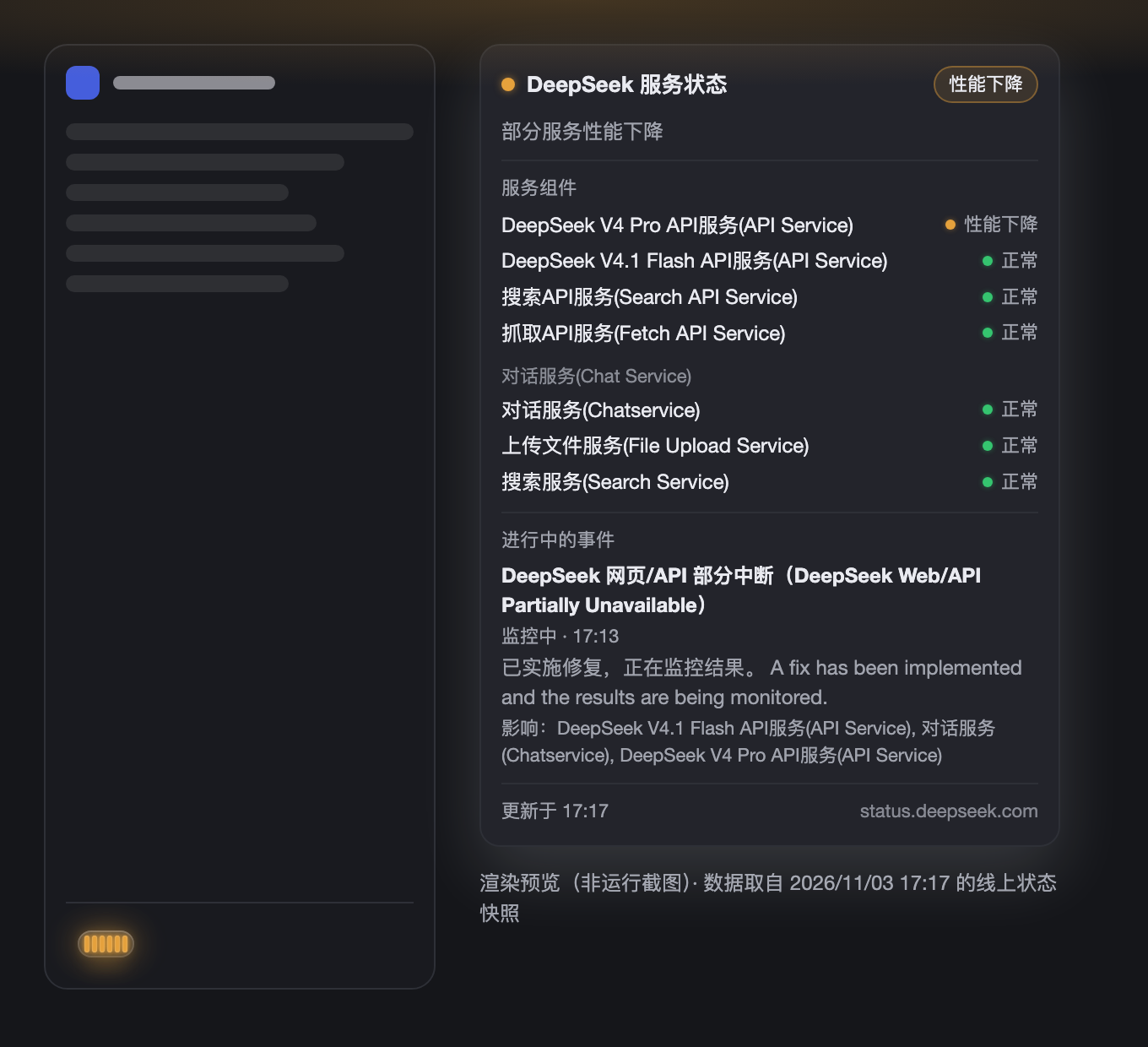
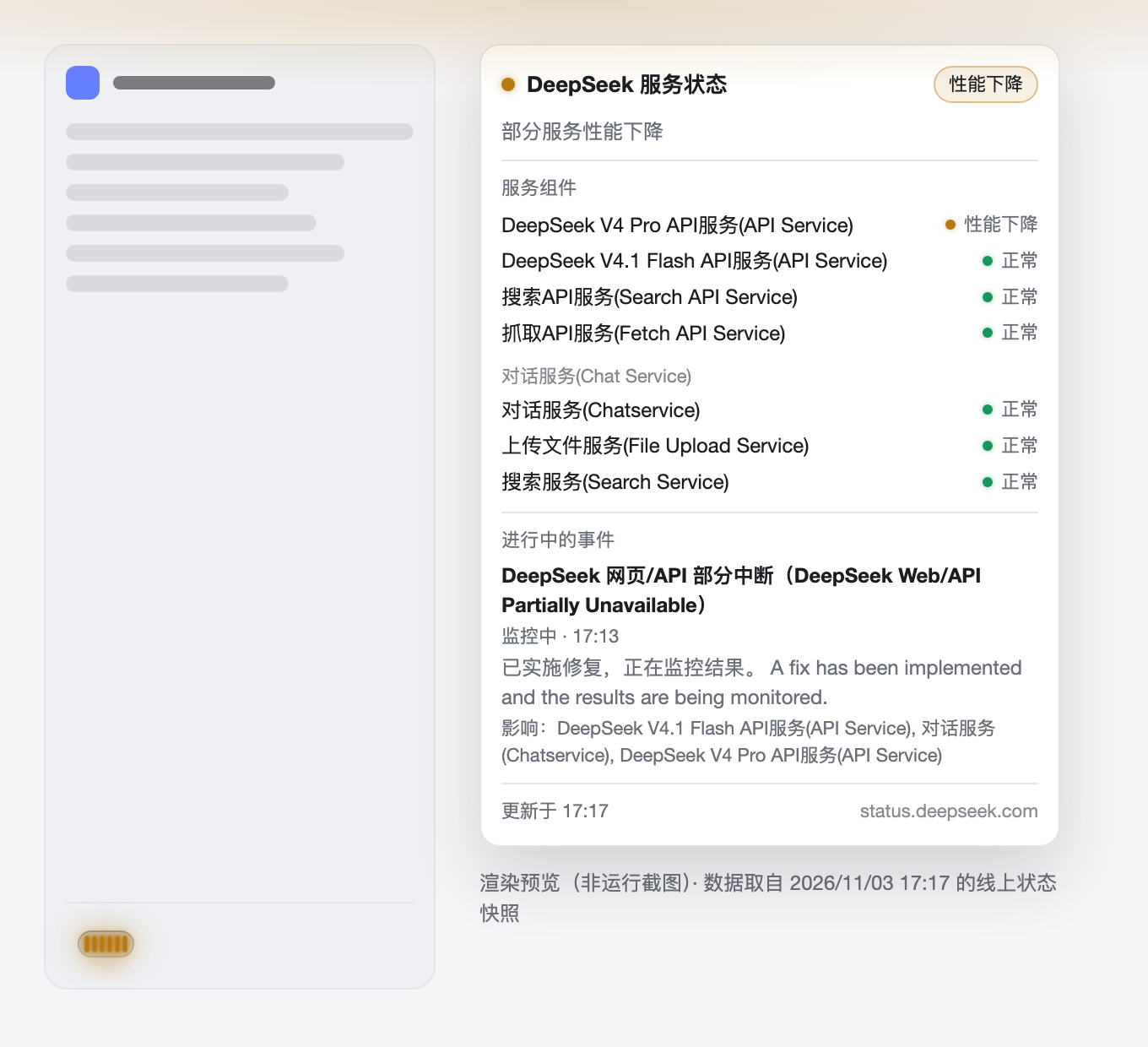

These images are renders produced from the plugin's own stylesheet, filled with a real status snapshot taken on 2026-11-03 17:17 (UTC+8) during a degraded incident — the sidebar around the lamp is an abstract sketch, the card is the component's real markup. They are not window captures of a running Harness, which this environment could not produce.
dsh plugin --profile web add github:gmchocolate/dsh-deepseek-statusReplace web with whichever profile you run (desktop, web, or your own). The command is
pnpm add underneath, so github:<owner>/<repo> installs the checked-out package directly.
Reload the Harness Web page once afterwards; the client bundle is served per page load.
git clone https://github.com/gmchocolate/dsh-deepseek-status.gitThen install the directory with the Harness plugin_manager (install_bundle, absolute
package directory as target).
Not on npm yet, so it does not show up in the in-app 插件中心 (which lists only one-click npm plugins). The community marketplace still lists it with the source-install command above.
prefers-reduced-motion stops both.status.deepseek.com is a Next.js app-router page: live data arrives inside the served HTML as
a React flight payload, and the origin sends no CORS headers, so a browser cannot read it
directly. The bundle therefore has two halves:
status.deepseek.com ──fetch(HTML + flight payload)──▶ Host half
                                                       │ derive one normalized snapshot
                                                       ▼
                        GET /plugins/deepseek-status.json  (same origin)
                                                       │
                                                       ▼
Client halfindex.js) fetches the page every 90s, decodes the initialData prop
(component catalog + active changes, whose affected_components[].status carries each
component's current state) and normalizes it. If the payload cannot be parsed it falls back
to the history.rss incident feed. It serves the result as same-origin JSON on an exact
route, so it cannot shadow other routes or the SPA fallback.client.js) registers into the sidebar.footer.action slot, polls the Host
route every 60s (and when the tab becomes visible again), and draws the lamp plus the hover
card.The browser never calls the status site directly.
npm run test:live against the live status page:
live: overall=degraded
live: counts={"operational":4,"maintenance":0,"degraded":3,"partial_outage":0,"full_outage":0}
  (ungrouped)
    degraded       DeepSeek V4 Pro API服务(API Service)
    degraded       DeepSeek V4.1 Flash API服务(API Service)
    operational    搜索API服务(Search API Service)
    operational    抓取API服务(Fetch API Service)
  对话服务(Chat Service)
    degraded       对话服务(Chatservice)
    operational    上传文件服务(File Upload Service)
    operational    搜索服务(Search Service)
  incident/monitoring: DeepSeek 网页/API 部分中断(DeepSeek Web/API Partially Unavailable)
A screenshot of the lamp in the sidebar is still to be added — the lamp renders in the Harness Web UI as described above.
| Item | Value |
|---|---|
| DeepSeek Harness | developed and verified on Desktop runtime 0.2.1-rc.5; the bundle uses only stable extension points (webServer.register, sidebar.footer.action, locale) |
| Platform | macOS verified; Windows / Linux expected to work (plain JS, no native code) but not verified |
| Runtime | no dependencies, no build step; Host half needs a Node with global fetch and AbortSignal.timeout (Node 18+, DSH ships newer) |
| Permissions | no agent tools, no credentials, no filesystem access; one outbound HTTPS GET to the public status page every 90s |
| External services | status.deepseek.com (status page and its history.rss fallback); everything else stays local |
dsh plugin --profile web add github:gmchocolate/dsh-deepseek-status0.2.1-rc.5 实测通过;macOS 已验证,Windows/Linux 未验证;无第三方依赖、无构建步骤。/plugins/deepseek-status.json 提供给前端。position: fixed 定位,若宿主给侧栏祖先加了 transform 会有偏移。npm test # flight parsing, normalization, client render (offline)
npm run test:live # optional: parse the real status page right nowThere are no dependencies and no build step: the Host half is a plain Cordis plugin and the
Client half is a plain lazy module (window.__ModuleLoader__.load). The tests use only Node
built-ins and a tiny React stand-in, so they run offline.
Runtime tunables live at the top of index.js (REFRESH_MS, ROUTE_PATH, FETCH_TIMEOUT_MS)
because a dependency-free bundle cannot declare a schemastery-typed Config. The lamp
geometry lives in client.js (LAMP_CELLS selects the segment count; .dss-cell width and
height set the tube's proportions).
| File | Role |
|---|---|
index.js |
Host half: upstream fetch, parse, normalize, poller, JSON route. |
client.js |
Client half: lazy module factory, slot registration, lamp and hover card, EN/ZH dictionaries. |
cordis.patch.yml |
Bundle patch that inserts the deepseek-status row. |
locale/*.json |
Plugin Manager display metadata. |
icon.svg |
Plugin icon (original artwork). |
test/*.mjs |
Offline tests plus an optional live smoke test. |
docs/*.png |
README previews rendered from the plugin stylesheet. |
position: fixed from the slot's own measure step; a host
layout that gives a sidebar ancestor a transform would offset it.MIT © 2026 Nathan
CLASSIFICATION EVIDENCE
系统优先读取 GitHub Topics,再与站内分类词典和词根规则比对。当前命中: deepseek、deepseek-harness。
morluto
Reverse engineer anything with agents, from app behavior down to native binaries.

deepseek-ai
DeepSeek Harness: Everything is a Plugin.

nexu-io
The 1st Collaborative AI Design Agent Workspace. Local-first and open source. Create motion, prototypes, websites, apps, dashboards, presentations, images, and videos with your team and AI agents. Share work, exchange feedback, and iterate together in one workspace.