
Agent 与会话
插件

nuwa-skill
alchaincyf
你想蒸馏的下一个员工,何必是同事。蒸馏任何人的思维方式——心智模型、决策启发式、表达DNA。Distill how anyone thinks.
PROJECT TOPICS
INSTALL REFERENCE
dsh plugin --profile web add github:glk1220/dsh-session-git
该命令指向仓库当前默认分支;尚无绑定当前 commit 的完整验证结果。
PROJECT README
English | 中文
A DeepSeek Harness plugin that draws your forked sessions as a branch tree and merges a branch's finished work back into the main session as a digest, so you don't have to retype what the branch found.
Forking a session to explore is easy in Harness, but the main session can't see what happened in the fork: its conclusions, the files it changed, the commands it ran, the decisions you made there. Session Git brings that back.
/merge.--all to start over from the fork point.--wake, or write a note after --, to have the agent act right away.session_branches and then session_branch_merge. What the agent reads this way counts as a merge too.The screenshots show the Chinese UI; the plugin's panels follow the Harness language, and command results follow the language of the conversation.
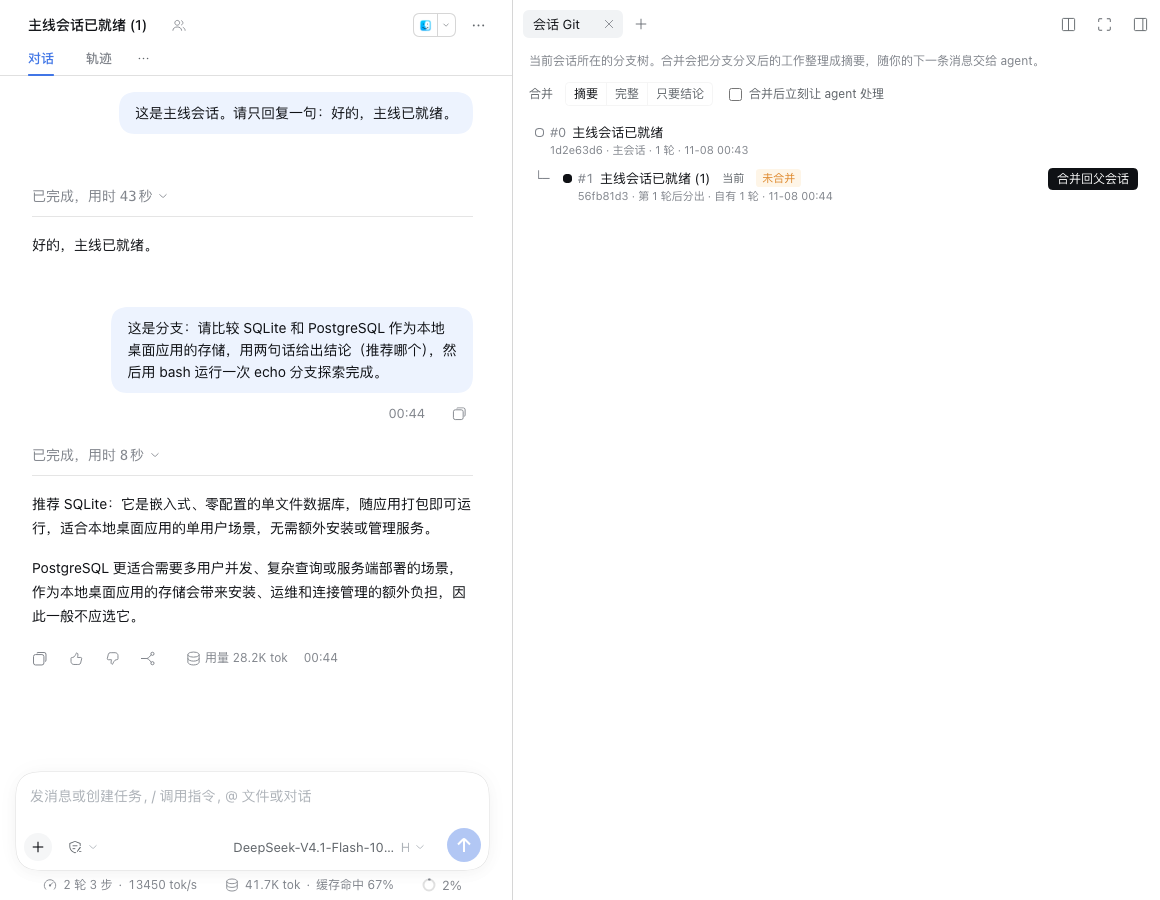
Inside a branch, the "Session Git" tab in the right sidebar merges it into its parent in one click:
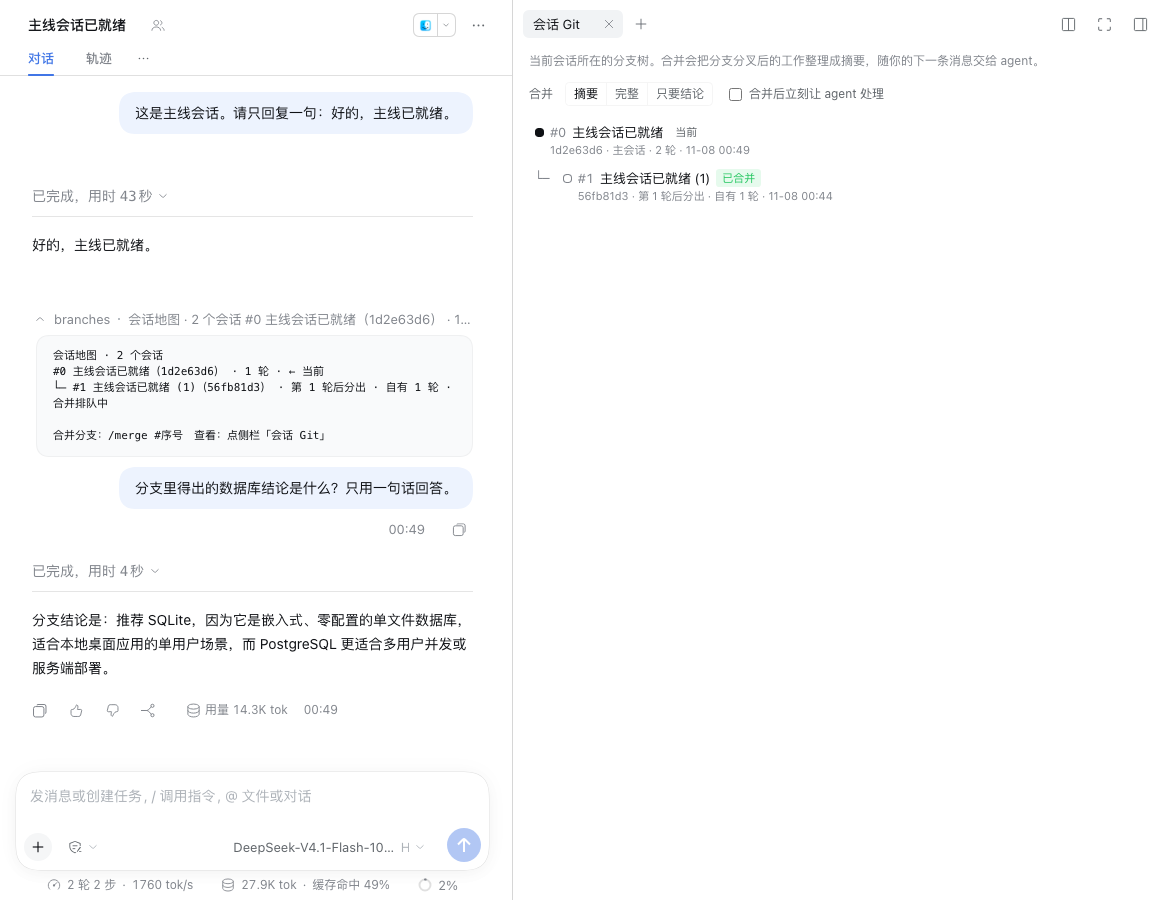
Back in the main session, the agent already has the branch's conclusion, and the map marks the branch as merged:
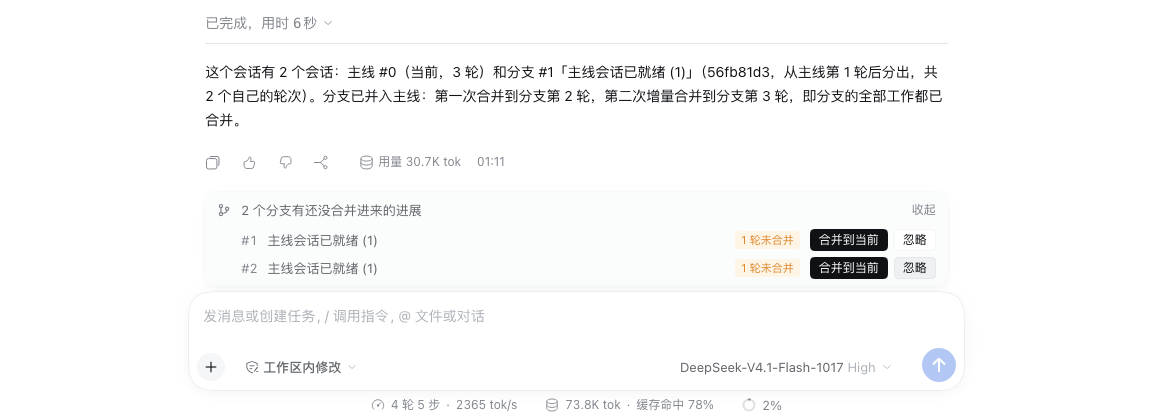
When branches have new work that isn't merged yet, a strip above the composer says so:
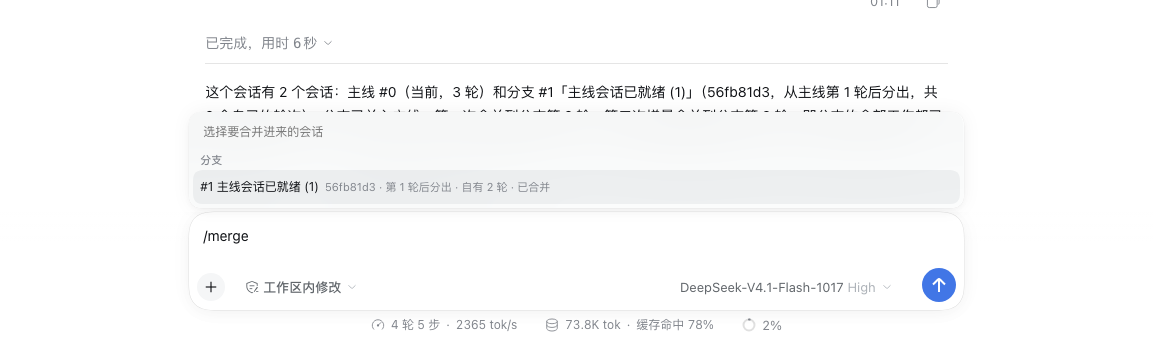
Typing /merge on its own opens a branch picker:
Requires DeepSeek Harness 0.2.1-rc.5 or later.
In DeepSeek Harness, open Plugins → Add plugin → Install a third-party plugin, and enter the GitHub repository address:
https://github.com/glk1220/dsh-session-gitInstalling from GitHub needs this machine to reach GitHub. You can also download the repository and enter the absolute path of the plugin folder in the same dialog.
From the command line:
dsh plugin --profile web add github:glk1220/dsh-session-gitRestart Harness when it asks you to.
Sidebar options:
--wake./merge [#number|title|id] [summary|full|last|Nturns] [--all] [--wake] [--up] [-- note]
/branches| Form | Meaning |
|---|---|
/merge |
With one branch, merges it. With several, merges the only one with new work, or lists them for you to pick. Inside a branch that has no branches of its own, merges it into its parent. Typing /merge alone in the composer opens a branch picker. |
/merge #2 |
Picks a branch by its number on the map. A title (partial match) or the first 4+ characters of a session id also work. |
summary / full / last |
How detailed the digest is; summary is the default. |
turns:3 |
Only the most recent 3 turns, in full detail. |
--all |
Ignore earlier merges and start over from the fork point. |
--wake |
Wake the agent right after merging. |
--up |
Merge the current branch into its parent. |
-- note |
Everything after -- is sent to the agent as your message, with the digest delivered alongside, so the agent starts at once. |
/branches |
Prints the branch map in the conversation. |
A digest is background material for the agent. Its sections, with step detail compressed first when it runs over the size limit:
The digest opens by telling the agent that plans and to-dos from the branch are only a record and need your go-ahead, and that when both sessions share a working directory, the branch's file changes are already on disk and the actual files win.
Override the whole config of the entry with id session-git in your profile's cordis.patch.yml:
| Option | Default | Meaning |
|---|---|---|
runtimeContext |
true |
Tell the agent in its runtime context which branches this conversation has. Only rarely changing facts (the branch list and fork points) go there, so the context snapshot is not re-sent often. |
tools |
true |
Give the agent the session_branches and session_branch_merge tools. |
maxDigestChars |
24000 |
Character budget for one digest, 2000–200000. |
maxContextBranches |
8 |
How many branches the runtime context lists at most. |
locale |
auto |
Language of command results and digests: auto follows the conversation; zh or en forces one. |
npm testnpm run checknpm test runs the unit tests. npm run check is the pre-publish check: file list, exports, syntax, dependencies, style tokens, locale metadata and icon. The plugin depends on no npm packages: the Host half uses only Node built-ins, and Harness's module loader provides React to the client half.
CLASSIFICATION EVIDENCE
系统优先读取 GitHub Topics,再与站内分类词典和词根规则比对。当前命中: session。
alchaincyf
你想蒸馏的下一个员工,何必是同事。蒸馏任何人的思维方式——心智模型、决策启发式、表达DNA。Distill how anyone thinks.

freestylefly
Prompt as Code | GPT Image 2 / 2.5 提示词与案例库,530+ 个案例、20+ 套工业级模板与可复用 Skills,新增 2.5 同提示词对比专区,附完整提示词与生成记录,持续更新。

titanwings
Distilly — Distill how they think into reusable Skills for any Agent or Bot. Formerly Colleague Skill(原同事 Skill).