
其他
插件

dsh-bili-scroll
c1overzz
DSH 插件:每天替你刷一轮 B站,读字幕挑出值得的、写一份日报,值得的 @ 你
PROJECT TOPICS
INSTALL REFERENCE
dsh plugin --profile web add github:gitByteFree/dsh-mermaid-smooth
该命令指向仓库当前默认分支;尚无绑定当前 commit 的完整验证结果。
PROJECT README
English | 中文
Render mermaid code fences in DeepSeek Harness (DSH) Web chat and the DSH Desktop app as diagrams by default, with smooth zoom and pan, a per-fence diagram/code toggle at each card's top-right, a persisted per-fence preference, dark-mode follow, and a fully bundled offline engine (zero CDN).
The Desktop app is an Electron shell around the complete DSH Web application, so it loads the same Web frontend and the same plugin bundle — one client build serves both, with no Desktop-specific code path.
The plugin bundles Mermaid 11.17.2 locally, so it renders these diagram types without adding another charting library:
| Type | Syntax |
|---|---|
| Flowchart | flowchart / graph |
| Sequence diagram | sequenceDiagram |
| State diagram | stateDiagram |
| Class diagram | classDiagram |
| Mind map | mindmap |
| Gantt chart / timeline | gantt / timeline |
| ER diagram | erDiagram |
| User journey, pie, Git, Sankey, XY, Kanban, and architecture diagrams | Supported by the bundled Mermaid engine |
Every card carries an icon toolbar at its top-right; hover an icon for its tooltip.
| Icon | Action | What it does |
|---|---|---|
| ↔ | Fit width | Scale the diagram to the card width (the initial state) |
| ⊙ | Fit diagram | Scale so the entire diagram fits inside the viewport |
| ⧉ | Copy source | Copy this fence's Mermaid source to the clipboard. The async Clipboard API is used when available, with a hidden-textarea fallback; a brief "Source copied" status confirms success and "Could not copy source" reports failure. |
| ↓ | Download SVG | Save the rendered diagram as mermaid-diagram.svg — a vector file that stays sharp at any zoom level in browsers, docs, and design tools. If the diagram has not finished rendering, a "Diagram is not ready" status appears instead. |
</> |
Diagram / code | Switch between the diagram and its source; the choice is remembered per fence |
| ⛶ | Fullscreen | Show the diagram full-screen (diagram view only). Esc exits and focus returns to the fullscreen button. |
Toolbar status messages auto-clear after about two seconds and are announced
to screen readers via aria-live="polite".
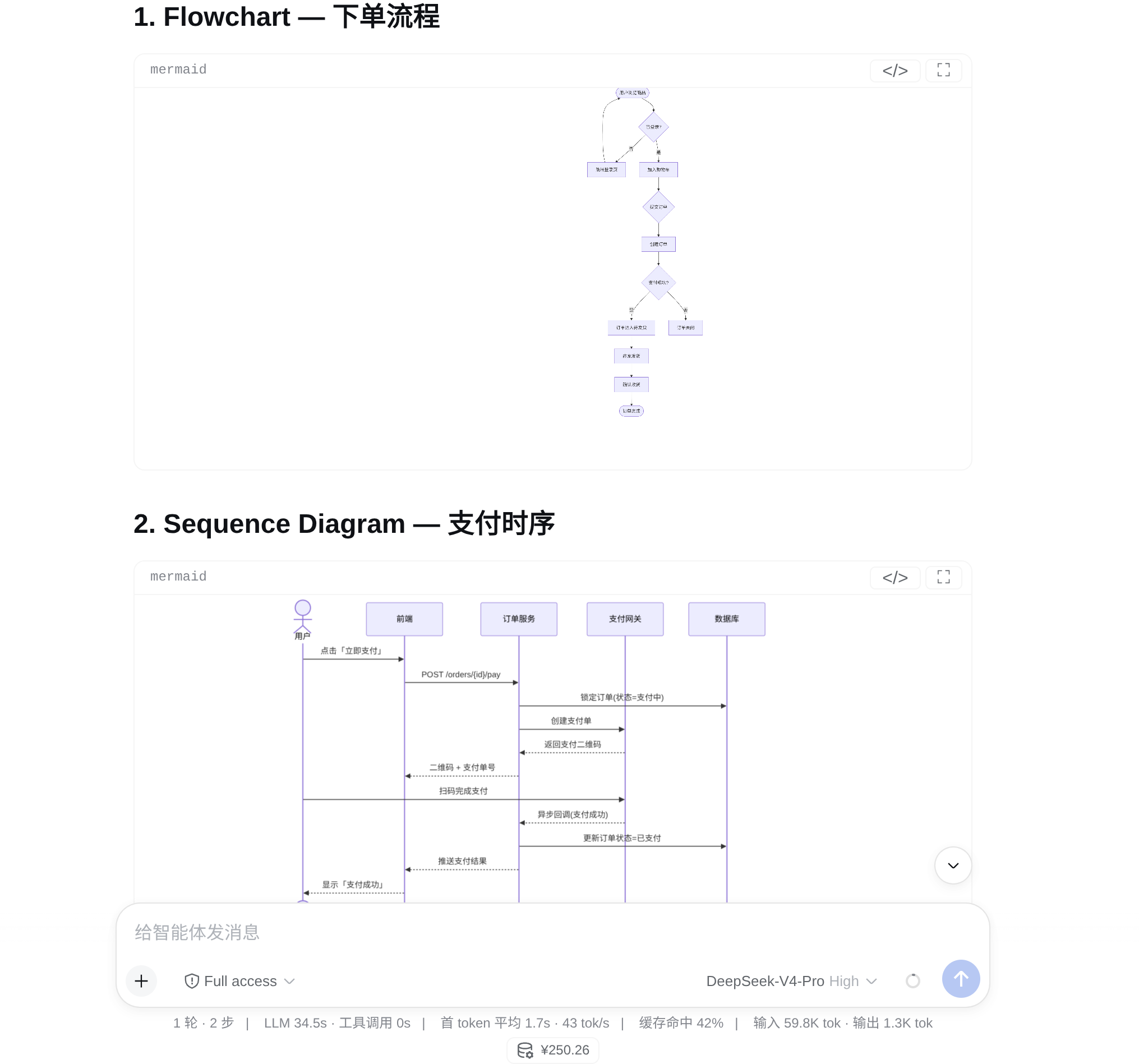
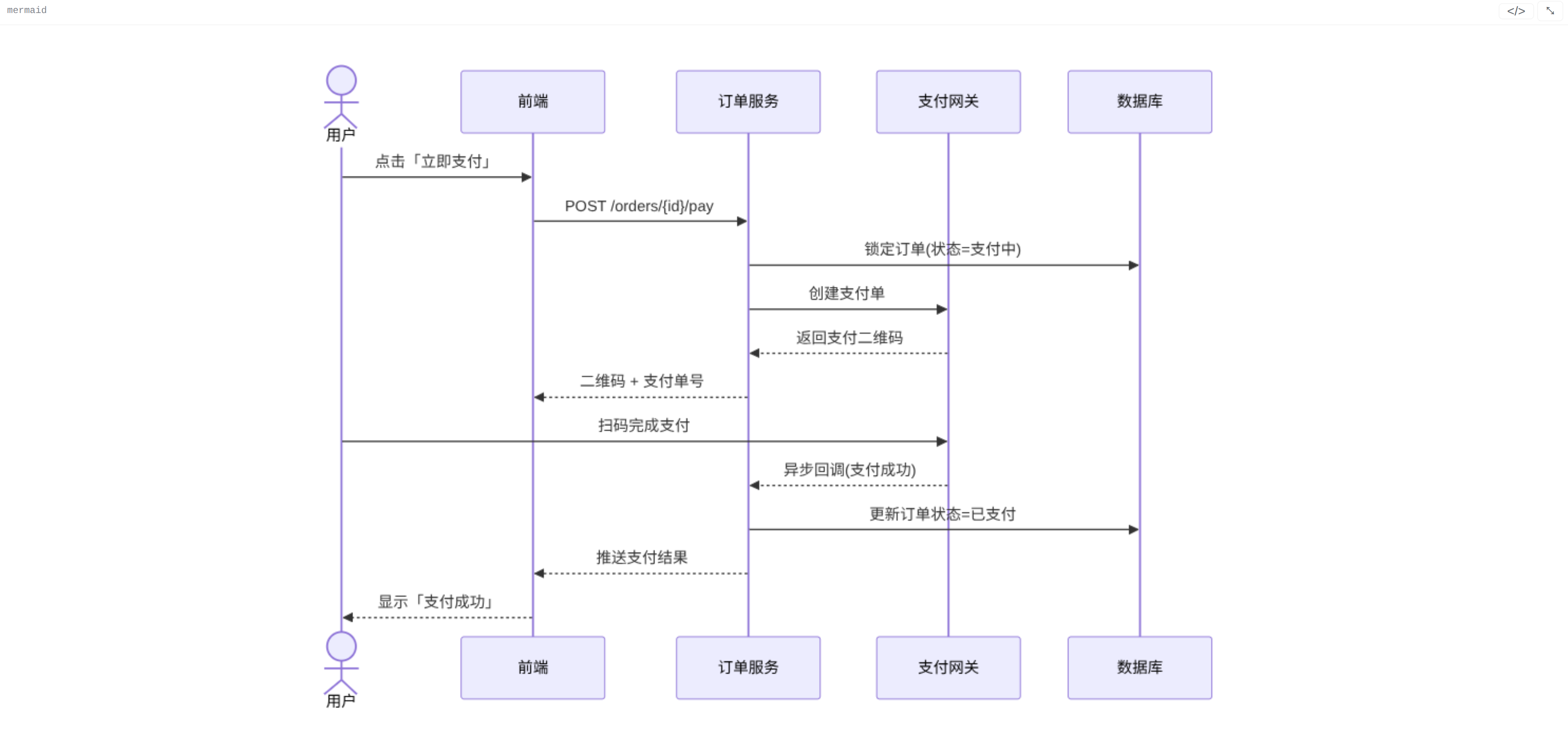
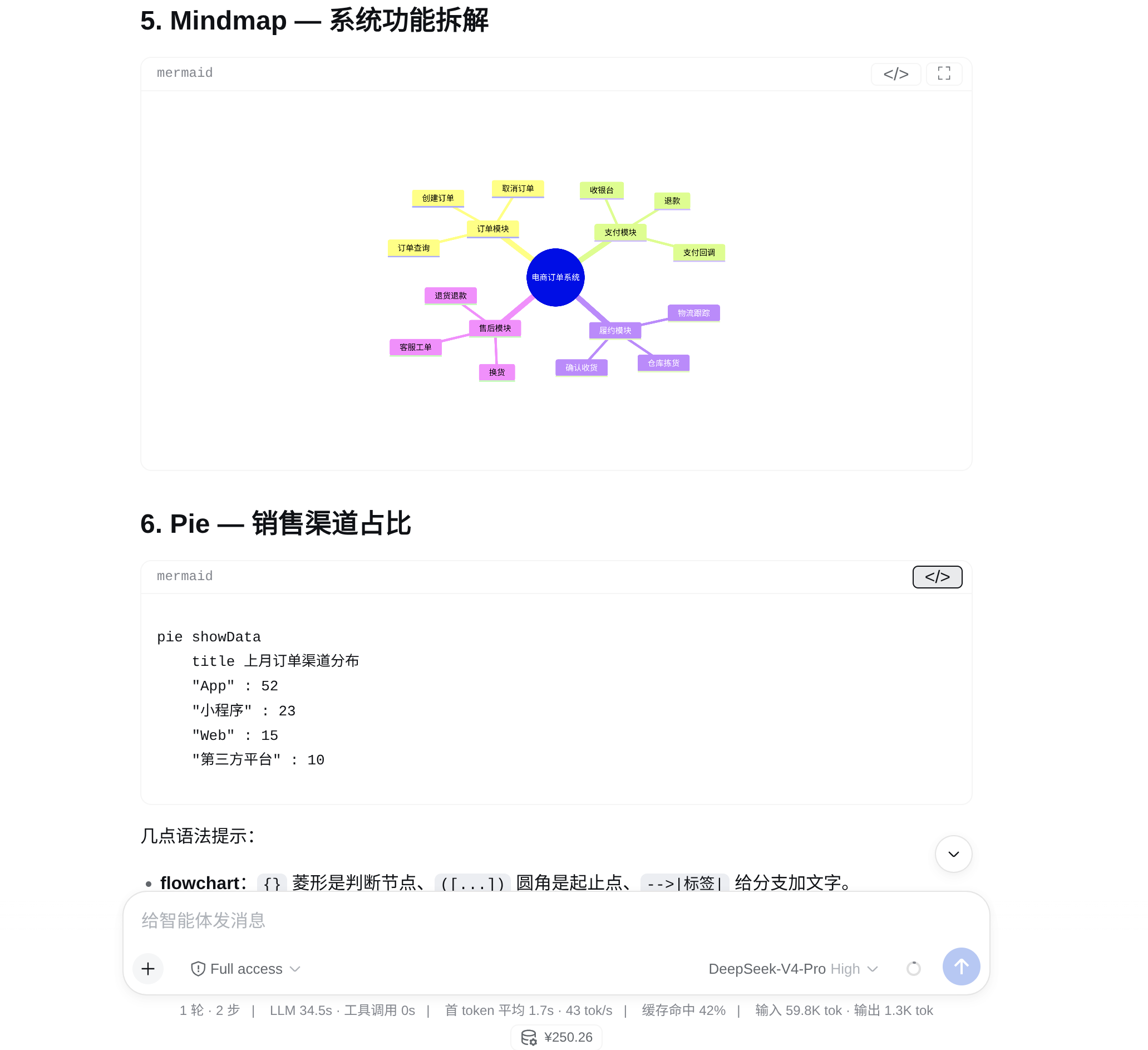
dsh-mermaid-smooth is a plugin for the DeepSeek Harness (DSH) Web UI and the DSH Desktop app. Before proceeding, make sure DSH is installed and set up.
Six ways — pick one, then restart DSH Web or the Desktop app (the current session ends, but DSH sessions are persisted on disk and can be resumed after restart).
1. npm package (recommended, simplest)
dsh plugin --profile web add dsh-mermaid-smoothVerified working: the tarball ships the prebuilt lib/client.js, so nothing
is compiled at install time. pnpm may auto-add the package to
minimumReleaseAgeExclude in the profile's pnpm-workspace.yaml (because the
package was just published) — that is expected and harmless.
2. From GitHub (pinned to a commit)
dsh plugin --profile web add 'github:gitByteFree/dsh-mermaid-smooth#<full-commit-sha>'Pin to the commit you want (e.g. the main HEAD shown on the repo's commit
history page); later changes on main will not silently alter installed code.
The source is installed and built at install time (prepare runs the esbuild
bundle), so git and Node.js ≥ 20 are required.
pnpm ≥ 10 blocks that prepare build for git-hosted packages until you
allowlist it: the first install fails with ERR_PNPM_GIT_DEP_PREPARE_NOT_ALLOWED
and prints the exact key to add. Copy that key verbatim (it embeds the
codeload URL with the full commit sha — a bare package name does not match)
under allowBuilds in the profile's pnpm-workspace.yaml, then re-run:
allowBuilds:
  dsh-mermaid-smooth@https://codeload.github.com/gitByteFree/dsh-mermaid-smooth/tar.gz/<full-commit-sha>: true
This is the same trust decision as any build-time script: only allowlist
packages whose source you have reviewed. If you would rather not run
build-time code at all, use methods 1 or 3, which ship the prebuilt bundle
and need no allowBuilds entry.
3. From a release tarball (offline / where git is inconvenient)
Download dsh-mermaid-smooth-0.2.3.tgz from this repo's
Releases (it
contains the prebuilt lib/client.js, so no prepare script runs at install
time), then run from the directory you downloaded it to:
dsh plugin --profile web add ./dsh-mermaid-smooth-0.2.3.tgz0.2.3 above is a real filename, not a placeholder — match the version you
downloaded and drop any <...> brackets (zsh reads a bare <...> as input
redirection and fails with "no such file or directory"). Keep the ./
prefix: dsh plugin add anchors ./-relative paths to your current
directory, while a bare filename would be looked up inside the profile.
4. Local clone (for development)
git clone git@github.com:gitByteFree/dsh-mermaid-smooth.git
cd dsh-mermaid-smooth
dsh plugin --profile web add .
5. From the DSH plugin market (Discover)
This repo publishes its own market index, so the plugin can be installed from Discover without typing a package name:
https://cdn.jsdelivr.net/gh/gitByteFree/dsh-mermaid-smooth@main/market/index.jsonOpen Plugins in the sidebar, switch on Custom plugin markets under Experimental plugins if it is off, then in Discover add the index URL above as a source and install Mermaid Smooth. The same index works in the Desktop app.
jsDelivr serves the index because Discover needs a direct 200 without
redirects; a release can take up to 12 hours to appear there. To pick up a
fresh release immediately, pin an immutable commit (@<commit> instead of
@main) or use
https://raw.githubusercontent.com/gitByteFree/dsh-mermaid-smooth/main/market/index.json.
6. DSH Desktop app (Electron)
The Desktop app bundles the complete DSH Web application, so this plugin needs
no separate Desktop build. Desktop exclusively owns the desktop profile, and
only the CLI bundled with the app can manage it — an npm-installed dsh
refuses it with
profile "desktop" is managed exclusively by the Electron application.
Launch the Desktop app once so it initializes $DSH_HOME/profiles/desktop,
then quit it completely.
Install the app's command from the menu (Manage dsh Command… → Install) and run:
dsh plugin --profile desktop add dsh-mermaid-smoothReopen the app. You can also install from its Plugins page or from the market index in method 5.
Runtime behaviour is identical: diagrams, wheel zoom and drag, the per-fence switch, the persisted preference, theme follow, copy, SVG download, and fullscreen all run in the shared Web client.
Restart the web app (dsh web, or your dsh-web service) or reopen the
Desktop app so the new bundle layer is composed.
MIT
CLASSIFICATION EVIDENCE
系统优先读取 GitHub Topics,再与站内分类词典和词根规则比对。当前命中: 无有效分类标签。
c1overzz
DSH 插件:每天替你刷一轮 B站,读字幕挑出值得的、写一份日报,值得的 @ 你

hellowind777
一个自主的高级智能伙伴,不仅分析问题,更持续工作直到完成实现和验证。

xing-shuyin
Just open your browser — get all your work done.