
模型与 MCP
待识别

rea
morluto
Reverse engineer anything with agents, from app behavior down to native binaries.
PROJECT TOPICS
INSTALL REFERENCE
dsh plugin --profile web add github:gimhol/dsh-git-suite
该命令指向仓库当前默认分支;尚无绑定当前 commit 的完整验证结果。
PROJECT README
English | 中文
A Git suite plugin for DSH Web: history, branches, the refs tree, commit details, working-tree staging and commits, branch switching, and pull requests — with amend/push options, AI commit reviews, AI-drafted pull requests, and more Git operations planned.
Some screenshots may be outdated as the UI keeps evolving.
History
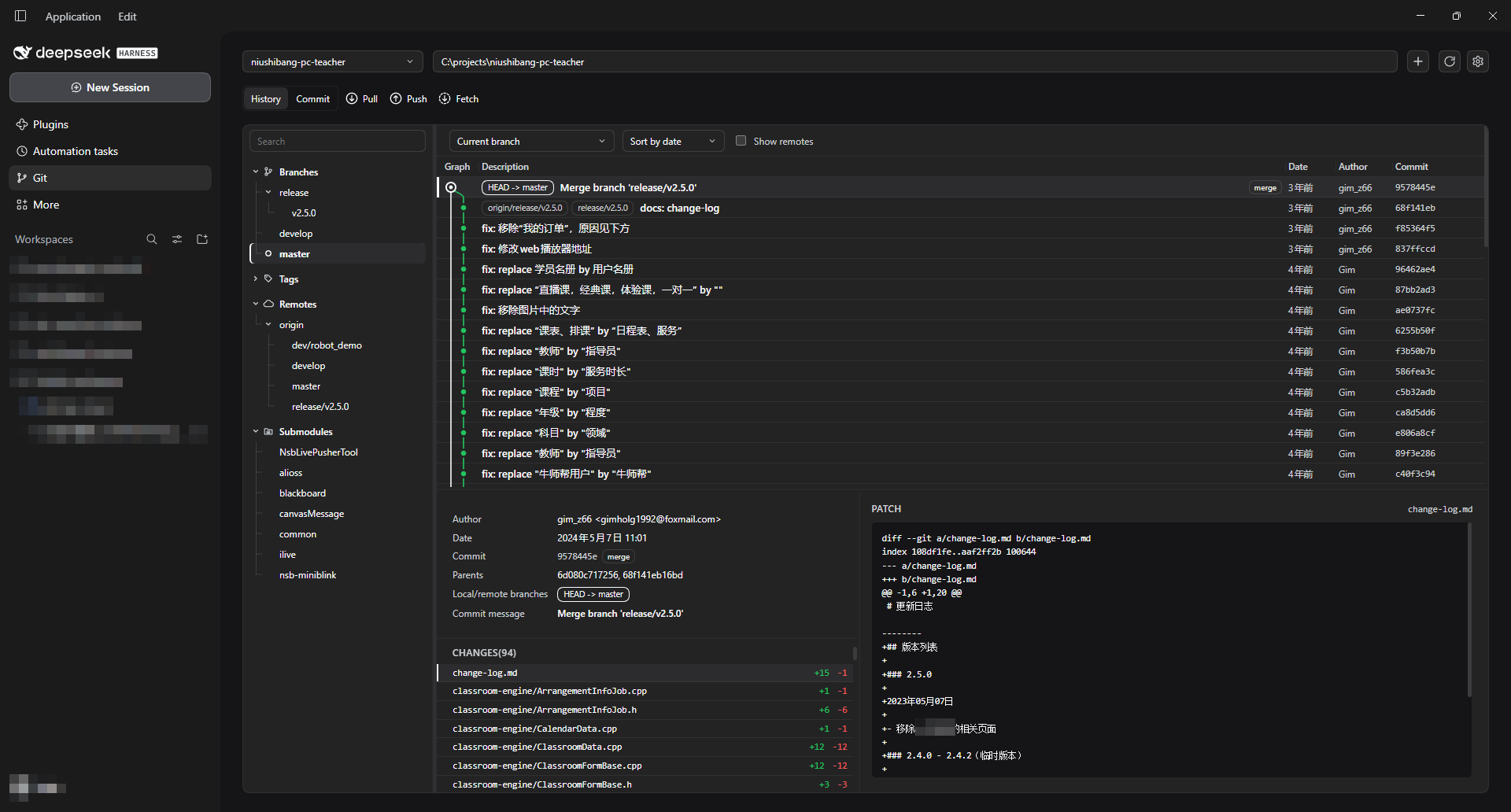
Commit details and diff
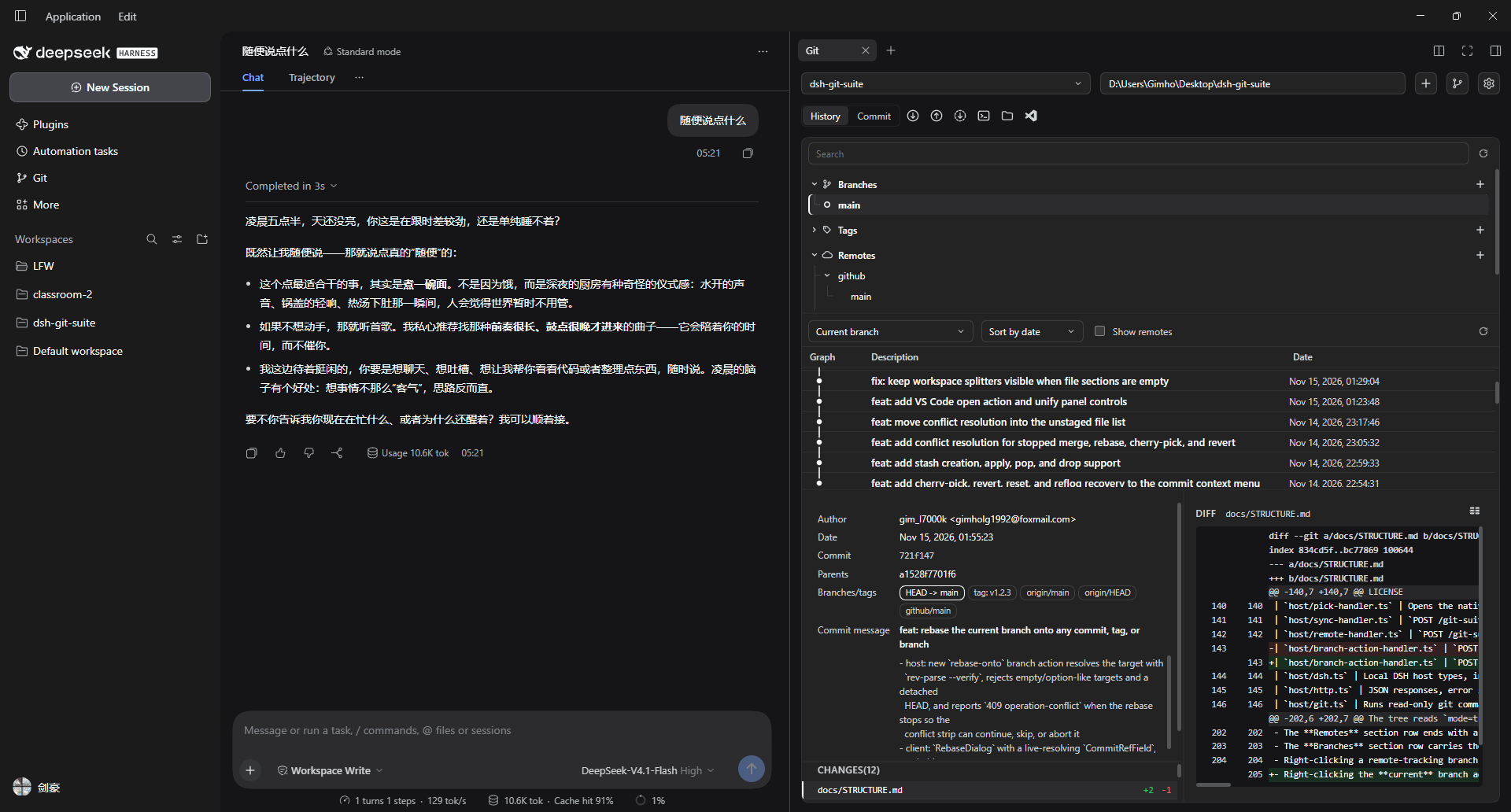
Commit and file status
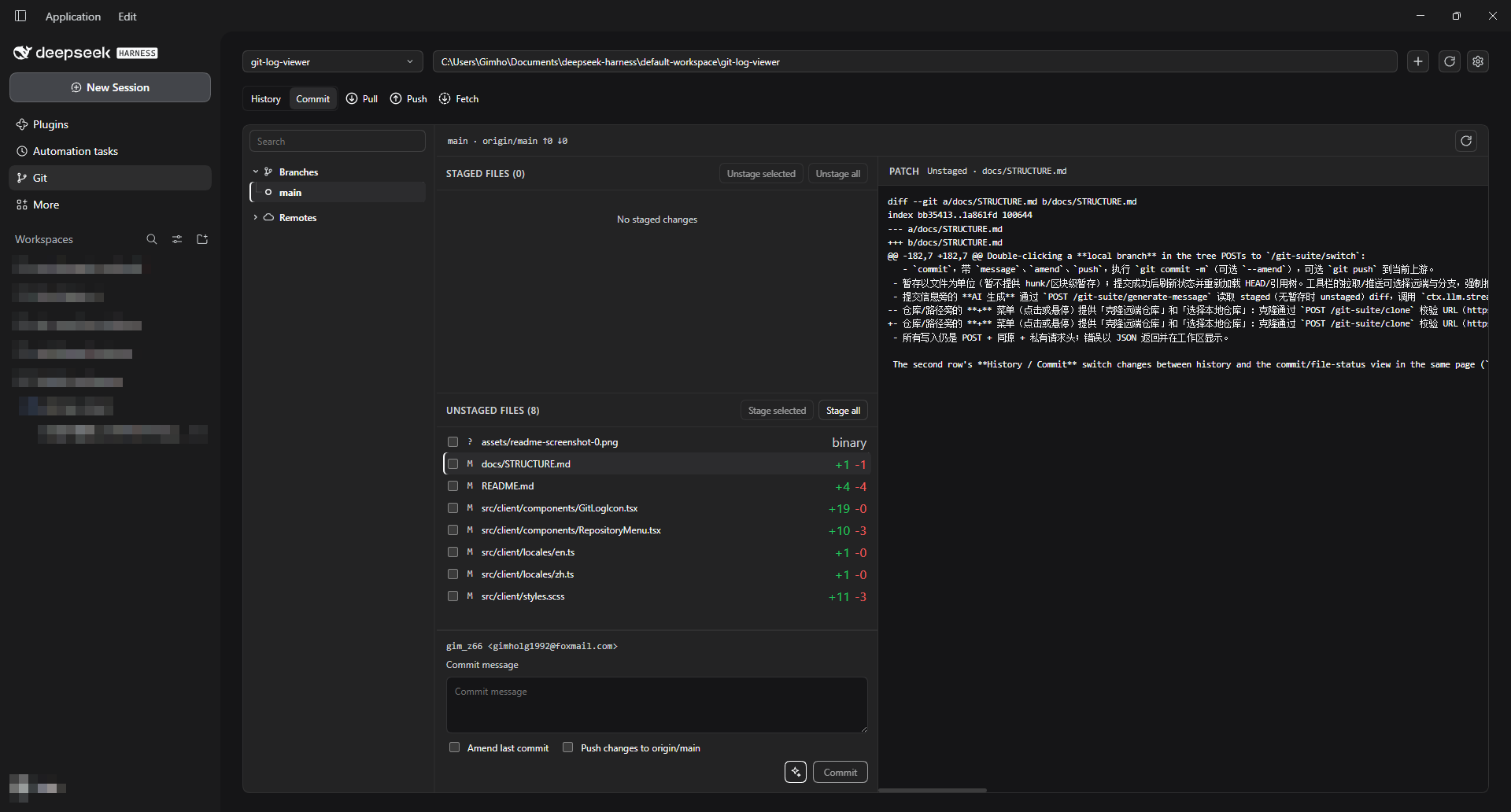
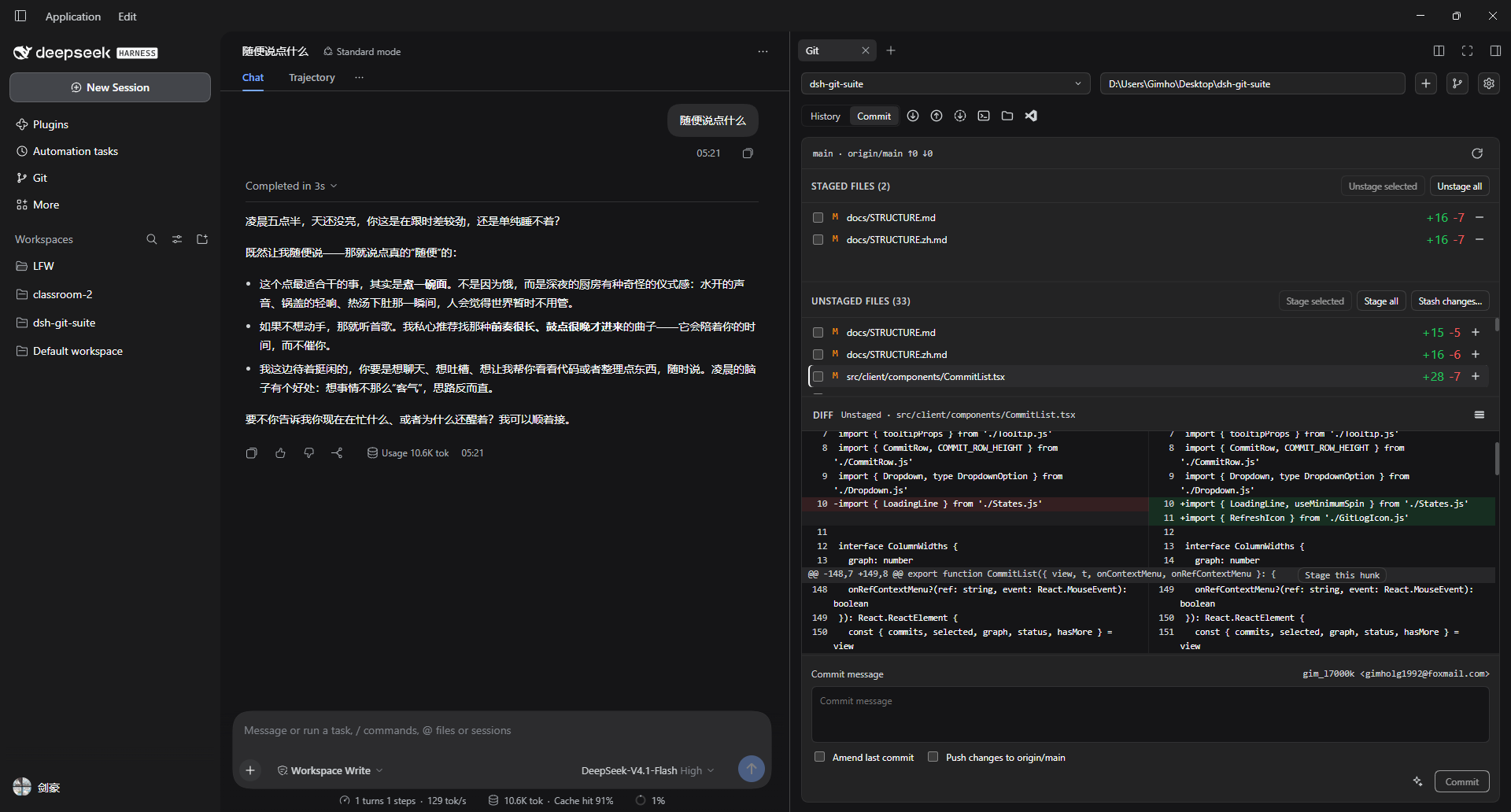
Hunk staging and a side-by-side diff
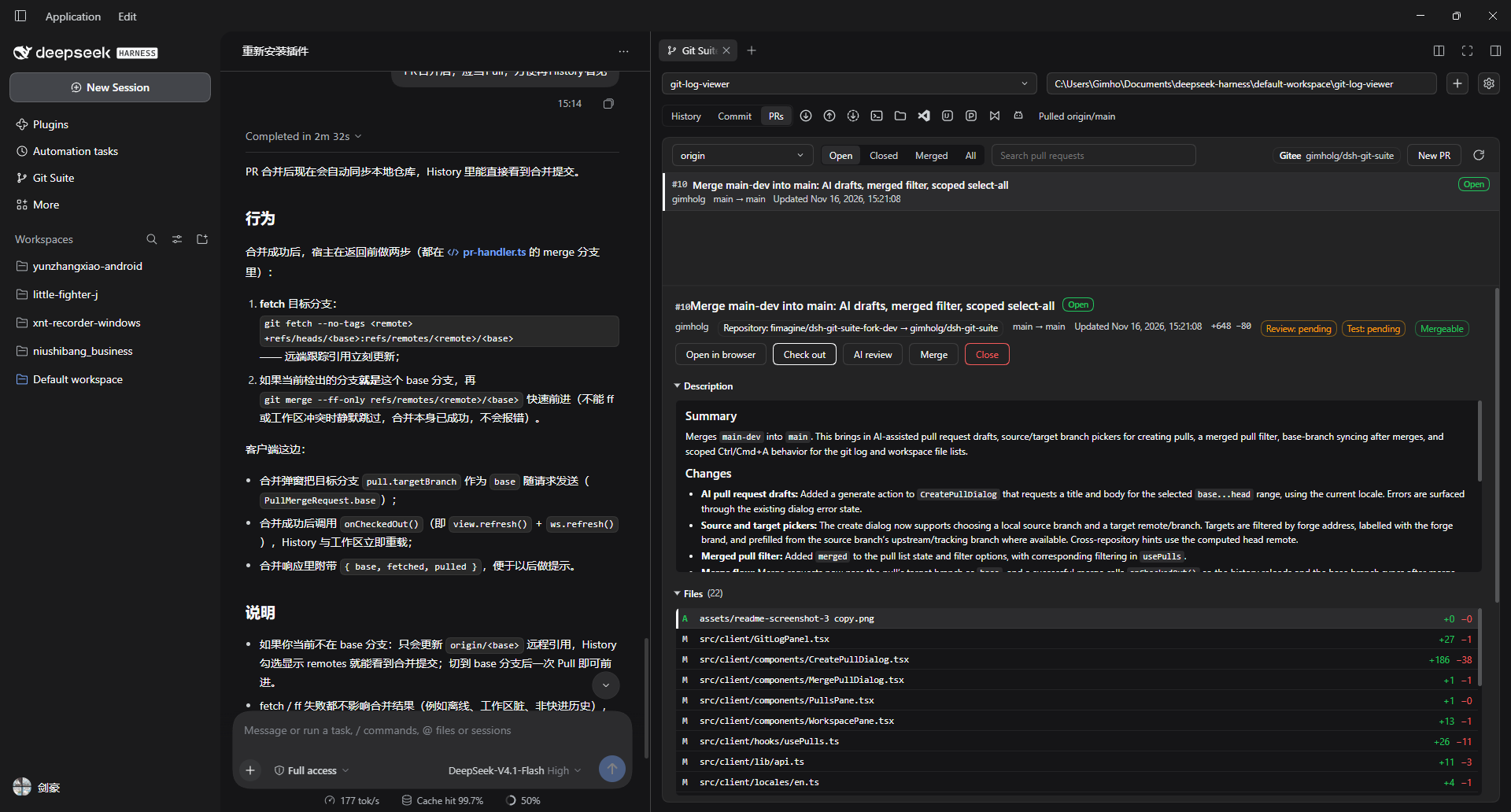
Pull requests: merged filtering, checks, and actions
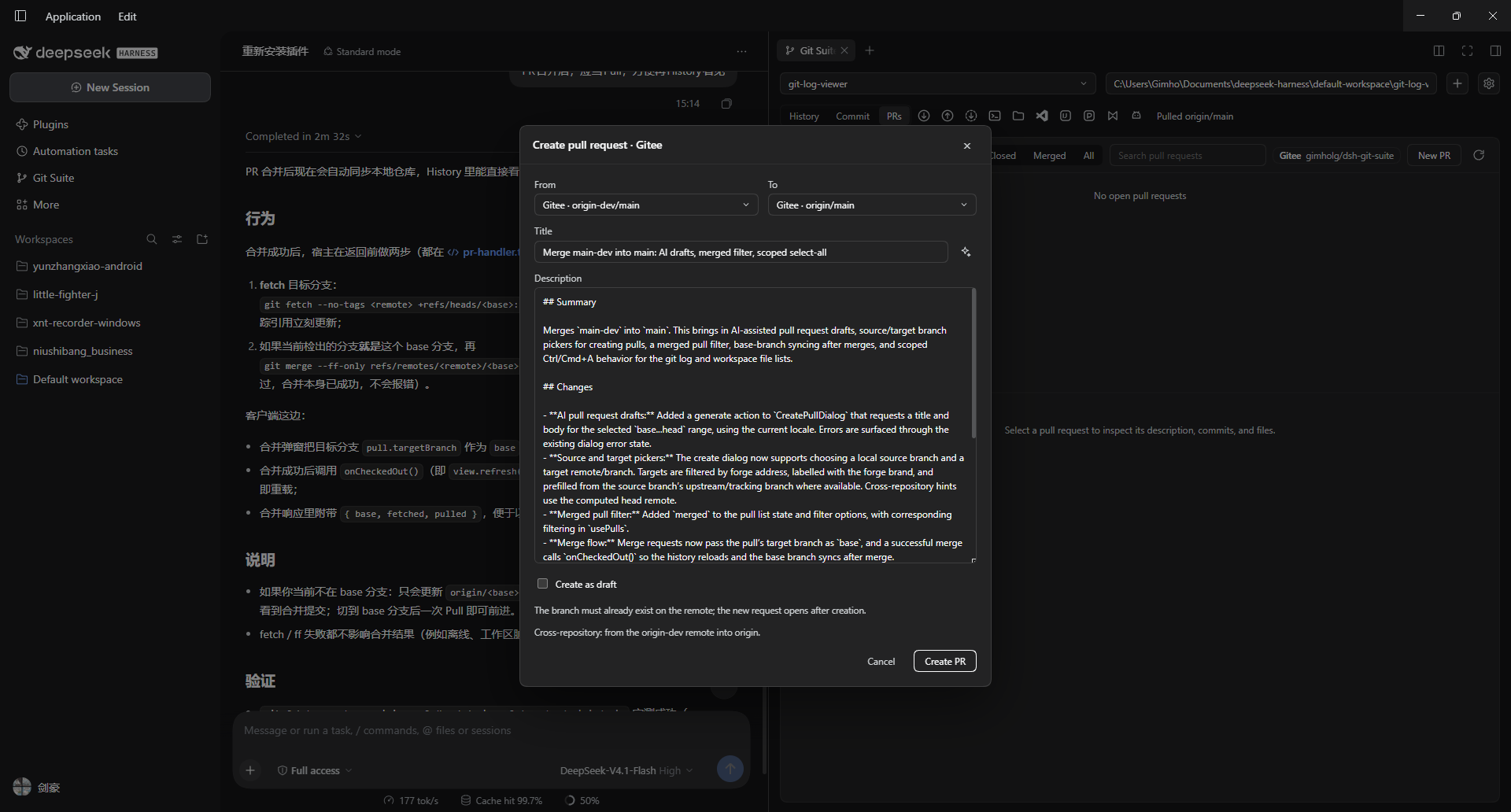
AI-drafted pull request with source and target branch pickers
PATHInstall the published dsh-git-suite bundle through DSH Plugin Manager (or plugin_manager install_bundle with the package name). The npm package ships the prebuilt dist/, so no Node.js, pnpm, or source build is needed.
Download the pnpm pack / GitHub release tarball (it contains dist/), extract it, and add the extracted directory in DSH Plugin Manager (Plugins → Add plugin). No build is needed either.
Clone the repository, build it once, then install the directory as a local bundle through DSH Plugin Manager.
git clone https://github.com/gimhol/dsh-git-suite.git
cd dsh-git-suite
pnpm install
pnpm build
A Gitee mirror is also available:
git clone https://gitee.com/gimholg/dsh-git-suite.git
cd dsh-git-suite
DSH loads built artifacts from dist/ and never compiles TypeScript; installing a local directory through Plugin Manager does not build it either. dist/ is a build artifact and is ignored by Git: after cloning, run pnpm install && pnpm build above before installing the directory. Rerun pnpm build after editing sources.
After changing entry paths in package.json, restart DSH (or disable and re-enable the plugin row) so the new entry paths are read.
Both entries are DSH catalog commands: rebind or clear them in Settings → Shortcuts, and the Start page shows their keycaps. The panel's own Settings dialog (gear icon) lists the same two commands, where a combination can be recorded, cleared (leaving the action unbound), or reset to its default.
| Action | Default |
|---|---|
| Open the Git Suite tab in the right sidebar | Ctrl/Cmd+Shift+G |
| Open the Git Suite page in the main column | Ctrl/Cmd+Shift+P |
pnpm build         # typecheck + host tsc + client esbuild
pnpm typecheck     # typecheck only
pnpm watch:client  # watch client sources; DSH HMR reloads the bundle
pnpm watch:host    # watch host sources
See docs/STRUCTURE.md for how tsc, esbuild, and Sass fit together.
MIT © 2026 Gim. See LICENSE.
CLASSIFICATION EVIDENCE
系统优先读取 GitHub Topics,再与站内分类词典和词根规则比对。当前命中: deepseek-harness。
morluto
Reverse engineer anything with agents, from app behavior down to native binaries.

deepseek-ai
DeepSeek Harness: Everything is a Plugin.

nexu-io
The 1st Collaborative AI Design Agent Workspace. Local-first and open source. Create motion, prototypes, websites, apps, dashboards, presentations, images, and videos with your team and AI agents. Share work, exchange feedback, and iterate together in one workspace.