
模型与 MCP
待识别

rea
morluto
Reverse engineer anything with agents, from app behavior down to native binaries.
PROJECT TOPICS
INSTALL REFERENCE
dsh plugin --profile web add github:dsh-teamwork/dsh-teamwork
该命令指向仓库当前默认分支;尚无绑定当前 commit 的完整验证结果。
PROJECT README

English · 简体中文


Shared models, agent presets, and approved plugins for your team's DSH workspace.
Connect DeepSeek Harness to DSH Teamwork, or your team's self-hosted server. A team publishes its configuration once; members sync it into their own DSH. The team assistant helps with sharing, usage and administration in conversation.
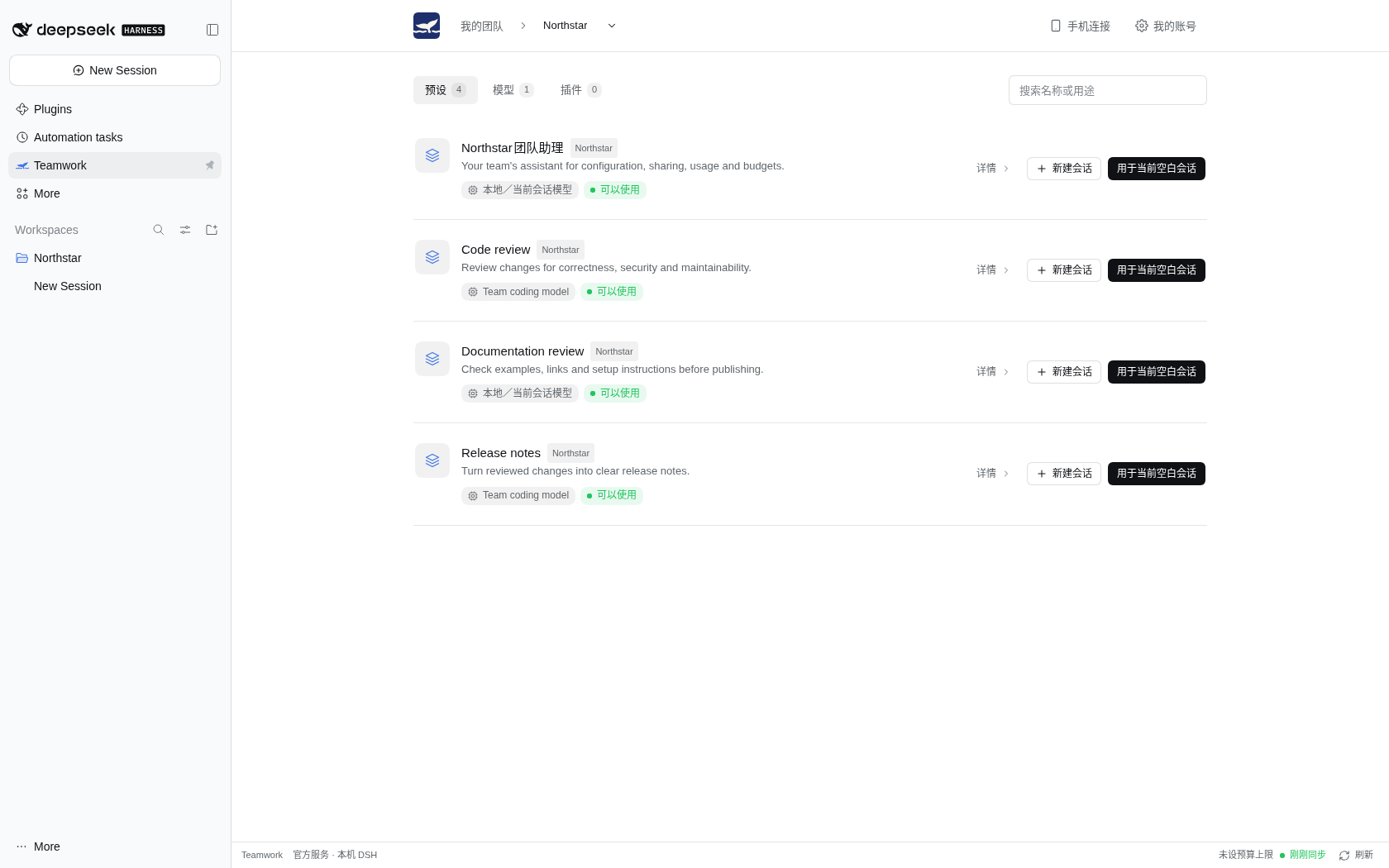
The plugin panel and the web console speak English and Simplified Chinese:
the panel follows the language of your Teamwork account (Account in the
panel). Terminal /teamwork output is always English; model replies follow the
conversation. Screenshots use a local
demonstration team.
| Capability | What it gives your team |
|---|---|
| Shared models and presets | Sync team resources and create sessions from native DSH agent presets. |
| Team assistant | Ask about configuration, personal usage and applicable budgets; administrators get their authorized management operations. |
| Reviewed sharing | Prepare local plugin packages and submit new or updated plugins/presets for administrator review. |
| Version history | Inspect publications, export resource backups and prepare a reviewed restoration. |
| Team governance | Administrators manage configuration, budgets and approval through the connected service. |
| Paired device access | With the relay, pair your phone (the Teamwork App) or a browser (My DSH in the web console) to your online DSH computer. |
Sharing and review happen inside the selected team. A publication becomes available to its members; it does not install code on their computers.
DSH Desktop: open Plugins → Add plugin in the application, enter the package name below, install it and enable it. Follow any restart prompt.
@dsh-teamwork/dsh-teamworkDesktop manages its own profile. Use its plugin manager for installation and
updates; a CLI installation into web belongs to a different profile.
DSH CLI / Web: install into the profile you actually run:
dsh plugin --profile web add @dsh-teamwork/dsh-teamwork
dsh web
For an existing web process, follow the host's reload/restart instructions.
Replace web with your custom profile name where appropriate.
| Requirement | Support |
|---|---|
| Declared DSH range | >=0.2.2-rc.1 <0.3.0-0 |
| CI host versions | 0.2.2-rc.1, 0.2.2-rc.2, 0.2.2-rc.3 |
| Node.js | Follow your DSH runtime's requirement; the current RC line requires Node.js 24.9+. Desktop supplies its runtime. |
CI uses Linux and pnpm 9.15.9. Other host and package-manager combinations follow their own build-script and installation policies. See installation troubleshooting.
Try asking:
Sync my team's configuration and show my usage for this month.
The assistant may inherit your session's local model. It needs a working model to act; inheriting a model does not configure a team gateway route.
| Member | Team administrator |
|---|---|
| Read shared resources and personal usage; inspect applicable budgets. | Read authorized team usage and manage team/member/provider budgets. |
| Submit presets and local plugin packages, including updates. | Review frozen submissions and publish or reject them. |
| Use published presets and explicitly install approved plugins. | Manage team configuration and prepare historical restorations. |
Mutations use DSH's real approval flow and the server rechecks permissions. Enter provider keys and account passwords through the console's secure forms. The user guide covers commands, configuration, device access and the distinction between submitted, published, synced and installed.
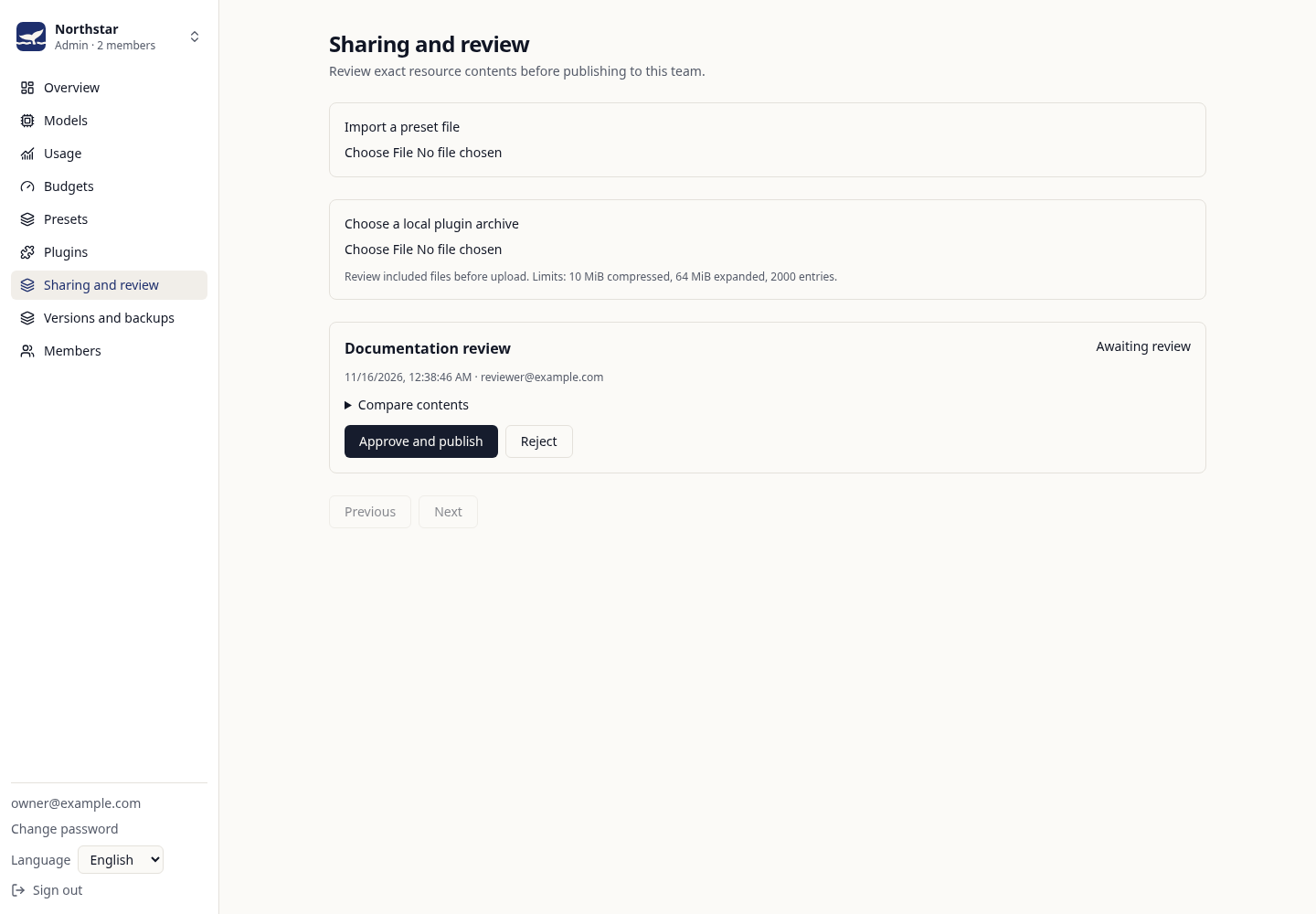
https://www.dshteamwork.com. Change it on the
Teamwork sign-in screen to use a self-hosted community server.Data, device pairing and recovery details explain which information is local, which reaches your server, and what the paired channel protects.
Apache License 2.0. The DSH Teamwork name and whale mark are covered by NOTICE; a fork uses its own branding.
CLASSIFICATION EVIDENCE
系统优先读取 GitHub Topics,再与站内分类词典和词根规则比对。当前命中: deepseek-harness、deepseek-harness-plugin。
morluto
Reverse engineer anything with agents, from app behavior down to native binaries.

deepseek-ai
DeepSeek Harness: Everything is a Plugin.

nexu-io
The 1st Collaborative AI Design Agent Workspace. Local-first and open source. Create motion, prototypes, websites, apps, dashboards, presentations, images, and videos with your team and AI agents. Share work, exchange feedback, and iterate together in one workspace.