
模型与 MCP
待识别

rea
morluto
Reverse engineer anything with agents, from app behavior down to native binaries.
PROJECT TOPICS
INSTALL REFERENCE
dsh plugin --profile web add github:dougen/dsh-deepseek-usage
该命令指向仓库当前默认分支;尚无绑定当前 commit 的完整验证结果。
PROJECT README


English | 中文
A DeepSeek Harness (DSH) sidebar plugin that shows, right in the DSH main window, how much money or quota is left on the account behind the currently selected model, and what that model costs right now — without leaving DSH. It supports nine providers.
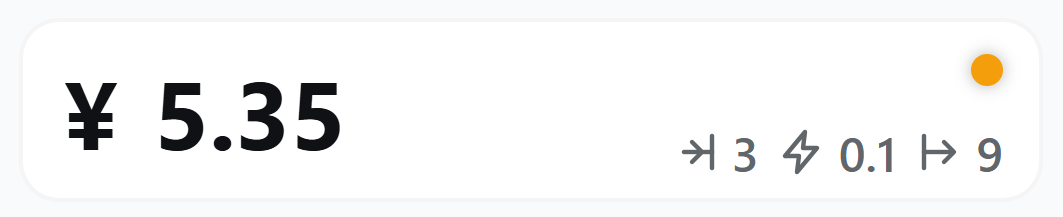
Balance mode (DeepSeek, Kimi, Z.ai, OpenRouter…): the account balance, the current model's input / cache / output unit prices, and the peak / off-peak indicator in the top-right corner.
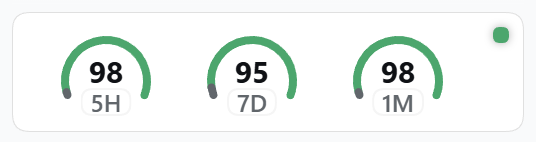
Subscription mode (Kimi For Coding, OpenCode, MiniMax, Claude Code / Codex…): one D-shaped gauge per usage window — the number in the middle is the remaining quota, the grey arc is what has been used, the green arc is what is left (red once 80% is used), and the badge names the window (5H = 5-hour, 7D = weekly, 1M = monthly).
DSH lets you switch between many model providers, but each provider hides its account status on a different website. This plugin resolves the provider behind the model you have selected in DSH and puts a live status card for that account at the bottom of the sidebar:
¥ / $).Step 1 — configure the provider's credential. The plugin queries each provider with the key you already use for that provider: fill it on the Models page in DSH, or export it as an environment variable (DEEPSEEK_API_KEY, MOONSHOTAI_API_KEY, ZAI_API_KEY, OPENROUTER_API_KEY, KIMI_CODING_API_KEY, OPENCODE_API_KEY, MINIMAX_API_KEY, …). The deepseek-account route is the exception: it needs no key — sign in to DeepSeek inside DSH and the card reads that account grant.
Step 2 — install the plugin into the web profile:
dsh plugin --profile web add @dougen/dsh-deepseek-usageStep 3 — restart dsh web and open the URL it prints. The card sits at the bottom of the sidebar, below the Cordis panel button; click it to refresh right away. Provider mappings and subscription tokens are configured in Settings → DeepSeek Usage; when the route behind the selected model is not supported, the card offers a Set up mapping button that opens that page directly.
An API key cannot read these subscriptions — they share an OAuth token instead. When DSH detects Claude Code or OpenAI Codex (or a provider mapping targets one of them), a token field appears in Settings → DeepSeek Usage, under the provider mappings. Paste the token there and the sidebar card starts reporting that subscription's remaining quota:
claudeAiOauth.accessToken from ~/.claude/.credentials.json (on macOS: the Claude Code-credentials keychain item). A token minted by claude setup-token also works.tokens.access_token from ~/.codex/auth.json into the token field, and tokens.account_id into the account ID field.Tokens are stored through DSH's credential service (~/.dsh/.credentials.yaml) and never leave this machine: no response, log line or page element carries one back. The Clear button removes them again.
dsh plugin --profile web remove @dougen/dsh-deepseek-usageThen restart dsh web.
Use a plugin version that matches your DSH:
| DSH version | Plugin version to install |
|---|---|
0.2.x (from 0.2.0-rc.1 on) |
0.11.0 or later |
0.1.x (from 0.1.0-rc.6 on) |
0.10.x, or 0.11.0 or later |
Run dsh --version to check your DSH version. Installing without an explicit version picks the newest compatible release automatically; if the newest release does not match your DSH, pin an exact one, e.g. @dougen/dsh-deepseek-usage@0.10.2.
CLASSIFICATION EVIDENCE
系统优先读取 GitHub Topics,再与站内分类词典和词根规则比对。当前命中: deepseek-harness。
morluto
Reverse engineer anything with agents, from app behavior down to native binaries.

deepseek-ai
DeepSeek Harness: Everything is a Plugin.

nexu-io
The 1st Collaborative AI Design Agent Workspace. Local-first and open source. Create motion, prototypes, websites, apps, dashboards, presentations, images, and videos with your team and AI agents. Share work, exchange feedback, and iterate together in one workspace.