
其他
完整应用

deepseek-harness
deepseek-ai
DeepSeek Harness: Everything is a Plugin.
PROJECT TOPICS
PROJECT README

English | 中文
[!WARNING] This project is archived and no longer developed.
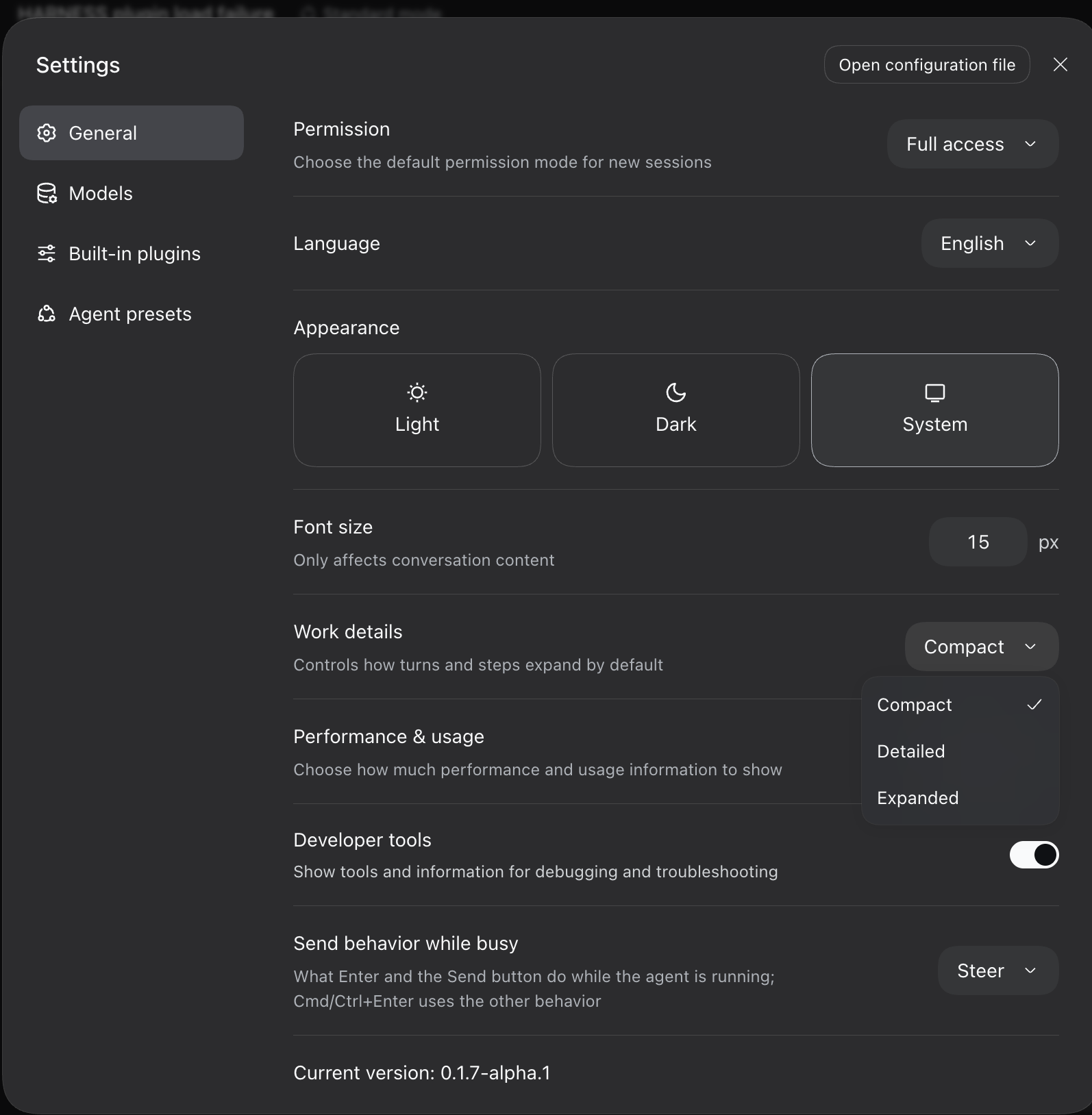
The official dsh web UI now supports this plugin's functionality natively: Settings → Work details (
Compact/Detailed/Expanded) folds a turn's process into a compact reading line, and it has shipped since dsh 0.1.7-alpha.1. There is no longer any reason to install this plugin.
Migrating off the plugin — remove it from your web profile and restart; the built-in setting takes over:
dsh plugin --profile web remove @dingyi222666/dsh-focus-chat
dsh web
The repository is read-only from here on: no further releases, issues, or pull requests.
A plugin for the dsh web GUI that adds a focus chat tab — a condensed, Claude Code–style way to read a conversation.
| Off — the normal chat view | On — the focus chat view |
|---|---|
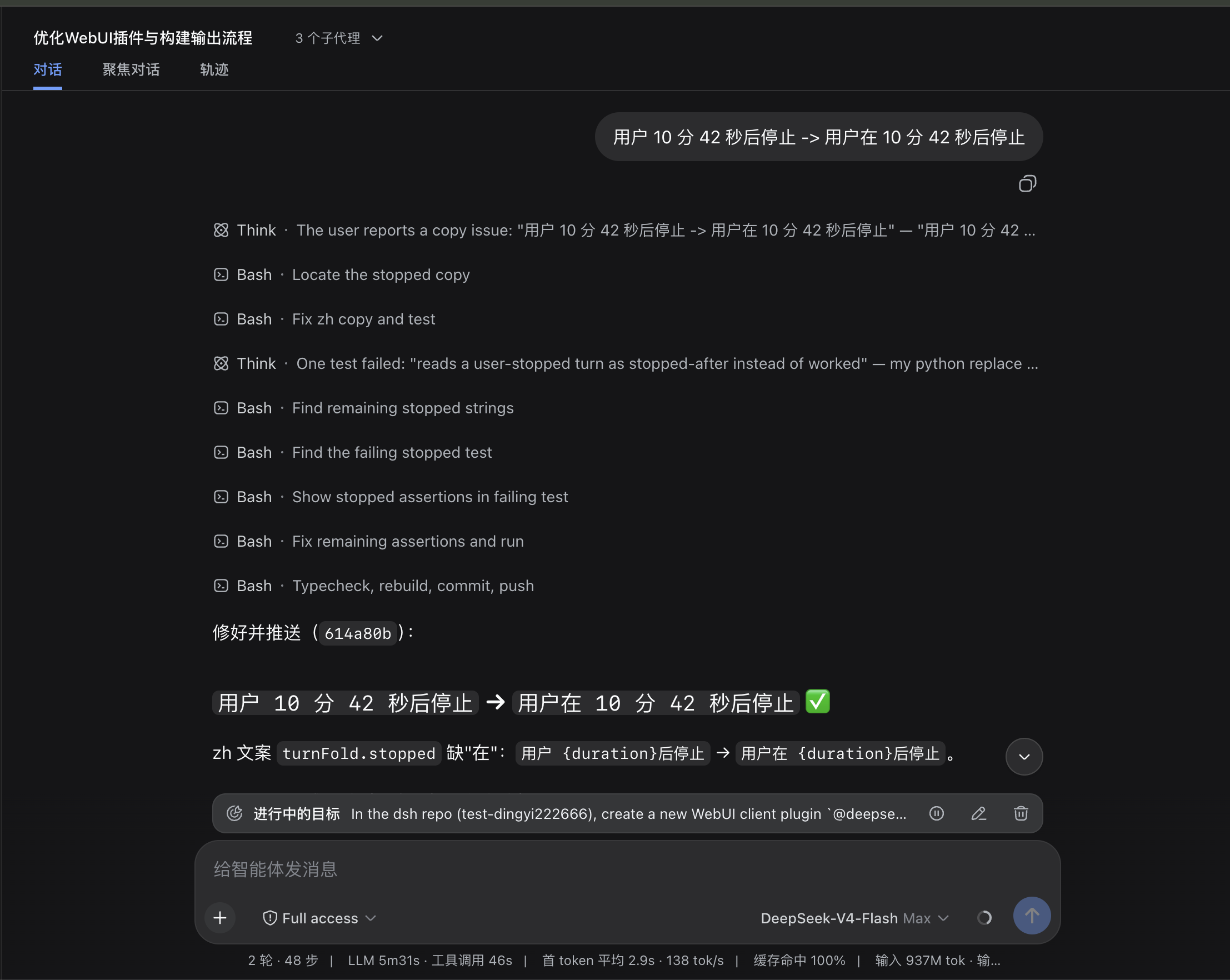 |
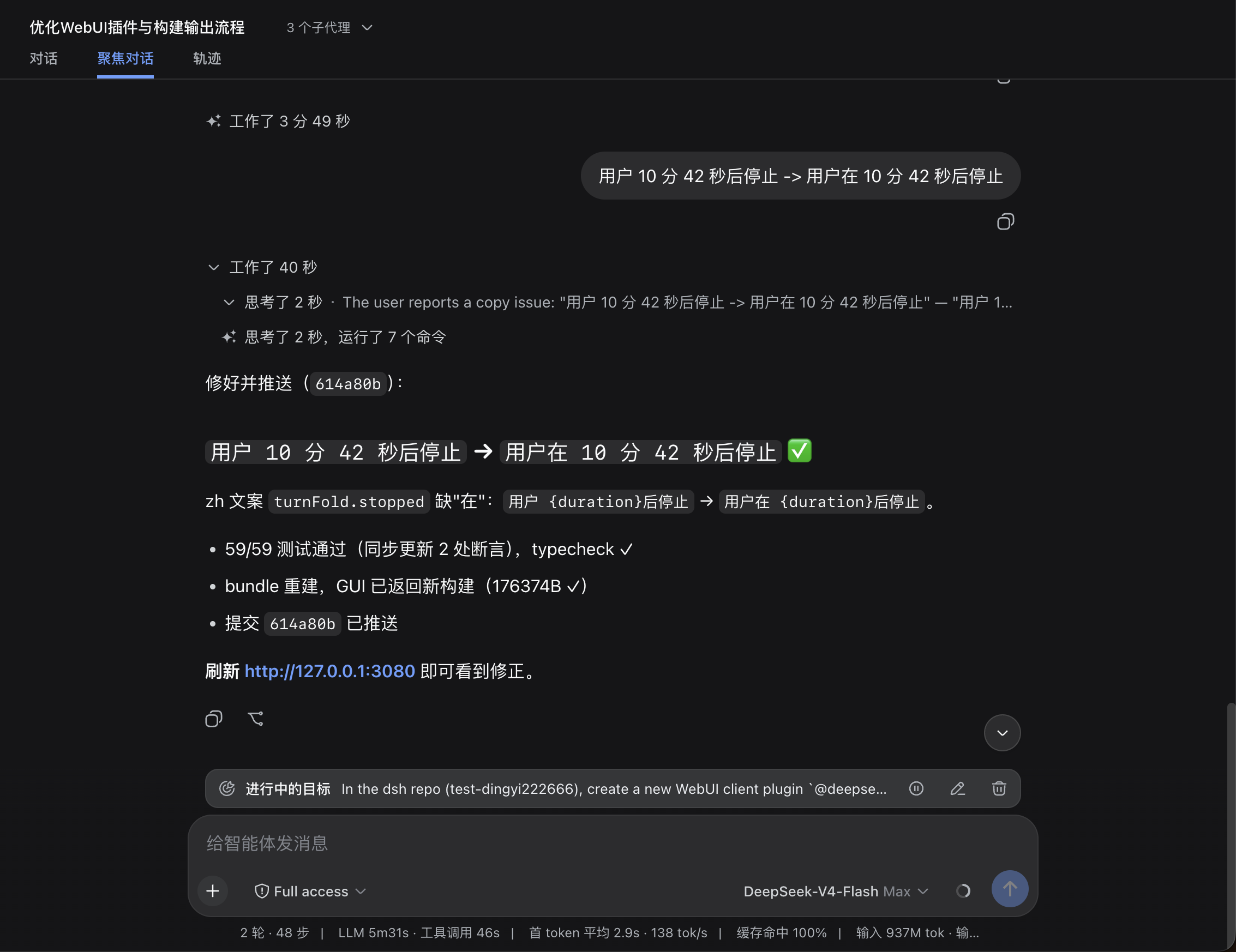 |
| Settings | |
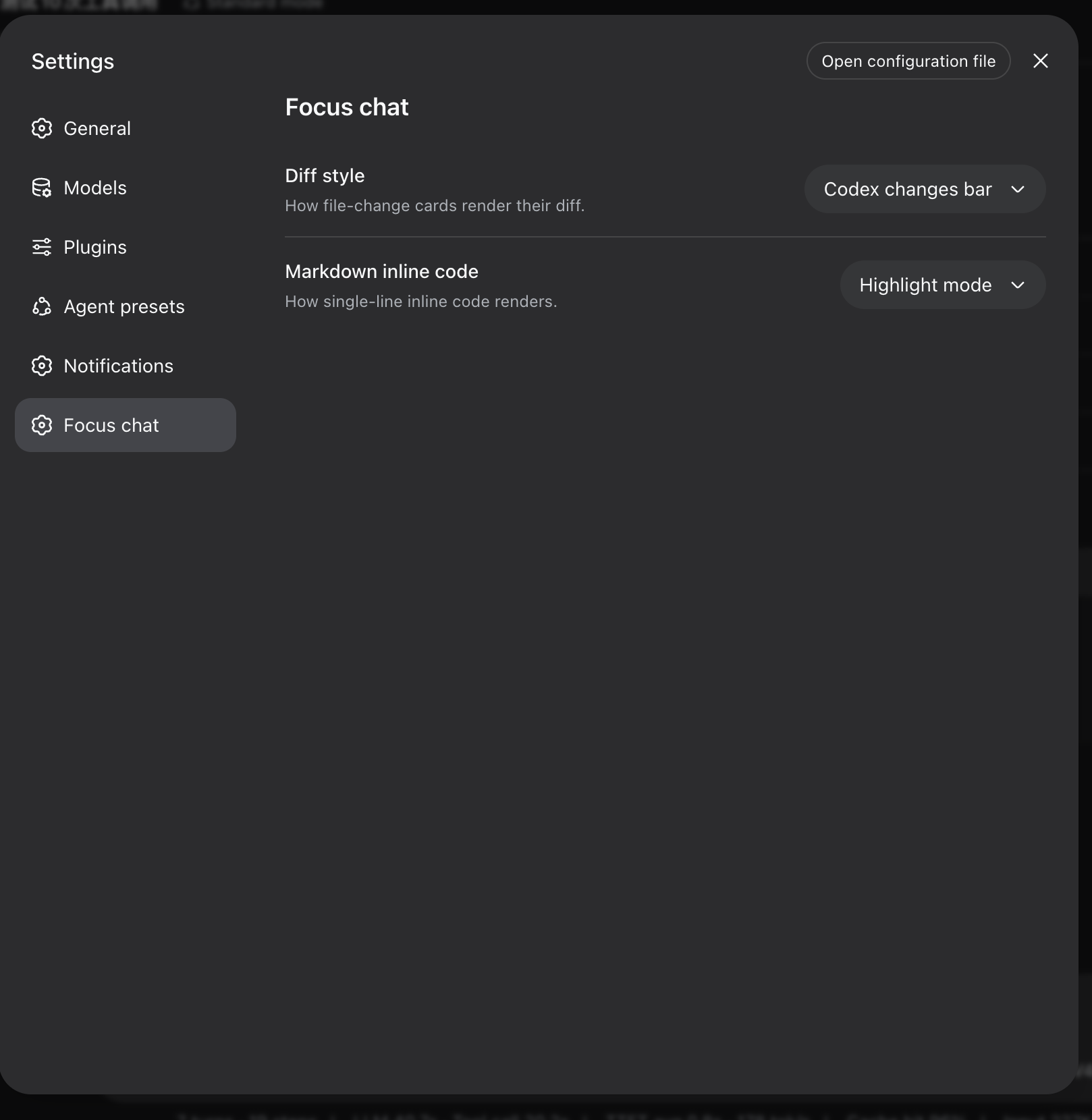 |
Instead of watching every step live, one assistant turn collapses into a single summary line:
Thought for 36s, edited 8 files, read 17 files, listed 18 directories, ran 2 shell commands, loaded 3 context items
A whole turn can fold further into one Worked for Xm Ys line — expanding it draws the full detail (tool cards, thinking, context, produced files, copy/fork) exactly like the chat rows; mid-turn interjections split the fold into per-stretch lines, and a stopped turn reads Stopped after X. After a refresh the whole conversation shows up folded: every turn beyond the ~50-message window renders from a Host-side index as "user message + worked-for line + the assistant's actual closing reply", and its process detail loads only when that fold expands. Very long histories page the fold stack via "Load earlier turns"; a missing index silently degrades to the in-window folds.
Switch to it whenever you want the "what happened?" view, and flip back for the full transcript.
The plugin is archived; prefer the built-in Work details setting described in the warning above. The steps below are kept only for existing installs.
# Install from npm (requires dsh >= 0.1.6-alpha.1)
dsh plugin --profile web add @dingyi222666/dsh-focus-chat
# Restart dsh web; the tab mounts automatically
dsh web
Then open the Focus chat tab in any conversation.
Notes:
dsh plugin behaves like adding a dependency to your web profile. A bundle plugin is loaded once its full package name appears in the profile's dsh.profile.bundles list (adds automatically on recent dsh builds; add it manually if your build does not); the bundle patch applies on the next boot.node --import tsx/esm apps/cli/src/bin.ts ...).Short answer: the chat view's internals aren't open to third-party plugins — by design — and this plugin deliberately never touches dsh's own source. Concretely:
conversation.chat.node, tool.call.toolview, and conversation.chat.turnTail. Those slots are declared by the chat entries themselves, and the slot system rejects a second declaration at load time — the conflict is the design speaking. A plugin cannot insert its own rows into the chat transcript, and cannot even declare the chat's own slots.conversation.view list slot — the whole message surface. That's why the plugin ships its own complete view instead of changing how the chat view displays.If you want the chat view itself to behave differently, that's an in-repo change to the chat package — exactly what this plugin avoids.
Focus chat is a faithful reading surface, not a second chat view:
openView('trajectory', callId)) — the 0.1.5 replacement for the removed details panel. Focus cannot render third-party keyed tool views (see the next bullet).This build targets the dsh v0.1.6-alpha.1 client surface, and every
@deepseek-ai/*runtime dependency installs from the npm registry (seepackage.json). The/cliententries those packages ship arewindow.__ModuleLoader__browser closures, and the dsh test runtime is built against the source tree, soyarn testresolves the@deepseek-aiclient surface from the dsh mainline source checkout at the same 0.1.6-alpha.1 line:vitest.config.tsderives its aliases from that checkout's own tsconfig path map (theMAINLINEconstant in the config) — keep the checkout on the 0.1.6-alpha.1 release and everything else stays npm-installed.
yarn run build — builds the browser bundle and the Node half.src/client/model/ — the pure logic (folding, merging, row models, the remote turn-slice projection); src/client/view/FocusView.tsx — the view; src/host/ — the host half's turn index and RPC channel; src/protocol.ts — the wire contract shared by both halves.yarn test — behavior tests; yarn run typecheck — type gate.--dev dsh web server hot-reloads rebuilt bundles — yarn run build alone is usually enough to see changes.None. The view is a pure client derivation over the already-logged conversation snapshot; nothing here reaches a model request.
None; this package neither assembles nor sends provider requests.
CLASSIFICATION EVIDENCE
系统优先读取 GitHub Topics,再与站内分类词典和词根规则比对。当前命中: 无有效分类标签。
deepseek-ai
DeepSeek Harness: Everything is a Plugin.

anywhere-labs
为 DeepSeek Harness (DSH) 插件生态打造的现代化桌面端解决方案。万物皆「插件」,桌面本身也是「插件」。

walkinglabs
Harness engineering beginner tutorial, from 0 to 1