其他
完整应用

deepseek-harness
deepseek-ai
DeepSeek Harness: Everything is a Plugin.

dhicoc/dsh-theme-mineradio
A cinematic visual-radio glass theme for DeepSeek Harness (DSH) Desktop — port of the Mineradio music player's champagne-glass aesthetic. Fluid or wallpaper backdrop, light-glass panels, custom knobs, and the drifting-glow cursor treatment.
PROJECT TOPICS
INSTALL REFERENCE
dsh plugin --profile web add github:dhicoc/dsh-theme-mineradio
该命令指向仓库当前默认分支;尚无绑定当前 commit 的完整验证结果。
PROJECT README

English | 中文
Mineradio is a cinematic glassmorphism theme for the DeepSeek Harness web UI — a faithful re-skin of the Mineradio "private visual radio" identity. The header, sidebar, composer, stats line, and trajectory view become panes of warm champagne glass over a near-black studio backdrop. You can put a video as wallpaper and switch it off and the stock UI comes back exactly, with no source changes to DSH itself.
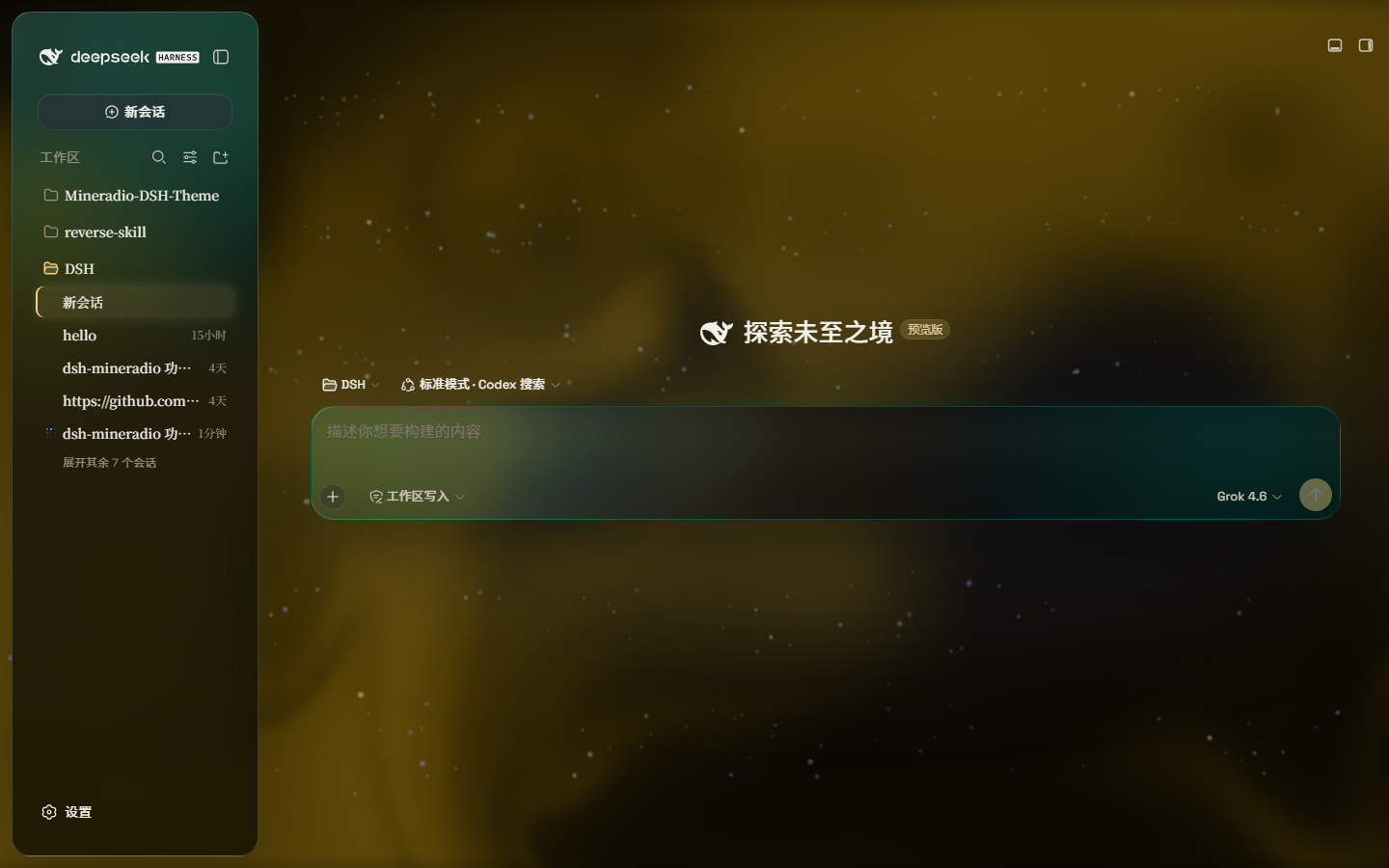
Dark studio: teal glass over a champagne pour. The prompt floats in the liquid.
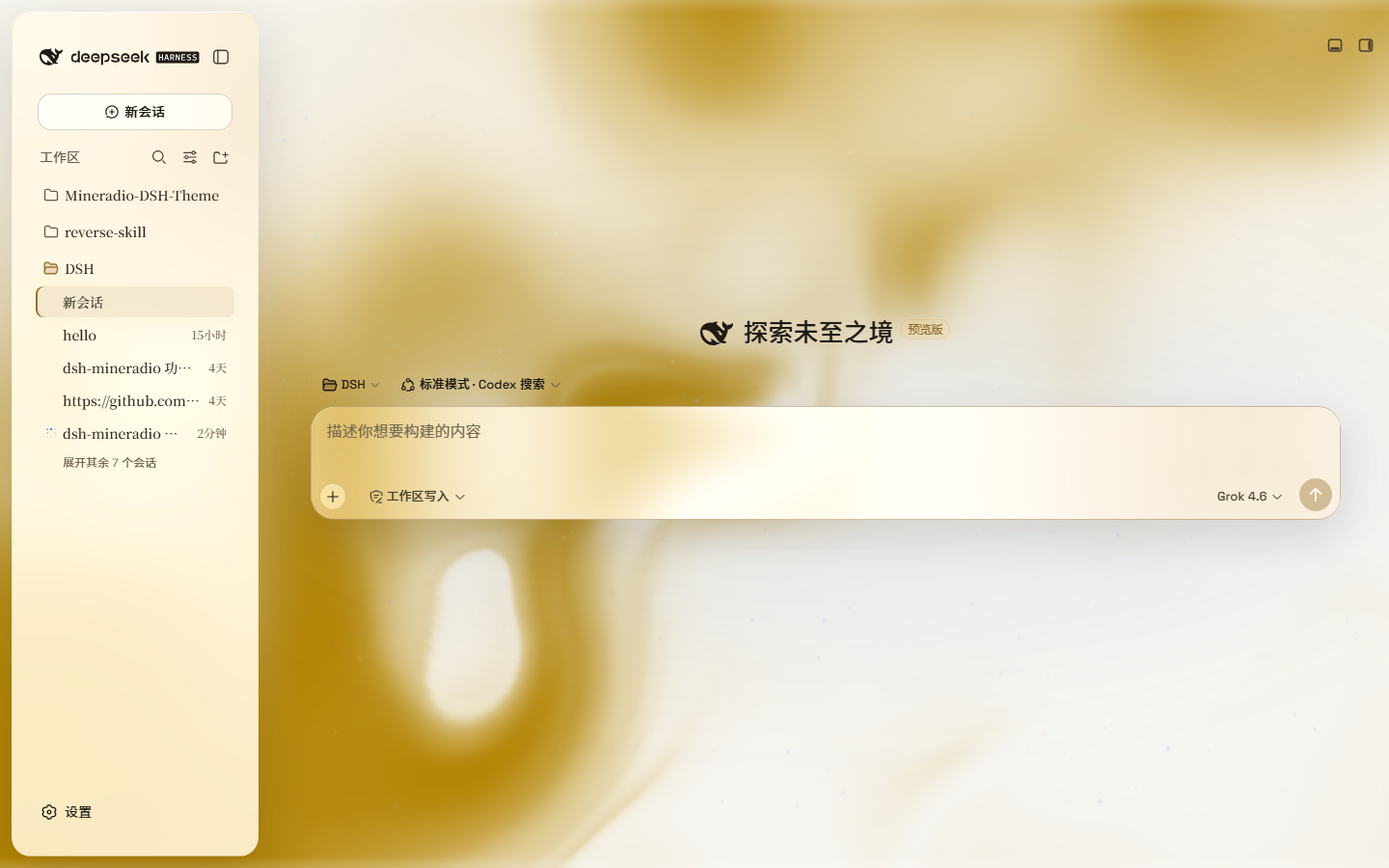
Live captures of 2.2.x on DeepSeek Harness — hero, paper-white, and the Looks panel (scenes / performance / mica):
| Dark studio | Light paper |
|---|---|
|
 |
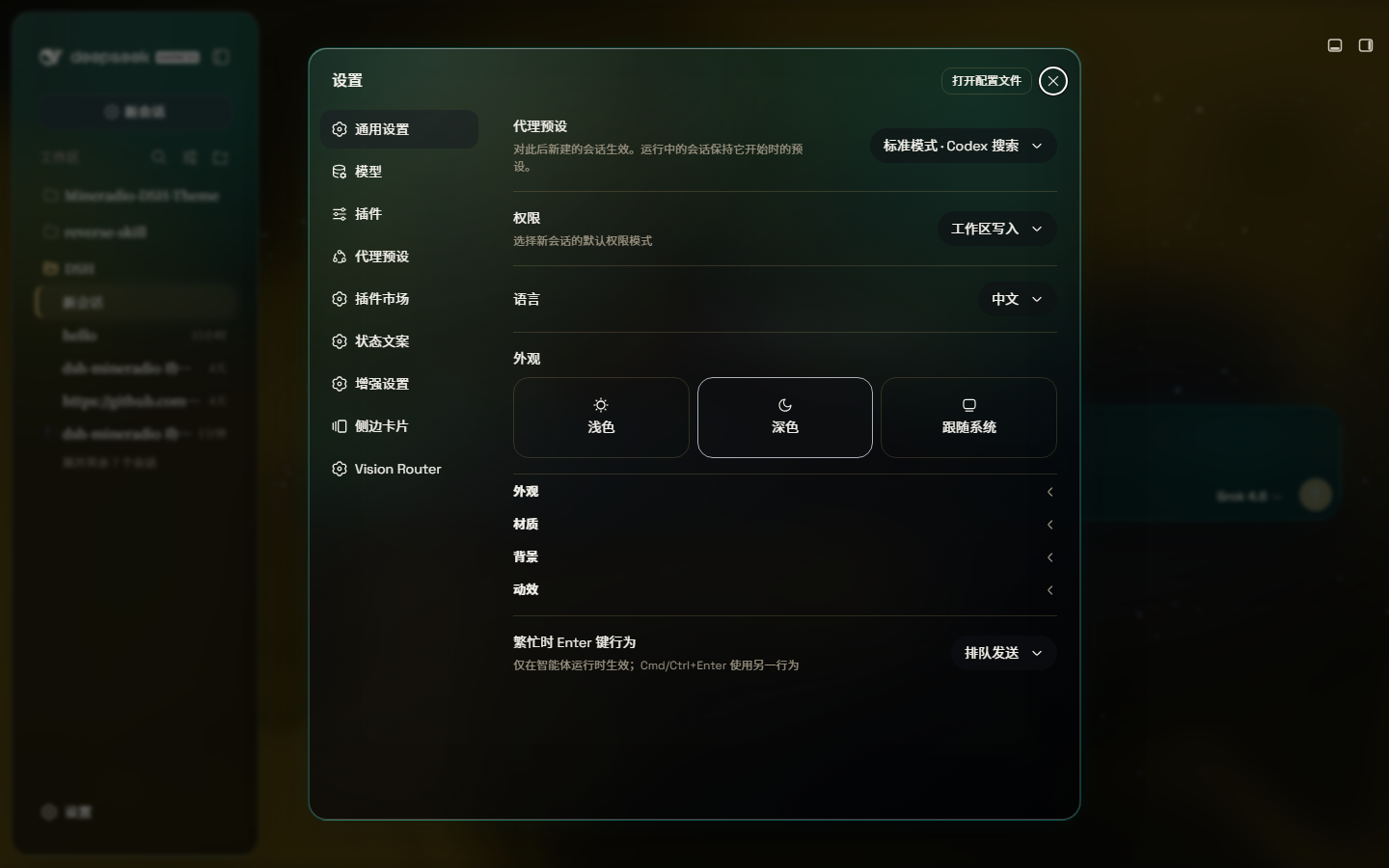
Looks: Studio / Deep sea / Midnight / Mist / Rainbow, plus Performance / Balanced / Vivid — one click, same glass family.
A full-size gallery is also hosted at https://dhicoc.github.io/dsh-theme-mineradio/.
#f4d28a champagne, #7ad7c2 mint, #ff5367 ember rose over a warm near-black #08090B) drives every alias token: surfaces, hairline strokes, text ink, buttons, scrollbars, and warm-tinted shadows with a gold bloom.Earlier versions decided what to style from class-name word roots, at a fixed specificity. Against the real 0.2.0-rc.2 shell that loses: the shell paints an opaque --dsw-alias-bg-base on its tab host, centre column and conversation column, and any host rule above that specificity wins outright — which is why patches kept missing areas. 3.0 covers surfaces three ways instead, in this order:
ctx.theme.overrideTokens() seam. It writes inline custom properties on body, so it wins without !important and without a specificity contest. Measured against the rc.2 sources, 97% of painted backgrounds resolve to a token, so this one layer reaches nearly every surface — including into ::before/::after, which inherit them.data-md-role (ground, structure, pane, overlay, control, chip). The stylesheet then dresses by role with !important, so priority decides rather than a specificity race. It re-runs for elements added after mount, which is most of a React UI, and finishes in ~25 ms over 600 elements.backdrop-filter on them would re-anchor every in-place overlay. Faces that already wear the family rim are left alone, so hand-tuned panes keep their look.A popover whose plate is drawn by a covering ::before is detected and dressed on the pseudo-element, so the box stays clean instead of stacking a second layer of glass.
You can inspect it live: __mineradioCensus() reports how many faces carry each role, __mineradioCensus(true) re-runs the pass, and __mineradioAudit() sweeps for opaque surfaces the theme did not reach.
powershell -ExecutionPolicy Bypass -Command "Invoke-WebRequest 'https://github.com/dhicoc/dsh-theme-mineradio/raw/main/install.ps1' -OutFile install.ps1; .\install.ps1"Installs the latest release by default. No git needed — the installer falls back to a plain zip download. It links the plugin into the profile's node_modules and registers ui-mineradio in cordis.patch.yml (idempotent — safe to run again). Reload the web UI and it is on.
Pin a version or track the dev branch:
.\install.ps1 -Version 'v1.0.0'   # a specific release
.\install.ps1 -Version 'main' # the development branchdsh plugin --profile web add dsh-theme-mineradioOr search dsh-theme-mineradio in Settings → Plugin market. That installs the prebuilt npm package (lib/ already bundled). There is no prepare / postinstall script.
From 2.3.6 the theme probes the host at load: it uses @deepseek-ai/dsh-client-runtime when present (DSH 0.1.1-rc.2+) and falls back to @deepseek-ai/dsh-client-store (DSH Desktop 0.7.x / 0.1.2-alpha.1). Do not pin 2.3.1 for old desktops and 2.3.5 for new ones — one latest build runs on both.
Do not install with github:dhicoc/dsh-theme-mineradio or dsh plugin add https://github.com/dhicoc/dsh-theme-mineradio. A git / tarball spec makes pnpm block "build scripts", and market updates then fail. If you already have the git spec, switch to npm:
dsh plugin --profile web add dsh-theme-mineradio@latestThe dsh.bundle manifest registers ui-mineradio automatically, so no manual patch is needed. (The installer adds this equivalent entry for source installs:)
- insert:
    - id: ui-mineradio
      name: 'dsh-theme-mineradio'
Restart the web UI. To turn it off: Settings → Plugins → Mineradio.
MIT. Mineradio visual identity (palette, typography, glow aesthetic) is a faithful re-skin of the Mineradio project by XxHuberrr, whose original is licensed GPL-3.0.
CLASSIFICATION EVIDENCE
系统优先读取 GitHub Topics,再与站内分类词典和词根规则比对。当前命中: 无有效分类标签。
deepseek-ai
DeepSeek Harness: Everything is a Plugin.

anywhere-labs
为 DeepSeek Harness (DSH) 插件生态打造的现代化桌面端解决方案。万物皆「插件」,桌面本身也是「插件」。

walkinglabs
Harness engineering beginner tutorial, from 0 to 1