
其他
完整应用

deepseek-harness
deepseek-ai
DeepSeek Harness: Everything is a Plugin.
PROJECT TOPICS
INSTALL REFERENCE
dsh plugin --profile web add github:danhcng3822f/dsh-mcp-kimicodeandmgr
该命令指向仓库当前默认分支;尚无绑定当前 commit 的完整验证结果。
PROJECT README
English | 中文 · Usage guide
An MCP engine and manager for DeepSeek Harness. It owns the whole MCP path itself — config resolution, transports, connection lifecycle, OAuth, and tool registration — and exposes it as a Settings tab.
This is a fork of yangfch3/dsh-mcp-mgr, which provided the original plugin: workspace mcp.json discovery, hot sync, and the web settings UI.
The MCP layer has since been rewritten to follow the architecture used by Kimi Code (Moonshot AI). Two deliberate departures from the original:
@deepseek-ai/dsh-mcp-client; this fork builds directly on @modelcontextprotocol/sdk and owns transports, the connection lifecycle, and OAuth itself. That is what makes honest per-server status and real transport events possible.Kimi Code's source is not redistributed here — it was studied as a reference. Credit for the MCP layering, the status model, and the tool-naming scheme belongs to that project.
stdio, Streamable HTTP (http), and legacy sse~/.dsh/mcp.json < <git root>/.mcp.json < <cwd>/.dsh/mcp.json, with the two project layers gated on workspace trustpending / connected / failed / disabled / needs-auth / removed, driven by real transport events rather than inferred from the tool registry~/.dsh/credentials/mcp.json{ upsert, remove } diff, so editing one server never churns the othersmcp__<serverName>__<tool>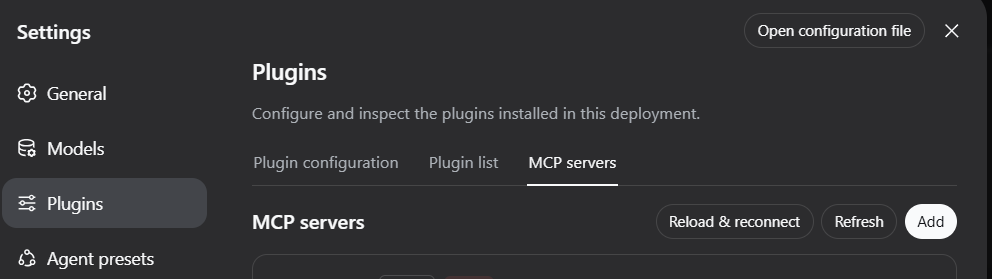
The plugin is two packages with different reach:
| Package | Role | Platform |
|---|---|---|
dsh-mcp-mgr |
the MCP engine: config, transports, connections, OAuth, tool registration | no platform declared |
dsh-mcp-mgr-ui |
the Settings tab | web only |
So the Settings tab exists only in a web profile. The engine declares no
platform and only injects tools, so it should also run in a non-web profile —
registering mcp__* tools with mcp.json edited by hand — but that is read from
the code, not tested: everything here has only been exercised in the web
profile.
This fork is not published to npm. The names dsh-mcp-mgr and dsh-mcp-mgr-ui on npm belong to the upstream project and still resolve to its 0.1.x line, so plugin add dsh-mcp-mgr@latest would install upstream, not this. Install from source:
git clone https://github.com/danhcng3822f/dsh-mcp-kimicodeandmgr
cd dsh-mcp-kimicodeandmgr
pnpm install
DSH_REPO=<deepseek-harness checkout> pnpm build
node scripts/install.mjs                  # --profile <name>, default: web
scripts/install.mjs links both packages into $DSH_HOME/profiles/node_modules and adds the loader rows to that profile's cordis.patch.yml. It requires the profile to exist already, and it is idempotent.
Then restart the Web GUI and open Settings → MCP servers:
npx @deepseek-ai/dsh webUninstall:
node scripts/uninstall.mjs # --profile <name>, default: webSee USAGE.md for the full guide.
Layers, lowest precedence first. A later layer overrides an earlier entry of the same name.
| Layer | Shown in the UI as | Path | Writable from the UI |
|---|---|---|---|
| user | Global | ~/.dsh/mcp.json (or $DSH_HOME/mcp.json) |
yes |
| project root | Project | <git root>/.mcp.json |
no |
| project local | Local | <cwd>/.dsh/mcp.json |
no |
The project-root layer exists only when the workspace is inside a git repository; outside one it is skipped entirely. Both project layers load only after you trust the workspace in the Settings tab, because a project-level stdio entry runs a command supplied by the repository. Until then they are neither loaded nor watched. Trust decisions live in ~/.dsh/trusted-workspaces.json.
{
  "mcpServers": {
    "unity": { "url": "http://localhost:8090/mcp" },
    "filesystem": { "command": "npx", "args": ["-y", "@modelcontextprotocol/server-filesystem", "/data"] },
    "legacy": { "transport": "sse", "url": "https://example.com/sse" },
    "paid": { "url": "https://api.example.com/mcp", "auth": "oauth" },
    "token": { "url": "https://api.example.com/mcp", "bearerTokenEnvVar": "MY_MCP_TOKEN" }
  }
}transport is inferred: command means stdio, url means http. A legacy SSE endpoint therefore needs an explicit "transport": "sse" — see USAGE.mdenabled, startupTimeoutMs, toolTimeoutMs, enabledTools, disabledToolsheaders, bearerTokenEnvVar (the variable name, never the token), and auth: "oauth"cwd an stdio child runs in the workspace directory. A relative cwd in a project layer resolves against the file that declared it, so a repository can ship a working entry without knowing where it was cloned; in the user layer it is passed through as written and resolves against the workspaceenv to envKeys and headers to headerKeysKEY|PASSWORD|SECRET|TOKEN, plus DSH_*); an entry's own env is merged on top, so a deliberately configured credential survivespnpm install
DSH_REPO=<deepseek-harness checkout> pnpm build # tsc host → gen.mjs → tsc ui → tsdown
DSH_REPO=<deepseek-harness checkout> pnpm verifyverify.mjs runs the engine against real MCP servers, never mocks:
| Fixture | What it covers |
|---|---|
fixture-mcp-server.mjs |
stdio: tool discovery, env passthrough, structured results, isError, a crashing child for a genuine disconnect |
fixture-mcp-http-server.mjs |
Streamable HTTP: bearer injection, 401 routing |
fixture-mcp-sse-server.mjs |
legacy SSE: the two-endpoint handshake, and a killed server the transport never reports |
fixture-oauth-server.mjs |
dynamic registration, PKCE, the state check, the token exchange, and the authorized reconnect |
The tool bridge is checked against both a hand-rolled registry and the real harness ToolRuntime, including a full ctx.tools.execute() dispatch. The last sections mount the built package into a real Cordis context, so the plugin wiring, the mcpMgr service key, teardown, and the reload semantics are covered too.
After changing src/types.ts (wire fields), rerun gen.mjs and rebuild the UI bundle — the strict client codec silently strips unknown fields.
Local source install verification:
node scripts/install.mjs
node scripts/uninstall.mjsMIT.
packages/vendor-typert-protocol is a vendored copy of the Typert protocol source from DeepSeek Harness, also MIT.
CLASSIFICATION EVIDENCE
系统优先读取 GitHub Topics,再与站内分类词典和词根规则比对。当前命中: 无有效分类标签。
deepseek-ai
DeepSeek Harness: Everything is a Plugin.

anywhere-labs
为 DeepSeek Harness (DSH) 插件生态打造的现代化桌面端解决方案。万物皆「插件」,桌面本身也是「插件」。

awesome-dsh-plugin
A curated list of plugins for DeepSeek Harness (dsh) · DeepSeek Harness 插件精选列表