Open Sea Skin · DeepSeek Harness Ocean Theme
A living ocean behind your workspace.
实时海洋 · 夕阳光影 · 透明玻璃界面
简体中文 · English


👀 Before installing, try the live website
Move the waves. Find your sunset. Tune the glass.
Preview the skin yourself before choosing an installation method.
🌊 Interactive demo · 📦 Install · 🚀 Releases · 💬 Get help

Open Sea Skin is an open-source ocean theme and appearance plugin for DeepSeek Harness (DSH). It adds a real-time WebGPU animated background, adjustable waves, daylight-to-sunset lighting, and a translucent glass interface. Use it as a DSH plugin, a Harness-only Chrome/Edge extension, or a static frontend integration.
Community-made, not an official DeepSeek product. This skin targets DeepSeek Harness, not the DeepSeek chat website. It is unrelated to the OpenSea NFT marketplace.
Features · Gallery · Installation · FAQ · Development
✨ Your workspace, your sea
| Feature |
What you can do |
| 🌊 Real-time ocean |
Watch animated waves and reflections, rather than a looping wallpaper video. |
| 🌅 Daylight & sunset |
Set your own light or enable the twelve-minute day/night cycle. |
| 🫧 Transparent interface |
Adjust glass opacity from 40% to 90% in light or dark Harness layouts. |
| 🎛️ Quick controls |
Change sea state, sunlight and opacity from the lower-left skin settings panel. |
| 🏠 Your homepage stays yours |
The extension does not replace new tabs or change your browser homepage. |
| 🔒 Local assets |
Ocean scripts, three.js and fonts ship with the skin; no skin analytics or runtime CDN requests. |
| ⌨️ Thoughtful controls |
Chinese/English UI, keyboard navigation, Escape to close, and reduced-motion support. |
🎬 Open Sea inside DeepSeek Harness
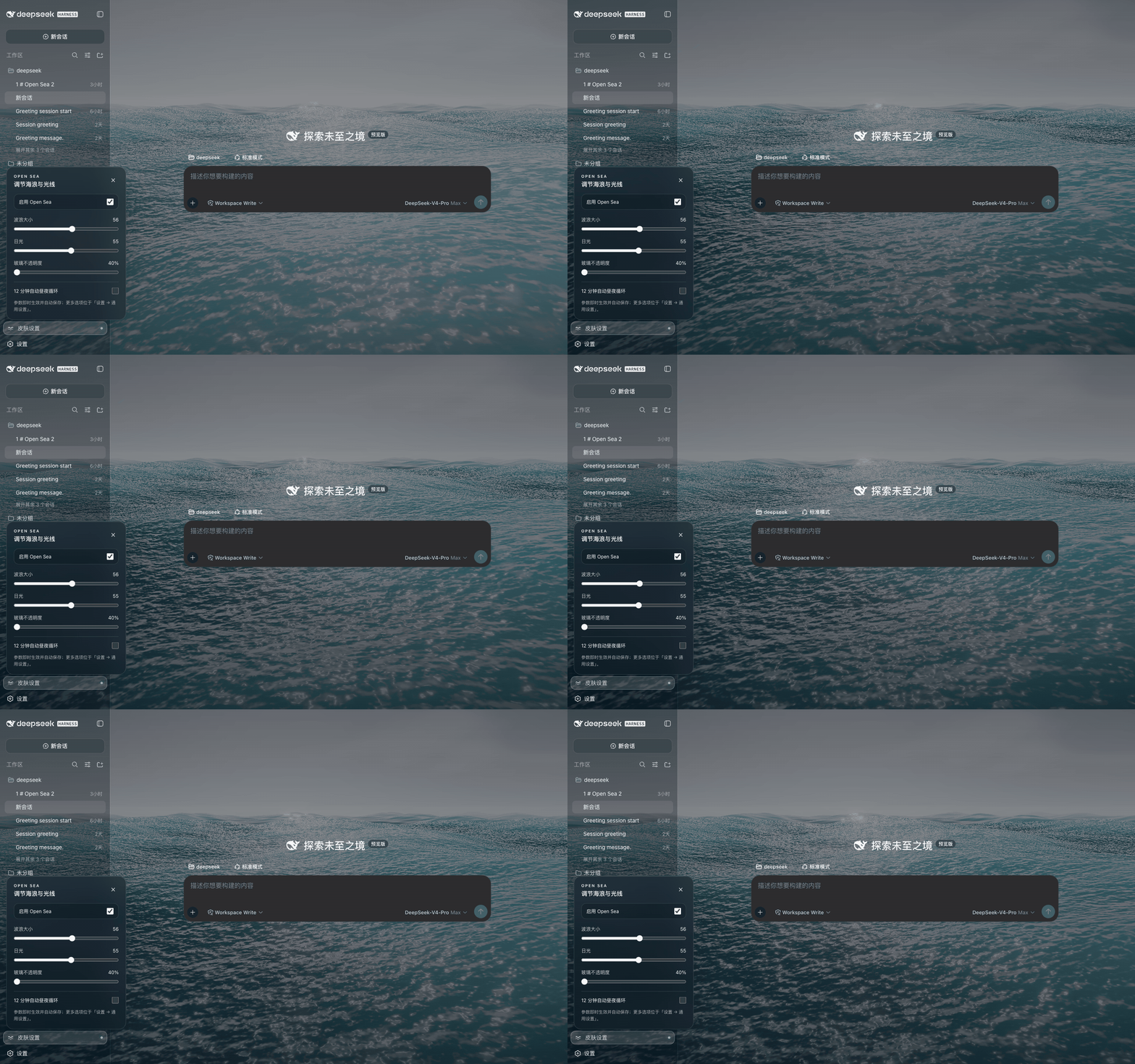
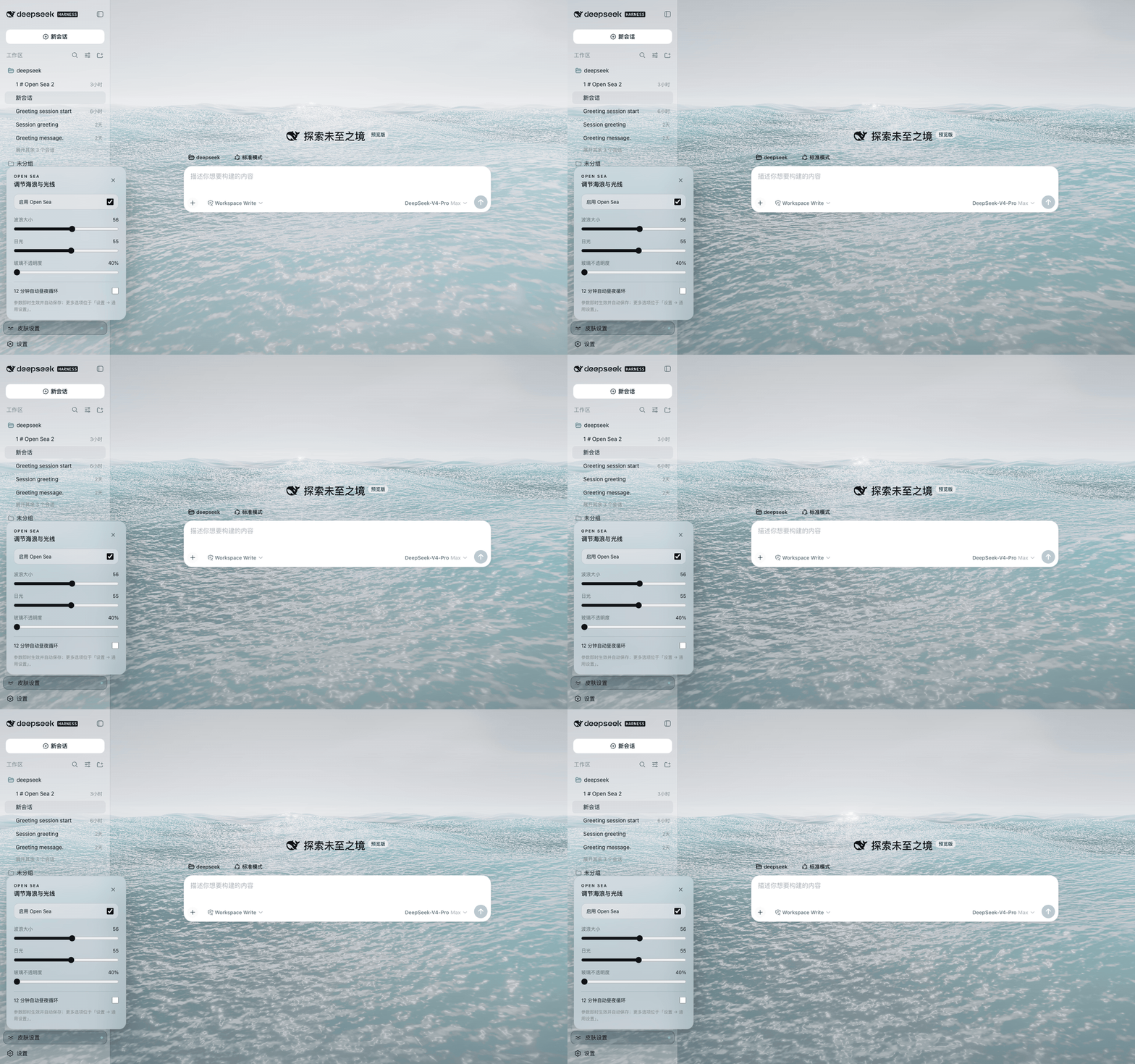
These recordings show the native Harness integration at 40% glass opacity. Overview settings: wave size 56, daylight Afternoon (55). The interactive website lets you try the controls before installing.
🌙 Dark mode · an ocean behind your conversation
☀️ Light mode · a brighter workspace
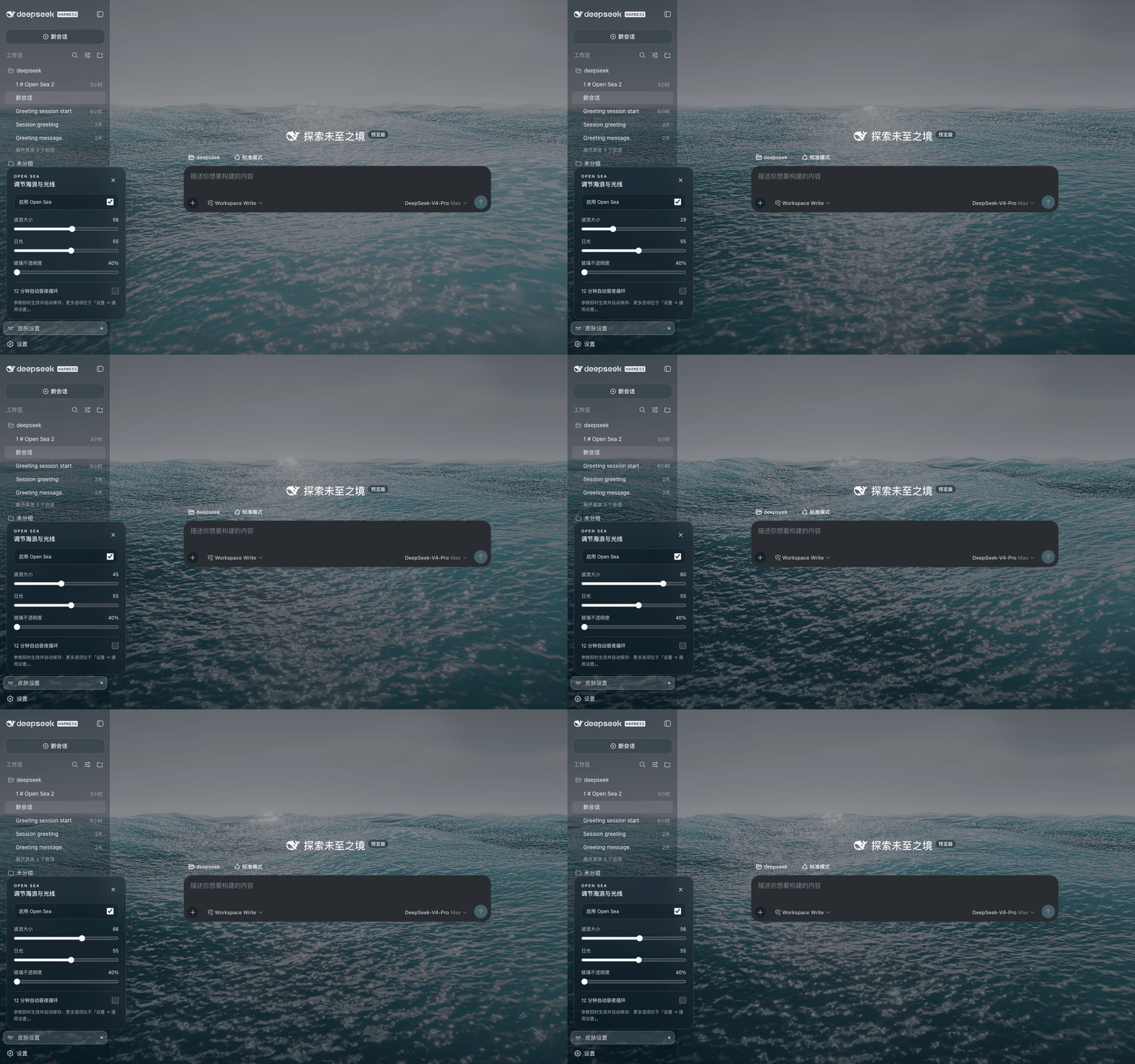
🌊 Wave control · calm water to high sea
Daylight stays at Afternoon while wave size changes, then returns to 56.
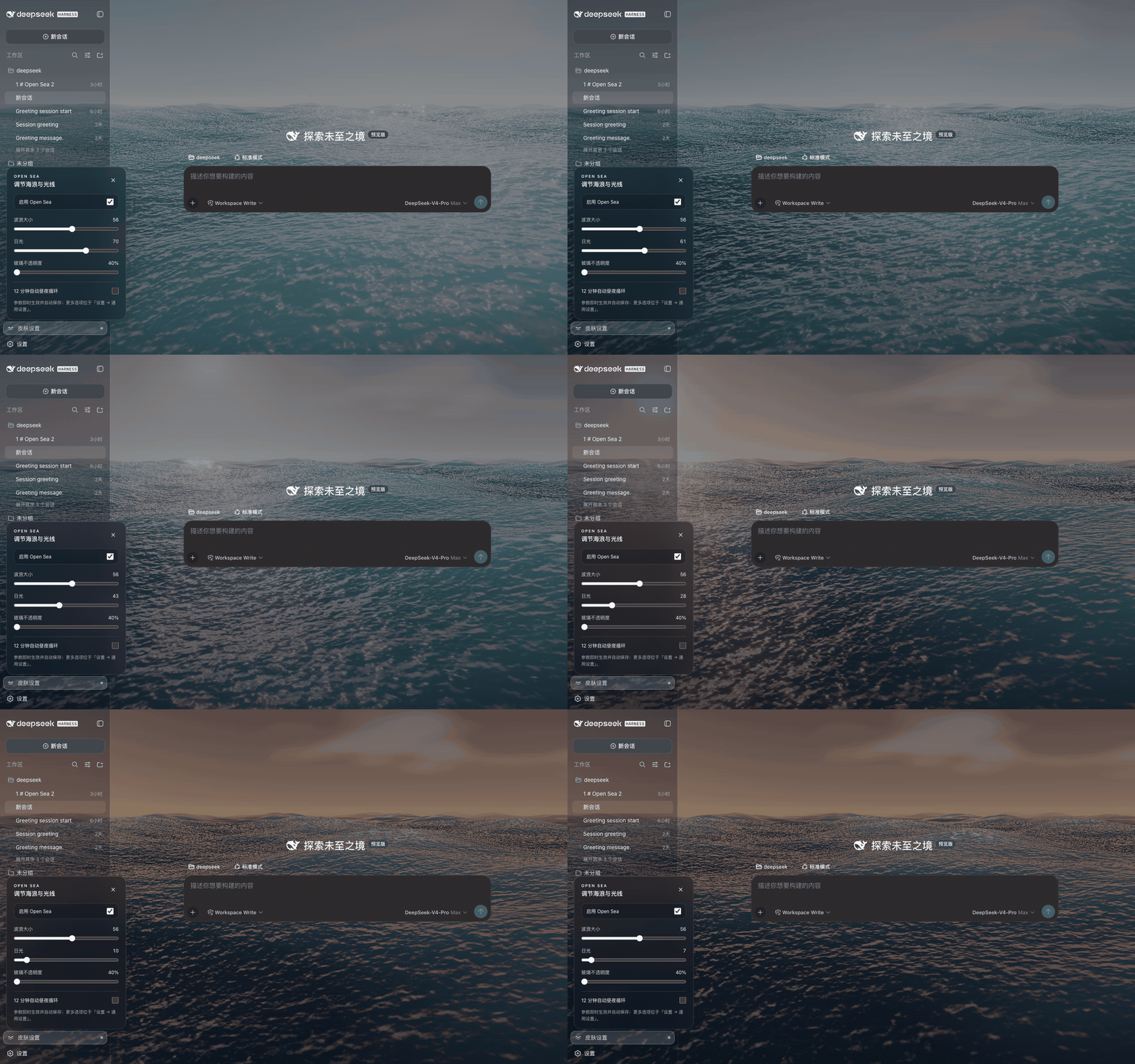
🌅 Sunlight control · midday to sunset
Wave size stays at 56 while the light moves from Midday to Dusk.
📦 Choose your installation
Choose one method. Installing several at once makes updates and troubleshooting harder.
1. DSH plugin
Release status, checked September 12, 2026: GitHub v1.2.4 is available; npm is still 1.2.3. The language-sync fix is in v1.2.4. Do not use open-sea-skin@1.2.4 until it appears on npm.
Install the prebuilt npm version without a Git download or install-time build:
dsh plugin --profile web add open-sea-skin@1.2.3
For the v1.2.4 language fix, install the published GitHub tag:
dsh plugin --profile web add 'github:d-dev0101/open-sea-skin#v1.2.4'
Restart Harness, reload its page, then open Skin settings at the lower left. In DSH Desktop, use the managed plugin installer and restart from Desktop settings; available update versions depend on the catalog and installation source.
Installation & troubleshooting →
2. Chrome / Edge extension
- Download the extension ZIP and unzip it.
- Open
chrome://extensions or edge://extensions; enable Developer mode.
- Choose Load unpacked and select the extracted folder containing
manifest.json. If you cloned the repository, choose extension/.
- Open your Harness page on
127.0.0.1 or localhost and reload it.
No new-tab takeover. The extension verifies the Harness page before injecting the ocean; other local development pages and existing homepage extensions remain untouched.
3. Static frontend installer
For a built Harness frontend that cannot use the plugin. Stop Harness first. Inspect the script, then run from any directory:
curl -fsSL https://raw.githubusercontent.com/d-dev0101/open-sea-skin/main/install.sh | bash
Start dsh web again and keep it running. After a Harness frontend upgrade, rerun the command with bash -s -- --update. This method changes frontend files; it does not start the server.
Explicit frontend paths, backups & recovery →
💡 Before you install
Does this change my new-tab page or the DeepSeek website?
No. The extension targets a verified local DeepSeek Harness page. It does not replace your browser homepage or skin chat.deepseek.com.
How do I disable or uninstall the skin?
Turn off the skin in the quick-controls panel to keep it installed without the ocean. To remove a DSH plugin:
dsh plugin --profile web remove open-sea-skin
Restart Harness. Remove the browser extension through the browser's extensions page. For a static installation, stop Harness and run:
curl -fsSL https://raw.githubusercontent.com/d-dev0101/open-sea-skin/main/install.sh | bash -s -- --uninstall
Then restart Harness. The static installer removes its own marked loader/assets, not your sessions. See the recovery guide if a page fails to load.
Is every latest Harness/Desktop version tested?
No blanket compatibility claim. Native source integration was verified against Harness 0.1.2-alpha.3, commit dd6322d60 (August 31, 2026). Desktop regression tests use a Chromium shell fixture based on DSH Desktop Beta 2.0.5-beta.1, covering 24 layout/material/theme/opacity combinations—not a full native desktop end-to-end test.
If an update breaks the skin, report your Harness version, installation method and a redacted screenshot/log.
What about performance and privacy?
The renderer uses adaptive resolution, hidden-tab pause and reduced-motion handling. Animated 3D rendering still uses GPU resources; try the demo on your device first.
The skin does not collect or transmit chat data. Extension permissions are limited to storage and the local Harness hosts. This statement describes Open Sea, not the host application's own behavior. Privacy & permissions →
🛠️ Built for an open ecosystem
The renderer uses WebGPU, three.js and TSL, with five Gerstner waves, reflections, foam and sky lighting. The canonical runtime lives in shared/; generated plugin, extension and static-loader copies stay synchronized. site/ preserves the original showcase.
With Node.js 20+:
npm ci
npm run build
npm run check
npx playwright install chromium
npm run test:browser
npm run test:desktop
npm run test:website
🤝 Community & license
Made for people who want a more personal DeepSeek Harness workspace. Feedback, bug reports and contributions are welcome. Please never post passwords, tokens or private conversations in an Issue.
Project code is MIT licensed. third-party code and fonts retain their own licenses; see Third-party notices.
🌊 Find your sea — try the live demo


