
模型与 MCP
待识别

rea
morluto
Reverse engineer anything with agents, from app behavior down to native binaries.
PROJECT TOPICS
INSTALL REFERENCE
dsh plugin --profile web add github:cogine-ai/dsh-claude-tui
该命令指向仓库当前默认分支;尚无绑定当前 commit 的完整验证结果。
PROJECT README
A Claude Code-style terminal workflow, powered by DeepSeek Harness.
English · 简体中文
Start in one command. Use real DSH models, Sessions, tools, approvals, and subagents
through a familiar, high-fidelity terminal interface.




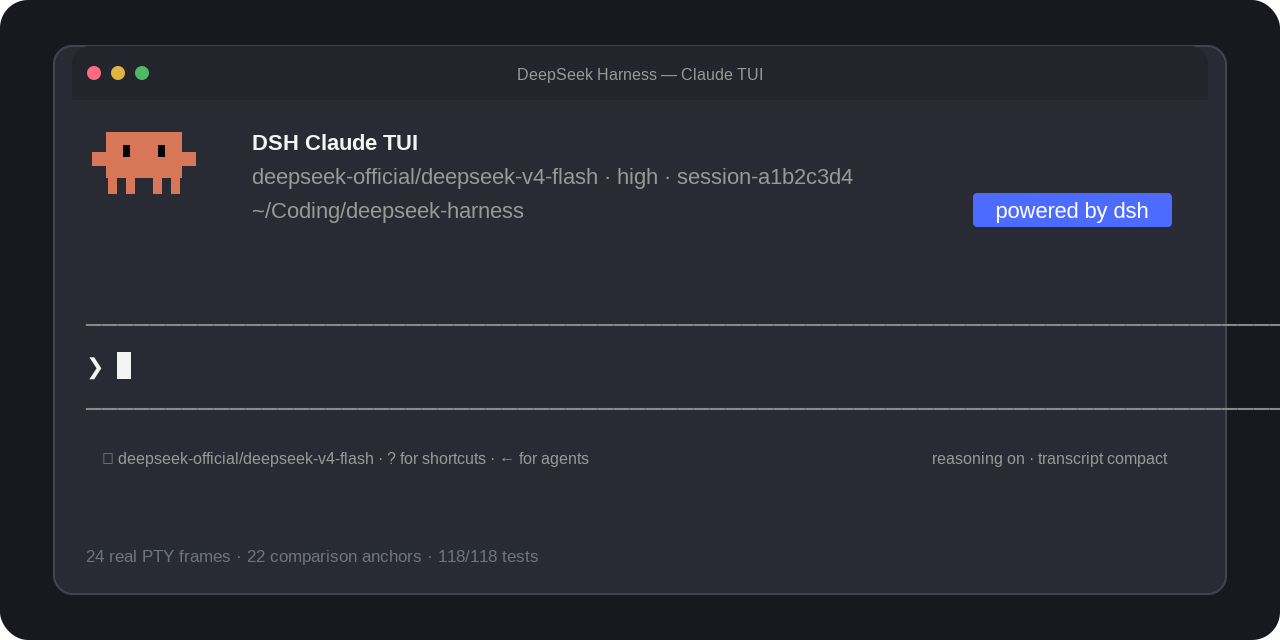
[!NOTE] This is an independent community project. It is not affiliated with, endorsed by, or sponsored by Anthropic or DeepSeek. “Claude Code” identifies the version-pinned interaction target; no Anthropic source code is included. See the trademark and compatibility notice.
Version 0.1.11 uses DSH 0.2.2-rc.1 and requires Node.js 24.9+ (>=24.9.0). Unsupported Node versions fail before changing your DSH Home.
npx --yes --legacy-peer-deps dsh-claude-tui@0.1.11The package includes its pinned Harness runtime; no separate global DSH installation is required.
The legacy-peer-deps flag avoids npm's expensive resolution of unused upstream Web UI peers. It skips peer-conflict enforcement; the package explicitly includes the required TUI services and pins its DSH dependencies. The installed-package gate checks the complete npm ls --all tree and rejects missing, invalid, or conflicting dependencies. Ordinary npm peer resolution was also qualified for 0.1.11, though a cold installation can take several minutes. The flag does not change the DSH runtime version or TUI behavior.
A real model request needs credentials for the DSH provider you select. Use /provider to inspect or enter credentials and /model (or Option+P / Alt+P) to switch among the models and effort levels exposed by DSH.
For repeat use:
npm install --global --legacy-peer-deps dsh-claude-tui@0.1.11
dshtui
The global install exposes both dshtui and the canonical dsh-claude-tui command. Resume work with dshtui --resume for the Session picker, or --resume <session-id> for an exact Session.
Version 0.1.11 pins Harness 0.2.2-rc.1 at upstream commit 66491b05e3f05ad35bcdd4f6cd7ed26041d9e3db and requires Node.js 24.9+. External runtimes must satisfy >=0.2.2-rc.1 <0.2.3 and pass the behavioral probe. See the adaptation record and release notes.
DSH_TOOLS_MODE=native|ptc remains a TUI option, with code as a PTC alias; the launcher rejects both before discovery or Home writes. Direct-profile startup uses the same validation, and executor selection trims surrounding whitespace.agent.model.current() and select(). Selections persist immediately, including choices not yet used in a request. Resume preserves them unless this invocation explicitly selects another route; a prepared step and retries retain their captured model.For local use after building:
DSH_HOME=/tmp/dsh-claude-tui-0.2.2-rc.1 DSH_CLAUDE_TUI_RUNTIME=bundled node lib/cli.jsDSH continues to store V4 Sessions. Supported predecessor migrations preserve originals. New events and independent forks can be incompatible with older V4 readers; use separate Homes for cross-version testing. The optional SQLite Session backend was removed in 0.1.2; export those older Sessions with their original runtime first. SQLite query/index storage is a separate service.
See the official release notes. Upstream Web, Desktop, worktree, and optional-plugin features require their own UI/composition and do not imply corresponding TUI interfaces.
| Area | User-facing behavior |
|---|---|
| Familiar terminal | Claude-shaped welcome panel, prompt, menus, transcript, status rows, approvals, questions, and Agent states |
| Real Harness runtime | DSH-owned models, durable Sessions, commands, approval policies, tools, structured questions, and subagents |
| Live model setup | Provider/model catalog, advertised effort levels, saved defaults, masked API-key entry, and credential-source visibility |
| Productive prompting | Multiline editing, image paste, submit or steer, cancellation, history search, slash completion, and bounded @ file mentions |
| Clear execution | Reasoning and tool activity, compact/expanded results, cache hit rate, token totals, TTFT, throughput, and turn outcome |
| Session and Agent flow | New or resumed Sessions, graceful flush, managed subagent activations, completion notices, and an active-agent roster |
| Verified runtime identity | Welcome panel shows the actual TUI/Harness version, bundled or system runtime, DSH Home, and tool mode |
The TUI reads capabilities from DSH rather than hardcoding model, effort, credential, or approval behavior. Harness remains the source of truth; Claude-only cloud services, account state, model behavior, and private permission semantics are not simulated.
| Key or command | Action |
|---|---|
Enter |
Submit while idle or steer a running Agent |
Shift+Enter |
Insert a newline |
Ctrl+V |
Paste a clipboard image; on macOS, Command+V remains text paste |
Backspace |
Remove the last pending image when the text composer is empty |
Shift+Tab |
Toggle DSH plan mode for the current Session |
Esc / Ctrl+C |
Interrupt the active turn |
Ctrl+R |
Search prompt history |
Ctrl+O |
Expand or compact tool details |
Option+P / Alt+P or /model |
Open the live DSH model picker |
/provider |
Inspect or update DSH provider credentials |
Left Arrow |
Hide or show the active-agent roster |
Ctrl+D |
Press twice on an empty prompt to exit cleanly |
Run /help inside the TUI for the current command list.
The default launcher removes the need to choose an installation strategy up front:
$DSH_HOME, or a verifiable dsh on PATH.0.2.2-rc.1 when no external runtime qualifies.Compatibility requires the version range >=0.2.2-rc.1 <0.2.3, owner-resolved MCP client/core >=2.3.0 <3, undici >=8.12.2 <9, Zod >=4.6.6 <5, and a successful behavioral probe. Automatic mode falls back to the repaired bundled runtime when an external dependency graph does not qualify; explicit system mode reports the reason. When a Home can be shared safely, existing credentials, Sessions, settings, and unrelated profiles remain available. The launcher does not overwrite an unowned profile. An unsafe implicit default can fall back to ~/.dsh-claude-tui with a visible notice; an explicit DSH_HOME conflict fails with an actionable error instead of silently moving data.
| Variable | Behavior |
|---|---|
DSH_CLAUDE_TUI_RUNTIME=auto |
Default: try compatible system DSH, then bundled DSH |
DSH_CLAUDE_TUI_RUNTIME=system |
Require a compatible external DSH |
DSH_CLAUDE_TUI_RUNTIME=bundled |
Always use the packaged DSH |
DSH_HOME=/path |
Use an explicit DSH data Home |
DSH_TOOLS_MODE=native\|ptc |
DSH tool presentation shown as Standard or PTC; code aliases PTC, both is rejected |
See Launcher environment compatibility for the complete selection, ownership, and recovery contract.
The original interaction baseline is the observed Claude Code 2.1.227 TUI; the [Image #1] Ctrl+V composer behavior was independently observed against 2.1.237. The 24 original PTY frames remain unchanged. Version 0.1.10 adds 9 independent frames from the installed Claude Code 2.1.311, with 4 used as automated anchors for the shell, slash menu, completed response, and structured question. The original corpus retains 21 active anchors; its slash frame is now historical. See the UX validation and comparisons and DSH adaptation record for verified scope and remaining limits.
80x24 and 100x30 layouts, images, command attachments, approvals, questions, plan-mode keys, managed subagents, and directory changes.0.2.0-rc.2 adaptation only. See the current verification table for checks and remaining platform limits.The Windows launcher, junction, signal-forwarding, VT-input, dependency-prebuild, and STA image-clipboard paths are implemented, and the pinned DSH upstream has a native Windows gate. This TUI's own CI still runs only on Ubuntu, however, and no Windows packed-TUI/ConPTY UAT has been recorded. Windows is therefore an implemented but currently unqualified target, not a supported release platform. Read the full visual and semantic qualification report or the artifact-hardening baseline.
This project should be more than a theme layered over a runtime. The goal is a fast, inspectable terminal client that respects DSH semantics and gives developers a great place to improve the Harness experience together.
You do not need to know the entire runtime to contribute. Useful entry points include:
| Contribution lane | A good first contribution |
|---|---|
| Terminal qualification | Reproduce a layout or keybinding issue in a named terminal, OS, and geometry |
| Runtime integration | Add a focused test for one DSH command, Session, approval, or subagent boundary |
| Interaction design | Improve image composition, richer references, completion, or Session management without hiding unsupported states |
| Reliability | Reduce startup ambiguity, strengthen packed-install coverage, or turn a field failure into a deterministic fixture |
| Docs and language | Improve setup guidance, explain an architecture boundary, or keep English and Chinese docs in sync |
| Accessibility | Improve color fallback, keyboard-only flow, screen-reader output, or narrow-terminal behavior |
Start with the contribution guide, then open a focused issue or pull request. For a larger change, propose the user problem and evidence first so maintainers and contributors can shape the seam together.
corepack pnpm install --frozen-lockfile
corepack pnpm check
The release gate runs TypeScript validation, a clean production build, then the complete serial Vitest suite. Visual-parity changes must include an independently captured reference or a documented Harness-semantic boundary. Runtime changes must prove the installed package path, not only source imports.
Near-term opportunities include richer image composition, file and Session reference completion, broader Session management, more plan/todo/background-job states, and qualification across more terminals and operating systems. These are contribution directions, not claims about shipped behavior.
Original project code is available under the MIT License. Product names and marks remain the property of their respective owners; the MIT License does not grant rights to third-party trademarks.
CLASSIFICATION EVIDENCE
系统优先读取 GitHub Topics,再与站内分类词典和词根规则比对。当前命中: deepseek。
morluto
Reverse engineer anything with agents, from app behavior down to native binaries.

deepseek-ai
DeepSeek Harness: Everything is a Plugin.

nexu-io
The 1st Collaborative AI Design Agent Workspace. Local-first and open source. Create motion, prototypes, websites, apps, dashboards, presentations, images, and videos with your team and AI agents. Share work, exchange feedback, and iterate together in one workspace.