
模型与 MCP
待识别

rea
morluto
Reverse engineer anything with agents, from app behavior down to native binaries.
PROJECT TOPICS
INSTALL REFERENCE
dsh plugin --profile web add github:ckanner/dsh-plugin-github-issues
该命令指向仓库当前默认分支;尚无绑定当前 commit 的完整验证结果。
PROJECT README
Host peers: Cordis 4.0.x / 4.1.x and Schemastery 3.19.x; their versions are independent of the DSH 0.2 host version. npm validates these ranges when peers are supplied. The Typert peer explicitly accepts the tested 0.2.1-rc.5 and 0.2.2 prerelease lines using standard npm SemVer.
English | 中文


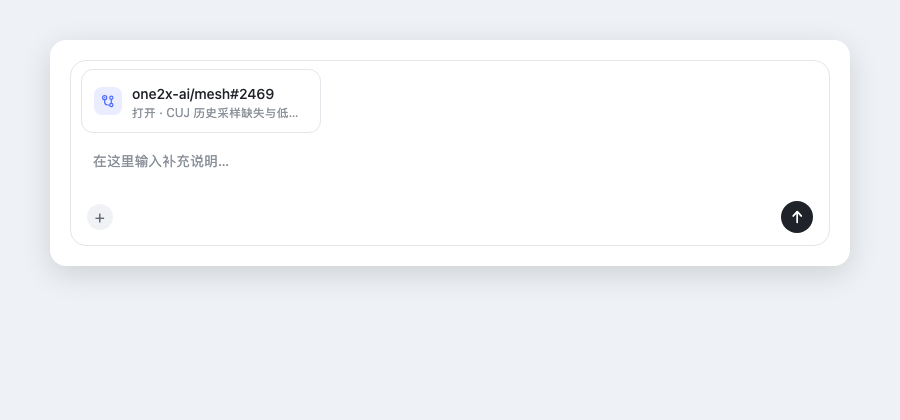
Adds a GitHub Issues work surface to DeepSeek Harness: browse issues from your repositories, read their details, and hand one to the agent. A handoff opens a new Session in the matching Workspace and stages the issue as an attachment-style card inside the composer; sending turns that card into the issue's task prompt. Handed-over issues show which Sessions own them, can be entered, and can be unlinked; one issue may be worked in several Sessions.
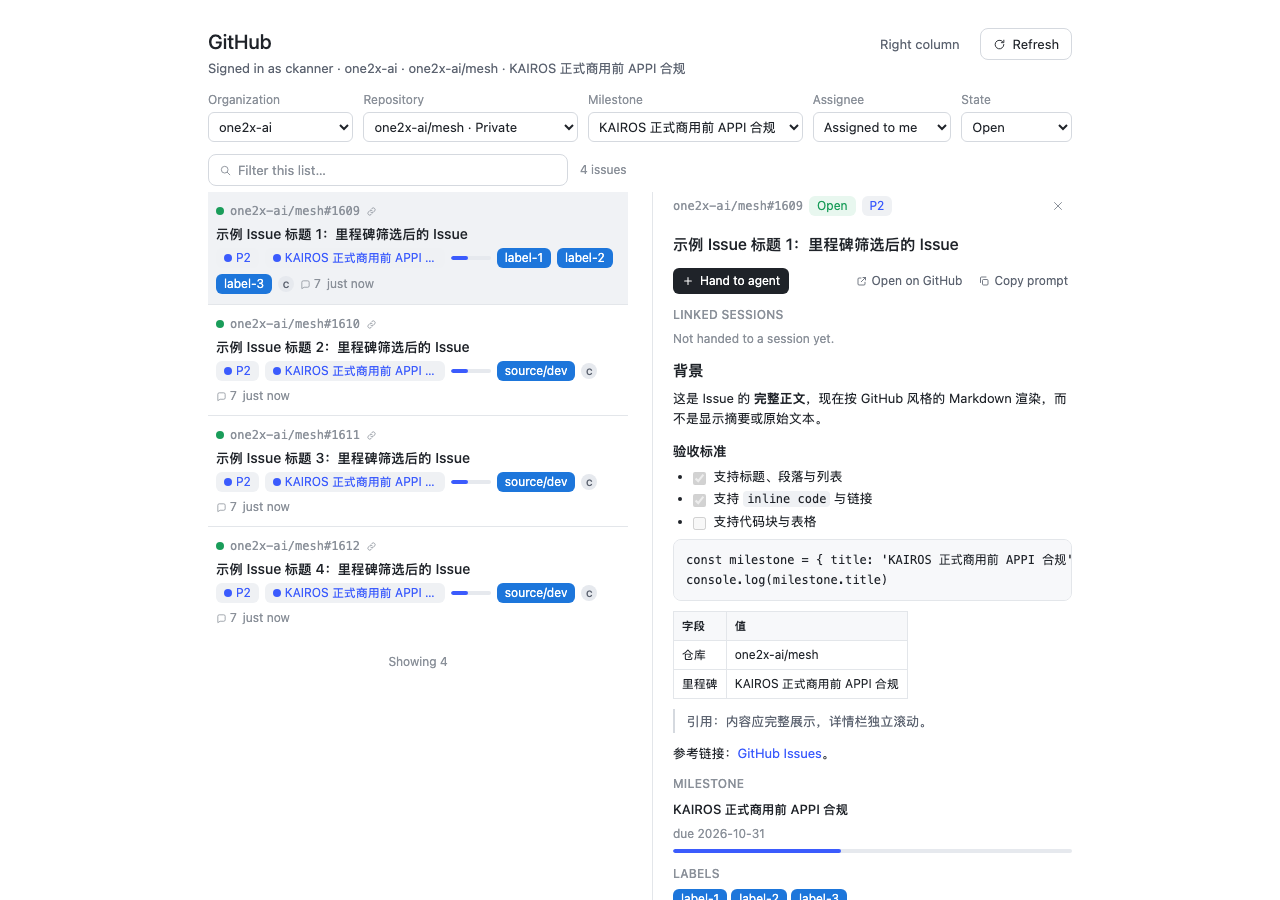
It is read-only: the plugin never writes to GitHub.
From the npm registry (recommended — the package ships the built Host half and browser bundle):
dsh plugin --profile <name> add dsh-plugin-github-issuesPin a version when you want reproducible profiles:
dsh plugin --profile <name> add dsh-plugin-github-issues@0.4.7Restart the harness afterwards: a profile is composed at startup. Remove it with:
dsh plugin --profile <name> remove dsh-plugin-github-issuesFrom a checkout (a linked install: rebuild and restart after edits):
npm install
npm run build
dsh plugin --profile <name> add /path/to/dsh-plugin-github-issues
Every release also carries a packed
tarball (dsh-plugin-github-issues.tgz), installable by path.
0.2.1-rc.3).gh CLI logged in for the GitHub host you use:
gh auth login. The token stays in the OS keychain and is never written into this package's config.| Surface | Where | What |
|---|---|---|
| GitHub panel | left rail icon → main panel | organization → repository → milestone → assignee → state cascade (remembered across restarts) in one fixed toolbar; a default organization/repository is selected for you, the milestone dropdown lists only that repository's milestones, and only the list scrolls (search stays above it, the detail pane scrolls independently with the full issue body rendered as sanitized GitHub-flavored Markdown, milestone progress, labels, priority, assignees, linked/mentioned PRs and checks) |
| Issues right column | right sidebar tab | the same filtered issue list beside the Conversation, for drag-and-drop handoff |
| Composer card | inside the input box, above the editor | the staged issue as a draft-attachment-style card (240×64, GitHub glyph, owner/repo#number, state + title, hover-only remove). The card is not editable; it keeps its own space above the editor, survives a Workspace switch together with the draft, opens the issue URL when clicked, and is converted into the issue prompt on send |
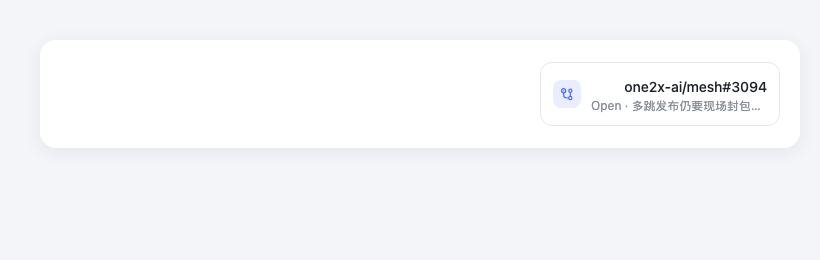
| Sent issue card | in a sent user message | only the clickable 240×64 issue card is shown (state + title); the machine prompt is hidden from the transcript but still sent to the agent, and the user's own appended text stays visible below the card |
| Linked chip | composer dock under the input | the Session's linked issue: state dot (green open / red closed) + owner/repo#number; the dot refreshes from GitHub on panel refresh, every poll, window focus and whenever the issue appears in the list; click for a detail popover, remove to unlink |
| Handoff actions | issue detail | one-click enter Session (latest link), new Session for this issue, plus a linked-Session list with per-Session enter/unlink |
| GitHub settings | Settings → GitHub | gh auth status and scopes, handoff behavior, prompt template |
owner/repo#number opens GitHub in the browser.Settings → GitHub → Prompt template. Variables: {{repo}}, {{number}}, {{title}}, {{url}},
{{state}}, {{milestone}}, {{priority}}, {{assignees}}, {{labels}}, {{prs}}.
gh and lives only in memory. It never reaches the
page, the plugin config, or logs.$DSH_HOME/github-issues/state.json (mode 0600).issues connection, so state, assignee and milestone filters
are applied by GitHub (and the total is authoritative); milestone filtering sends the milestone
number through filterBy.milestoneNumber./command or an @reference typed
after the card is preceded by whitespace, so the input trigger pipeline (and the command's leading
guard) works. Because it is whitespace, it also cannot accumulate into visible indentation while
typing. Both the composer card and the sent-message card open the issue URL.P0–P4 labels when no project field is present.npm install
npm run typecheck # Host + browser halves
npm test # node --test (queries, VM mapping, prompt, state, workspace rules)
npm run test:render # offline react-dom/server smoke of the panel, dock, sidebar, drop target
npm run build # Host (tsc) + browser bundle (esbuild)
npm run verify:client # loader contract + slot/Remote registration of the browser bundle
npm run verify:package # what npm publish would ship (host, client, bundle patch, locale, icon)
npm run check # all of the above, in orderci.yml runs on every push and pull request. release.yml runs on a v* tag (or by hand): it repeats
every CI check, publishes the new version to npm (a repository NPM_TOKEN secret, or npm trusted
publishing), and records a GitHub Release carrying dsh-plugin-github-issues.tgz. Maintainer notes:
docs/RELEASING.md.
MIT © Kanner
CLASSIFICATION EVIDENCE
系统优先读取 GitHub Topics,再与站内分类词典和词根规则比对。当前命中: deepseek-harness。
morluto
Reverse engineer anything with agents, from app behavior down to native binaries.

deepseek-ai
DeepSeek Harness: Everything is a Plugin.

nexu-io
The 1st Collaborative AI Design Agent Workspace. Local-first and open source. Create motion, prototypes, websites, apps, dashboards, presentations, images, and videos with your team and AI agents. Share work, exchange feedback, and iterate together in one workspace.