
模型与 MCP
待识别

rea
morluto
Reverse engineer anything with agents, from app behavior down to native binaries.
PROJECT TOPICS
INSTALL REFERENCE
dsh plugin --profile web add github:chzisnull/dsh-file-finder
该命令指向仓库当前默认分支;尚无绑定当前 commit 的完整验证结果。
PROJECT README
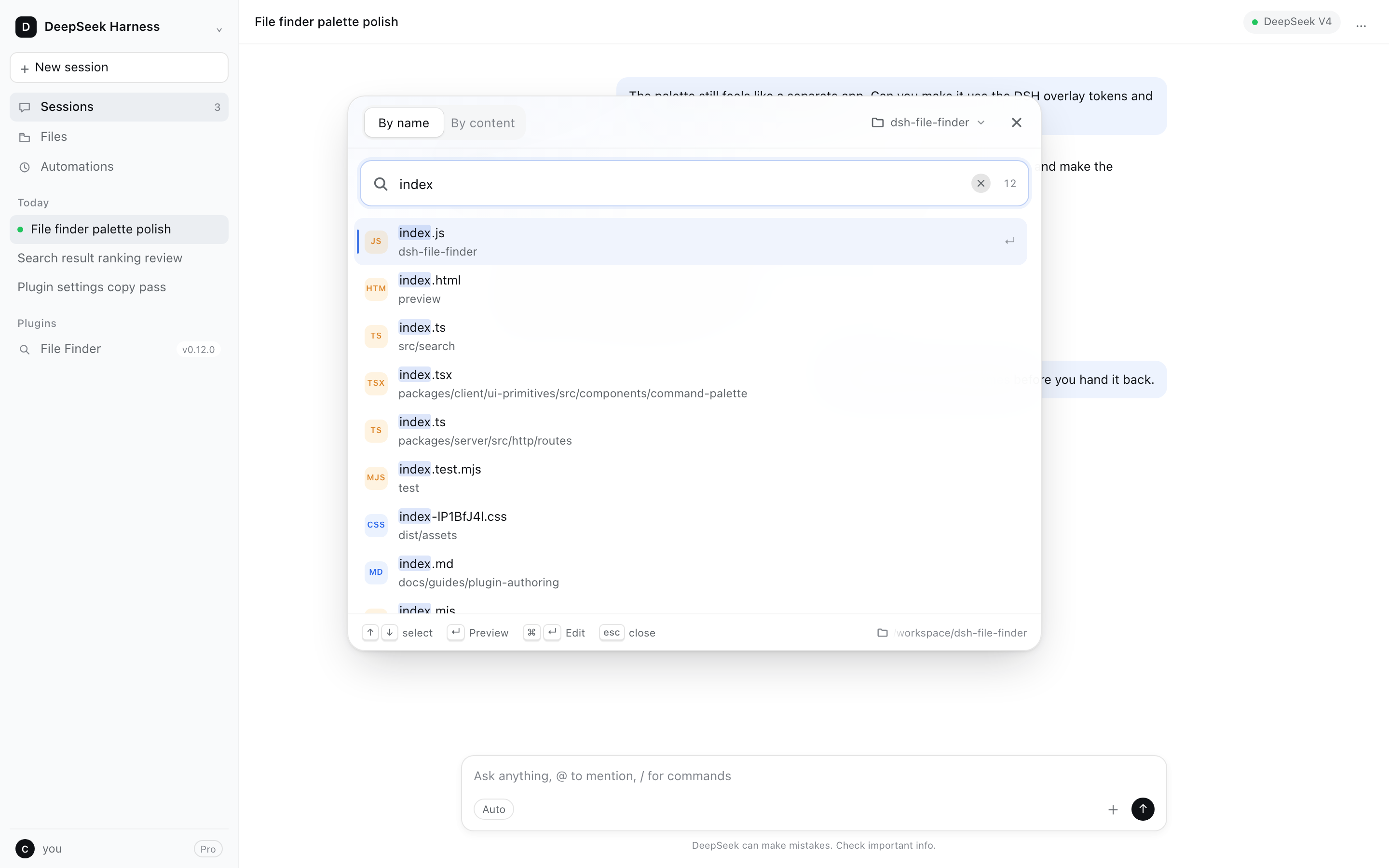
A DeepSeek Harness plugin for finding workspace files without leaving DSH: search by file name or by file content, browse the workspace when there is nothing to type, then open the result in DSH's native preview, the plugin's own viewer, or the built-in editor.
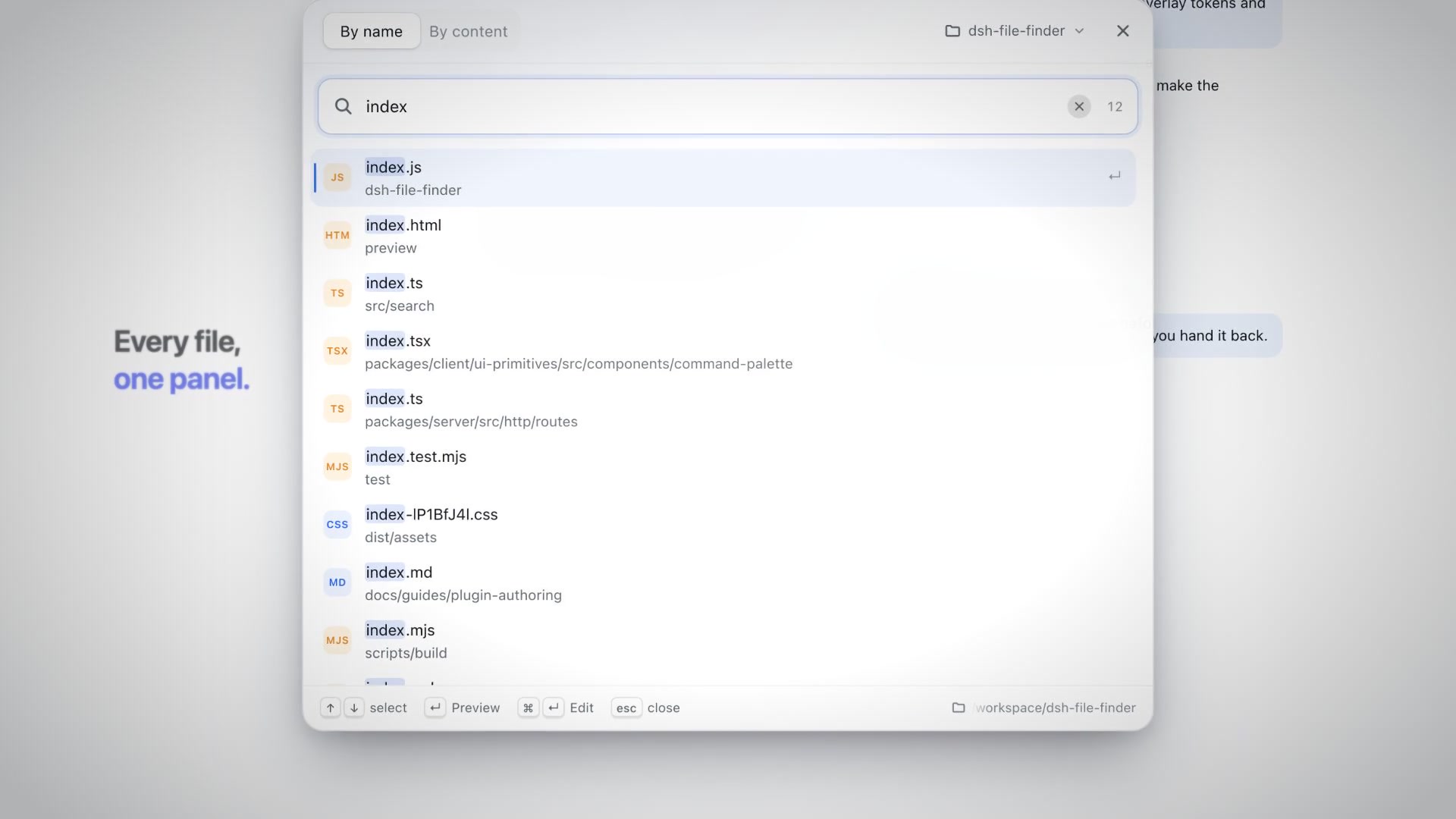
▶ 36-second tour (English, captions): dsh-file-finder-promo.mp4 · 中文版

src/view.There is no second filesystem hidden in this plugin:
| Operation | Owner |
|---|---|
| Walking, reading, writing workspace files | DSH's ctx.fs seam (index.js) |
| Search and ranking | This plugin (DSH exposes no reusable search service) |
| Opening in the Native preview | DSH's right-sidebar document preview, via ctx.sidebarRight.openResource() and a dsh-resource://file/session/<sessionId>/<path> address |
| Opening in the Viewer | This plugin's read-only surface, rendered inside its own overlay |
| Editing and conflict checks | This plugin's editor, over the same ctx.fs seam |
The plugin is deliberately additive: it registers nothing into DSH's own file surfaces (no document renderer, no right-sidebar tab type, no shadowing of the Files tree), so DSH updates keep applying and uninstalling the plugin leaves DSH exactly as it was. This is recorded in ADR 0001.
When the native preview is unavailable (no live Session, or a shell without the right sidebar), the plugin falls back to the Viewer and says so.
| Action | Default keys |
|---|---|
| Search by file name | Cmd/Ctrl+P |
| Search by content | Cmd/Ctrl+Shift+F |
| Toggle DS Bot / classic Agent mode (only with the DS Bot plugin installed) | Cmd/Ctrl+Shift+B |
The commands are registered with DSH's shortcut service so you can assign your own keys in Settings → Edit shortcuts, but they declare no default binding. DSH's registry throws when one command's default overlaps another's, and it throws from inside the other plugin's apply(), so claiming Cmd+Shift+F here took the whole Web UI boot down (Conflicting shortcut defaults: session.fork and files.searchContent). The VS Code keys above are served by this plugin's own keydown handler instead.
Note that Cmd+Shift+F is DSH's own "fork session" binding; this plugin uses it for content search, so rebind session.fork in Settings → Edit shortcuts if you relied on it.
In the browser Web shell (not the desktop app), Cmd+Shift+B is DSH's right-sidebar toggle. With DS Bot installed this plugin takes that key for the mode switch, so assign a different key to files.toggleBotMode in Settings → Edit shortcuts if you need the sidebar binding there. On the desktop app the combination is free.
When the DS Bot plugin (ds-bot) is part of the running boot, this plugin also offers Toggle Bot / classic Agent mode on Cmd/Ctrl+Shift+B, plus a matching card in Settings → File Finder.
DS Bot keeps its surface switch private — it exposes no client service — so the bridge does the two things another plugin safely can: it detects ds-bot in the boot graph, and it drives the controls DS Bot renders itself (the account menu's surface-switch entry to leave Bot mode, and the DS Bot return pill to come back). Nothing is patched or forked, and DS Bot's own ds-bot:surface preference stays authoritative.
Without DS Bot nothing is registered or shown: the command never reaches Settings → Edit shortcuts, the settings card stays hidden, and Cmd/Ctrl+Shift+B is left to whatever else owns it.
Settings → File Finder covers:
Choose a result and press Cmd/Ctrl+Enter (or set the built-in editor as the default action). Save writes the full text back through the workspace filesystem and refuses to overwrite a file that changed after it was loaded. Reload, then save again, to take the newer version. The editor is for UTF-8 text under about 1 MB. Binary files and common build or dependency directories are skipped.
Escape in the viewer returns to the folder you opened the file from; the same key works while a previewed HTML page has focus, because the host injects a small Escape forwarder into the served document.
Files that are not text open in the built-in viewer instead: images, video and audio render inline (byte ranges, so video seeking works), PDFs open in the platform frame, HTML pages run in a sandboxed iframe whose scripts cannot reach DSH, and Markdown is rendered with DSH's Markdown renderer, with an Edit source button that hands the file to the text editor.
Hold Cmd/Ctrl in the editor and every identifier that resolves gains a dotted underline and a pointer: hovering shows its kind, its declaration and the line, and Cmd/Ctrl-click jumps to the definition. Cmd/Ctrl+[ (or the back button in the header) returns to where you came from. Resolution is same-file for now — the declaration scan covers JS/TS, Python, Go, Rust, Java/C-like, HTML anchors and a generic fallback; project-wide TypeScript resolution is the next phase.
Text is coloured lexically: keywords, types, strings, numbers, comments, calls, properties and HTML/CSS/JSON/Markdown markup each get their own colour in both DSH themes. Markup files also colour what hides inside them — Vue/Svelte/HTML <script> blocks run the script scanner, <style> blocks the CSS one, and Vue {{ }} expressions and directive values (:prop, @click, v-if) are coloured as code — and a Markdown fenced block is coloured as the language it names. The textarea keeps the caret, selection and IME; only the visible lines are painted, so a large file scrolls without lag. Files over 200 KB fall back to plain text and say so in the header, and an open in-file search keeps the colours behind its highlight.
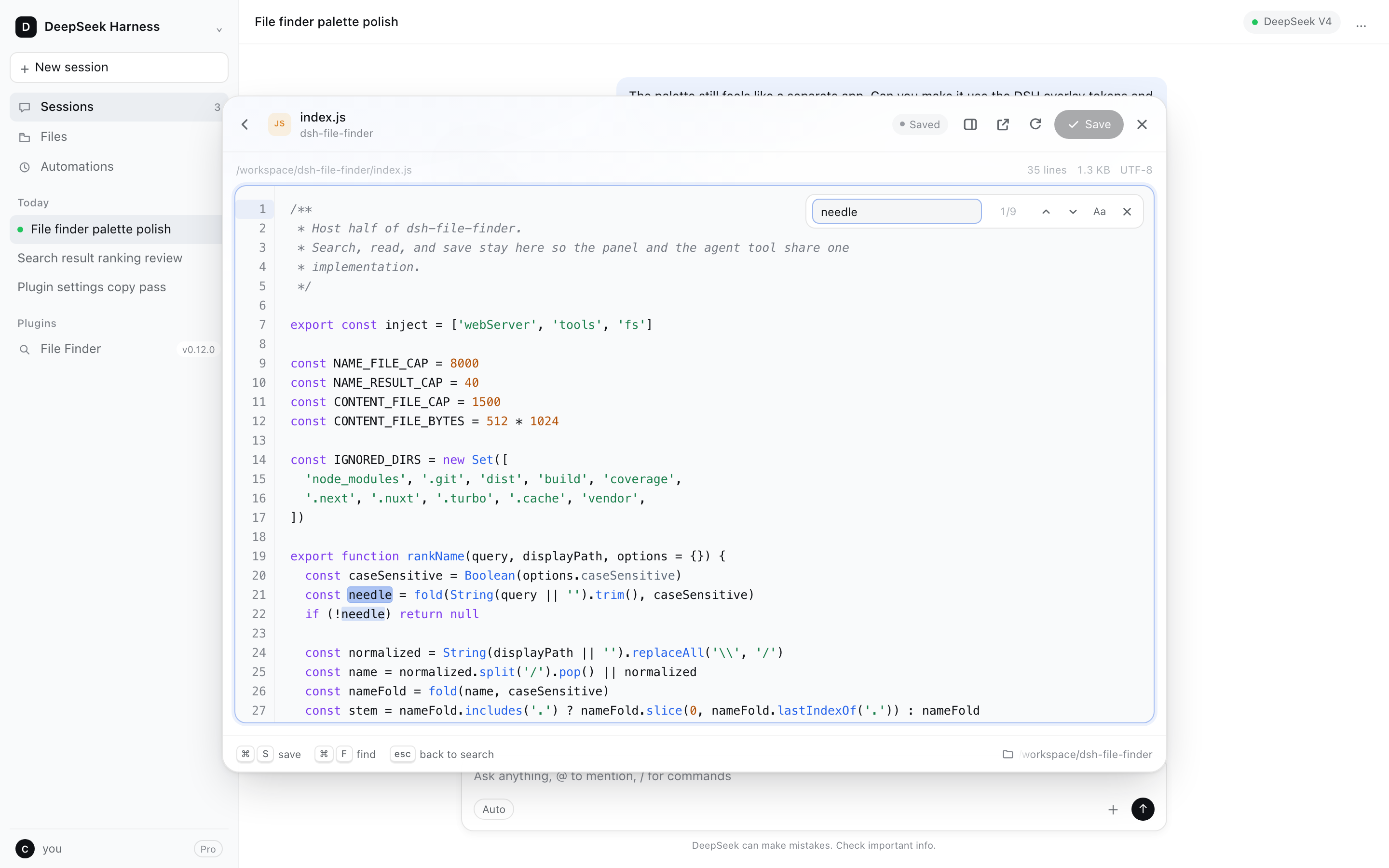
The editor shows a line-number gutter and highlights the caret's line. Cmd/Ctrl+F opens in-file search: every match is highlighted, the current one more strongly, with a match count, previous/next buttons, and a Aa case-sensitivity toggle. Enter and Shift+Enter step through matches, Escape closes the search and returns focus to the text.
 |
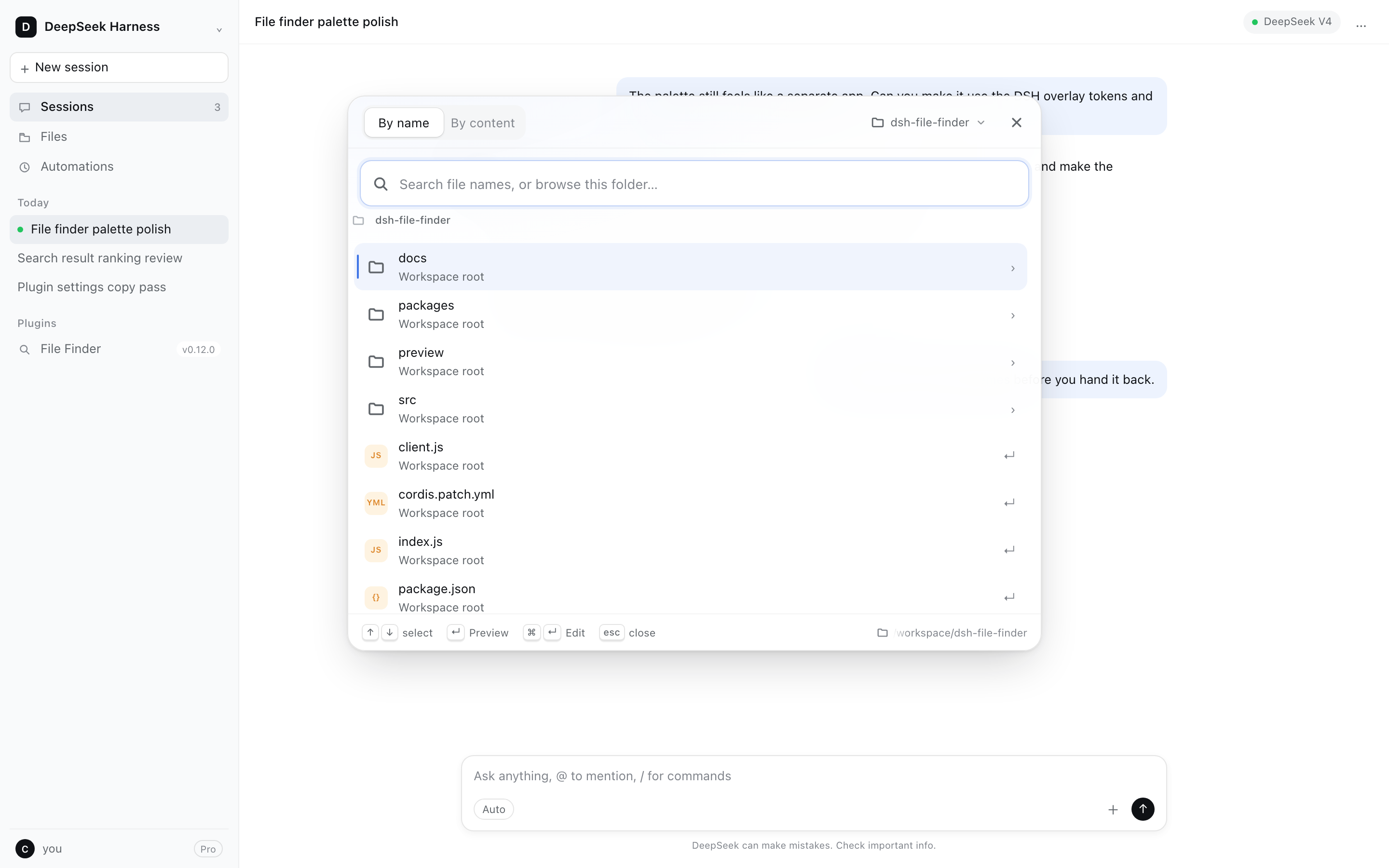 |
| Search by name or path | Browse when the query is empty |
 |
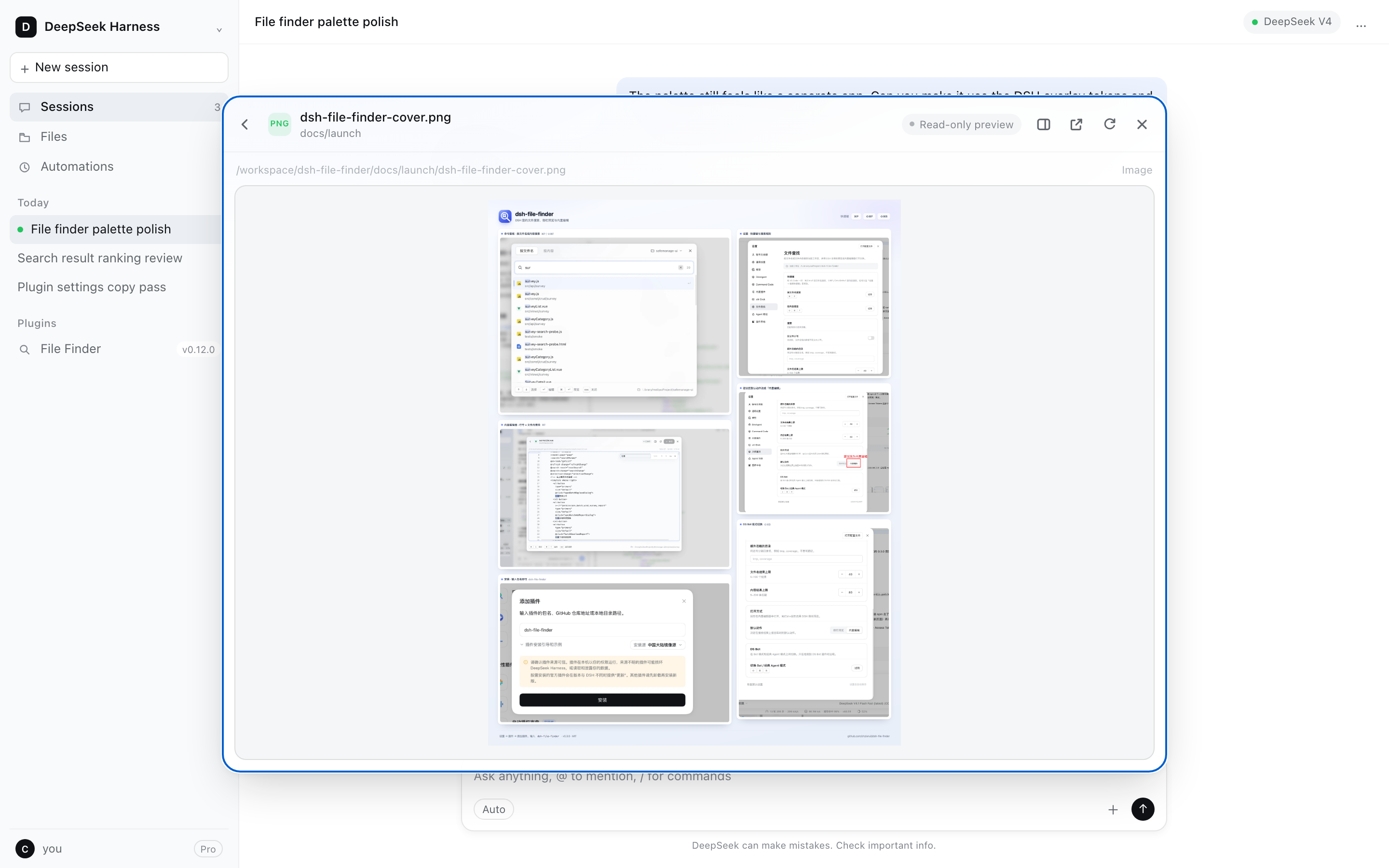 |
| Syntax colours, line numbers, in-file find | Built-in viewer for images, HTML, Markdown, video |
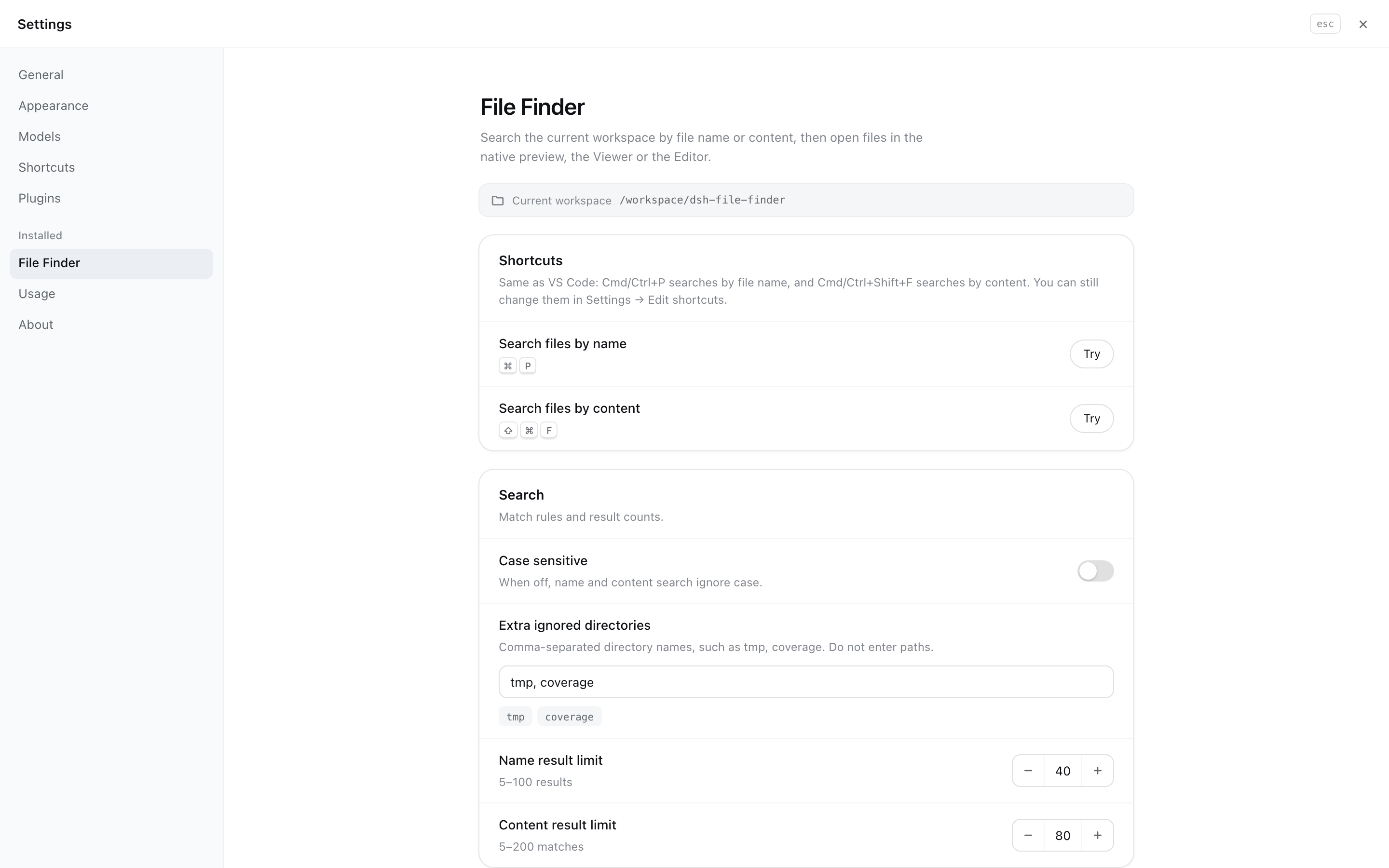 |
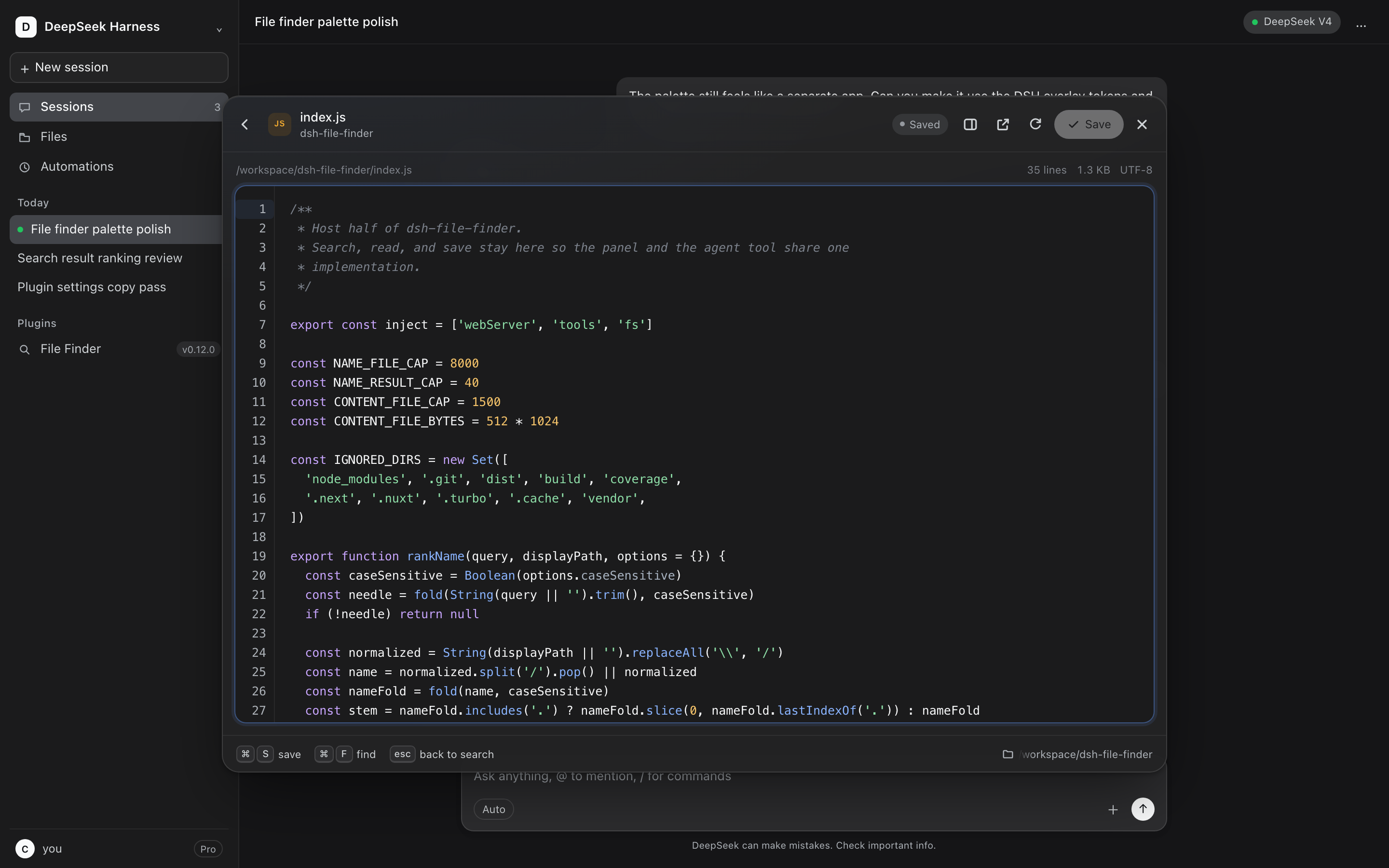 |
| One global Open mode over three surfaces | The same editor in the dark theme |
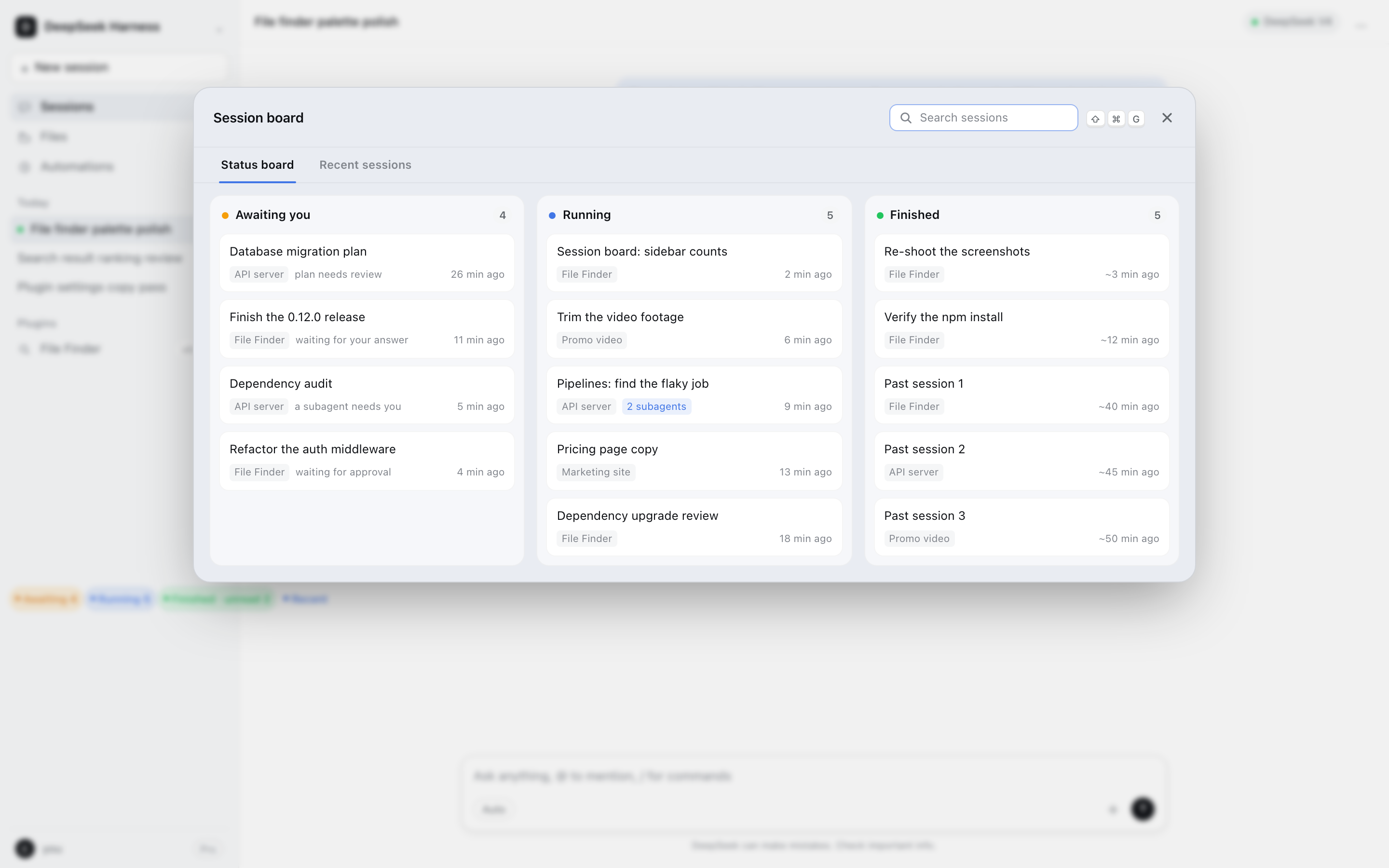 |
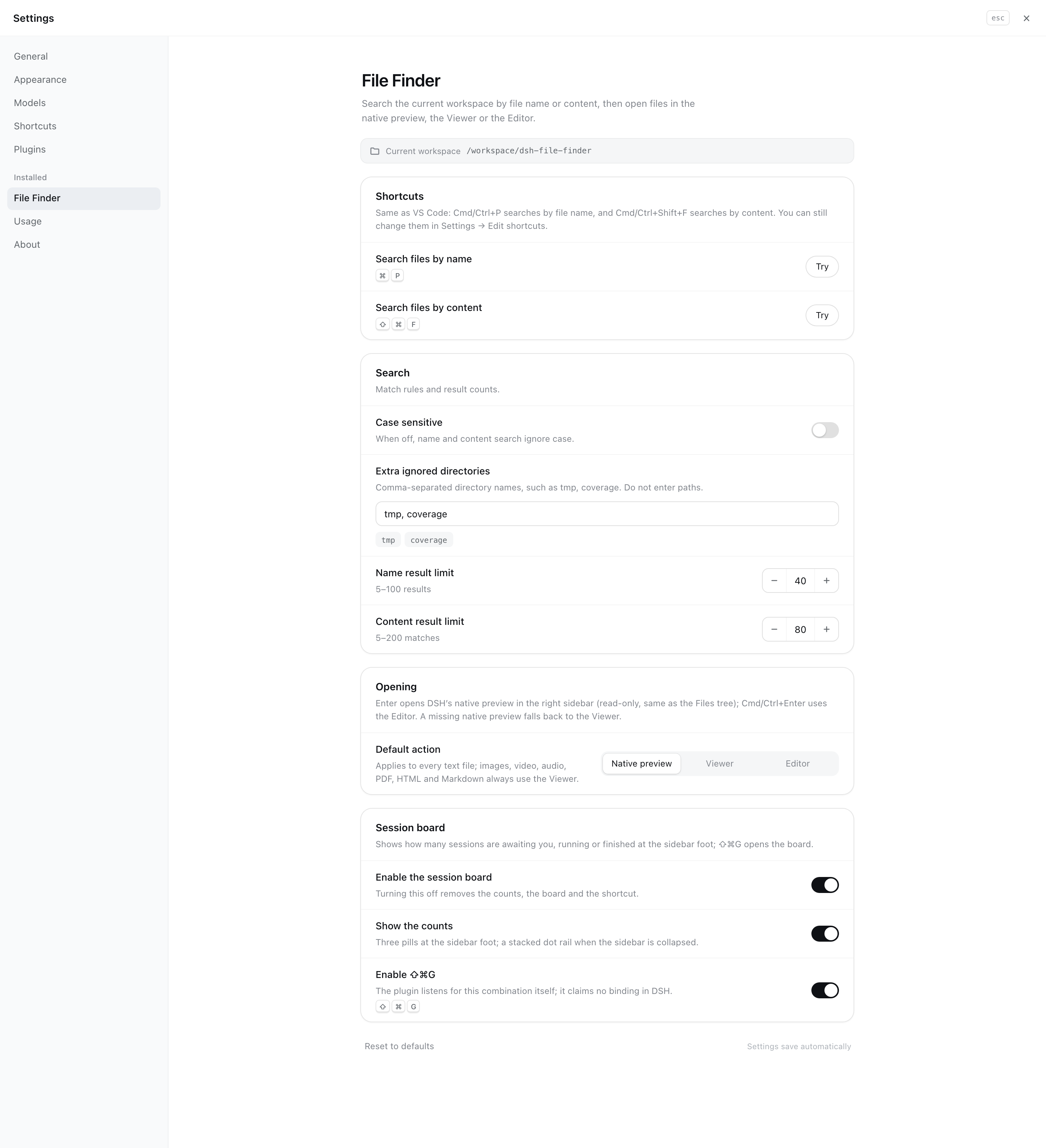 |
| Session board: awaiting you, running, recently finished | Three switches: feature, counts, ⇧⌘G |
The plugin is published to npm as dsh-file-finder, so Settings → Plugins → Add plugin resolves the package name directly:
dsh plugin add dsh-file-finderOr install from this checkout:
dsh plugin add /Library/aiProject/dsh-file-finderRestart or refresh the DSH page if the new client module does not appear immediately.
The same operations are available to the agent as the file_finder tool.
node --check index.js
node --check client.js
npm test          # pure logic + contracts, milliseconds
npm run hooks     # git pre-push runs the same gate (`.githooks/`)
npm run release   # bump, gate, publish, verify (see AGENTS.md)
CI runs the same unit gate on every push and pull request.
npm test covers the search helpers, the Desktop opener's host action and refusal list, the shortcut-default regression guard, and the UI contract (native preview address, palette hooks, reduced-motion rules, the DS Bot bridge, and the editor's line gutter, in-file find and syntax colours).
Browser checks are split by feature:
npm run check:find
npm run check:viewer
npm run check:intel
npm run check:tokens
npm run check:browse
npm run check:board
The DS Bot bridge also has a browser check that runs the real key handler against DS Bot's real selectors, with and without ds-bot in the boot graph:
node preview/bot-check.mjsThe native-integration research — address grammar, session derivation, service access, HMR behavior, and the keep-vs-delegate matrix — is documented in docs/native-integration.md.
preview/ is a dev-only harness that renders the palette and settings page outside DSH with the real DSH theme tokens, and captures light/dark screenshots with Playwright:
node preview/screenshot.mjsIt is not part of the published package.
MIT
CLASSIFICATION EVIDENCE
系统优先读取 GitHub Topics,再与站内分类词典和词根规则比对。当前命中: deepseek-harness。
morluto
Reverse engineer anything with agents, from app behavior down to native binaries.

deepseek-ai
DeepSeek Harness: Everything is a Plugin.

nexu-io
The 1st Collaborative AI Design Agent Workspace. Local-first and open source. Create motion, prototypes, websites, apps, dashboards, presentations, images, and videos with your team and AI agents. Share work, exchange feedback, and iterate together in one workspace.