
模型与 MCP
待识别

rea
morluto
Reverse engineer anything with agents, from app behavior down to native binaries.
PROJECT TOPICS
INSTALL REFERENCE
dsh plugin --profile web add github:chandra447/dsh-table-charts
该命令指向仓库当前默认分支;尚无绑定当前 commit 的完整验证结果。
PROJECT README



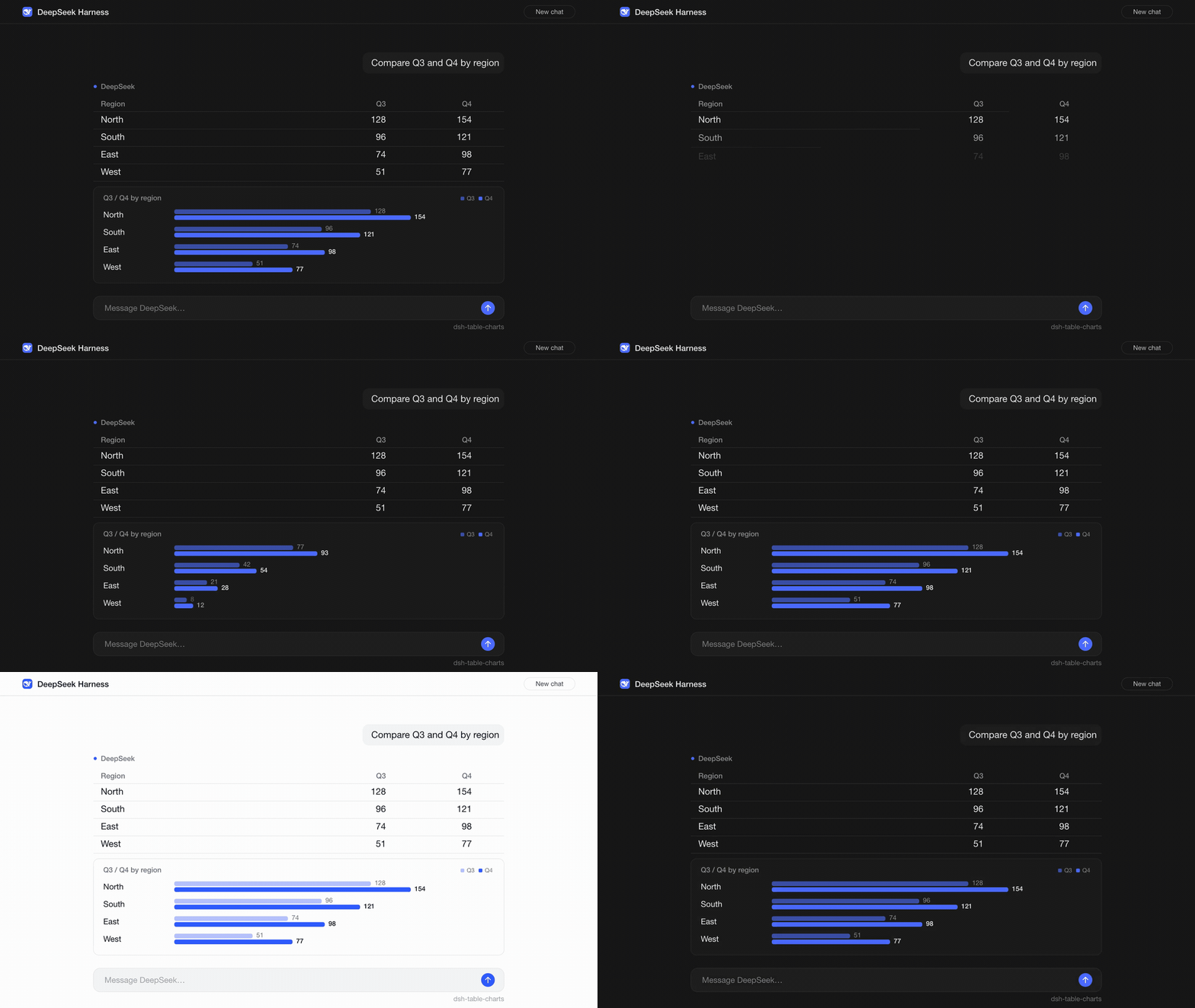
A table of numbers makes you compare digits row by row. This plugin draws the bars for you.
A 25 fps motion piece rendered with fframes. Watch the MP4 for 1080p.
Your assistant answered with a table. You started reading the Revenue column one cell at a time. Now there is a bar chart under it, in your theme, and nobody called a tool.
Give it a table like this:
| Region | Revenue | Growth |
| ------ | ------- | ------ |
| North  | $1,240  | 12%    |
| South  | $980    | -4%    |
| East   | $1.6k   | 21%    |
| West   | (30)    | n/a    |
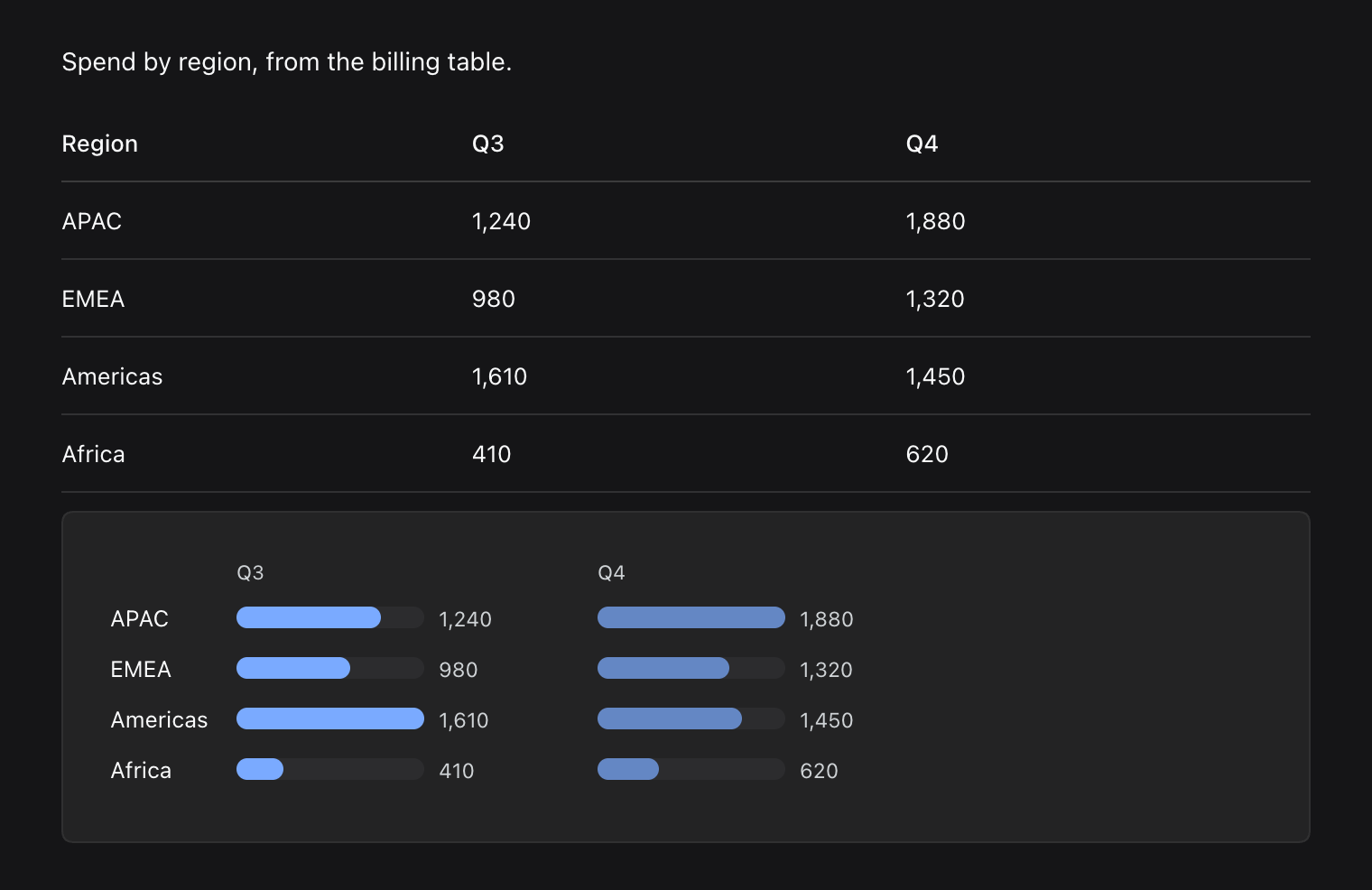
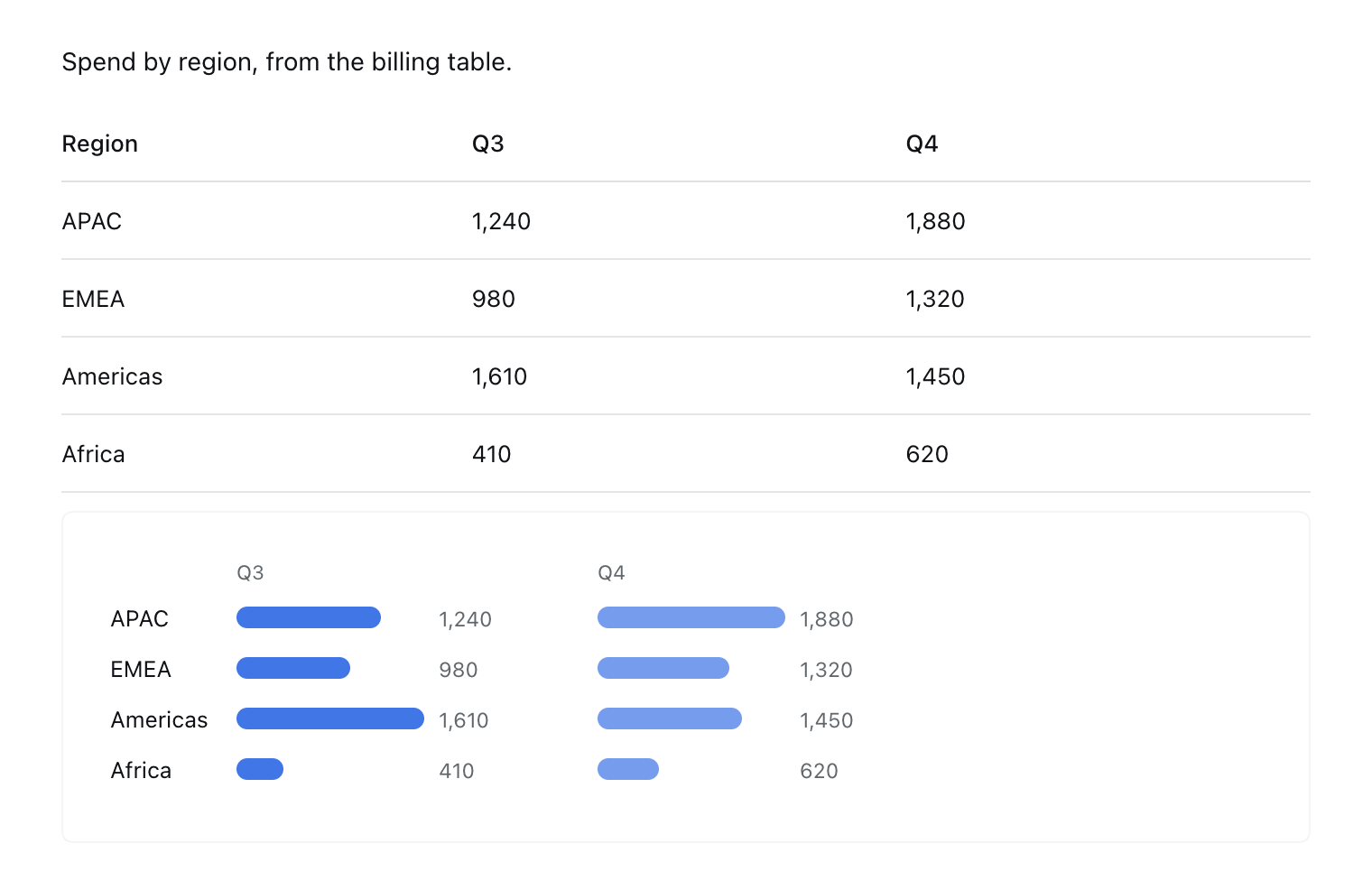
You get the same table, plus a card under it with two series, Revenue and Growth. (30) is read as -30. n/a shows as text where its bar would be.
In the app, open the Plugins window, go to Discover, search for dsh-table-charts, and install it.
From a terminal, use the profile you run:
dsh plugin --profile web add dsh-table-charts
dsh plugin --profile desktop add dsh-table-charts
To uninstall, swap add for remove.
The package ships a prebuilt client.js. Installing runs no build script, so DSH never asks you to approve one (allowBuilds). There is no host code and there are no dependencies. The whole thing is about 11 KB of browser JS.
Tested with DeepSeek Harness 0.2.x on macOS. The package asks for Node 22.19 or newer. The part that runs is plain browser JS. Other platforms are untested.
$1.6k still reads $1.6k.--dsw-alias-link), falling back to --dsw-alias-brand-primary. Extra series use lighter shades of the same color. The card uses theme surface and border tokens.| Dark theme | Light theme |
|---|---|
 |
 |
A table gets a chart when it has:
The parser reads these:
| Cell | Read as |
|---|---|
1,240 |
1240 |
$980 |
980 |
-12% |
-12 |
(30) |
-30 |
1.2k |
1,200 |
3M |
3,000,000 |
2B |
2,000,000,000 |
n/a, TBD, 12 USD |
Not a number |
€, £, and ¥ work like $. The % sign is dropped, and the value is not divided by 100.
Headers that name identifiers are never charted: year, date, id, #, no, number, index, rank, version. The match is on the whole header in any case, so Year is skipped and Revenue per year is not.
You could ask the model to call a plotting tool, or run a local chart server. This plugin does neither. The table is already on the page, so it reads the table and draws. There is no extra model turn, no tokens spent, no server to keep alive, and nothing to approve. Because it only reads the page, it works on old messages and on tables written before you installed it.
What it does not do, on purpose:
1.240,50 and spaced thousands like 1 240 are not read as numbers.MutationObserver watches the page and rescans within 120 ms of a change. Each <table> gets a 450 ms settle timer, keyed by its text, which restarts whenever that text changes.thead, or the first row if there is none. Rows whose cell count does not match the header are dropped. Tables with colspan or rowspan are skipped.<svg> built with createElementNS. Cell text goes in through textContent, so table content cannot inject markup. Fills are var(--dsw-alias-...) styles, which is why theme changes cost nothing.div, so it never lands inside DSH's horizontal table scroller. A chart whose table disappears is removed on the next scan.dsh-svg-fences turns SVG code fences into rendered, theme-aware figures with a Source toggle, copy, download, and zoom. It is built the same way, as a prebuilt client.js with no dependencies and no server.
The approach comes from the figure pipeline in oh-my-pi. It lifts SVG fences out of assistant markdown, resolves theme tokens before rasterizing, offers a Source toggle, and turns tables into charts. This plugin is a browser-side port of those ideas for DSH, written from scratch. It contains no oh-my-pi code.
The hero animation was rendered with fframes, a Rust and SVG video renderer. The stills show the plugin's real rendering with DSH's styles.
The DeepSeek whale in the demo comes from LobeHub Icons (MIT). DeepSeek and its logo are trademarks of DeepSeek. See third-party notices.
MIT © Chandra Doredla
CLASSIFICATION EVIDENCE
系统优先读取 GitHub Topics,再与站内分类词典和词根规则比对。当前命中: deepseek-harness。
morluto
Reverse engineer anything with agents, from app behavior down to native binaries.

deepseek-ai
DeepSeek Harness: Everything is a Plugin.

nexu-io
The 1st Collaborative AI Design Agent Workspace. Local-first and open source. Create motion, prototypes, websites, apps, dashboards, presentations, images, and videos with your team and AI agents. Share work, exchange feedback, and iterate together in one workspace.