
模型与 MCP
待识别

rea
morluto
Reverse engineer anything with agents, from app behavior down to native binaries.
PROJECT TOPICS
PROJECT README



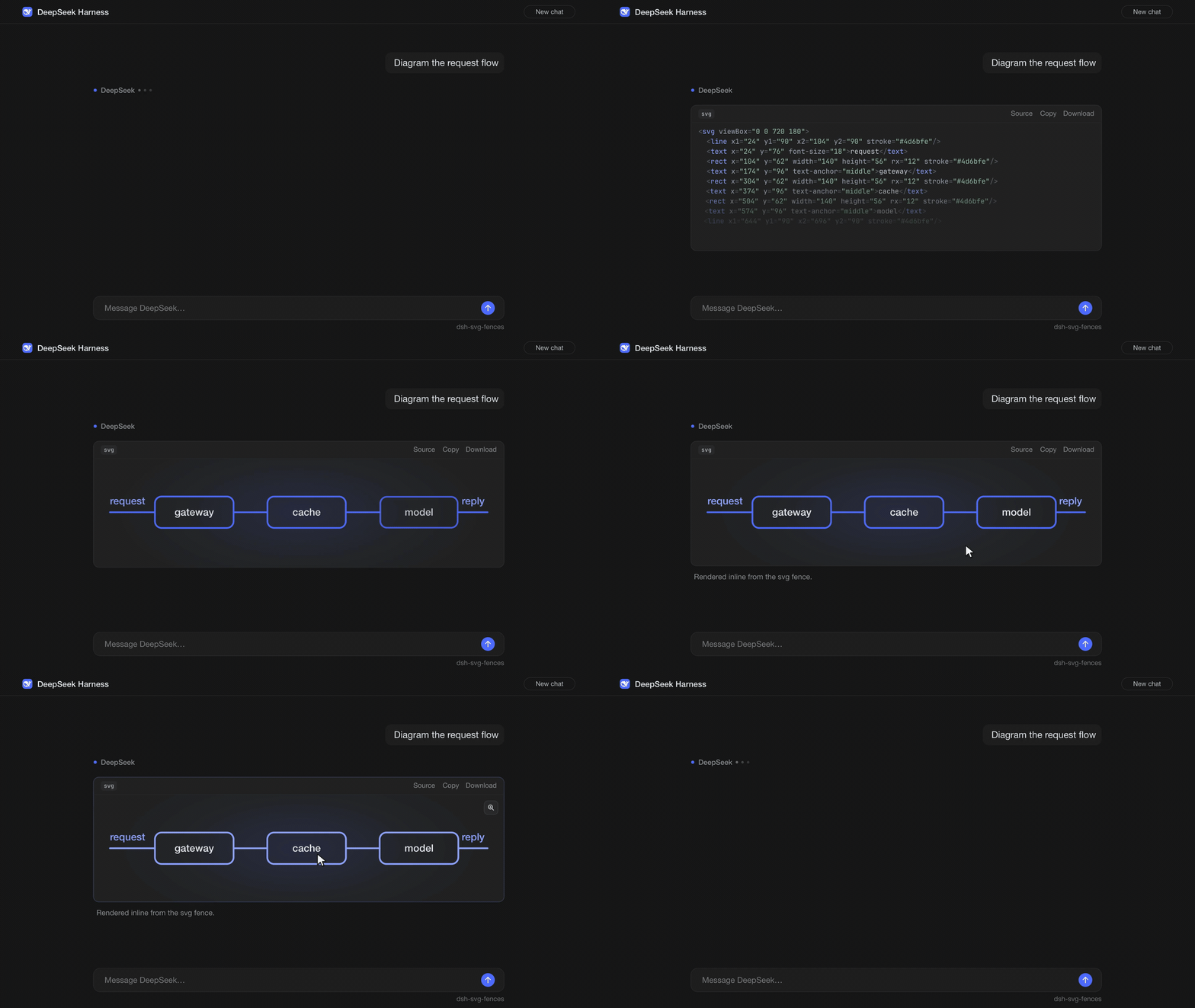
DeepSeek Harness shows SVG fences as code. This plugin shows them as pictures.
A 25 fps motion piece rendered with fframes. Watch the MP4 for 1080p.
Your assistant wrote an SVG. DSH showed you 40 lines of XML. This plugin shows you the picture, right where the code block was. The XML is still one click away.
In the app, open the Plugins window, go to Discover, search for dsh-svg-fences, and install it.
From a terminal, use the profile you run:
dsh plugin --profile web add dsh-svg-fences
dsh plugin --profile desktop add dsh-svg-fences
To uninstall, swap add for remove.
The package ships a prebuilt client.js. Installing runs no build script, so DSH never asks you to approve one (allowBuilds). There is no host code and there are no dependencies. The whole thing is about 22 KB of browser JS.
Tested with DeepSeek Harness 0.2.x on macOS. The package asks for Node 22.19 or newer. The part that runs is plain browser JS. Other platforms are untested.
svg label, then Source, Copy, and Download.Source flips back to the code. The same button, now labelled Render, flips back to the picture..svg file named after the figure's <title>, or figure.svg if there is none.+, −, and reset. Close it with Escape or a click on the backdrop.Write colors as CSS variables inside the fence. The plugin swaps each one for the live theme value before it draws the image, and again whenever the theme changes.
| In your SVG | Reads DSH token | Typical use |
|---|---|---|
var(--fg) |
--dsw-alias-label-primary |
Text, main strokes |
var(--muted) |
--dsw-alias-label-secondary |
Captions, secondary lines |
var(--accent) |
the blue accent (--dsw-alias-link, with fallbacks) |
The one thing to look at |
var(--bg) |
--dsw-alias-bg-base |
Page background |
var(--surface) |
--dsw-alias-bg-layer-1 |
Boxes and cards |
var(--surface-alt) |
--dsw-alias-bg-layer-2 |
Nested boxes, stripes |
var(--border) |
--dsw-alias-border-l1 |
Box outlines |
var(--line) |
--dsw-alias-border-l2 |
Connectors, gridlines |
var(--dsw-...) |
That token, as is | Anything else in the theme |
Three small rules:
var(--name, #888) falls back to #888 when the token is missing. With no fallback, the text color is used.currentColor follows the theme text color. The plugin sets color on the root <svg> unless you already did.sans-serif unless the root sets font-family.Models do not know these names unless you tell them. A line like this in your prompt or project instructions helps:
When you draw SVG, use var(--fg), var(--muted), var(--accent), var(--surface) and var(--border) for colors.A fence like this one follows the theme in both modes, and downloads as hello-figure.svg:
```svg
<svg viewBox="0 0 260 80" xmlns="http://www.w3.org/2000/svg">
  <title>hello-figure</title>
  <rect x="1" y="1" width="258" height="78" rx="10" fill="var(--surface)" stroke="var(--border)"/>
  <circle cx="40" cy="40" r="14" fill="var(--accent)"/>
  <text x="68" y="45" font-size="15" fill="var(--fg)">Rendered, not printed</text>
</svg>
```| Dark theme | Light theme |
|---|---|
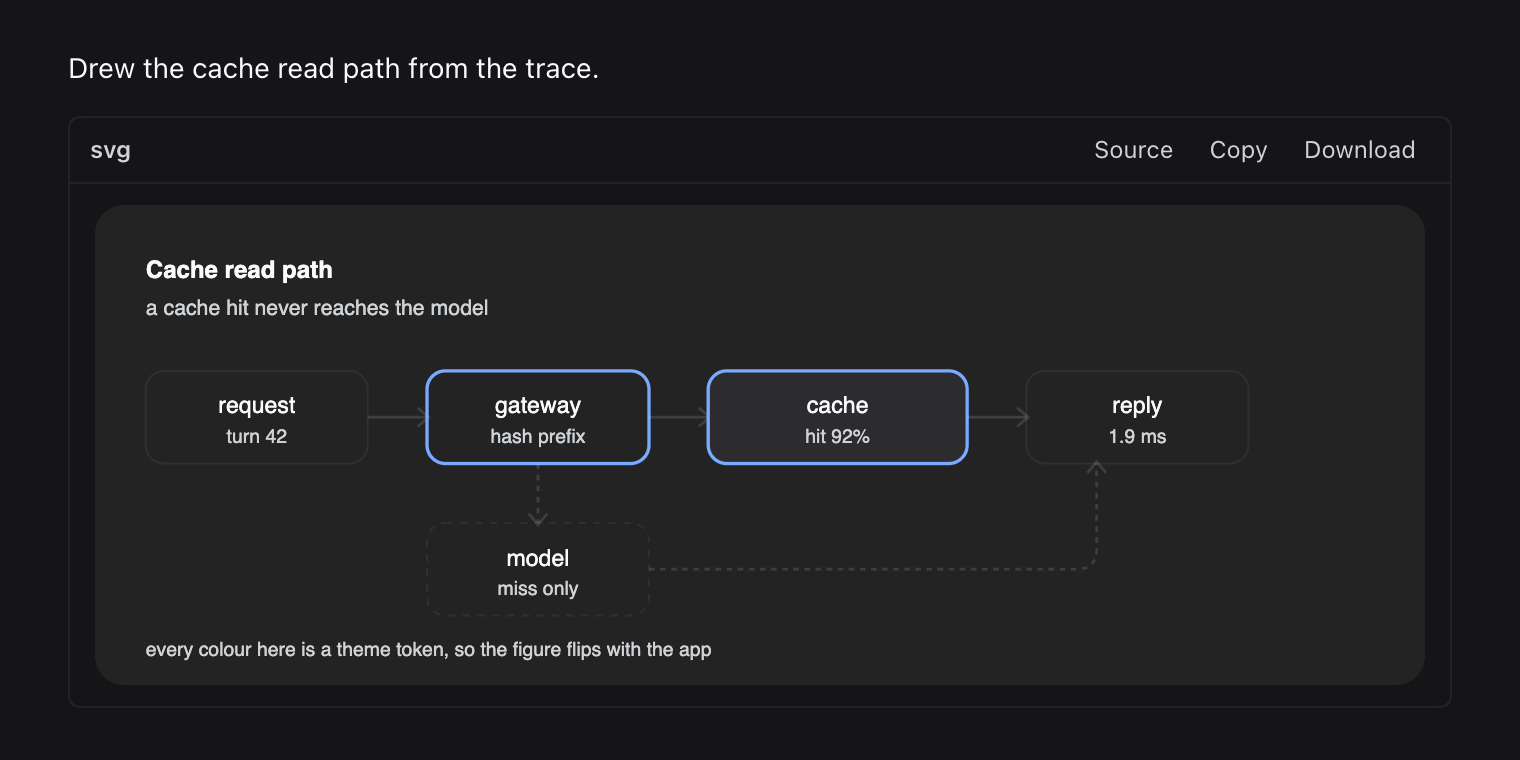 |
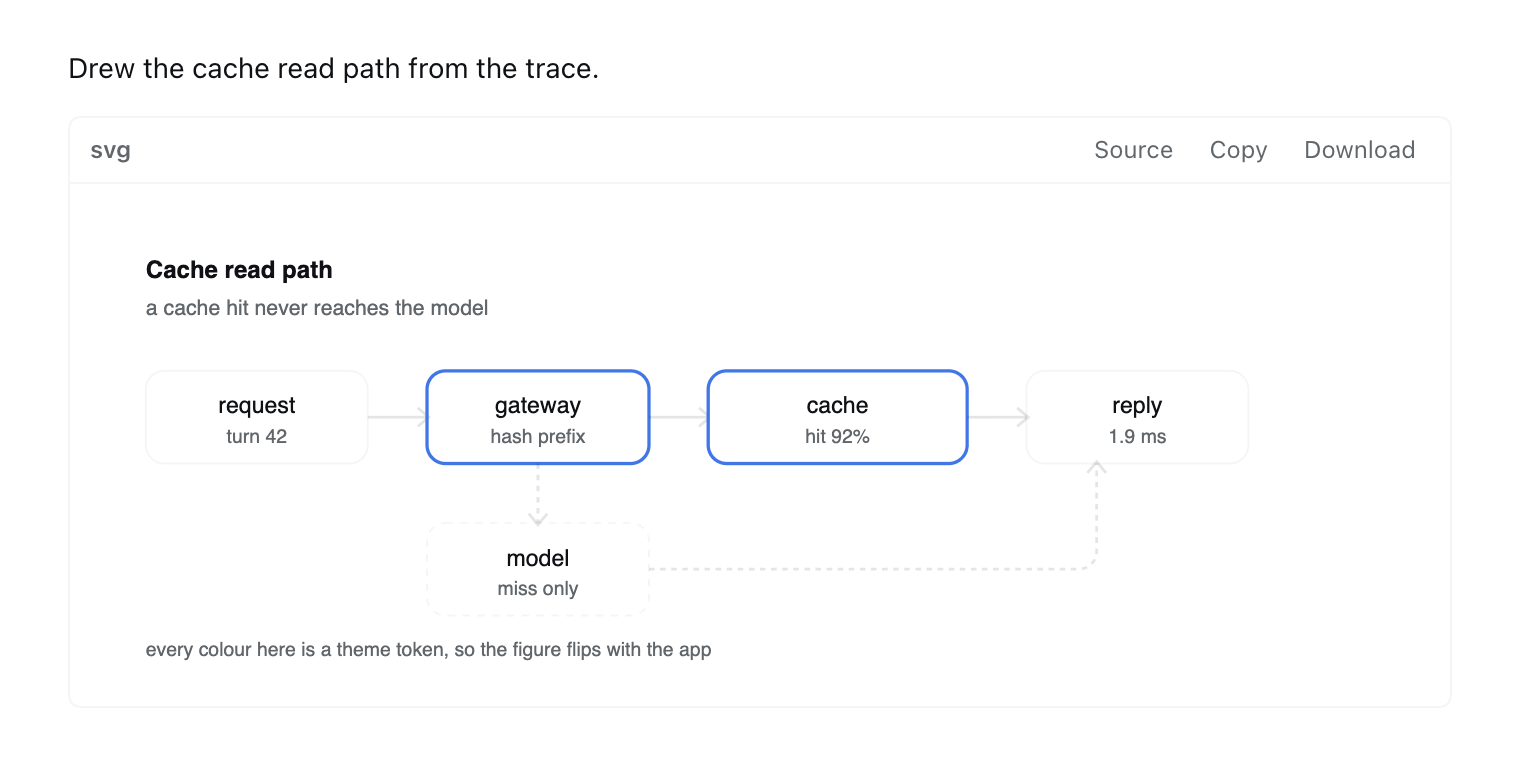 |
graph or sequenceDiagram, never <svg, so this plugin leaves those fences alone. Run both.What it does not do, on purpose:
<img> with a data:image/svg+xml source, so scripts do not run, links do not click, and external images and fonts do not load. Untrusted fence content cannot run code.var(--...) tokens.MutationObserver watches the page. Within 250 ms of a change it scans each div.md-code-block and reads the text of its <pre>.< and DOMParser reads it as image/svg+xml with an <svg> root and no parsererror. DSH keeps the fence language as a React prop that never reaches the DOM, so the content is the only reliable signal.getComputedStyle on the code block itself, because DSH scopes theme variables to containers rather than :root. Each var(--name) becomes its computed value, and xmlns, color, and font-family are added to the root when missing.data:image/svg+xml URI on an <img> placed after the block. A data attribute hides the original block with CSS. If the image fails to load, the block comes back.<html> and <body>, where DSH sets data-ds-dark-theme. When the resolved palette changes, every figure is re-encoded.dsh-table-charts draws a bar chart under Markdown tables that look like data. It is built the same way, as a prebuilt client.js with no dependencies and no server.
The approach comes from the figure pipeline in oh-my-pi. It lifts SVG fences out of assistant markdown, resolves theme tokens before rasterizing, offers a Source toggle, and turns tables into charts. This plugin is a browser-side port of those ideas for DSH, written from scratch. It contains no oh-my-pi code.
The hero animation was rendered with fframes, a Rust and SVG video renderer. The stills show the plugin's real rendering with DSH's styles.
The DeepSeek whale in the demo comes from LobeHub Icons (MIT). DeepSeek and its logo are trademarks of DeepSeek. See third-party notices.
MIT © Chandra Doredla
CLASSIFICATION EVIDENCE
系统优先读取 GitHub Topics,再与站内分类词典和词根规则比对。当前命中: deepseek-harness。
morluto
Reverse engineer anything with agents, from app behavior down to native binaries.

deepseek-ai
DeepSeek Harness: Everything is a Plugin.

nexu-io
The 1st Collaborative AI Design Agent Workspace. Local-first and open source. Create motion, prototypes, websites, apps, dashboards, presentations, images, and videos with your team and AI agents. Share work, exchange feedback, and iterate together in one workspace.