

模型与 MCP
待识别

rea
morluto
Reverse engineer anything with agents, from app behavior down to native binaries.
PROJECT TOPICS
INSTALL REFERENCE
dsh plugin --profile web add github:ccfeeling/dsh-host-file-explorer
该命令指向仓库当前默认分支;尚无绑定当前 commit 的完整验证结果。
PROJECT README
English · 简体中文 · 繁體中文 · 日本語 · 한국어 · Türkçe · Русский · Tiếng Việt · ไทย · Deutsch · Español · Français · Українська · Polski · Português (Brasil) · العربية · فارسی · Bahasa Indonesia · Italiano


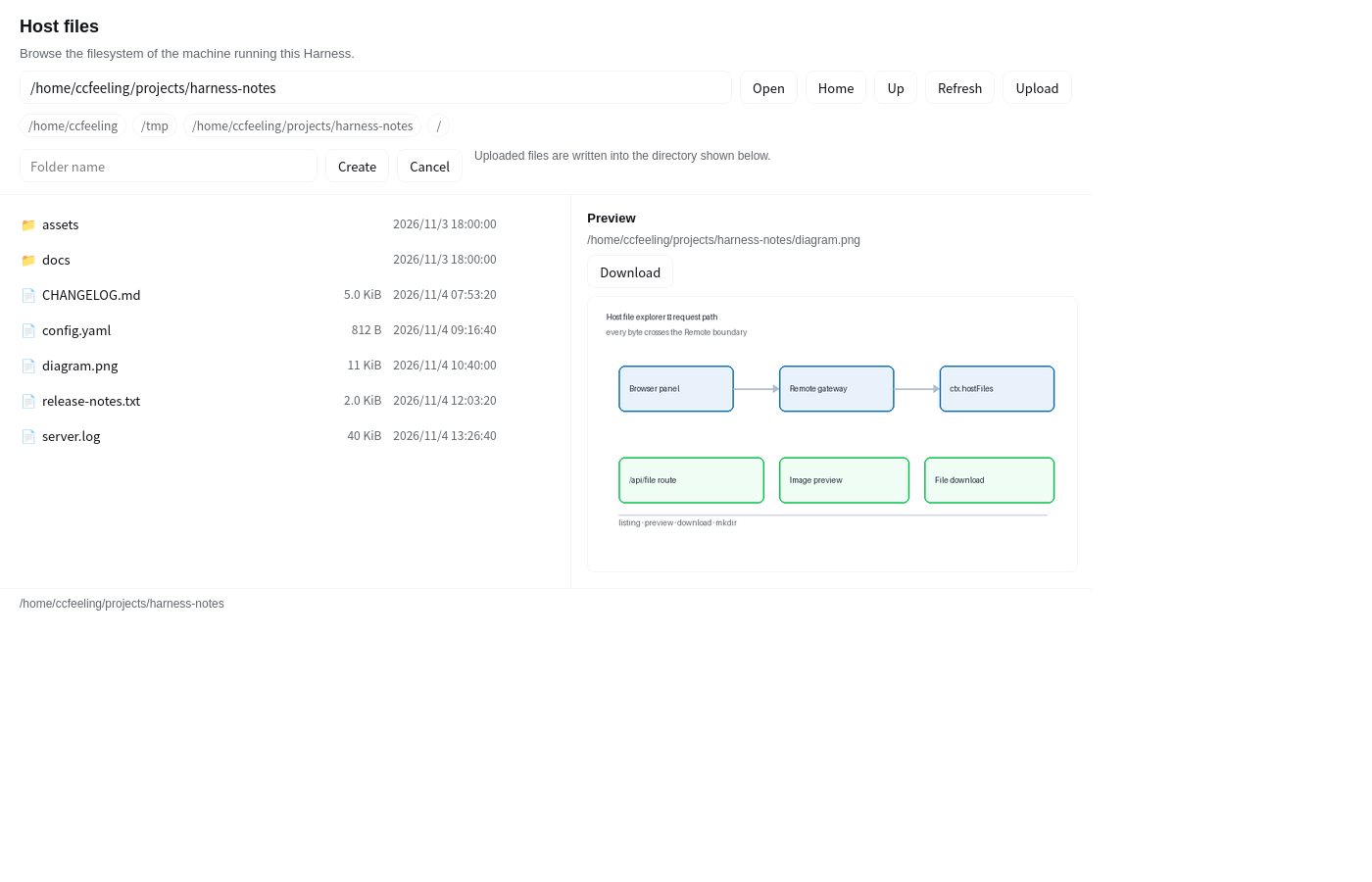
Browse the filesystem of the host machine from inside the Harness: directory listings with kinds, sizes, and modification times, text file previews, and folder creation. Every read goes through the Host/Client Remote channel, the same boundary the agent's own filesystem tools use. Files can be downloaded into the browser, and images are previewed inline. Files can be uploaded into the directory that is open. Files can be dropped straight onto the panel, the panel reads a file's first bytes to tell what it really holds, and the open directory can be counted and exported.
| Feature | Description |
|---|---|
| File download | Streams the file to the browser through the panel's own authenticated route, under the file's own name and without a byte cap |
| Image preview | Shows a PNG, JPEG, GIF, WebP, AVIF, or SVG image inline, instead of reading it as text |
| Directory listing | Directories first, then files, each with size and modification time; hidden entries are dimmed |
| Path navigation | Jump to an absolute path, go to the parent, or use the shortcuts for HOME, tmp, cwd, and the filesystem root |
| File preview | Reads the first 256 KiB of a text file and renders it; binary files report themselves instead of printing noise |
| Folder creation | Creates a single-segment subdirectory inside the current directory |
| Multilingual UI | Every visible string goes through ctx.locale; the panel ships twelve languages and follows the interface language |
| File upload | Sends a file from the browser to the directory that is open, as one Remote call carrying the bytes |
| Drop to upload | Takes the files and folders dropped on the panel and writes them into the directory that is open |
| Content sniffing | Reads the first bytes of a file, so a picture that was renamed is still a picture and a text file without an extension is still text |
| Safe uploads | The same bytes are never written twice: an upload that repeats what is there is left alone, and bytes that differ are written beside it under the first free name |
| Directory insights | Counts the files, folders, and bytes of the open directory and shows which file types take up the space |
| Listing export | Writes the open listing to a CSV or a JSON file the browser downloads |
| Wrap long lines | A toggle in the preview pane that wraps long lines; the browser remembers the choice |
| File creation | Creates an empty file inside the directory that is open; a name that is taken is never overwritten |
| Name search | Looks through the open tree for the files whose name holds what was typed |
| Repository status | Shows the branch and the changed files of the repository the open directory belongs to |
| Command console | Runs a command in the directory that is open and prints what it answered |
Clone this repository, then install it from the Harness plugin manager:
# clone
git clone https://github.com/ccfeeling/dsh-host-file-explorer.git

# install into a DSH profile (replace the profile name and path with yours)
dsh plugin --profile web add /path/to/dsh-host-file-explorer
The matching tool call is plugin_manager { action: 'install_bundle', target: '<local path>' }.
The plugin is listed in the awesome-dsh-plugin list, so the marketplace can install it straight from GitHub:
dsh plugin --profile web add github:ccfeeling/dsh-host-file-explorer// ~/.dsh/profiles/<profile>/package.json
{
"dependencies": {
"@local/dsh-host-file-explorer": "link:/abs/path/to/dsh-host-file-explorer"
}
}After installation a folder icon appears in the sidebar, after Plugins and Schedules. Click it to open the panel.
Note: if your profile has a dependency that ships agent skills (for example
dsh-answer-me-with-html), pnpm 10.11+ and 12.x refuse to install until the skills directory is declared, and fail withERR_PNPM_NO_AGENT_SKILLS_DIR. Turn off pnpm's own skill linking with one stanza in the profile'spnpm-workspace.yaml:skills: dirs: []
The plugin is a standard DSH bundle with a Host half and a Client half:
index.js   (Host)    ctx.hostFiles  ——  thirteen verbs over node:fs/promises
client.js  (Client)  sidebar entry + main panel + Remote namespace mount
The Host half provides a ctx.hostFiles service and marks its verbs for the Remote transport with the prototype marker @deepseek-ai/dsh-typert-protocol/remote-methods, so the gateway can discover it in SRC mode:
| Method | Parameters | Returns |
|---|---|---|
roots() |
— | Well-known locations (HOME, tmp, cwd, filesystem root) |
list(path, signal) |
path |
{ path, parent, home, entries[{ name, path, kind, size, modified, mime, hidden }], truncated } |
stat(path, signal) |
path |
{ path, kind, size, modified, mime } |
read(path, signal) |
path |
{ path, size, modified, binary, truncated, text } |
mkdir(path, name, signal) |
path, name |
{ path } |
upload(path, name, data, signal) |
path, name, data |
{ path, name, size, deduplicated } |
inspect(path, signal) |
path |
{ path, kind, mime, size, modified } |
mkdirp(path, relative, signal) |
path, relative |
{ path } |
limits() |
— | The largest file one upload may carry |
createFile(path, name, signal) |
path, name |
{ path, name, size } |
search(path, query, signal) |
path, query |
{ path, entries[{ name, path, kind, size, modified, mime, hidden }], truncated } |
git(path, signal) |
path |
{ path, root, branch, changes[{ status, path }] } |
exec(path, command, signal) |
path, command |
{ command, code, stdout, stderr } |
signal has to be the last parameter: the gateway parses the method signature with Function.prototype.toString() to derive the wire parameters, and a broken signature makes the call fail.
The page never carries file bytes over the Remote channel. For a preview it asks the Host for the file's address on the Harness's own authenticated file route — the same route the shipped document preview uses for the images inside a Markdown document — and the browser fetches it with the session the page already holds, so the preview gets the file's own content type and a PNG renders as a PNG.
That route buffers one response under the Harness's attachment byte limit (20 MiB by default), which would cut a larger download short. A download therefore uses a route the Host half registers itself, inside the same authentication fence: it streams the file from disk with a flat memory cost, sends the file's own name and content type, and has no byte cap, so a file larger than the attachment limit downloads in full.
The Client half hand-writes a Typert Remote contribution, mounts it with ctx.remote.$mount(...), and then registers two slots:
sidebar.panellist: id host-files, order 30, with its own folder icon;main: key host-files, the panel the sidebar button opens.The namespace cannot be declared as the plugin's own inject. The mounted remote.hostFiles is a service in its own right, and it only appears after this plugin's mount has run — a fiber that waits for it would never wake up, so the plugin would never start. Read it with ctx.get('remote.hostFiles') instead, the Cordis mixin entry point that reads a service straight from the shared store:
const namespace = ctx.get('remote.hostFiles');Shipped plugins can write inject: ['remote.agentPresets'] only because another package mounts those namespaces, which leaves a consumer free to declare the dependency.
The client half reaches for two Harness client services. The panel reads the session list (@deepseek-ai/dsh-api-session-controller) to open in the directory the session works in, and tells @deepseek-ai/dsh-client-ui-layout that it is on screen, so the right sidebar steps aside while the panel is open. Everything else stays on react and zod.
node --check index.js
node --check client.js
npm pack --dry-run      # inspect the file list that actually ships
During local development the profile points at the working directory with link:, so an edit is live after a browser refresh (the client module is versioned by content hash).
MIT, see LICENSE.
CLASSIFICATION EVIDENCE
系统优先读取 GitHub Topics,再与站内分类词典和词根规则比对。当前命中: deepseek-harness。
morluto
Reverse engineer anything with agents, from app behavior down to native binaries.

deepseek-ai
DeepSeek Harness: Everything is a Plugin.

nexu-io
The 1st Collaborative AI Design Agent Workspace. Local-first and open source. Create motion, prototypes, websites, apps, dashboards, presentations, images, and videos with your team and AI agents. Share work, exchange feedback, and iterate together in one workspace.