
模型与 MCP
待识别

rea
morluto
Reverse engineer anything with agents, from app behavior down to native binaries.
PROJECT TOPICS
INSTALL REFERENCE
dsh plugin --profile web add github:brungcm/dsh-server-resources
该命令指向仓库当前默认分支;尚无绑定当前 commit 的完整验证结果。
PROJECT README
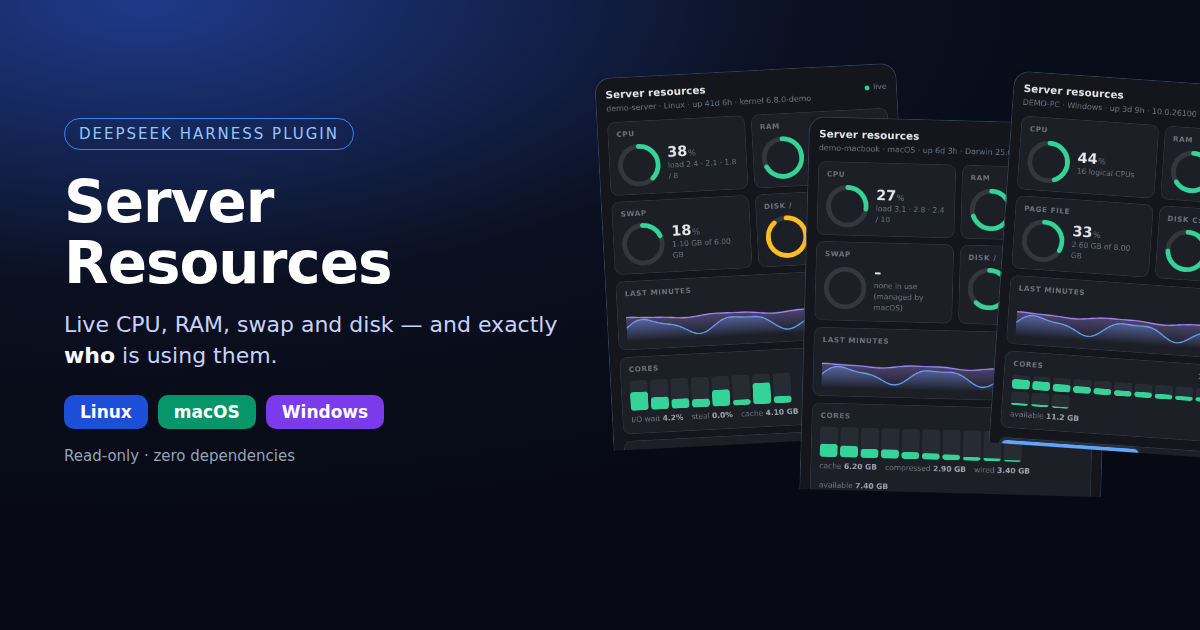
See what is eating your machine — without leaving DeepSeek Harness.
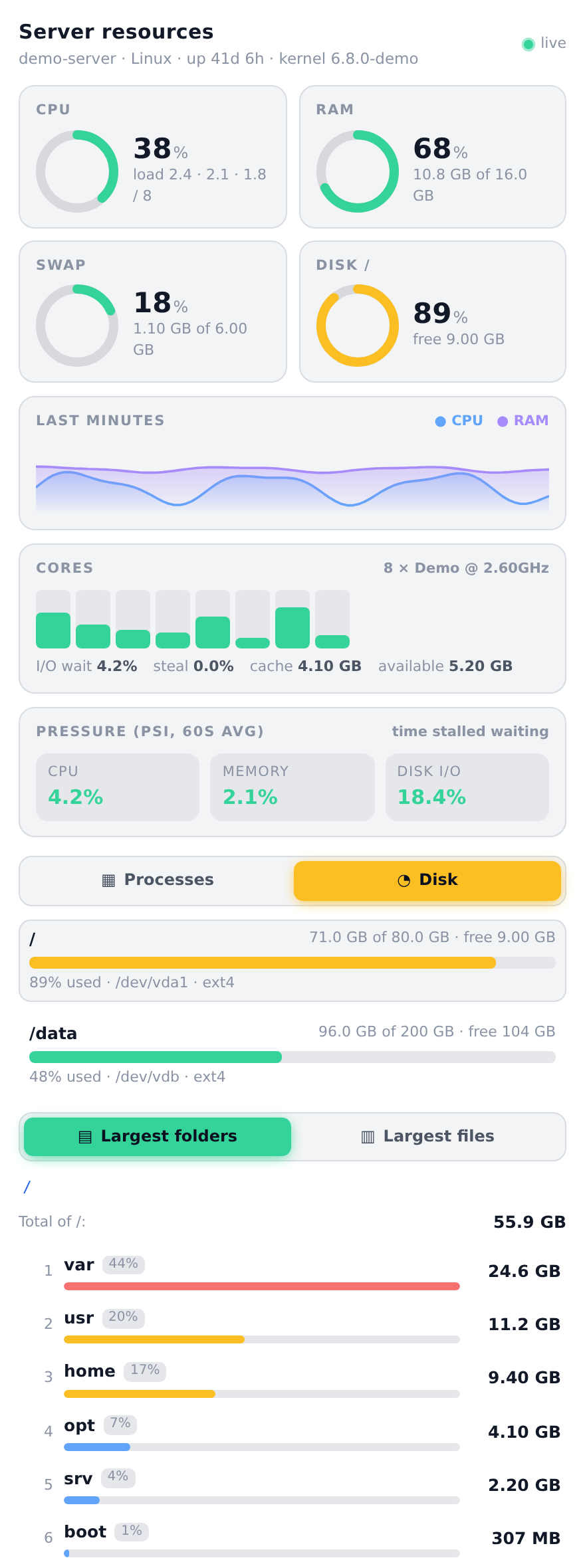
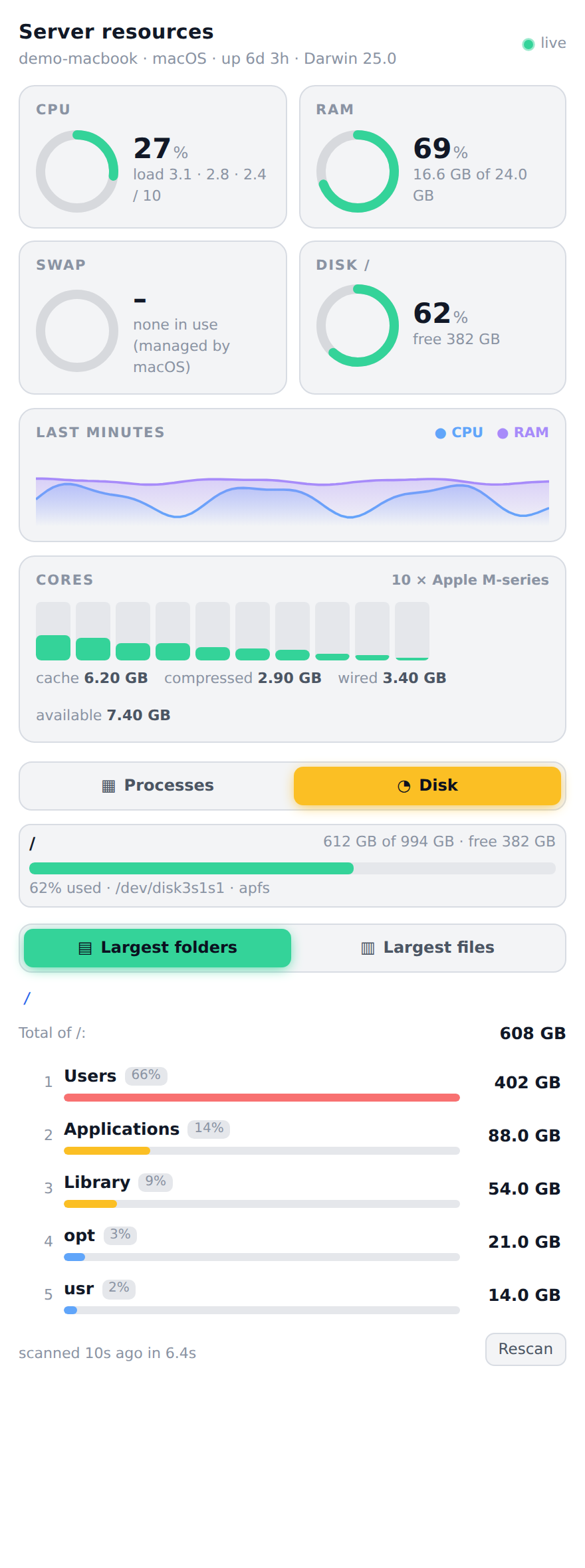
Live CPU, RAM, swap and disk on Linux, macOS and Windows, with a ranked list of the biggest consumers of each.





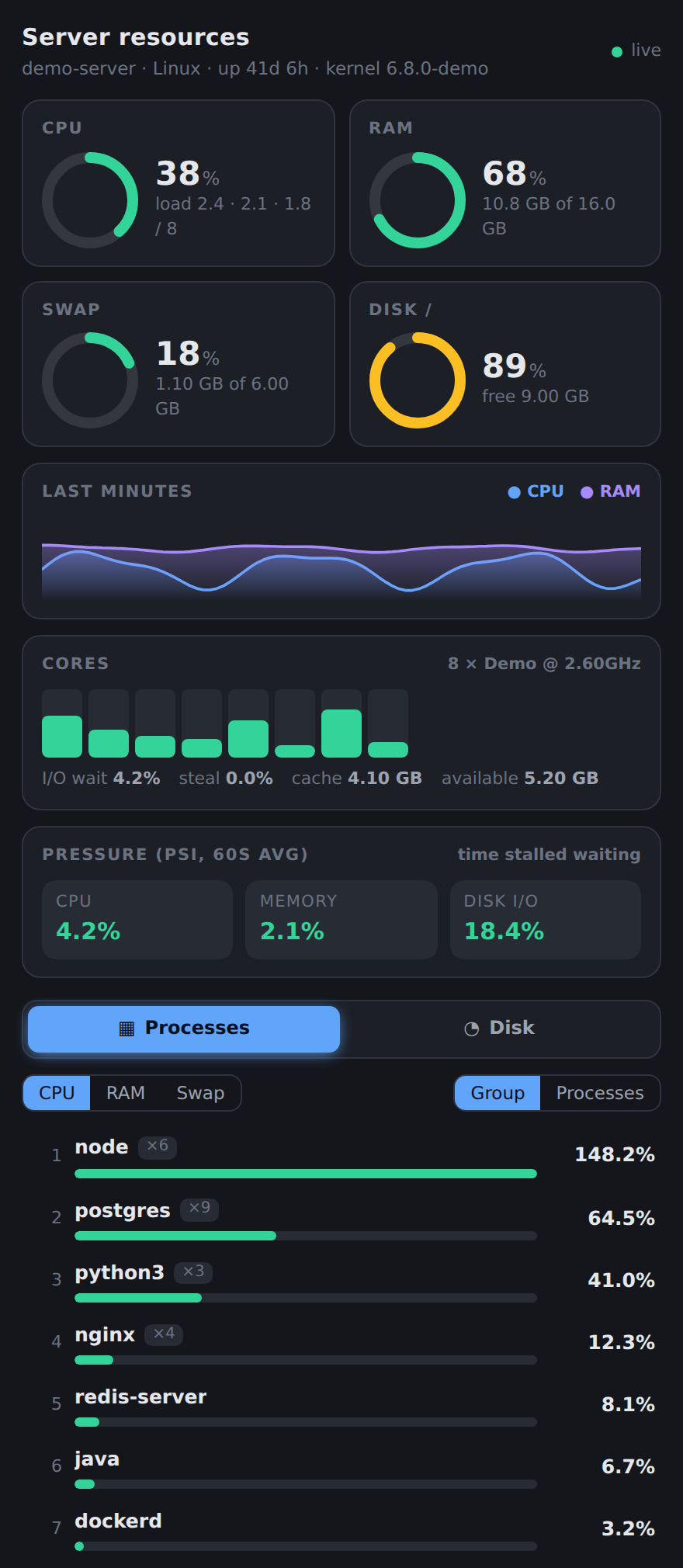
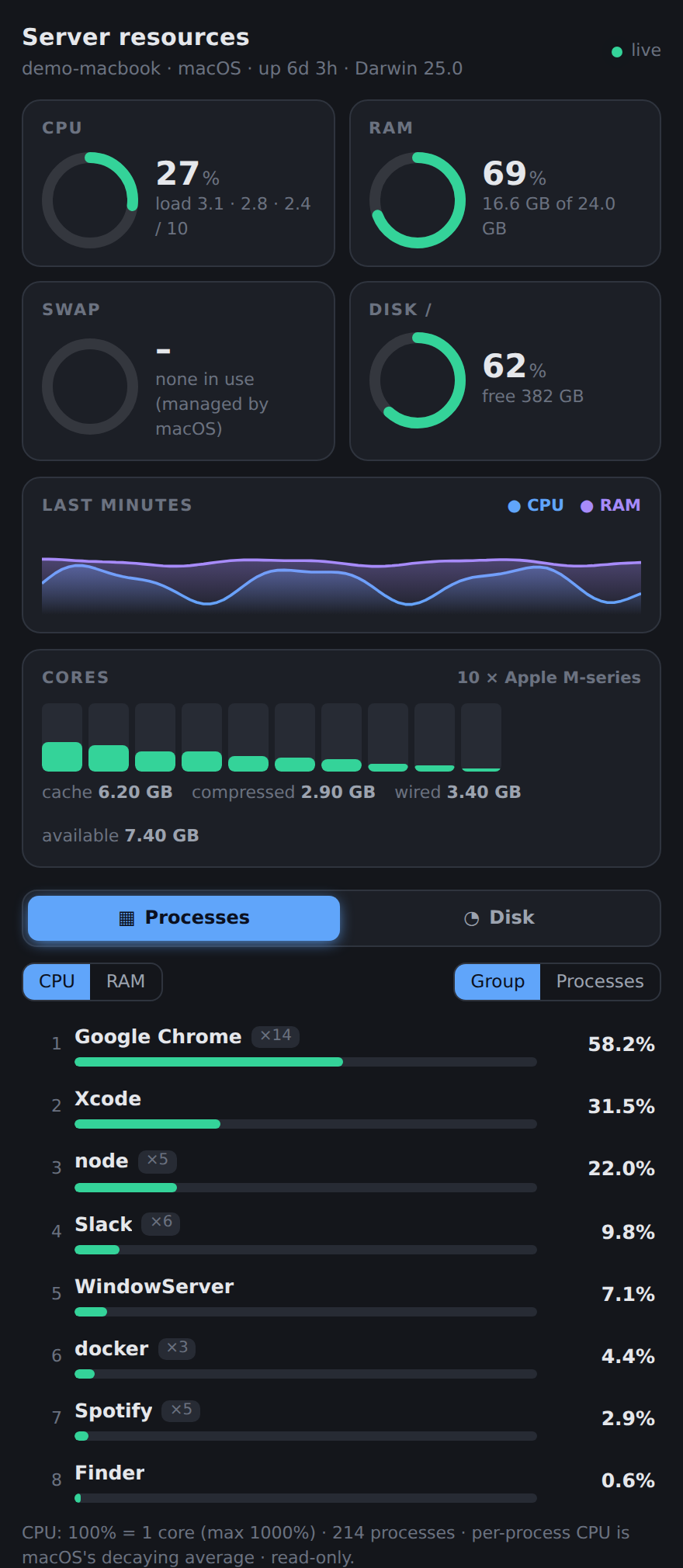
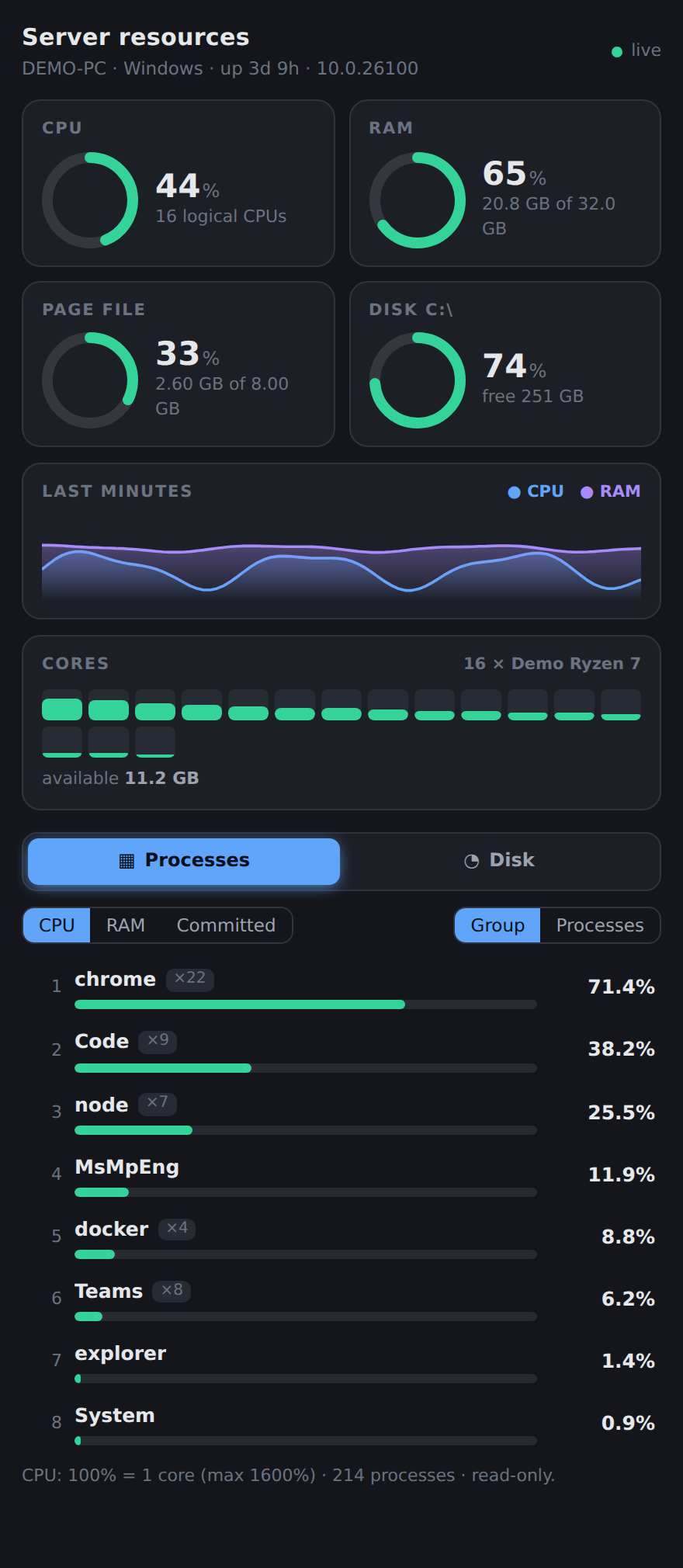
"The machine is slow" is a question, not an answer. This plugin adds a Resources tab to the DSH right sidebar that answers the follow-ups in one place:
No SSH session, no htop, no Activity Monitor, no Task Manager, no ncdu, no extra service to install.
Same panel on every OS — it hides what an OS cannot measure instead of showing zeros.
| Linux | macOS | Windows |
 |
 |
 |
 |
 |
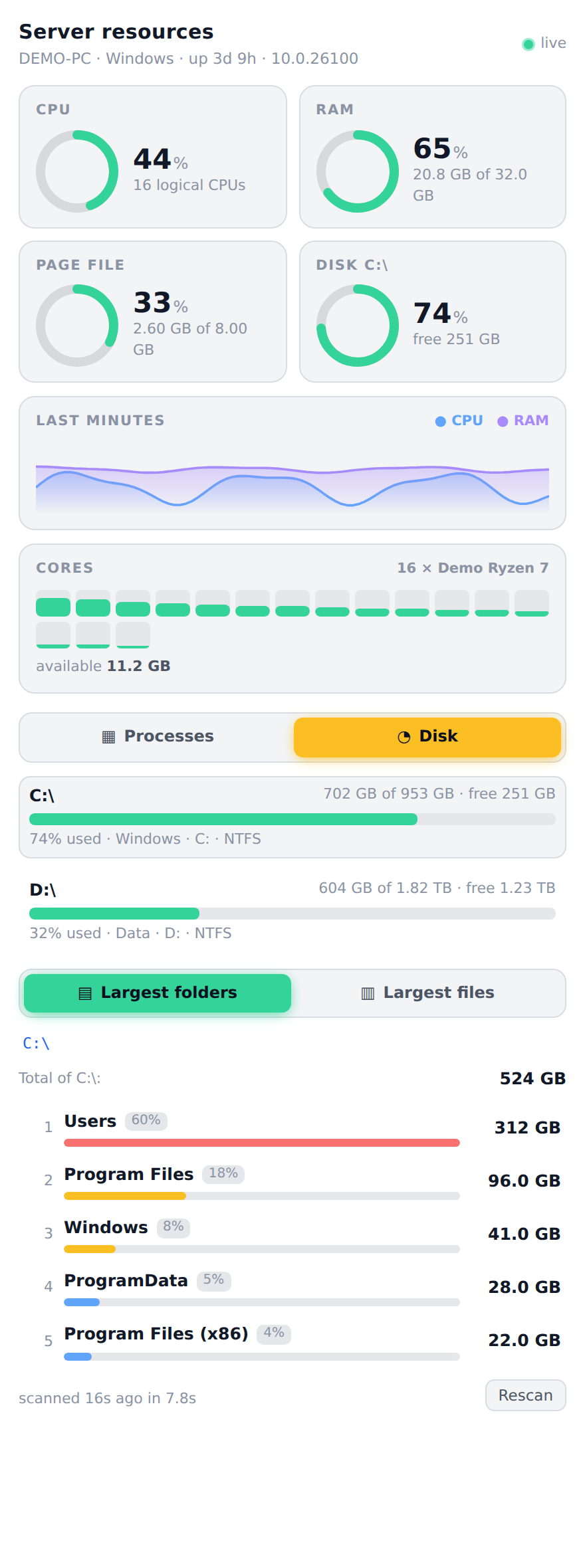 |
Dark and light themes are both supported (all variants are in docs/images). Every screenshot uses made-up demo data (see docs/demo); none shows a real machine.
| Linux | macOS | Windows | |
|---|---|---|---|
| Gauges — CPU, RAM, swap / page file, fullest disk (green → amber → red) | ✅ | ✅ | ✅ |
| History — CPU and RAM over the last few minutes | ✅ | ✅ | ✅ |
| Per-core bars — spot one saturated core behind a "low" average | ✅ | ✅ | ✅ |
Processes — top consumers of CPU and RAM, grouped by program (claude ×4) or one by one with PID, user and command line |
✅ | ✅ | ✅ |
| Swap ranking per process | ✅ | — | ✅ (committed memory) |
| Disk tab — every volume, largest folders (click to drill in), largest files (20 MB … 1 GB) | ✅ | ✅ | ✅ |
| I/O wait · steal · page cache | ✅ | cache only | — |
| Pressure (PSI) — time stalled waiting for CPU, memory, disk | ✅ | — | — |
| Theme-aware (follows DSH light / dark) | ✅ | ✅ | ✅ |
— means the OS does not expose it to normal programs; the panel simply leaves it out. Details and the exact commands used on each OS: docs/PLATFORMS.md.
Requires dsh-better-sidebar ≥ 0.30 (the plugin renders inside its sidebar) and Node.js ≥ 20.
# from npm
dsh plugin --profile <your-profile> add dsh-server-resources

# or straight from GitHub
dsh plugin --profile <your-profile> add github:brungcm/dsh-server-resources
Then open the + menu of the right sidebar and choose Resources.
git clone https://github.com/brungcm/dsh-server-resources
dsh plugin --profile <your-profile> add ./dsh-server-resources
The bundle patch it applies is cordis.patch.yml: one insert row named server-resources.
| OS | Needs | Notes |
|---|---|---|
| Linux | /proc, df, du, find, ionice, getconf |
All present on any distro; BusyBox/Alpine work too (no PSI on old kernels). |
| macOS | sysctl, vm_stat, ps, df, mount |
Ships with macOS. Tested on macOS 26 (Apple silicon). |
| Windows | PowerShell — pwsh (7+) or the built-in powershell.exe (5.1) |
Prefers pwsh: it starts ~15× faster. Tested on Windows Server 2025. |
/proc; macOS runs sysctl/vm_stat/ps/df; Windows runs one PowerShell script that only calls Get-CimInstance. Commands are started with a fixed argument list (never a shell string), and the PowerShell script is sent with -EncodedCommand, so nothing from the browser is ever interpolated into it.ionice -c3 nice -n19 / nice -n19); Windows uses a built-in walker that yields to the event loop. All scans run one at a time, with a 150 s limit, a 5 min cache and at most 4 queued (the rest get HTTP 429). The overview is sampled at most once per second (more slowly on Windows) however many tabs are open, every command has a hard timeout so a dead network mount cannot hang the panel, and polling stops while the tab is hidden./proc, /sys, /dev and /run cannot be scanned on Linux/macOS; on Windows only drive-letter paths (C:\…) are accepted — UNC and \\?\ paths are refused; every path goes through realpath and must be an existing directory; the walker never follows symlinks or junctions, never leaves the volume it started on and counts a hard link once.Heads-up — command lines. The Processes tab shows each process's command line, which can contain secrets passed as arguments. Obvious shapes are masked (
--password …,TOKEN=…,Bearer …,user:pass@host), but masking is best-effort: a secret passed as a bare positional argument cannot be recognised. SetDSR_HIDE_COMMAND_LINES=1in the environment of the DSH server to hide command lines entirely. It is the same information any local user can read withps,Get-CimInstanceor Task Manager; do not expose your DSH instance publicly without authentication.
powershell -EncodedCommand; the plugin avoids -ExecutionPolicy Bypass and starts PowerShell by absolute path to look as ordinary as possible, but if your policy blocks it the panel says so instead of showing zeros./proc is mounted with hidepid (Linux), processes of other users are not readable; the tab shows how many were skipped.du (a 5 GB tree takes a few seconds). browser (React tab) ──poll──▶ GET /api/dsh-server-resources/overview
└─ platform/linux.js /proc/* · df
platform/darwin.js sysctl · vm_stat · ps · df · mount
platform/win32.js PowerShell → Get-CimInstance (one JSON document)
──on demand▶ GET /api/dsh-server-resources/disk/dirs|files?path=…
└─ Linux: ionice du/find macOS/Windows: lib/walker.js (pure Node)Every collector returns the same snapshot shape plus a capabilities map; the UI shows only what the OS can fill. Design notes: docs/ARCHITECTURE.md. Source: lib/ — no build step.
npm test            # ~70 tests, nothing to install (parsers are tested against real macOS and Windows output)
npm run smoke       # run the real collectors on THIS machine and print what the panel would show
PW_FROM=<dir-with-playwright-core>/ node docs/demo/render.mjs <chrome> <react.iife.js>   # regenerate screenshots
CI runs the tests on Linux, macOS and Windows × Node 20/22/24, plus the smoke test on a real host of each OS. See CONTRIBUTING.md for how to add a platform or a metric.
See CHANGELOG.md.
MIT © brungcm
CLASSIFICATION EVIDENCE
系统优先读取 GitHub Topics,再与站内分类词典和词根规则比对。当前命中: deepseek-harness。
morluto
Reverse engineer anything with agents, from app behavior down to native binaries.

deepseek-ai
DeepSeek Harness: Everything is a Plugin.

nexu-io
The 1st Collaborative AI Design Agent Workspace. Local-first and open source. Create motion, prototypes, websites, apps, dashboards, presentations, images, and videos with your team and AI agents. Share work, exchange feedback, and iterate together in one workspace.