
模型与 MCP
待识别

rea
morluto
Reverse engineer anything with agents, from app behavior down to native binaries.
PROJECT TOPICS
INSTALL REFERENCE
dsh plugin --profile web add github:bitxeno/dsh-github-picker
该命令指向仓库当前默认分支;尚无绑定当前 commit 的完整验证结果。
PROJECT README
English | 中文
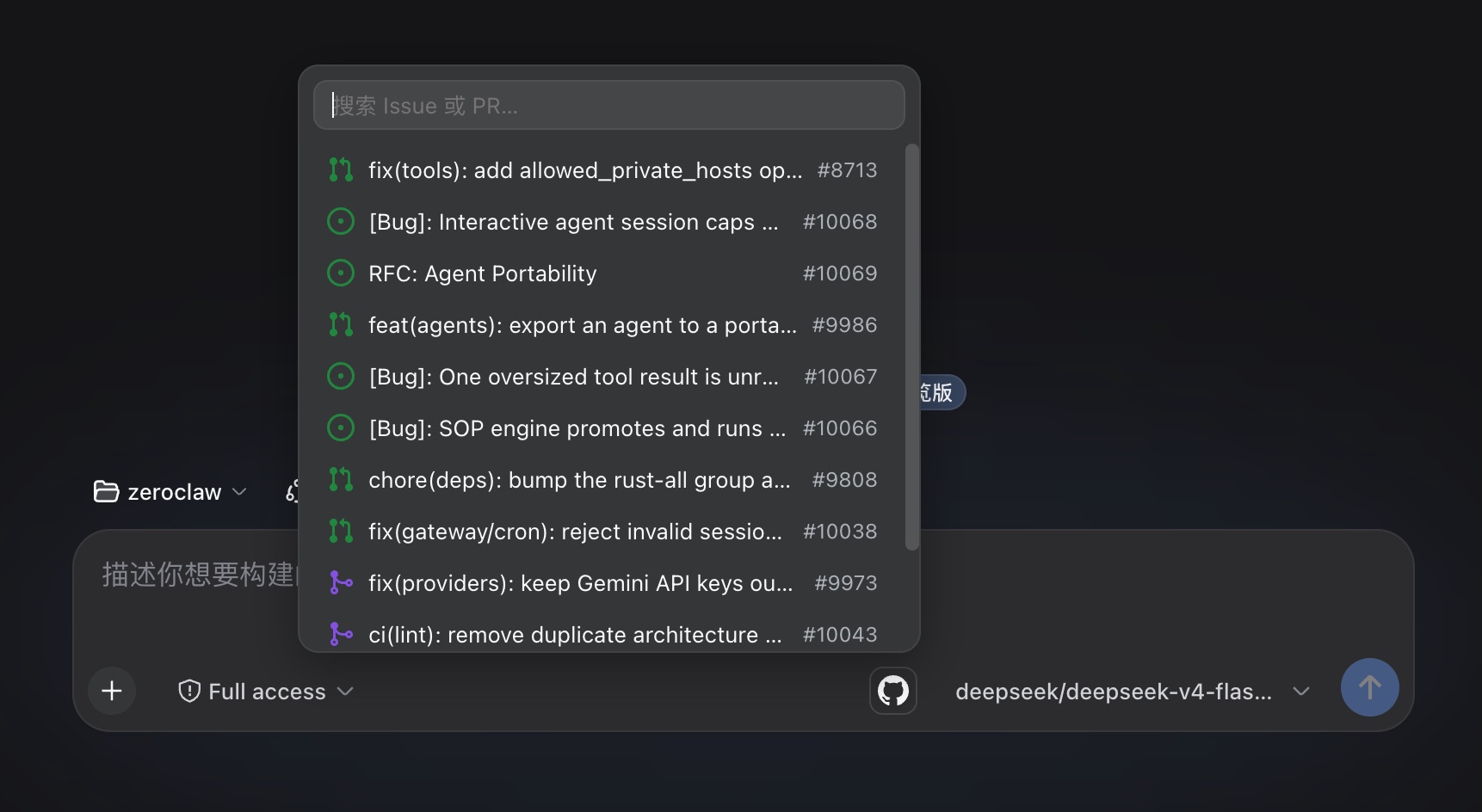
GitHub issue and pull request references for the DeepSeek Harness web GUI. Click the GitHub icon next to the send button to search the current workspace repository's issues and PRs, and insert a reference — a GitHub URL or an @owner/repo#number mention.
dsh plugin --profile web add dsh-github-pickerThe same command updates an existing installation to the latest published version; append @<version> to pin one. Restart dsh web after installing.
Click the GitHub icon in the composer's tool row. The popup lists the repository's recent issues and PRs — 12 per page, loading the next page as you scroll to the bottom, no result cap — with an open/closed filter applied to the search itself (every page contains matching entries only) and a local text filter by number or title (a number prefix ranks first). Click a row to insert the reference; Escape or a click outside closes the popup. A search failure (gh CLI missing, not authenticated, rate limited, network error, unresolved repository) renders as one localized hint row instead of a silent close.
On a phone the popup fits itself to the visible viewport (keyboard included) instead of being clipped, rows are taller with the open-in-browser button always visible, and the search field is 16px so iOS does not zoom the page in.
Each row shows GitHub's state icon, the title, and the #number tag:
| State | Icon |
|---|---|
| Open issue | issue-opened (green) |
| Closed issue | issue-closed (purple) |
| Open PR | git-pull-request (green) |
| Draft PR | git-pull-request-draft (gray) |
| Closed, unmerged PR | git-pull-request-closed (red) |
| Merged PR | git-merge (purple) |
Picking inserts the text chosen as insert format in Settings:
@owner/name#125                                 # ref (default)
https://github.com/owner/name/issues/125        # url
Before each step, the Host scans the draft for GitHub references — URLs, @owner/repo#number, and bare #number — and adds a short message per match:
<github-reference repo="owner/name" number="125" />Only the repository and number are passed; issue bodies are never fetched.
The gh CLI only: it reuses the local gh login and calls gh api search/issues (issues and PRs in one query). No device flow, OAuth app, or stored credential. The repository is resolved from the workspace's git remote get-url origin (https, ssh, git@ forms); without a resolvable remote, the popup shows a hint row on adding one.
The plugin card — titled "GitHub 引用" (or "GitHub Picker" in English) — lives in the official configurable-plugins tab. It shows the gh connection status (which accounts gh auth status reports) and the insert format (@owner/repo#number or GitHub URL). That is the only setting: there is no enable switch — the picker is always on — and no result limit.
Host options go into the selected profile's cordis.patch.yml:
- id: dsh-github-picker
  config:
    searchTimeoutMs: 15000
    repoCacheTtl: 30000
searchTimeoutMs bounds provider calls (default 15000).repoCacheTtl caches the resolved repository per workspace (default 30000 ms).A Host config change needs a dsh web restart; a client-only change just needs a browser refresh.
pnpm install
pnpm run check
The check ladder is typecheck + tests + build with 100% coverage per source file; lib/ is committed, so profile installs run without a build. For a local checkout, add the package to ~/.dsh/profiles/web/package.json (dependency + dsh.profile.bundles), pnpm install, restart dsh web. The plugin serves at /plugins/dsh-github-picker/client.js, the gateway routes /api/githubPicker/*.
MIT
CLASSIFICATION EVIDENCE
系统优先读取 GitHub Topics,再与站内分类词典和词根规则比对。当前命中: deepseek-harness。
morluto
Reverse engineer anything with agents, from app behavior down to native binaries.

deepseek-ai
DeepSeek Harness: Everything is a Plugin.

nexu-io
The 1st Collaborative AI Design Agent Workspace. Local-first and open source. Create motion, prototypes, websites, apps, dashboards, presentations, images, and videos with your team and AI agents. Share work, exchange feedback, and iterate together in one workspace.