
模型与 MCP
待识别

rea
morluto
Reverse engineer anything with agents, from app behavior down to native binaries.
PROJECT TOPICS
PROJECT README
English · 简体中文
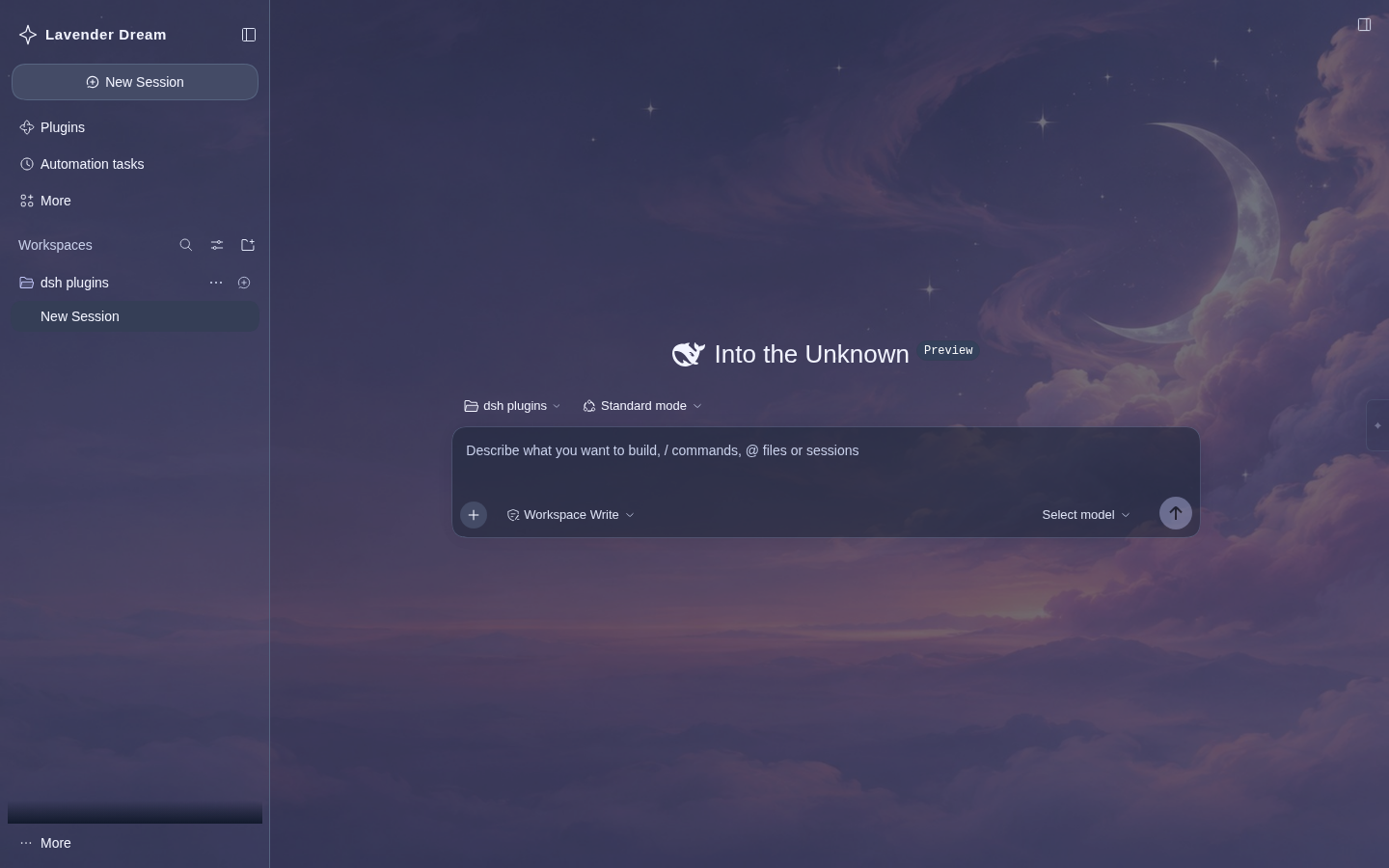
Skins for DeepSeek Harness Web — the kind where you point it at a wallpaper and the whole interface sits on top of it.
A skin is a folder. Drop it in ~/.config/dsh/skins/ — or group skins into collection folders under
it — refresh, and pick it in Settings → Skins. Image or video background, translucent panels,
your own colours, logo and wordmark, optional ambient audio, plus collections, favourites, shortcuts
and an optional random skin on every start. No build step, no upload dialog, nothing leaves the
machine.
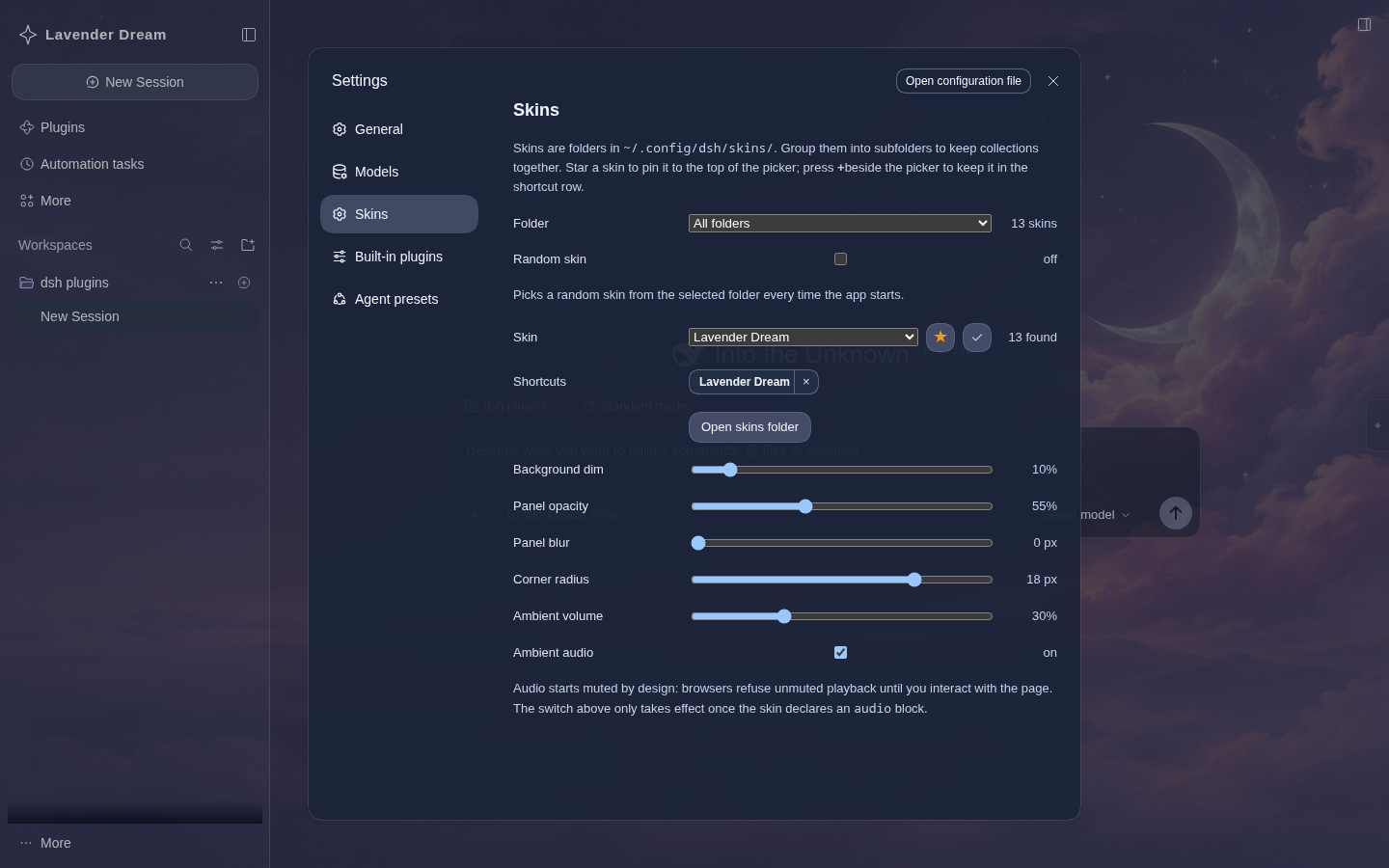
dsh web). The desktop app loads its client differently and is not supported
yet.# from a checkout
dsh plugin --profile web add /path/to/dsh-skin
# or from GitHub
dsh plugin --profile web add github:bigm4ngo/dsh-skinRestart dsh web and open Settings → Skins.
Nothing is installed system-wide: dsh plugin puts the package in the profile's own node_modules,
and lib/ ships pre-built, so your machine needs no compiler or build step.
Two complete examples live in example_skins/:
| Folder | Background |
|---|---|
lavender-dream |
still image |
winter-pines |
video loop |
Copy one into ~/.config/dsh/skins/, or into a collection folder such as
~/.config/dsh/skins/natural-view/, then pick it in Settings → Skins. Each folder is a normal
skin: skin.json plus its media and logo.
The full format — every field, the colour tokens, the rules for drawing a logo — is in SKIN-FORMAT.md. It is written to be handed to a designer, not only to a developer.
The short version:
~/.config/dsh/skins/harbour/
├── skin.json
├── background.jpg      (or .mp4 / .webm)
├── logo.svg            (optional)
└── ambient.mp3         (optional)
{
"name": "Harbour",
"background": { "file": "background.jpg", "dim": 0.5 },
"colors": {
"dark": { "bg-layer-1": "#0b1524", "brand-primary": "#7ad1ff" },
"light": { "bg-layer-1": "#ffffff", "brand-primary": "#1b6f9e" }
}
}Reload the page and it appears in the list. If something is wrong — a missing file, a value that isn't a colour, a 700 MB video — the skin is refused and the reason is printed under the dropdown instead of being applied silently.
cover / contain / fill / repeat; position; dimming; blur.~/.config/dsh/skins/ groups skins (for example
natural-view/ and retro-vibe/). The Folder selector scopes the picker, the randomiser and the
favourite/shortcut lists to one collection.--dsw-* colour token, separately for light and dark mode.hideMark removes the product mark without a replacement, deepDivingMark swaps the
whale on the running status line, and deepDivingText replaces its “Deep diving for …” message
while keeping the shimmer and screen-reader status.brand-primary also themes the Chat/Trajectory tabs, the active
workspace glyph, the send button and the “Deep diving” line, with readable send-button contrast.The sliders (dim, panel opacity, blur, radius, ambient volume) and the browser preferences
(collection, randomise, favourites, shortcuts) are remembered per browser. Everything else comes
from skin.json, so a designer can ship a look without the user having to fiddle.
skin.json is a skin; a folder
without one is treated as a collection of skins.Two halves, both small:
src/index.ts) registers /dsh-skin on the web server and serves the skins directory —
listings at /dsh-skin/index.json, media at /dsh-skin/<skin>/<file> with HTTP range support so
video can stream. It validates each manifest on read.src/client/) fetches the listing, paints the background layer, overrides the design
tokens at the element that declares them, and registers the Skins settings page.A skin is data plus media: no CSS, no scripts, no HTML. Unknown fields are ignored, not executed.
pnpm install
node scripts/build.mjs     # lib/index.js (host) + lib/client.js (browser)
lib/ is committed, so installing from a fresh clone needs no build.
MIT.
CLASSIFICATION EVIDENCE
系统优先读取 GitHub Topics,再与站内分类词典和词根规则比对。当前命中: deepseek、deepseek-harness。
morluto
Reverse engineer anything with agents, from app behavior down to native binaries.

deepseek-ai
DeepSeek Harness: Everything is a Plugin.

nexu-io
The 1st Collaborative AI Design Agent Workspace. Local-first and open source. Create motion, prototypes, websites, apps, dashboards, presentations, images, and videos with your team and AI agents. Share work, exchange feedback, and iterate together in one workspace.