
模型与 MCP
待识别

rea
morluto
Reverse engineer anything with agents, from app behavior down to native binaries.

big-head-pigeon/dsh-session-menu
Session context menu for the DeepSeek Harness sidebar: mark unread, copy session info, reveal in Finder or open with an IDE, and permanently delete sessions — plus status dots and hover-card details.
PROJECT TOPICS
INSTALL REFERENCE
dsh plugin --profile web add github:big-head-pigeon/dsh-session-menu
该命令指向仓库当前默认分支;尚无绑定当前 commit 的完整验证结果。
PROJECT README

Adds mark-unread, copy session info, reveal in Finder or open with your IDE, and permanent delete to the DSH (DeepSeek Harness) sidebar session menu — plus status dots, hover-card details and one-click delete for archived rows.


UI · Install · Uninstall · Settings · Configuration
| Session menu | Status dots |
|---|---|
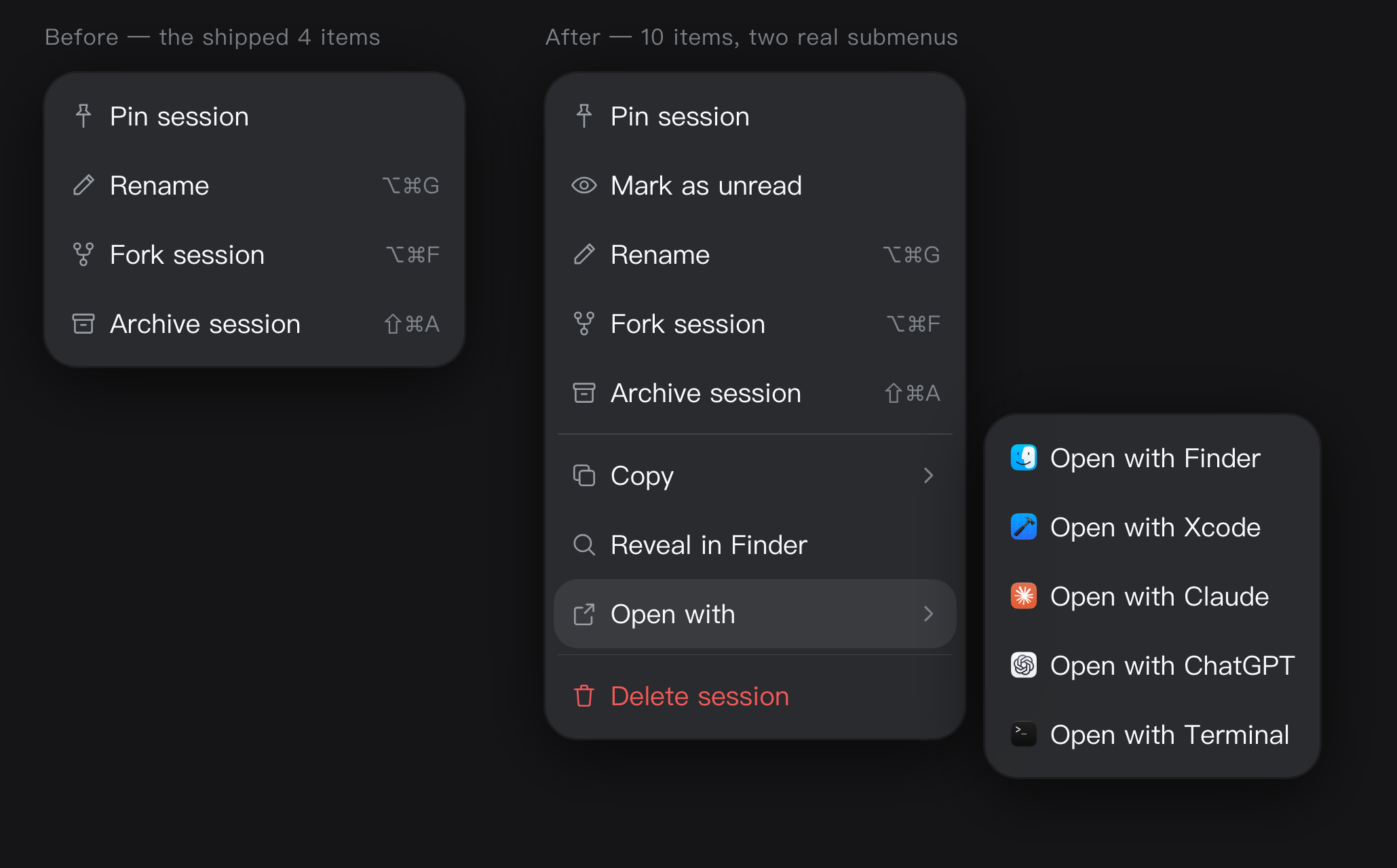 |
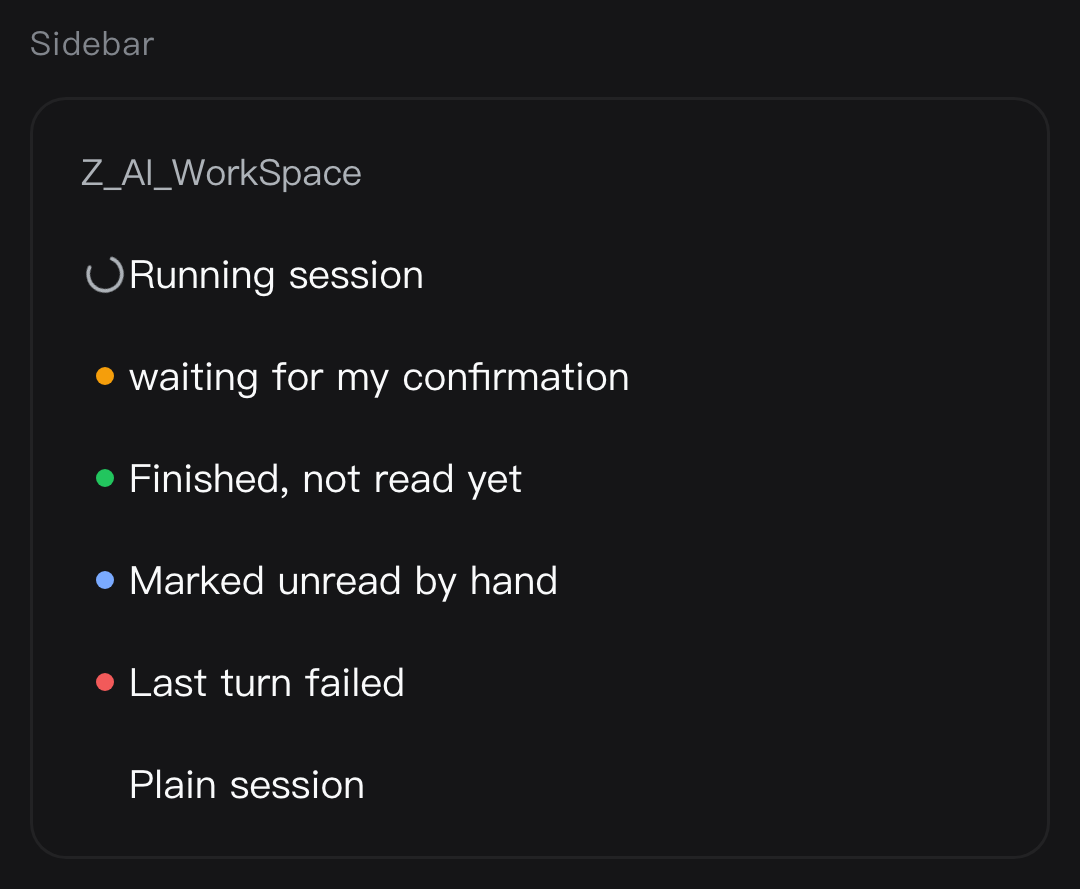 |
| Hover card | Archived rows: one-click delete + bulk entry |
|---|---|
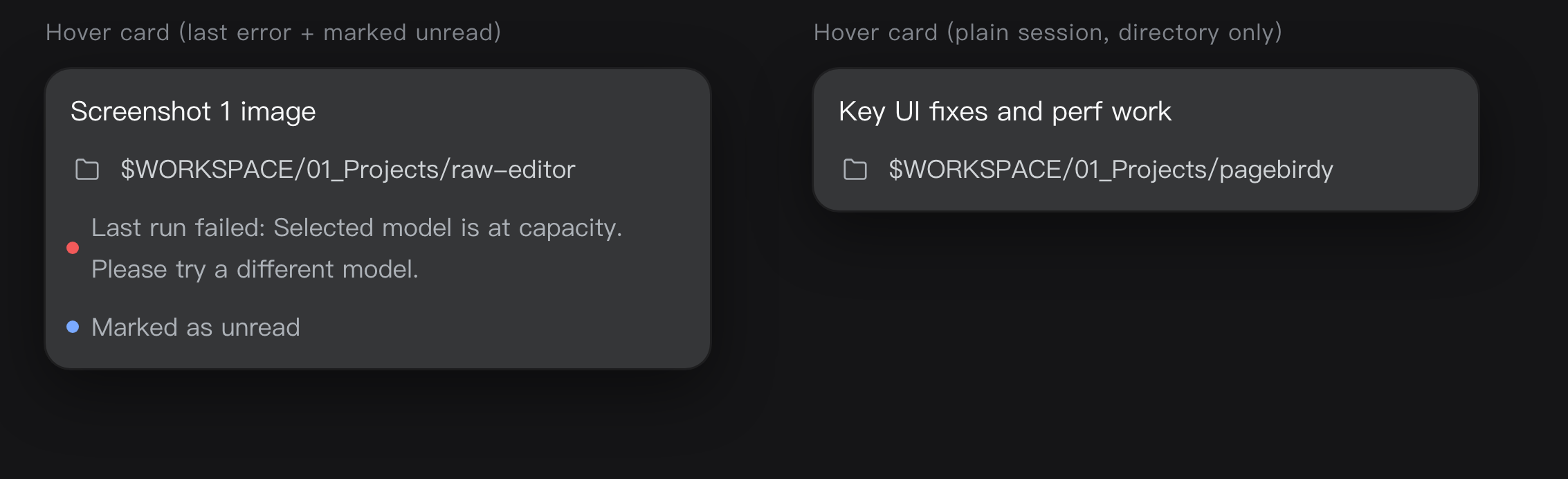 |
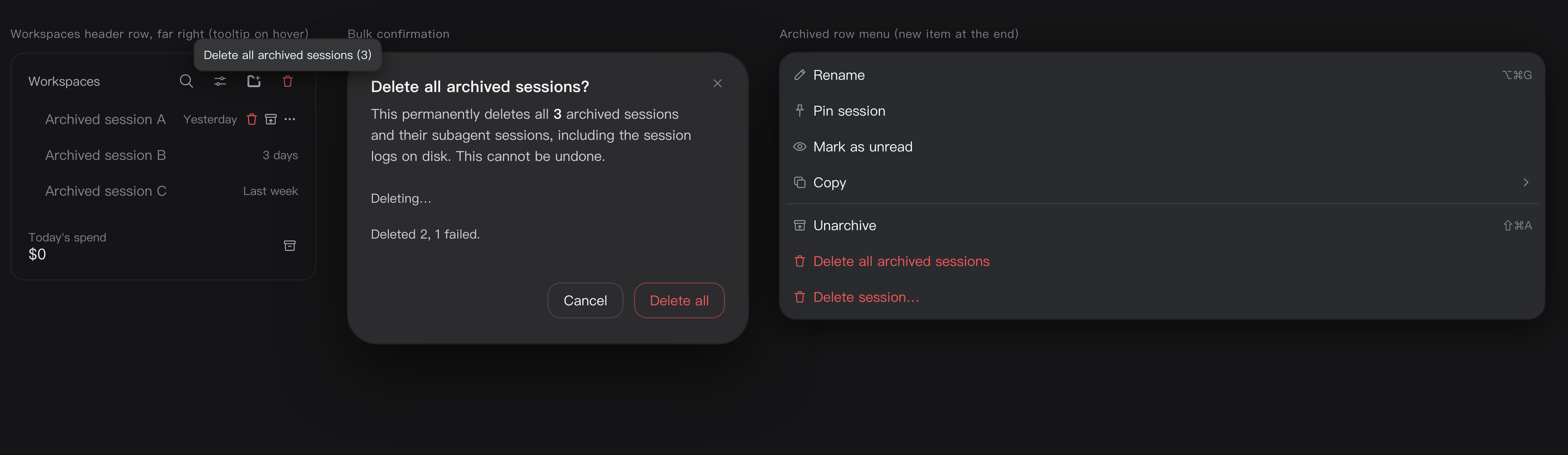 |
| Delete confirmation | Archived row menu |
|---|---|
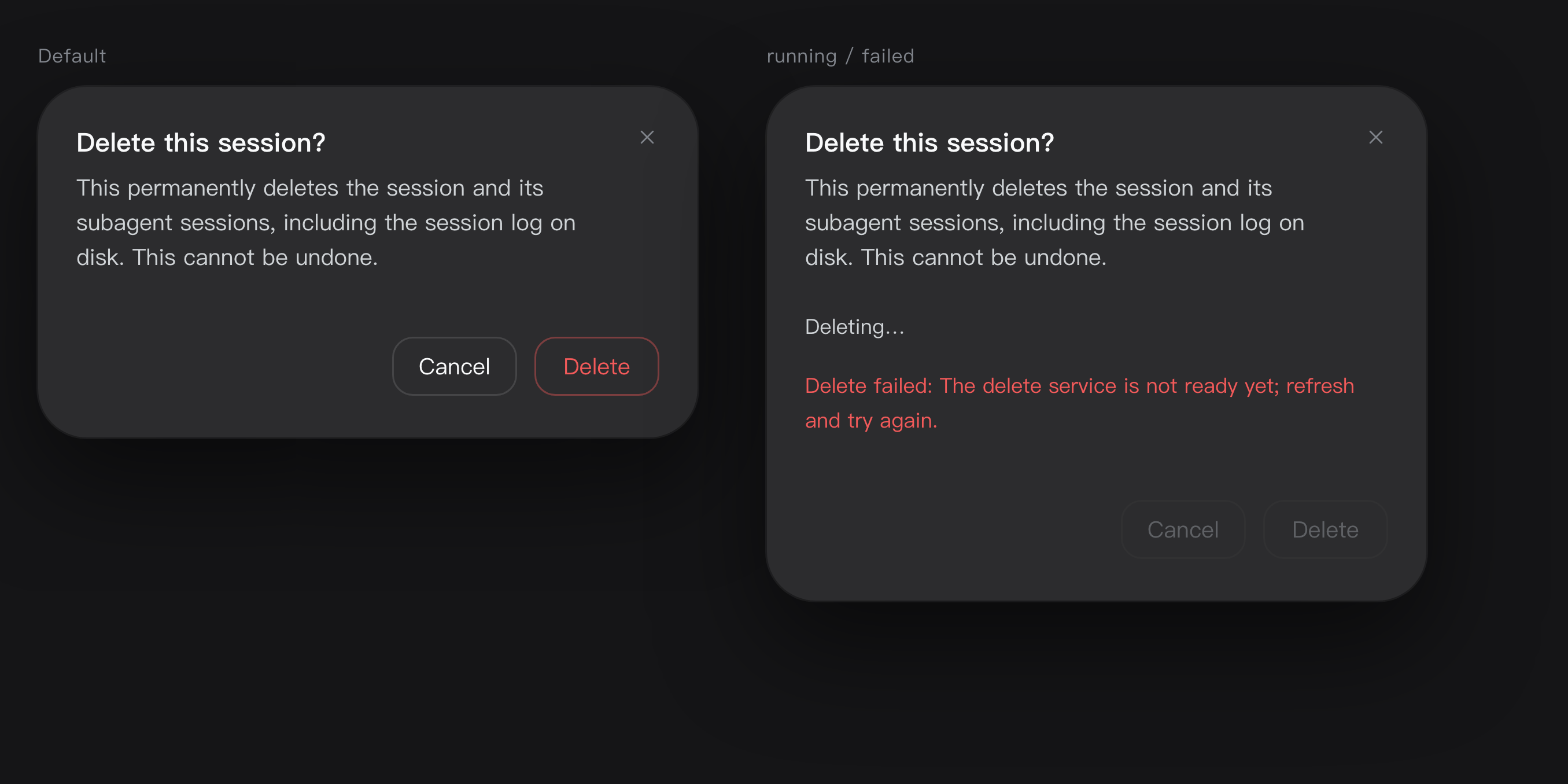 |
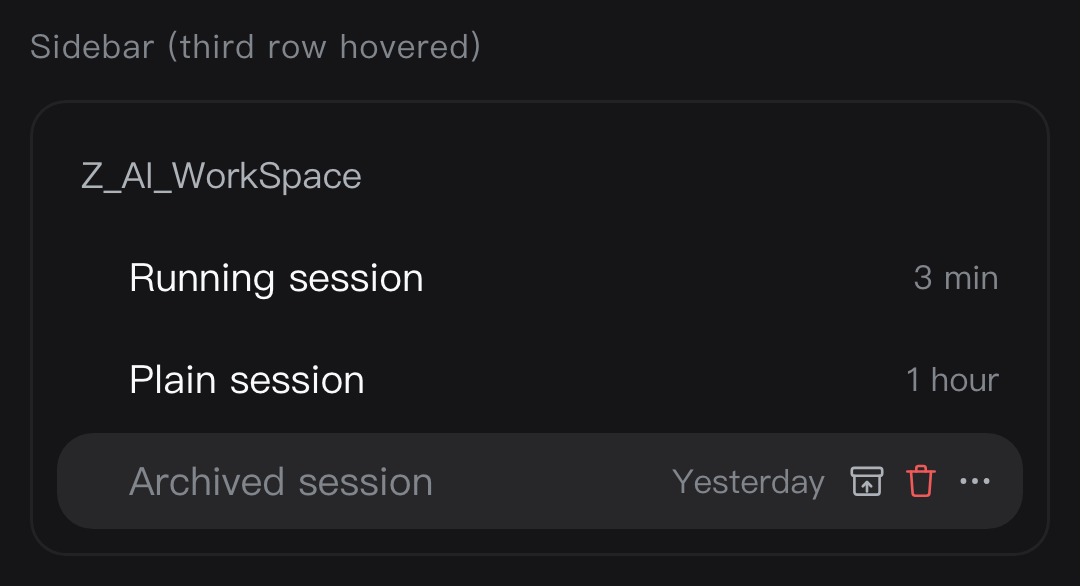 |
Once installed, it looks like this under Settings → Plugins → Installed:

All three ways install the dsh-session-menu package from npm.
dsh-session-menu and click InstallSend this to the Agent inside DSH:
Install the plugin dsh-session-menu with the plugin manager, then remind me to restart DSH.If you are comfortable with a command line: open macOS's Terminal app (⌘ + Space, search
"Terminal"), paste this line and press Enter.
dsh plugin --profile desktop add dsh-session-menuReplace desktop with your own profile name (ls ~/.dsh/profiles lists them; desktop and web
are the common ones). Either way, restart the DSH app afterwards.
Settings → Plugins → Installed, click the trash icon on the dsh-session-menu row and confirm.
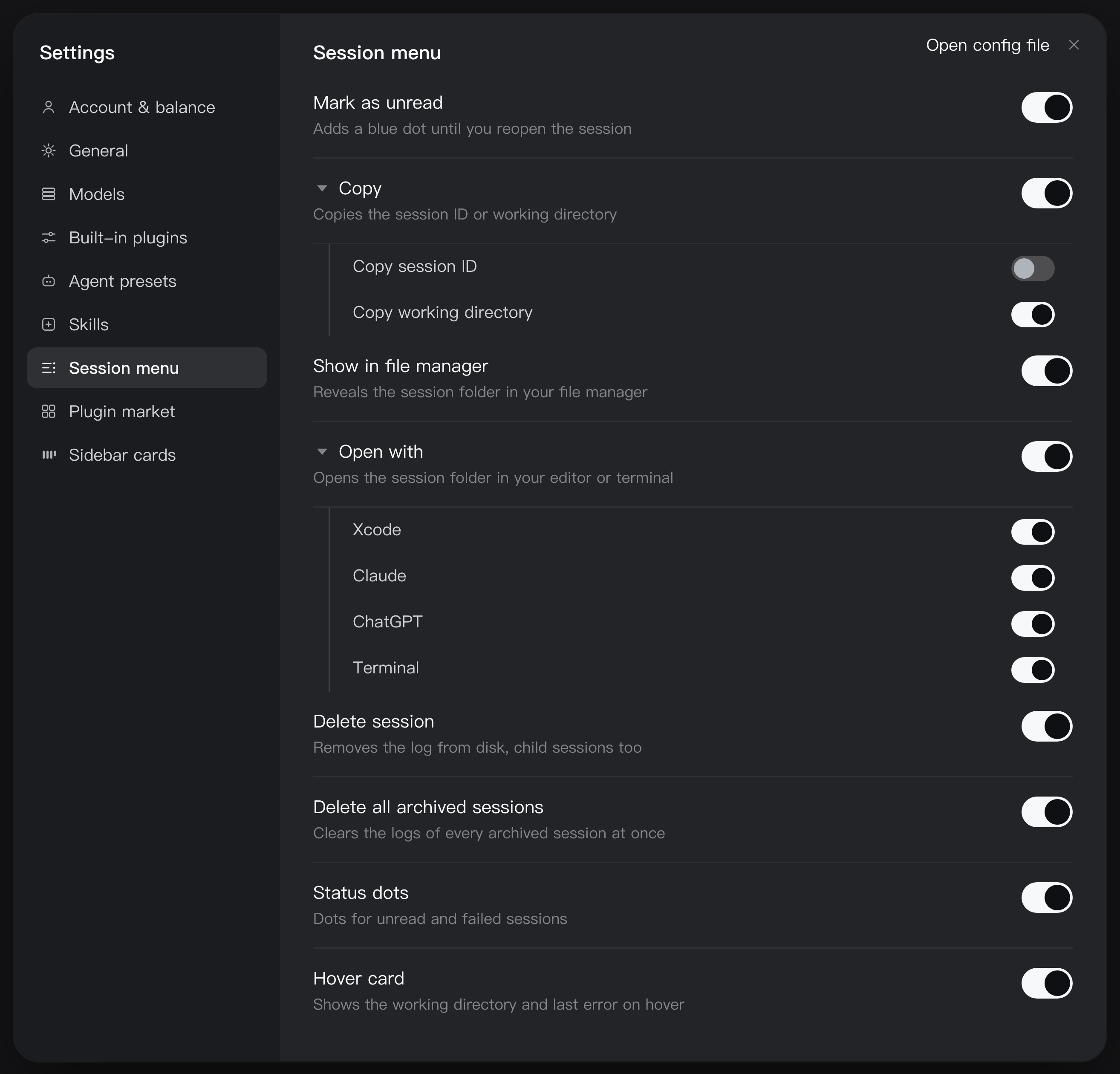
Once installed, the plugin adds a Session menu section under Settings with 8 switches:
Mark as unread · Copy · Show in file manager · Open with · Delete session · Delete all archived sessions · Status dots · Hover card
Turning one off hides it from the context menu and the session rows immediately — no restart. The switches live in this browser.
The triangle next to Copy and Open with expands them, so every sub-item can be switched on its own; turning a parent off greys its children out.
Copy Session ID is newer than this plugin in the kernel itself: when the kernel already ships that row, our identical sub-item starts switched off and Copy collapses into a single row. Switch it back on to keep both.
Running a community build that already ships some of these? Turn the duplicates off here.
The apps inside the Open with › submenu are configurable. Add a block to your profile's
cordis.patch.yml:
config:
  applications:
    - kind: editor
      paths:
        - /Applications/Visual Studio Code.app
    - kind: terminal
      paths:
        - /System/Applications/Utilities/Terminal.app
Each entry takes the first path that exists, and only the matching one shows up in the menu.
config replaces the whole list, it does not append. Restart DSH after editing.
CLASSIFICATION EVIDENCE
系统优先读取 GitHub Topics,再与站内分类词典和词根规则比对。当前命中: deepseek-harness。
morluto
Reverse engineer anything with agents, from app behavior down to native binaries.

deepseek-ai
DeepSeek Harness: Everything is a Plugin.

nexu-io
The 1st Collaborative AI Design Agent Workspace. Local-first and open source. Create motion, prototypes, websites, apps, dashboards, presentations, images, and videos with your team and AI agents. Share work, exchange feedback, and iterate together in one workspace.