

其他
完整应用

deepseek-harness
deepseek-ai
DeepSeek Harness: Everything is a Plugin.
PROJECT TOPICS
PROJECT README




A DeepSeek Harness Plugin for Previewing Mermaid Diagram Images
Preview Mermaid syntax as images via local rendering in DSH when a chat message contains a Mermaid fenced code block (```mermaid or ```mmd).
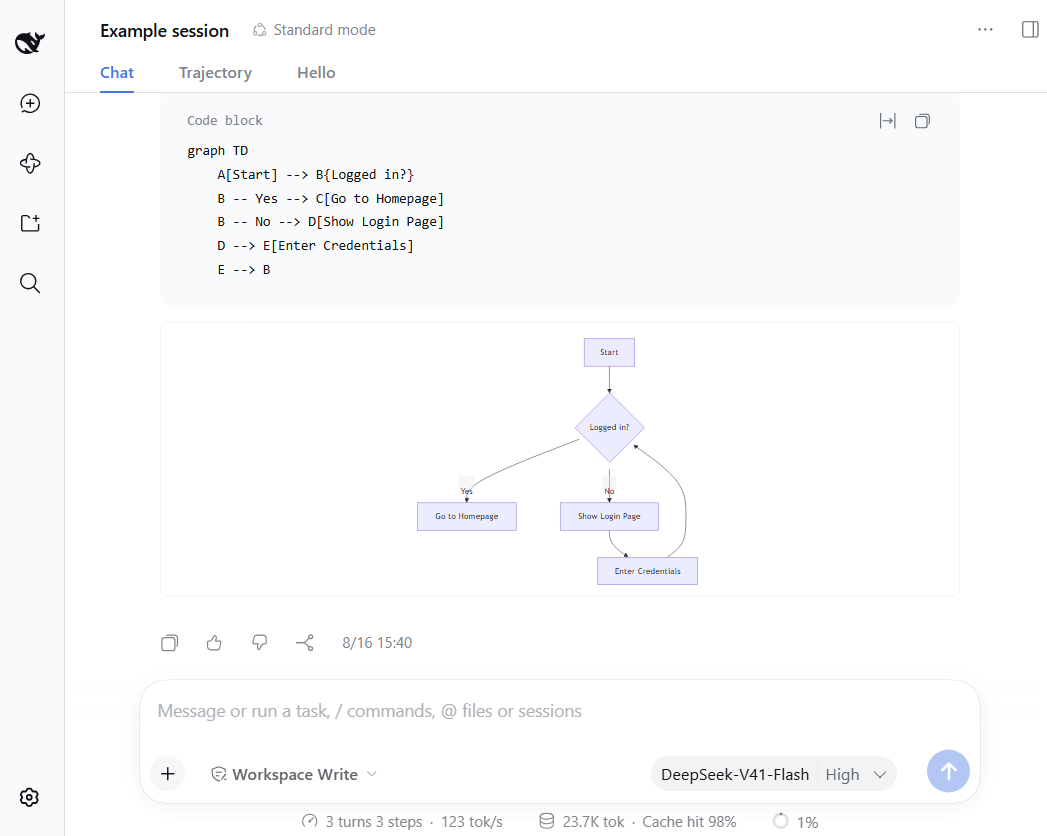
The plugin renders diagrams locally with a built-in renderer. It supports 13 diagram types out of the box.
Rendered locally: flowchart, sequenceDiagram, classDiagram, stateDiagram, erDiagram, pie, journey, gitGraph, requirementDiagram, timeline, quadrantChart, packet-beta, xychart-beta
Expand: gantt, mindmap, block-beta, sankey-beta, architecture-beta, zenuml, C4Context
[!NOTE] You can enable the fallback to render expanded types — see Configuration below.
githubdesktop profile)In DeepSeek Harness (Desktop), go to the Plugins panel, click the + Add plugin button, paste one of the URLs below, then click the Install button.
### latest release version
https://github.com/baconbao/dsh-mermaid-image-preview
### specific version
https://github.com/baconbao/dsh-mermaid-image-preview#<VERSION_TAG|GIT_TAG>
### dev version
https://github.com/baconbao/dsh-mermaid-image-preview#dev
[!NOTE] Make sure Git is installed on your machine before installing.
web profile)### latest release version
$ npx @deepseek-ai/dsh plugin --profile web add github:baconbao/dsh-mermaid-image-preview
### specific version
$ npx @deepseek-ai/dsh plugin --profile web add github:baconbao/dsh-mermaid-image-preview#<VERSION_TAG|GIT_TAG>
### dev version
$ npx @deepseek-ai/dsh plugin --profile web add github:baconbao/dsh-mermaid-image-preview#dev$ git clone https://github.com/baconbao/dsh-mermaid-image-preview
$ cd dsh-mermaid-image-preview
$ pnpm install
$ dsh plugin --profile web add .[!IMPORTANT] Restart DSH after installing.
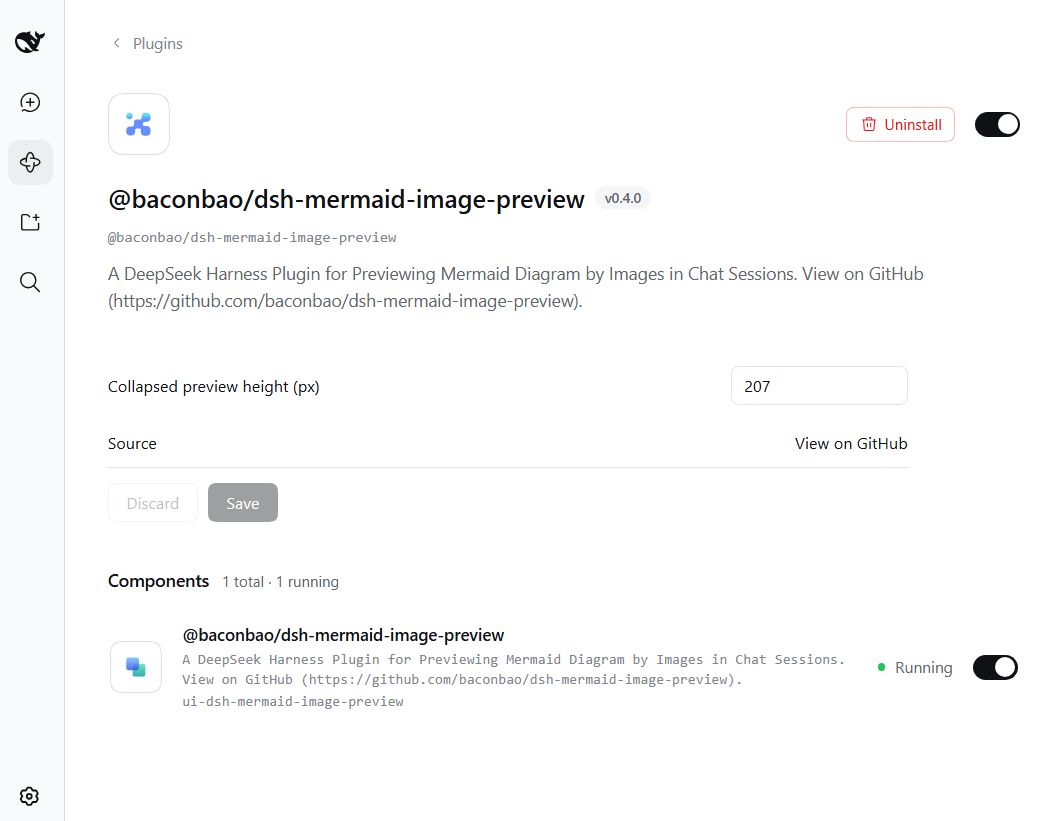
The Plugins panel lists this plugin under Installed; open its page and the configuration block carries the runtime settings - no restart needed. Values are stored in localStorage and applied immediately across all sessions.
Diagrams are rendered locally by default. To use your own render server or
enable the external fallback, edit the profile's cordis.patch.yml (e.g.
~/.dsh/profiles/web/cordis.patch.yml for WebUI, or ~/.dsh/profiles/desktop/cordis.patch.yml for Desktop):
- id: ui-dsh-mermaid-image-preview
  config:
    enableLocalRender: true
    fallbackRenderUrl: https://mermaid.ink
enableFallback: falseenableLocalRender: render locally (default true). Set it to false to always use the fallback server (enableFallback is ignored).fallbackRenderUrl: fallback render server (default https://mermaid.ink).enableFallback: use the fallback server when local rendering fails (default false).desktop profile)Open this plugin's page in the Plugins panel, then click Uninstall.
web profile)$ dsh plugin --profile web remove @baconbao/dsh-mermaid-image-preview[!NOTE] Since v0.2.0, the plugin/package ID has been
@baconbao/dsh-mermaid-image-preview(it wasdsh-mermaid-image-previewbefore).
Ask the agent to produce:
```mermaid
graph TD
  A[Start] --> B{Success?}
  B -->|Yes| C[Done]
  B -->|No| D[Retry]
```| This plugin version | Supported DSH version |
|---|---|
| v0.4.0 and later | 0.1.6-alpha.2 and later |
| v0.3.2 and earlier | 0.1.0-rc.6 – 0.1.6-alpha.1 |
baconbao, vibe coding with AI
CLASSIFICATION EVIDENCE
系统优先读取 GitHub Topics,再与站内分类词典和词根规则比对。当前命中: 无有效分类标签。
deepseek-ai
DeepSeek Harness: Everything is a Plugin.

anywhere-labs
为 DeepSeek Harness (DSH) 插件生态打造的现代化桌面端解决方案。万物皆「插件」,桌面本身也是「插件」。

walkinglabs
Harness engineering beginner tutorial, from 0 to 1