
Agent 与会话
插件

nuwa-skill
alchaincyf
你想蒸馏的下一个员工,何必是同事。蒸馏任何人的思维方式——心智模型、决策启发式、表达DNA。Distill how anyone thinks.
PROJECT TOPICS
INSTALL REFERENCE
dsh plugin --profile web add github:awychoi/dsh-vscode-quick-launch
该命令指向仓库当前默认分支;尚无绑定当前 commit 的完整验证结果。
PROJECT README
 VS Code Quick Launch
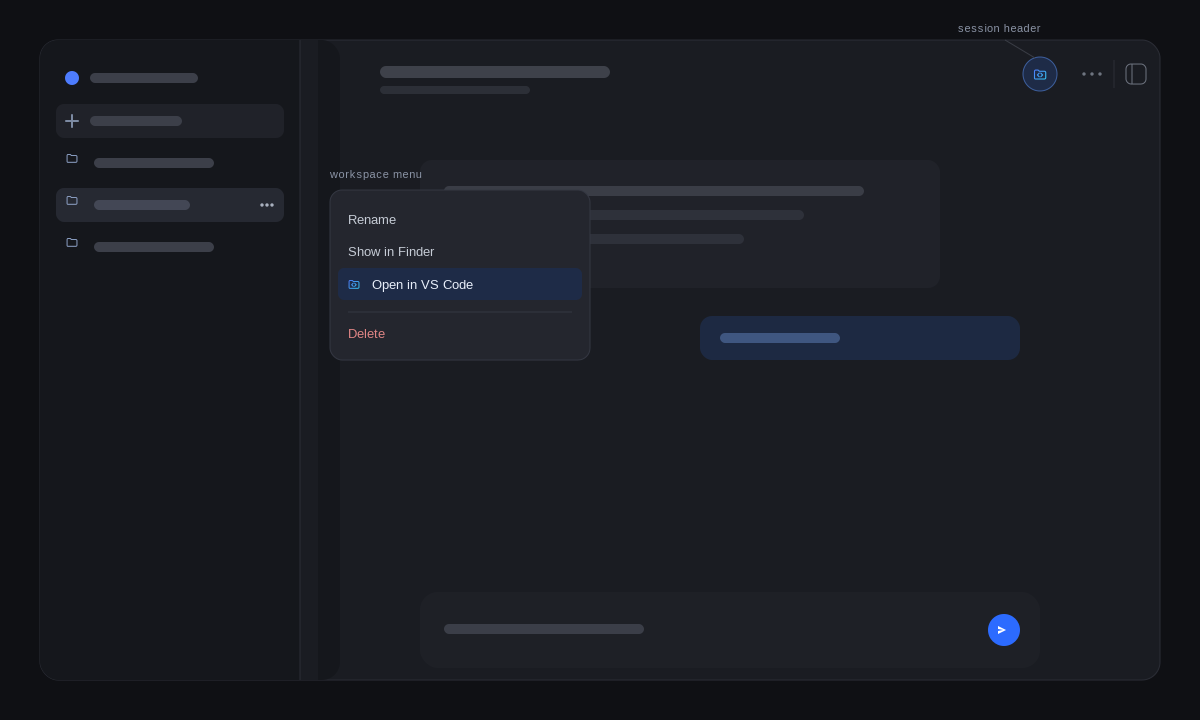
A DeepSeek Harness plugin that opens a workspace in VS Code from the sidebar menu or the session header.
VS Code Quick Launch puts the editor one click away. A workspace's … menu
gains an Open in VS Code row beside the shipped Show in Finder item,
and the session header gains the same action immediately left of its overflow
… button. The plugin asks the Host which applications are installed, so an
entry point appears only while VS Code is available.
… button,
and choose Open in VS Code. It opens that workspace's folder.open-in-app routes.The plugin reads the Host's installed-application catalog once per page
(open-in-app/apps) and launches through open-in-app/open with the vscode
catalog id. The header entry registers in
conversation.session.header.utilities at order -1, immediately left of the
header's own overflow button (order 0). A launch failure shows a toast; a
remote browser whose Host reports no local applications sees neither entry
point.
Visual Studio Code.app),
Windows (Code.exe), and Linux (code); nothing is probed from the browser.https://github.com/awychoi/dsh-vscode-quick-launch, or the absolute
path to a local checkout.….Remove VS Code Quick Launch from DSH's plugin list and restart DSH. The two
switches remain in localStorage only.
MIT. Copyright © 2026 awychoi.
Not affiliated with DeepSeek.
CLASSIFICATION EVIDENCE
系统优先读取 GitHub Topics,再与站内分类词典和词根规则比对。当前命中: session。
alchaincyf
你想蒸馏的下一个员工,何必是同事。蒸馏任何人的思维方式——心智模型、决策启发式、表达DNA。Distill how anyone thinks.

freestylefly
Prompt as Code | GPT Image 2 / 2.5 提示词与案例库,530+ 个案例、20+ 套工业级模板与可复用 Skills,新增 2.5 同提示词对比专区,附完整提示词与生成记录,持续更新。

titanwings
Distilly — Distill how they think into reusable Skills for any Agent or Bot. Formerly Colleague Skill(原同事 Skill).