

Agent 与会话
插件

nuwa-skill
alchaincyf
你想蒸馏的下一个员工,何必是同事。蒸馏任何人的思维方式——心智模型、决策启发式、表达DNA。Distill how anyone thinks.
PROJECT TOPICS
INSTALL REFERENCE
dsh plugin --profile web add github:awnlight/talon-ui
该命令指向仓库当前默认分支;尚无绑定当前 commit 的完整验证结果。
PROJECT README
A terminal UI for DeepSeek Harness (dsh) agents, shipped as a dsh plugin bundle. Talon renders a full interactive session — streaming transcript, tool approvals, user questions, slash commands, and cross-workspace session resume — inside your terminal, on top of an unmodified harness checkout.
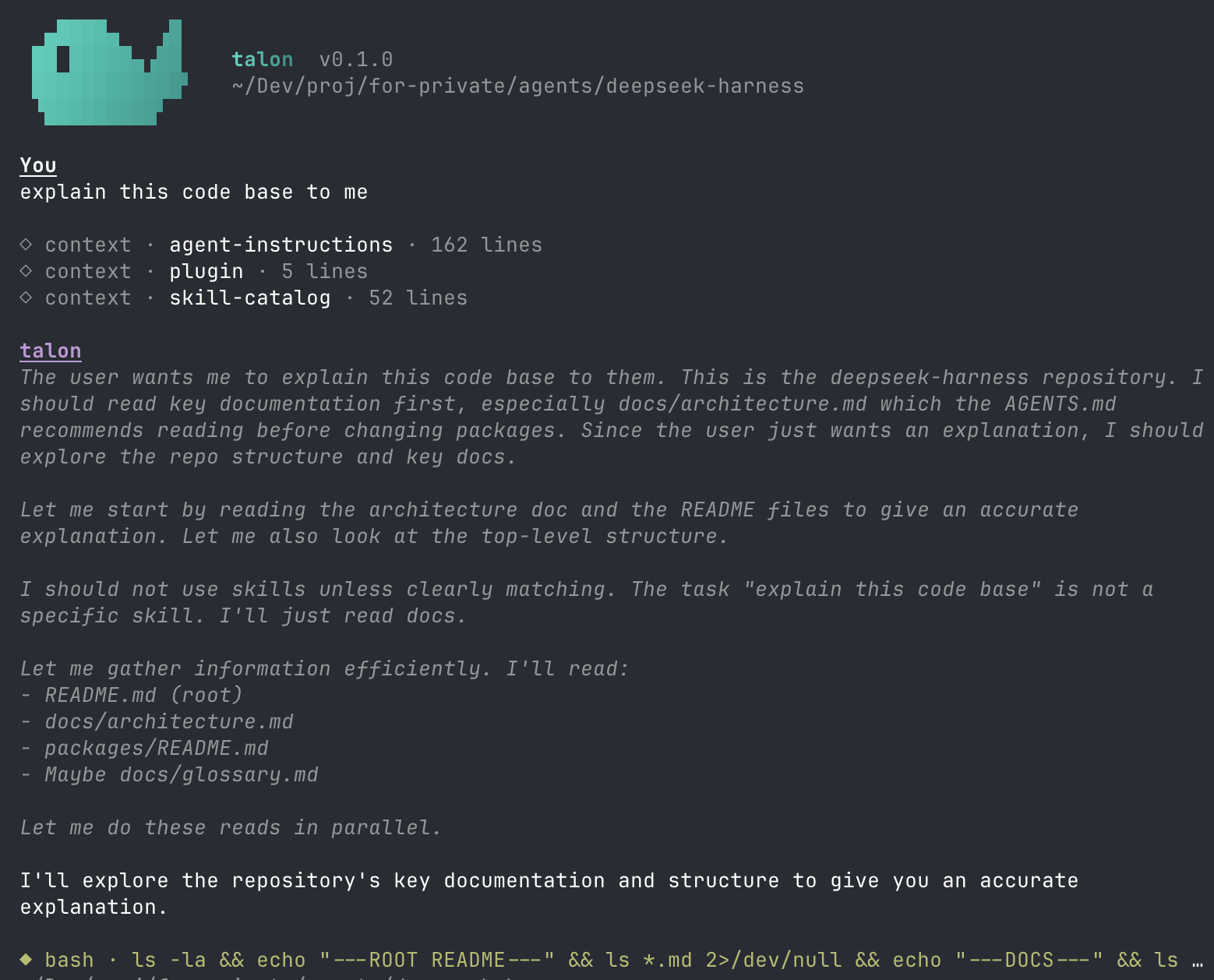
中文文档见 README.zh.md.
ESC[3J scrollback wipes during normal interaction.dim for reference values, and a threshold tone for context occupancy, which turns warning at 75% and error at 90%. Everything is ANSI-16 with no backgrounds, so it remaps to your terminal theme; the teal gradient is the single exemption, enforced by a snapshot gate.sandbox_permissions), an inline panel shows the tool, the command preview, the cwd, and the justification. 1 allow once, 2 reject, Esc cancel. Every decision leaves a one-line audit entry in the transcript.ask_user_question (composed into the bundle): single- and multi-select options, custom free-form answers, multi-question requests answered serially, and plan-review intents rendered with the approving option highlighted./help, /status, /resume, /clear, /exit, /quit, with fuzzy autocomplete on /. Command results render from durable session events, so a resumed session replays them byte-identically./resume opens a selector (type to filter, Tab toggles between this workspace and all workspaces, ISO timestamps, live/persisted markers). Resuming rebinds the UI in-process: the working directory moves first (chdir-first), the transcript replays from the live session log, and the resumed agent can immediately take new turns./exit (or Ctrl+C / Ctrl+D at an empty idle composer) restores the terminal and prints a goodbye line naming the session: To resume: dsh --profile talon, then /resume — session <id>.deepseek-harness as a sibling directory of this repodsh --profile headless for automation)Either way, build the harness first (dsh is the host talon runs in):
cd deepseek-harness && pnpm install && pnpm run build:lib:hostTalon is published as talon-ui — no clone, no build, prebuilt lib/ ships in the package:
cd deepseek-harness
pnpm dsh plugin --profile talon add talon-ui
pnpm dsh --profile talon
talon-ui@0.2.1 is verified against the dsh 0.1.2-alpha.1 line.
Clone this repo as a sibling of deepseek-harness, build it, and install the profile with a live symlink:
cd talon-ui && pnpm install && pnpm build
cd ../deepseek-harness
pnpm dsh plugin --profile talon add link:../talon-ui
dsh plugin seeds $DSH_HOME/profiles/talon (default ~/.dsh/profiles/talon) with @deepseek-ai/dsh-base and appends talon-ui as a bundle layer. The link: protocol installs a real symlink to this repo, so after any source change pnpm build is all it takes — no profile reinstall. See docs/INSTALL.md for details, including uninstalling and why link: rather than file:.
cd deepseek-harness
pnpm dsh --profile talon| Key | When | Action |
|---|---|---|
Enter |
composing | send |
Shift+Enter |
composing | newline |
Esc |
turn running | interrupt |
Ctrl+C |
turn running | interrupt |
Ctrl+C |
idle, text in composer | clear composer |
Ctrl+C / Ctrl+D |
idle, empty composer | exit |
Ctrl+L |
anytime | force full redraw |
1 allow once · 2 reject · arrows move the highlight · Enter picks it · Esc cancel.↑/↓ or 1–9 move · Space toggles an option (multi-select) · Tab (or c) switches to a custom free-form answer · Enter submit · Esc cancel (from custom mode: back to options) · PgUp/PgDn page long question headers.↑/↓ move · Tab toggles this-workspace / all-workspaces scope · Enter resume · Esc clears the filter, then closes.Explain what this repository does.Use ask_user_question to ask me a multi-select question with options Alpha, Bravo, Charlie.Run exactly: touch ~/talon-demo — the sandbox denies writes outside the workspace, the model escalates, and the approval panel appears./exit, relaunch, /resume, pick the session — the transcript replays and the agent continues where it left off, even from a different working directory.pnpm test # vitest, v8 coverage, per-file 100% thresholds on src/
pnpm typecheck # tsc strict against the harness checkout's built declarations
pnpm build # emits lib/ (what the linked profile actually runs)
pnpm test:e2e # live PTY smoke: boot → stream → approval escalation → goodbyepnpm test:e2e drives a real pnpm dsh --profile talon session on a PTY against the live model. It needs the built harness, the link:-installed talon profile, DEEPSEEK_API_KEY, and python3; when anything is missing the suite skips itself, and the default pnpm test never runs it. The approval phase creates and removes ~/.talon-e2e-<pid>.
Design documents live under docs/: the design spec in docs/specs/ and per-milestone implementation plans in docs/plans/.
Two cordis plugins plus a bundle patch:
talon-ui/boot (talon-boot) — host side: creates the root agent with the composition's default model selection. The UI plugin never owns the agent (dedicated-front-door design).talon-ui — the UI: mounts the controller on a real TTY, renders through pi-tui, and consumes dsh strictly through narrow service facets (approval responder, question provider, command registry, session query, agent registry).cordis.patch.yml — the bundle layer composed on top of @deepseek-ai/dsh-base: storage + session-projection cache (cheap session titles for the resume selector), dsh-tool-ask-user (the model-facing question tool), and the two talon rows.Rendering follows an event-driven, replay-identical discipline: everything the transcript shows comes from durable session events, so a live session and its later resume render the same bytes. Untrusted strings (model text, tool output, titles) pass a sanitizer before styling; committed cells cache their rendered lines and only mutating state invalidates them.
Milestones T0 (skeleton), T1 (core loop), and T2 (rich interaction: approvals, questions, commands, resume) are complete and covered by unit, snapshot, and live PTY tests. Next up: T3 (rich rendering — markdown highlighting, tool cards, diffs) and T4 (polish — model picker, @file completion, notifications, image paste, Windows).
MIT
CLASSIFICATION EVIDENCE
系统优先读取 GitHub Topics,再与站内分类词典和词根规则比对。当前命中: agent、agents。
alchaincyf
你想蒸馏的下一个员工,何必是同事。蒸馏任何人的思维方式——心智模型、决策启发式、表达DNA。Distill how anyone thinks.

freestylefly
Prompt as Code | GPT Image 2 / 2.5 提示词与案例库,530+ 个案例、20+ 套工业级模板与可复用 Skills,新增 2.5 同提示词对比专区,附完整提示词与生成记录,持续更新。

titanwings
Distilly — Distill how they think into reusable Skills for any Agent or Bot. Formerly Colleague Skill(原同事 Skill).