
模型与 MCP
待识别

rea
morluto
Reverse engineer anything with agents, from app behavior down to native binaries.
PROJECT TOPICS
INSTALL REFERENCE
dsh plugin --profile web add github:automagik-si/automagik
该命令指向仓库当前默认分支;尚无绑定当前 commit 的完整验证结果。
PROJECT README
A team of AI helpers that lives in your chats.
Automagik is superintelligence, in open building blocks: a team of AI agents in your chats,
and each part usable on its own once it ships; Cloud is still in design.
The film: our own GTM team. The team launching Automagik, at work. Music only, no voice-over.
Watch the film on automagik.si
⬇ Download for Mac · ⬇ Download for Linux
Cloud is coming; no date yet. Join the Cloud waitlist on automagik.si
This repository, Genie and Omni are free and open source, Apache-2.0. Cloud is a private, paid service.
Mac with Apple silicon, macOS 13 or newer · Linux on a 64-bit PC · Windows is not supported yet
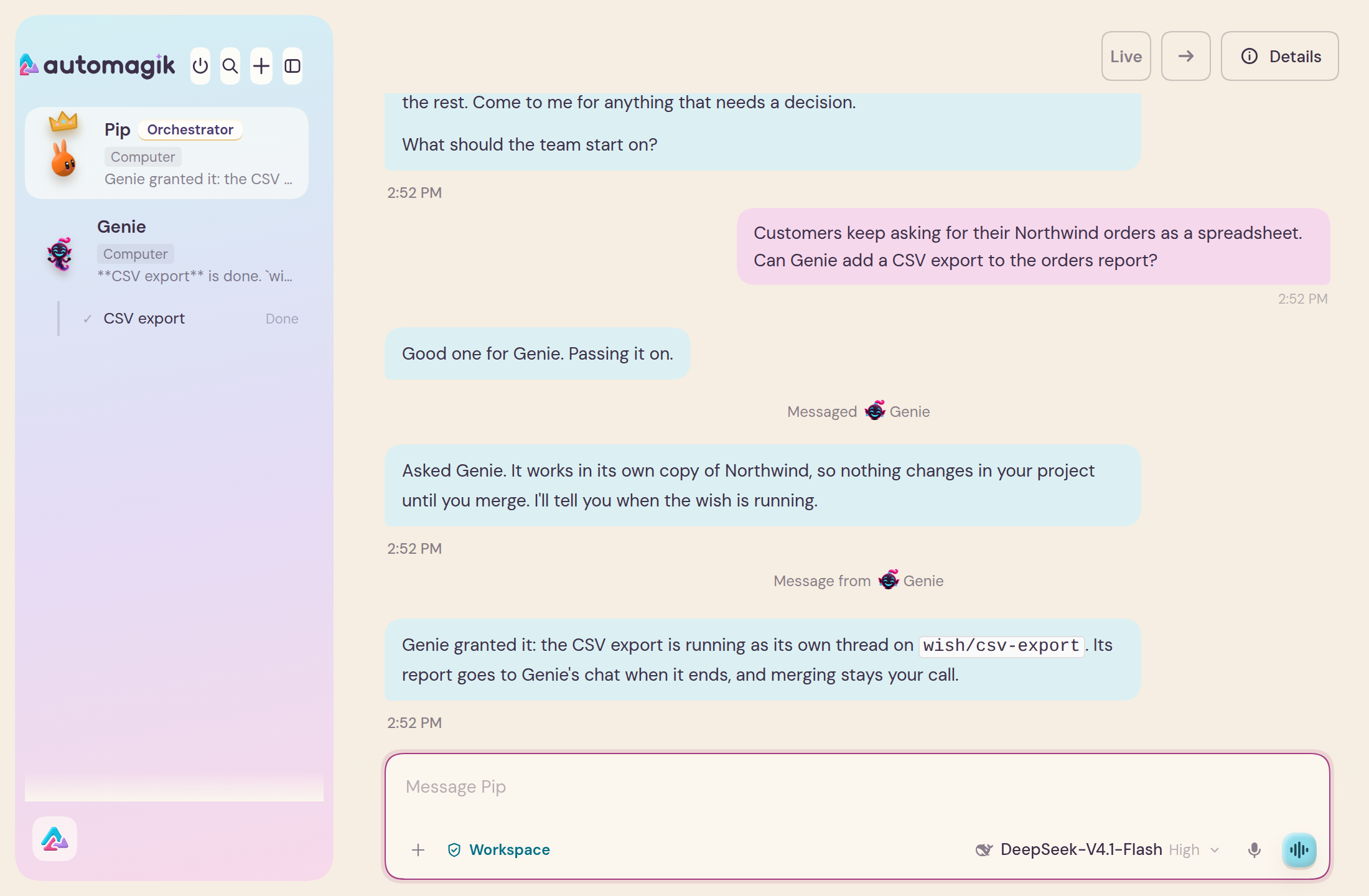
Team mode is the desktop app: a team of long-lived Bots, each with its own name, role, model and memory. They talk to you, to each other and in group chats, run scheduled tasks, and each drives a browser of its own. With an Omni connected, your WhatsApp, Telegram, Slack and other channels sit in the same window, and the Bot you put on a chat acts when something happens there. The team runs on DeepSeek Harness (DSH).
Code mode is your code agents in the real Herdr window, with the Automagik pack: a sidebar of spaces, Bots and workers across coding harnesses. Nothing in Herdr is rebuilt. The app's switch brings the Herdr window forward on the space for the current Bot's folder, and a button in Herdr brings you back. The app download alone does not set Code mode up: it needs Herdr and the pack, and the pack's installer sets up both.
Team mode: the app's switch still says Work.
Each block is usable alone.
genie desktop opens it on the team.usagemeter query.Cloud is designed and accepted, and is not live. When it ships it is a private, paid hosted service: not free and not open source. Only its contracts are public (RFC 0024).
.automagik in your home folder. Each Bot keeps notes across its conversations, each group chat keeps its own, and the team shares one more. Your chats stay in your Omni. What your Bots read and write goes to the AI account you connected, under that company's terms.The current release is always at Releases.
Mac (Apple silicon, macOS 13 or newer):
Linux (64-bit PC):
sudo apt install ./Automagik-Linux.deb.On another Linux, use the AppImage. Windows is not supported yet.
The app has two things to connect when you are ready: an Omni and an AI account. Both can wait. The full guide, updates, your data and uninstall are in apps/desktop. Code mode installs separately: herdr. Pocket: apps/pocket. am alone on a host without the Herdr app (install, verify, update, roll back): am/README.md.
For your code agent: npx skills add automagik-si/automagik --skill am adds the skill that teaches it am, Automagik's one command.
Automagik's plugins for DeepSeek Harness (DSH), and the Automagik desktop app that runs them, with the Herdr pack (herdr/), Pocket (apps/pocket/) and the meter (meter/).
| Folder | Package | What it is |
|---|---|---|
apps/bots-dsh |
@automagik/bots-dsh |
The Bot team: long-lived Bots, group chats, memory, settings, scheduled tasks, the Bot browser. Omni's and Genie's plugins build on it. |
apps/welcome-dsh |
@automagik/welcome-dsh |
The welcome: the octopus, the team step, and Connect AI through DSH's own sign-ins. |
apps/acp-dsh |
@automagik/acp-dsh |
Agents other than DSH's own, over ACP (Agent Client Protocol), as DSH models: the agent's tool calls show as DSH tool cards and ask through DSH's approval dialog (RFC 0003). |
apps/locale-pt-br-dsh |
@automagik/locale-pt-br-dsh |
Português: the Bot team's Brazilian Portuguese under DSH's own Portuguese entry. Adds no language of its own, so Settings › General › Language keeps one Portuguese row; a pt-BR choice saved by an older pack moves to DSH's pt. |
apps/desktop |
(the app) | The Automagik desktop app: DSH of its own with the Bot team, the welcome and Omni's channels and canvases. omni desktop opens it with Omni preloaded, genie desktop with Genie. |
Omni's own plugins (its channels and canvases) live with Omni, in automagik-si/omni (apps/omni-channels-dsh, apps/omni-canvas-dsh), and carry Omni's version.
The desktop app: download it from Releases, or run omni desktop. See apps/desktop.
Into your own DSH: add the Automagik market to DSH's plugin market and install from there:
https://raw.githubusercontent.com/automagik-si/dsh-marketplace/main/index.jsonEvery Omni also serves a market at https://<your-omni>/api/market/index.json with the release of these plugins it was tested with.
Nothing here is published to npm. The plugins install as git sources pinned to a release commit, or from the tarballs each release carries (plugins.json lists their integrity).
@automagik/bots-dsh and @automagik/welcome-dsh were @automagik/omni-dsh and @automagik/omni-ai-dsh in automagik-dev/omni (apps/omni-ui-dsh, apps/omni-ai-dsh), and the desktop app was automagik-dev/omni-desktop. They moved here with their history. What did not change with the names: plugin ids (omni-ui, omni-ai), routes and browser-storage prefixes. From 3.12 the team's home is Automagik's own (~/.automagik/bots, or ~/.automagik/desktop/bots in the app), and the app's identity is Automagik's (ai.namastex.automagik): an app from 3.11.x or before is installed afresh, not updated.
@automagik/bots-dsh from the market. With both installed, the newer one runs (they share the plugin id); remove @automagik/omni-dsh when you like. A settings row in your profile's cordis.patch.yml that names @automagik/omni-dsh needs its name: changed to @automagik/bots-dsh to keep applying.One version for the whole repository, 3.N (semver 3.N.0, N one above the last release: scripts/version.ts), above the 2.x builds omni-desktop released. Every merge into dev is a release: release.yml tags v<version>, publishes the plugin tarballs and plugins.json, builds the desktop app into the same release (desktop-build.yml), lists the release in marketplace/automagik.json, and moves main to it. follow-omni.yml moves the desktop app to each newer Omni release and cuts a release with it.
| Branch | What |
|---|---|
dev |
Integration: pull requests land here; releases are cut from it |
main |
The latest release, moved by release.yml only |
Bun for the repository's own tooling; the plugins run on Node, as DSH does (node --test, esbuild), with Bun installing them; the desktop app uses npm for Electron.
bun install && bun run check                    # versions, release tooling, market index
cd apps/bots-dsh && bun install && bun run harness && bun run test
cd apps/welcome-dsh && bun install && bun run harness && bun run test
cd apps/desktop && npm ci && npm test
node scripts/boot-check.mjs # boot the plugins with Omni's in headless ChromiumThis repository is Apache-2.0. See LICENSE and NOTICE. Genie and Omni are Apache-2.0 in their own repositories. Automagik Cloud is not part of this licence: it is a private, paid service.
CLASSIFICATION EVIDENCE
系统优先读取 GitHub Topics,再与站内分类词典和词根规则比对。当前命中: deepseek。
morluto
Reverse engineer anything with agents, from app behavior down to native binaries.

deepseek-ai
DeepSeek Harness: Everything is a Plugin.

nexu-io
The 1st Collaborative AI Design Agent Workspace. Local-first and open source. Create motion, prototypes, websites, apps, dashboards, presentations, images, and videos with your team and AI agents. Share work, exchange feedback, and iterate together in one workspace.