
模型与 MCP
待识别

rea
morluto
Reverse engineer anything with agents, from app behavior down to native binaries.
PROJECT TOPICS
INSTALL REFERENCE
dsh plugin --profile web add github:apodemakeles/dsh-token-dashboard
该命令指向仓库当前默认分支;尚无绑定当前 commit 的完整验证结果。
PROJECT README
Archived / superseded. This plugin is now part of
@apodemakeles/dsh-kit, which merges the token dashboard and turn notifications into one bundle. This repository is archived and no longer maintained.
English | 中文
A DeepSeek Harness (DSH) web GUI plugin: a token-consumption heatmap panel. It shows your total token usage per day / per week across all projects on this machine, GitHub-contributions style. Usage facts are projected into a local SQLite database by a persistent Worker, so opening the panel never scans session logs.
Status: released v0.2.0 — GitHub distribution is live. The package is not currently published to npm.
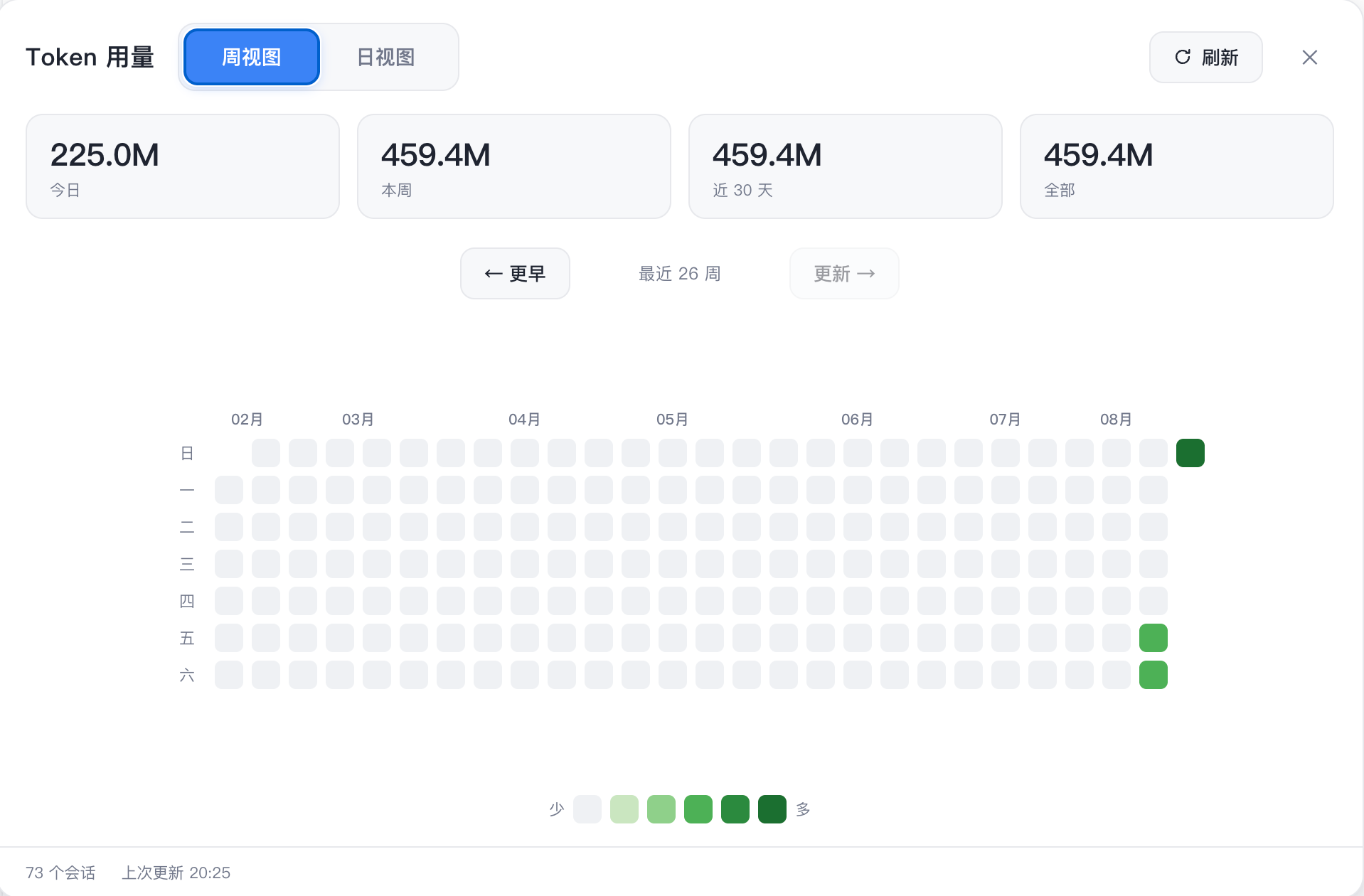
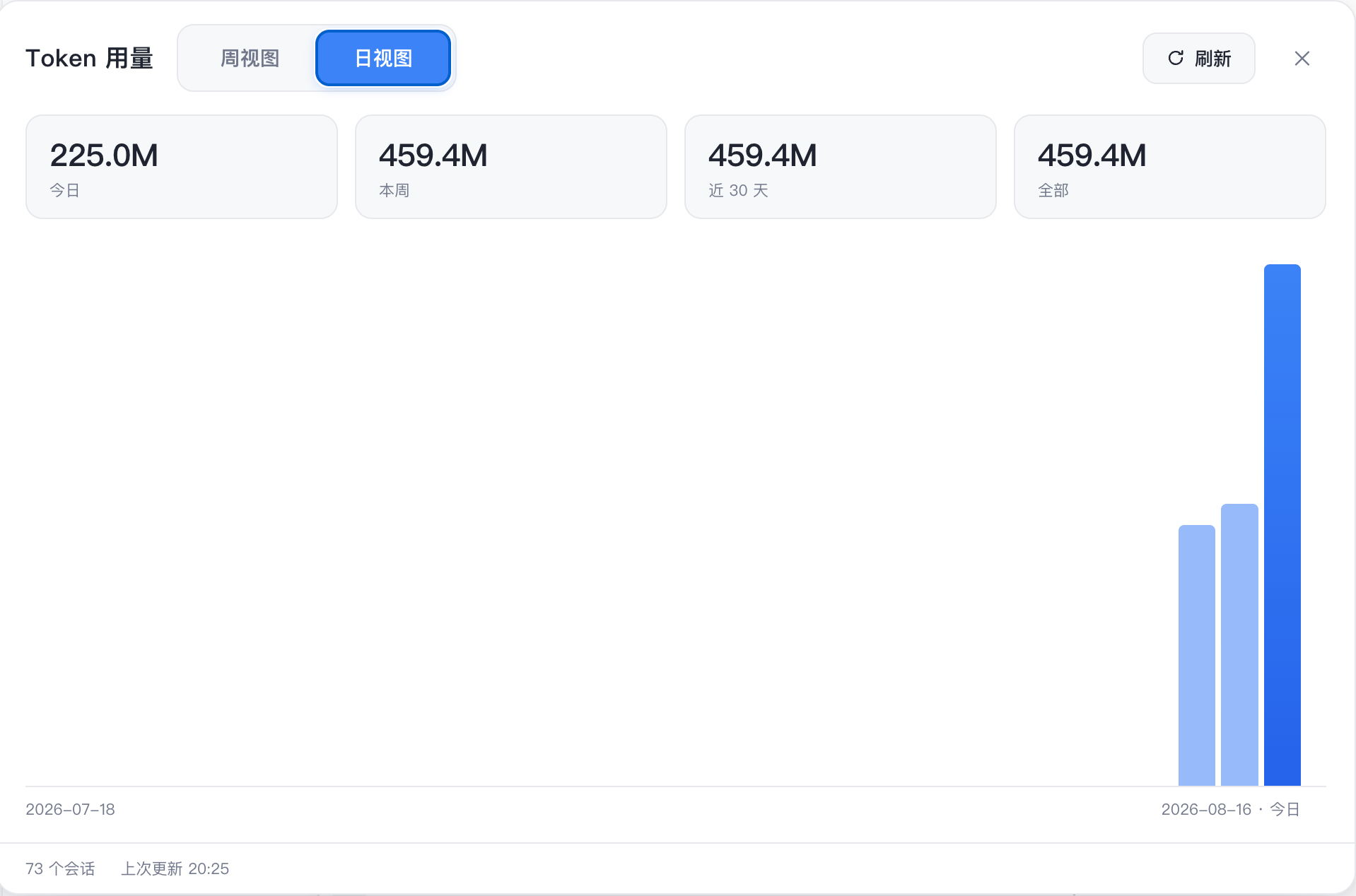
session/event, flushes through DSH's durability barrier, and sends minimal usage deltas to a persistent Worker. The Worker owns SQLite (node:sqlite), commits facts/checkpoints atomically, and serves one consistent snapshot endpoint.● 今日 478.9k tokens): today's total, always visible without opening anything, refreshed by one cheap weeks=1 snapshot read on mount, on window focus, when the panel closes, and every 30s while the window is visible. Clicking it opens the panel — weekly heatmap grid + daily view — which fetches a single GET /api/token-dashboard/snapshot per open/refresh/page change.dsh-token-dashboard status|verify|rebuild|backups|restore|cleanup for local maintenance.The plugin is one package with two halves and no runtime dependencies; it runs on the DSH web profile and in the official DeepSeek Harness desktop app (which boots the same web App inside Electron on its own desktop profile).
The CLI refuses --profile desktop ("managed exclusively by the Electron application"), so install into the desktop profile the way the app's own plugin manager does — declare the dependency and run pnpm in the profile directory:
DSH_HOME=${DSH_HOME:-$HOME/.dsh}
PROFILE="$DSH_HOME/profiles/desktop"

# 1. add the dependency to the desktop profile manifest and re-run pnpm
pnpm --dir "$PROFILE" add github:apodemakeles/dsh-token-dashboard   # or: link:/path/to/checkout
Then add the package to that manifest's dsh.profile.bundles list, so the profile loads its cordis.patch.yml layer:
{ "dsh": { "profile": { "bundles": [
  "@deepseek-ai/dsh-base",
  "@deepseek-ai/dsh-web-app",
  "@apodemakeles/dsh-token-dashboard"
] } } }
Restart the desktop app. The app's 插件 → 已安装 screen lists the package as an enabled plugin, and the 今日 N tokens capsule appears in the sidebar footer.
From GitHub:
dsh plugin --profile web add github:apodemakeles/dsh-token-dashboardThen restart dsh web. The sidebar footer shows the 今日 N tokens capsule; click it to open the heatmap panel.
The npm package is not currently published; use the GitHub installation above.
$DSH_HOME/data/token-dashboard/usage-v1.sqlite (default ~/.dsh).dsh web read the same database and the same $DSH_HOME/sessions logs: history collected under one profile shows up under the other with no migration step.inputTokens + outputTokens + cacheReadTokens (cache reads count into the headline).inspect, a source read, flush, or backfill.ready.degraded instead of ready, and the facts already committed for it stay in the database.git clone https://github.com/apodemakeles/dsh-token-dashboard.git
cd dsh-token-dashboard
pnpm install && pnpm build
dsh plugin --profile web add link:$(pwd)For the desktop app, point it at the checkout instead:
pnpm --dir "${DSH_HOME:-$HOME/.dsh}/profiles/desktop" add link:$(pwd)See .scratch/dsh-token-dashboard/map.md for the project map (planning tracker), docs/durable-usage-architecture.md for the architecture contract, and docs/dev-loop.md for the full dev loop.
~/.dsh/sessions is the authority; SQLite is a rebuildable projection).node:sqlite); the plugin checks capability at startup and does not hide the warning globally.MIT
CLASSIFICATION EVIDENCE
系统优先读取 GitHub Topics,再与站内分类词典和词根规则比对。当前命中: deepseek-harness。
morluto
Reverse engineer anything with agents, from app behavior down to native binaries.

deepseek-ai
DeepSeek Harness: Everything is a Plugin.

nexu-io
The 1st Collaborative AI Design Agent Workspace. Local-first and open source. Create motion, prototypes, websites, apps, dashboards, presentations, images, and videos with your team and AI agents. Share work, exchange feedback, and iterate together in one workspace.