

模型与 MCP
待识别

rea
morluto
Reverse engineer anything with agents, from app behavior down to native binaries.
PROJECT TOPICS
INSTALL REFERENCE
dsh plugin --profile web add github:almazom/dsh-needs-attention-sidebar
该命令指向仓库当前默认分支;尚无绑定当前 commit 的完整验证结果。
PROJECT README
English | 简体中文
A "Needs attention" block for the DeepSeek Harness (DSH) web sidebar — live triage of your agent sessions: what is working, what died, what needs your decision.


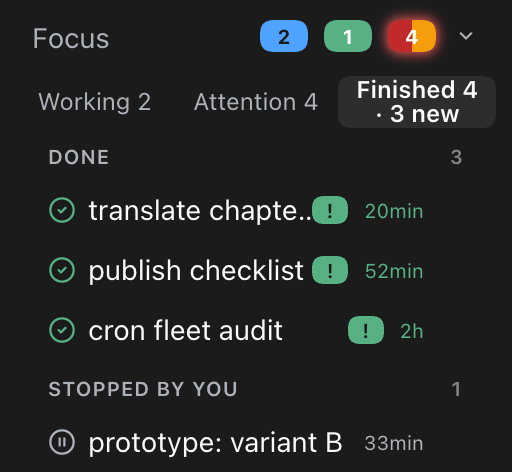
When you run many agent sessions, failures are quiet: a turn dies with a 429 or a fatal API error, and the session just sits there looking "open". This plugin gives those sessions a face. It injects a compact Focus block above the Workspaces section of the DSH web sidebar, with three tabs:
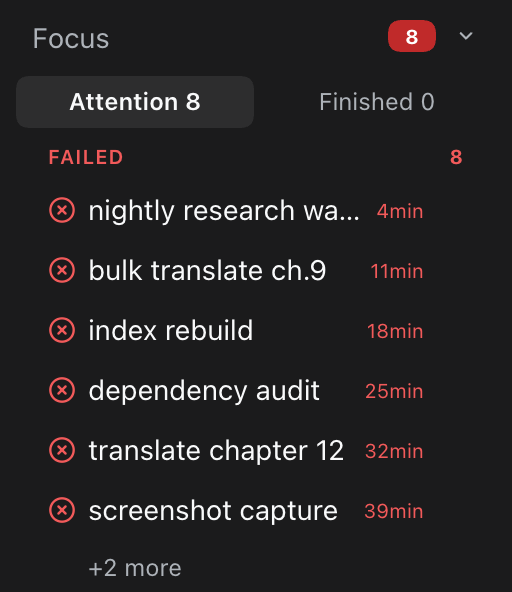
max-tokens reply or a hook abort.! badges and a · N new counter.Zero core edits: everything is a plugin — a server-side scan route plus a small client script that anchors into the existing sidebar DOM.
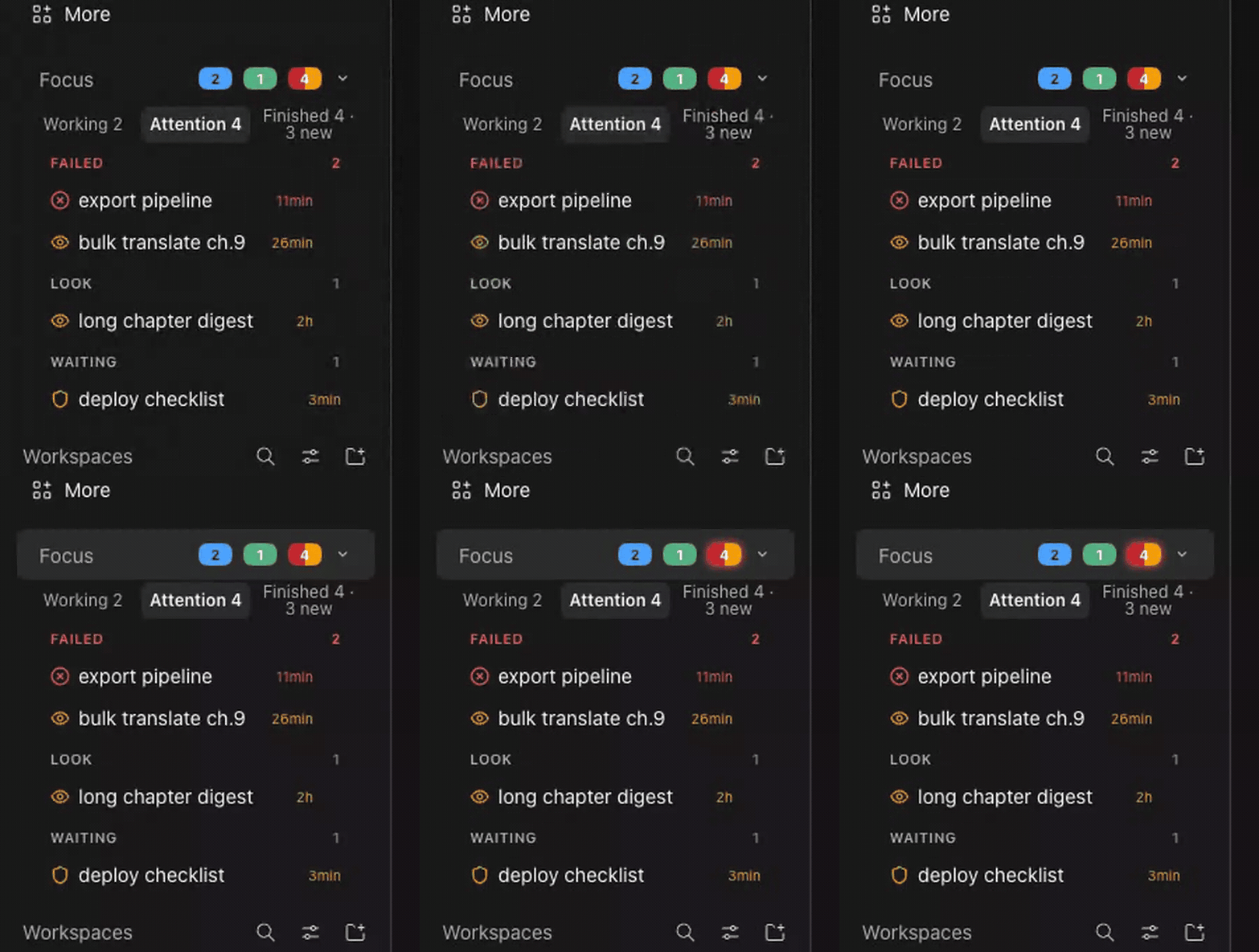
| In place | Attention | Working | Finished |
|---|---|---|---|
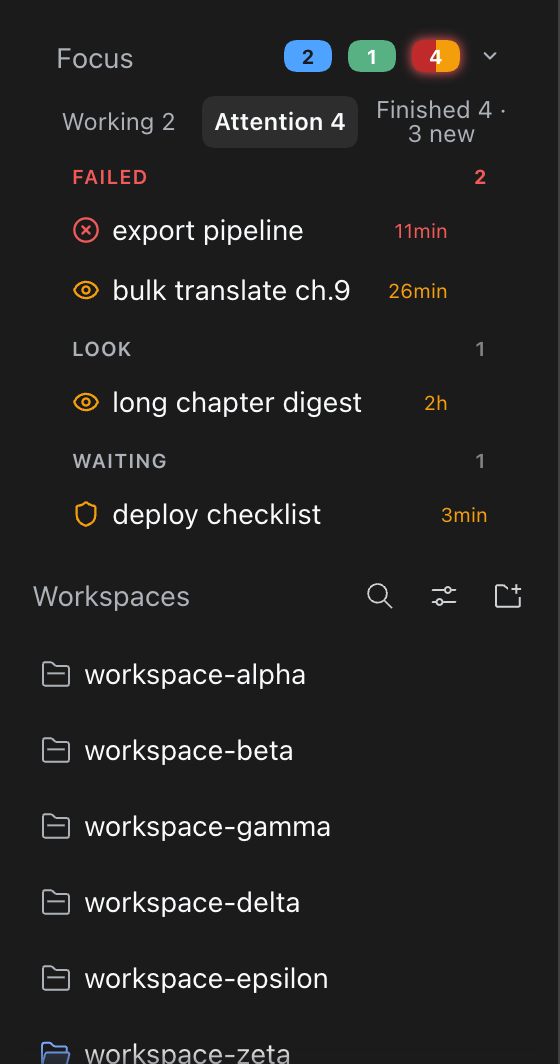 |
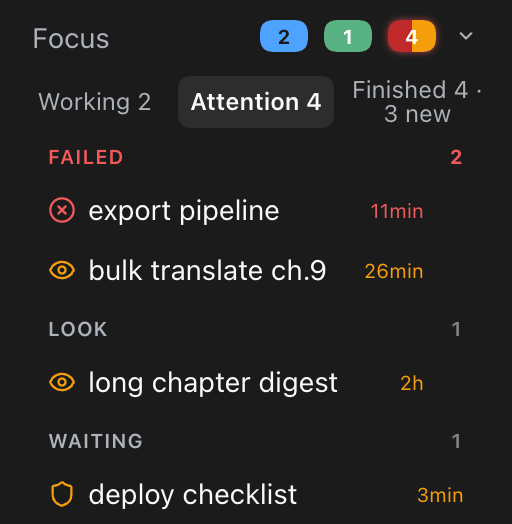 |
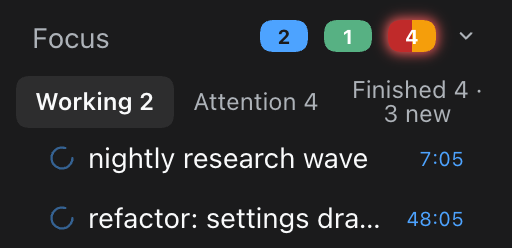 |
 |
| Dismiss with undo | Long list, +2 more cap |
Collapsed |
|---|---|---|
 |
 |
 |
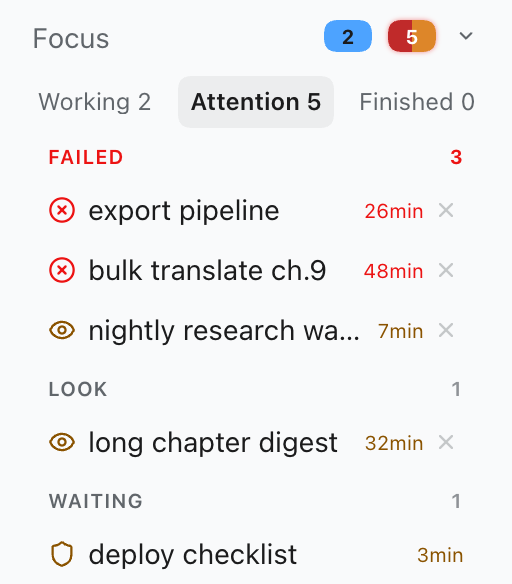 |
Same block in the light scheme |
Agent harnesses are great at starting work and terrible at mourning it. A session whose last event is error: 429 Too Many Requests looks identical in the sidebar to one that is halfway through a two-hour refactor. You find out when you open it — or two days later.
The mental model is a hospital triage board, not a log viewer:
┌────────────────────────────────────────────────────┐
│  Focus                        [2]  [1]  [4]      ⌄ │
│  Working 2    Attention 4    Finished 4 · 3 new    │
├────────────────────────────────────────────────────┤
│  FAILED                                        2   │
│    ⊗  export pipeline                     11min    │   red   = fatal turn error
│    ◉  bulk translate ch.9                 26min    │   amber = 429 / quota / billing
│  LOOK                                          1   │
│    ◉  long chapter digest                   2h     │   amber = suspicious state,
│  WAITING                                        1  │           needs a human look
│    ⛨  deploy checklist                    3min     │   amber = approval unanswered
└────────────────────────────────────────────────────┘
Three design rules:
504 scan-timeout. An idle sidebar costs nothing.sk-… keys, Bearer … tokens, token=… query shapes are stripped) before it leaves the server.Requires DSH >=0.2.0-rc.1 (checked at install time via engines.dsh).
Install straight from GitHub — no npm needed. In the DSH web UI open Plugins → Add plugin and paste the repository address, or run:
dsh plugin --profile web add github:almazom/dsh-needs-attention-sidebarThat's it. The command installs the package into the profile, and because the package declares dsh.bundle.patch, DSH auto-registers the plugin's cordis patch. Restart the web lane (or reload the page) and the Focus block appears above Workspaces.
Nothing appears? That is the design — the block shows itself only when something needs your attention.
Once the package is also published to npm, the package name works as an alternative:
dsh plugin --profile web add @almazom/dsh-needs-attention-sidebarNo build step, no lifecycle scripts, plain JavaScript — nothing runs on install.
| 1. Open Plugins in the sidebar. | 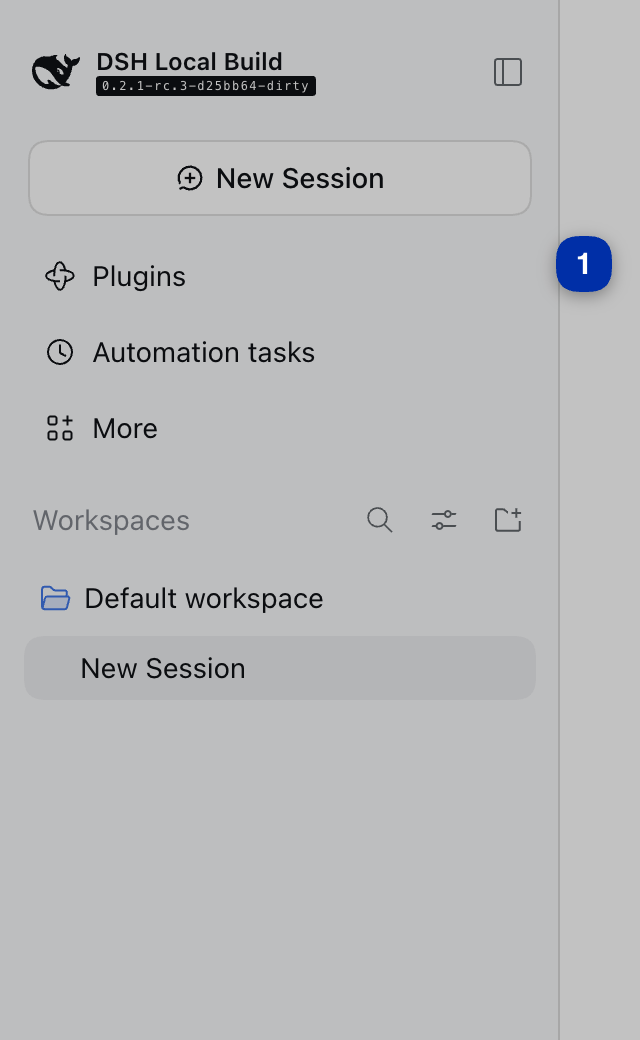 |
| 2. Click Add plugin. |  |
3. Paste github:almazom/dsh-needs-attention-sidebar and click Install. |
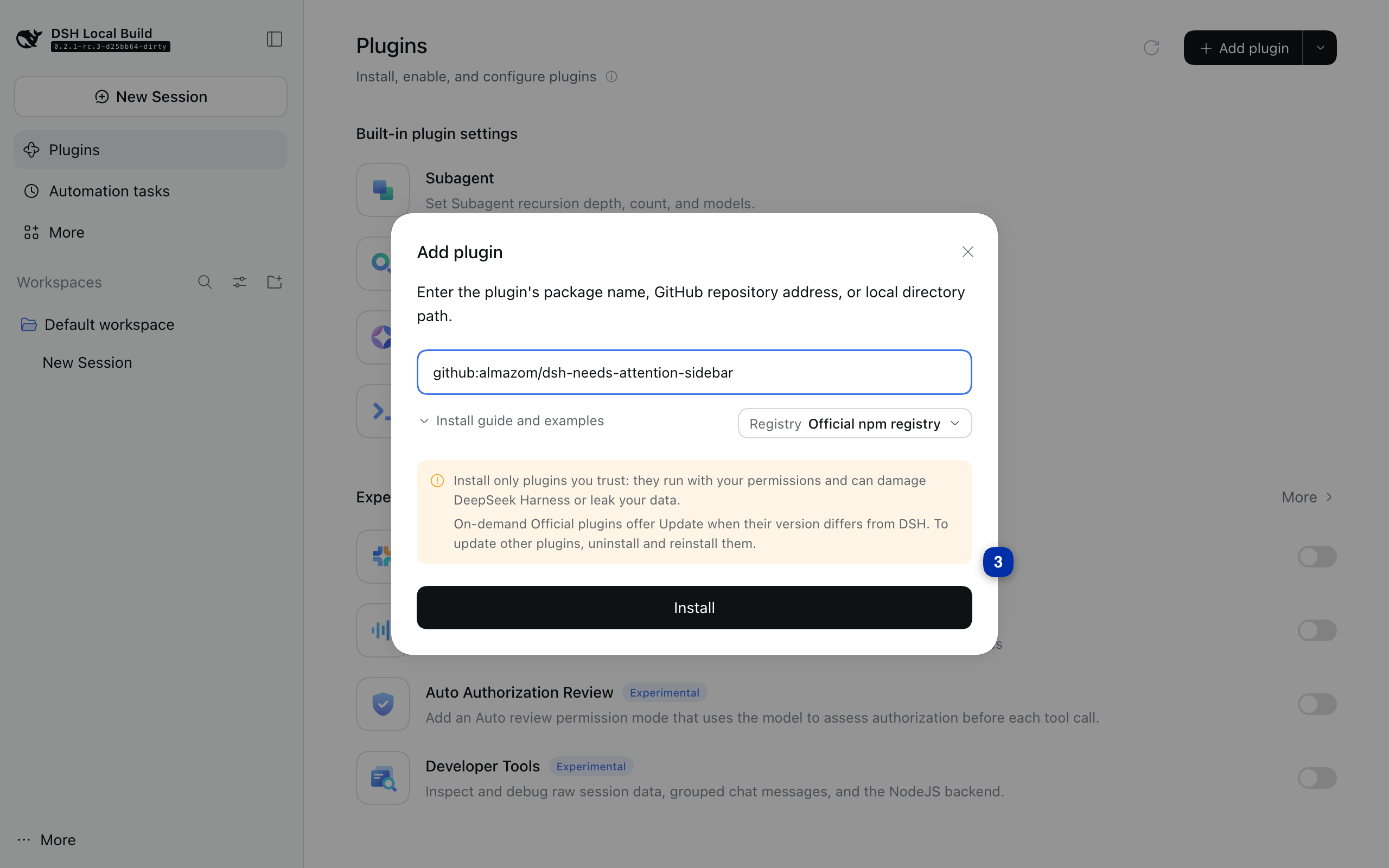 |
| 4. Confirm with Enable now. | 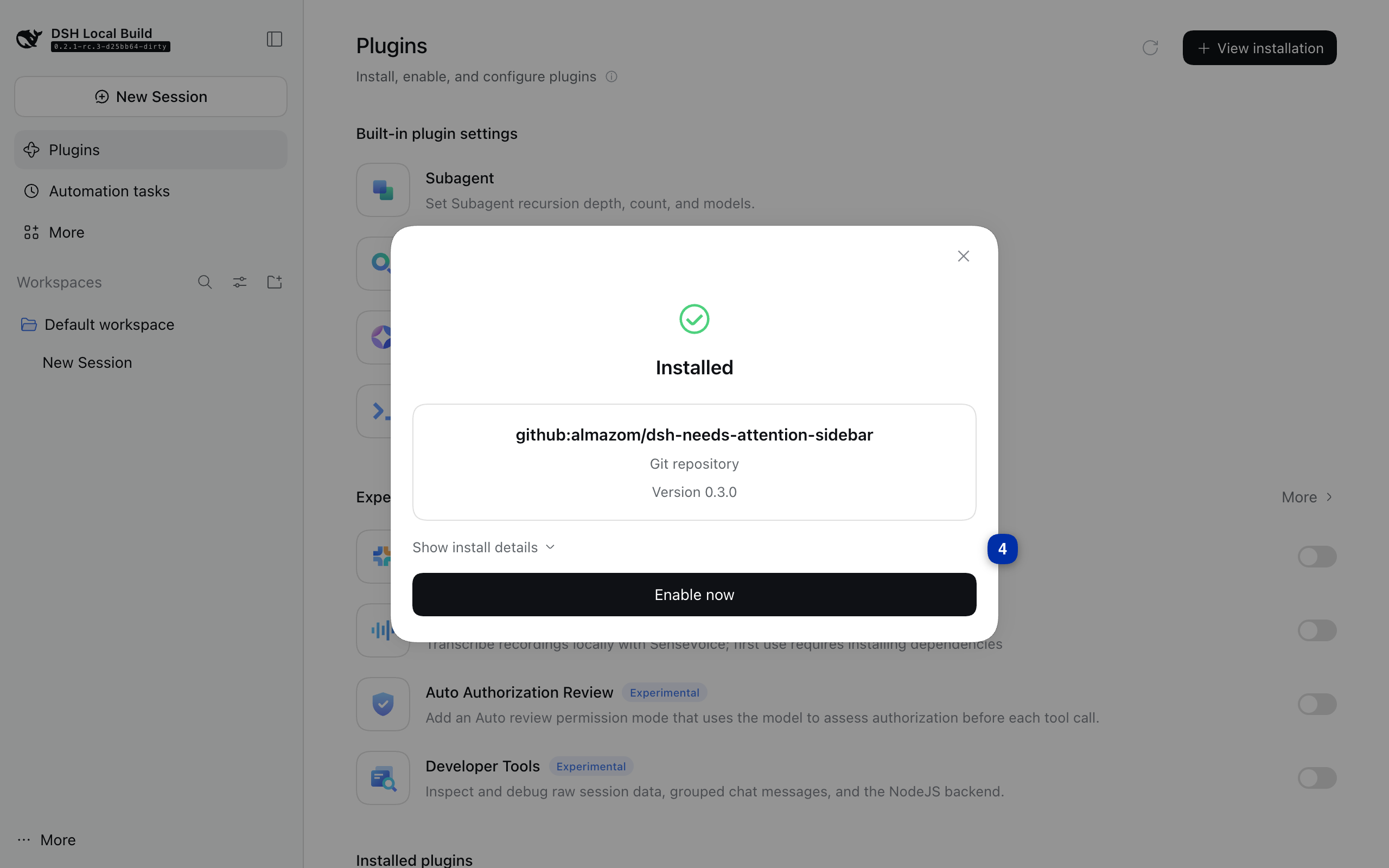 |
| 5. The plugin shows up under Installed plugins — and the Focus block is live in your sidebar. | 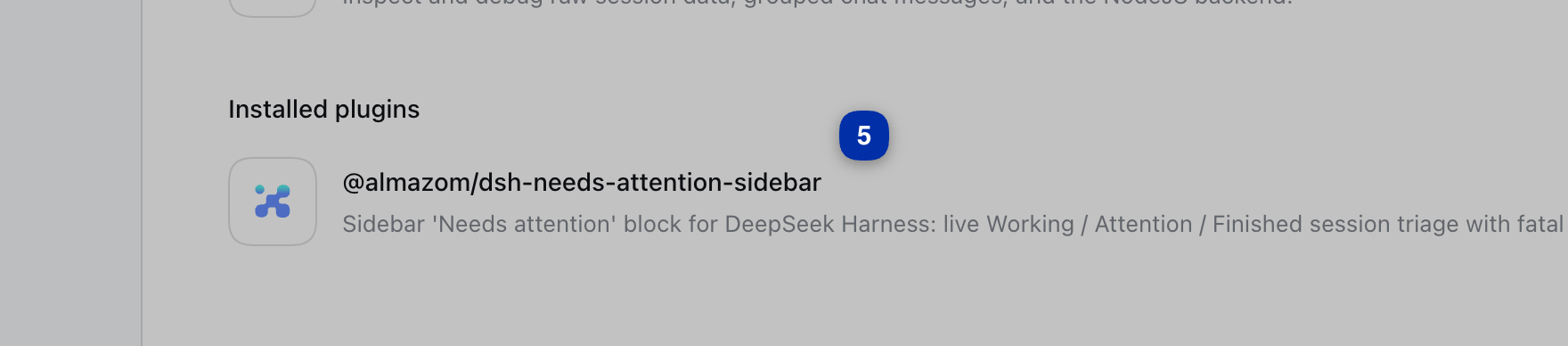 |
(All five shots are from a real install on a clean DSH 0.2.1-rc.3 instance — what you see is what you get.)
Dev channel (pre-release): the #dev branch carries the next version ahead of stable. Expect rough edges; the plain address above always points at the stable build.
dsh plugin --profile web add github:almazom/dsh-needs-attention-sidebar#devInstall over the same URL (Plugins → Add plugin → paste the GitHub address, or dsh plugin --profile web add https://github.com/almazom/dsh-needs-attention-sidebar). The plugin remounts in place; your saved state (dismissals, collapsed head, last visit) is kept.
[2] blue sessions working · [1] green sessions you stopped · [4] amber need attention. The chevron collapses the block to just the header row (persisted).
blocked, max-tokens truncation, hook abort, or rate-limit pressure (429 / quota / billing / 5-hour cap patterns → this amber "limit" class, not red).! badge ("new", not "alarm" — attention is the red/amber groups' job); a divider marks everything "since your last visit".× dismisses a row (kept across reloads, with an Undo toast).The fourth icon in the Workspaces header is an eye. Click it and the whole
session list folds away — the header stays, now reading Workspaces · N so you
know how many sessions are waiting. Click again (or press Enter/Space when
focused) to bring the list back. The choice persists across reloads; the icon
reflects the state (open eye = list shown, crossed eye = list hidden).
If your sidebar has a Duty row, a small chevron appears at its right edge. Click it and the navigation rows (Plugins / Automation tasks / Duty) fold away to free vertical space; click again to unfold. No Duty row — no chevron: the feature stays out of the way on machines that don't use Duty. The fold is session-only: a page reload restores the navigation.
+N more cap (20 rows max per list — the scanner refuses to blow up your sidebar on a bad day).Only sessions touched within the freshness window are scanned (default 12 hours, configurable). Older sessions are not your problem anymore; that's the whole point of the block.
GET with 405, and never caches (Cache-Control: no-store).$DSH_HOME/sessions, default ~/.dsh/sessions). It writes nothing.>=0.2.0-rc.1zstd on the web lane's PATH (zstdcat is used to stream session logs; on macOS: brew install zstd)Environment variables (set them for the DSH web lane process, e.g. in its launchd plist or start script):
| Variable | Default | Meaning |
|---|---|---|
DSH_NEEDS_ATTN_WINDOW_H |
12 |
Freshness window in hours (1–720). Only sessions modified within the window are scanned. |
DSH_NEEDS_ATTN_DEADLINE_MS |
10000 |
Scan deadline. Past it the route answers 504 {"error":"scan-timeout"} instead of blocking. |
browser (client.js)                    dsh web lane (index.mjs → host.mjs → scanner.mjs)
──────────────────                     ──────────────────────────────────────────────
anchor: sidebar section label   poll   GET /api/dsh-needs-attention/sessions
  [class*="_sectionLabel"]  ──────────▶  admission guard (authenticated connection
inject <section> above                 or loopback) → 403 otherwise
  Workspaces                    ◀──────  on request: list recent session files
tabs / groups / ticks / unseen            (mtime cache, 20s throttle, single-flight)
dismiss + undo toast (localStorage)     zstdcat each file, tail-ring of 50 events
collapse / +N more / aria               → classify last terminal event + liveness
window.__DNA_STATUS__ diagnostics → redact titles → rows (≤20), groups, countssrc/scanner.mjs, src/host.mjs): one GET route. Streams only the tail of each session log (50-event ring), 6 files in parallel, per-file 8s timeout, event-loop yields so a scan never stalls the lane, 8MB/60s reuse cache for big logs. Classifies each session into working / waiting / look / fatal / limit / ok / stopped using the last terminal event plus liveness (open turn + recent file mtime).src/client.js): a ModuleLoader factory that injects once, anchors on the existing section label (works across locales — Workspaces/工作区/Sessions/会话), polls 10s when there are rows / 30s when empty, and degrades gracefully against an older server (errors-only strip).index.mjs, cordis.patch.yml): the plugin injects webServer + connection and registers its cordis insert. DSH discovers all of this from package.json — the core never learns this plugin exists.| DSH | Status |
|---|---|
>=0.2.0-rc.1 |
supported (enforced via top-level engines.dsh) |
The client carries a strip-states guard: paired with an older server build it falls back to an errors-only list instead of breaking.
npm install        # dev only: nothing to build, plain JS
npm test           # 46 tests (node:test) — scanner, host route, client, wiring
index.mjs host entry (name / inject / apply)
src/host.mjs route + admission guard + deadlines
src/scanner.mjs session scan, classification, redaction
src/client.js sidebar injection + UI (vanilla JS, no deps)
cordis.patch.yml cordis insert declaration
tests/ node:test suite
screenshots/ the images used by this READMERuntime dependencies: none (npm). The client is dependency-free vanilla JS; the server uses only Node built-ins plus the system zstd binary (see Requirements).
CLASSIFICATION EVIDENCE
系统优先读取 GitHub Topics,再与站内分类词典和词根规则比对。当前命中: deepseek-harness。
morluto
Reverse engineer anything with agents, from app behavior down to native binaries.

deepseek-ai
DeepSeek Harness: Everything is a Plugin.

nexu-io
The 1st Collaborative AI Design Agent Workspace. Local-first and open source. Create motion, prototypes, websites, apps, dashboards, presentations, images, and videos with your team and AI agents. Share work, exchange feedback, and iterate together in one workspace.