

模型与 MCP
待识别

rea
morluto
Reverse engineer anything with agents, from app behavior down to native binaries.
PROJECT TOPICS
INSTALL REFERENCE
dsh plugin --profile web add github:addozhang/dsh-turn-toc
该命令指向仓库当前默认分支;尚无绑定当前 commit 的完整验证结果。
PROJECT README
English | 简体中文


Turn section outline (TOC) plugin for the DeepSeek Harness Web & Desktop GUI.
It sits in the right gutter just outside the centered message column—sharing the frameless tick-mark aesthetic of DSH's built-in TurnNavigator—and expands on hover into an interactive multi-level heading outline for the turn you are currently reading.
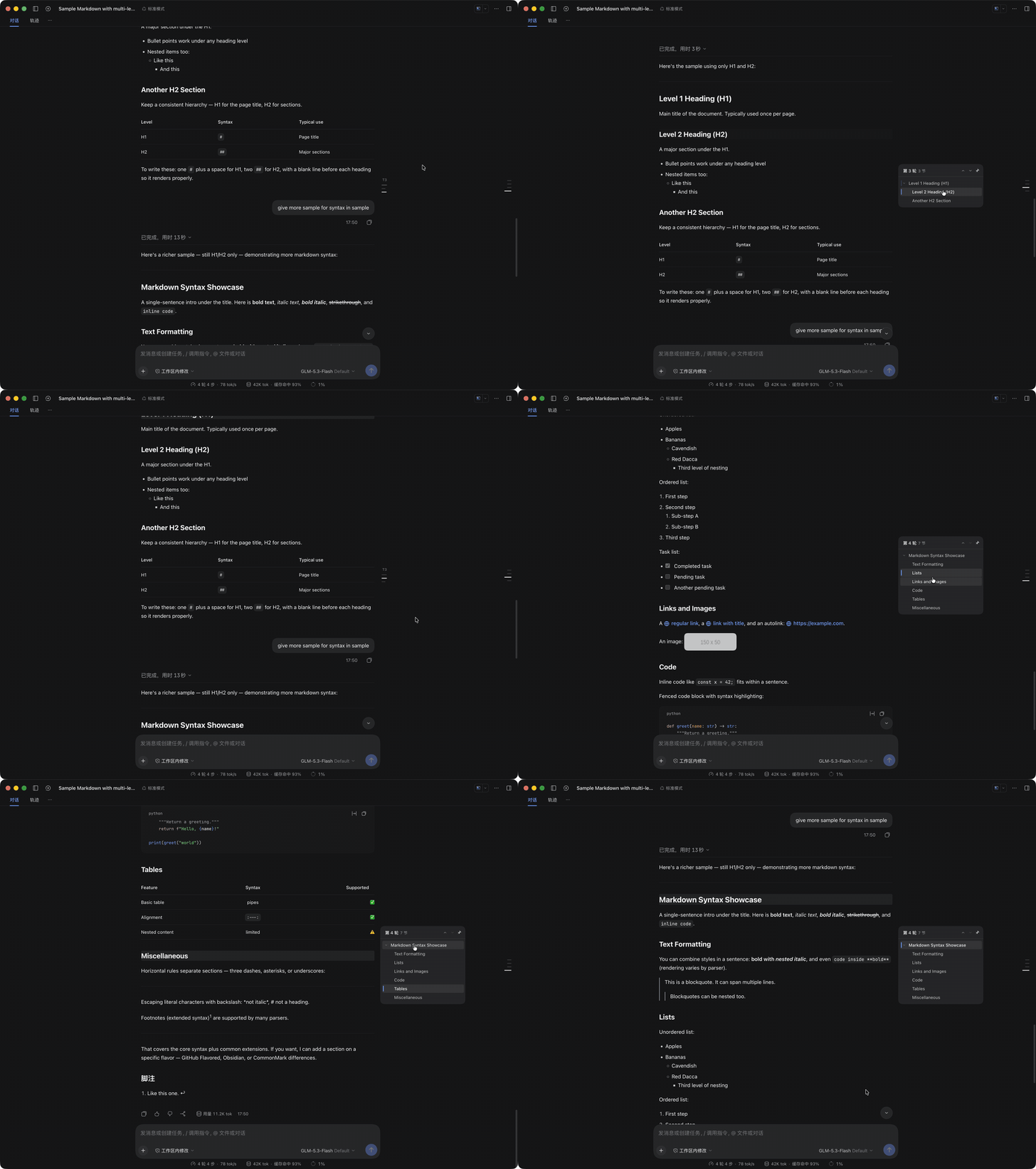
H1–H6) right beside the message column, keeping your visual focus on the right without covering any text or colliding with the outer TurnNavigator.H1–H6) as you scroll.MenuSurface outline card on pointer hover, with a pin toggle to keep the outline open when desired.Turn N) or step directly to the previous (↑) / next (↓) Turn.>= 1280px) and right gutter (>= 176px) have enough room to expand strictly to the right without overlapping the message column or the outer TurnNavigator.dsh plugin --profile web add @addozhang/dsh-turn-tocdsh plugin --profile web add github:addozhang/dsh-turn-tocRestart the running dsh profile (or the DeepSeek Harness Desktop app) after installation so the browser roster picks up the client bundle.
npm install
npm run build      # bundle lib/client.js and lib/index.js
npm run watch      # watch src/client/ for live HMR reload
npm test # run unit tests (outline parser + DOM scroll-spy & jump)CLASSIFICATION EVIDENCE
系统优先读取 GitHub Topics,再与站内分类词典和词根规则比对。当前命中: deepseek。
morluto
Reverse engineer anything with agents, from app behavior down to native binaries.

deepseek-ai
DeepSeek Harness: Everything is a Plugin.

nexu-io
The 1st Collaborative AI Design Agent Workspace. Local-first and open source. Create motion, prototypes, websites, apps, dashboards, presentations, images, and videos with your team and AI agents. Share work, exchange feedback, and iterate together in one workspace.