
文件与数据
渠道适配

WeKnora
Tencent
Open-source LLM knowledge platform: turn raw documents into a queryable RAG, an autonomous reasoning agent, and a self-maintaining Wiki.
PROJECT TOPICS
INSTALL REFERENCE
dsh plugin --profile web add github:Yinbenfeng/dsh-plugin-quick-draw-Tool-
该命令指向仓库当前默认分支;尚无绑定当前 commit 的完整验证结果。
PROJECT README
给你的 DSH 装上快捷的常驻绘图插件。
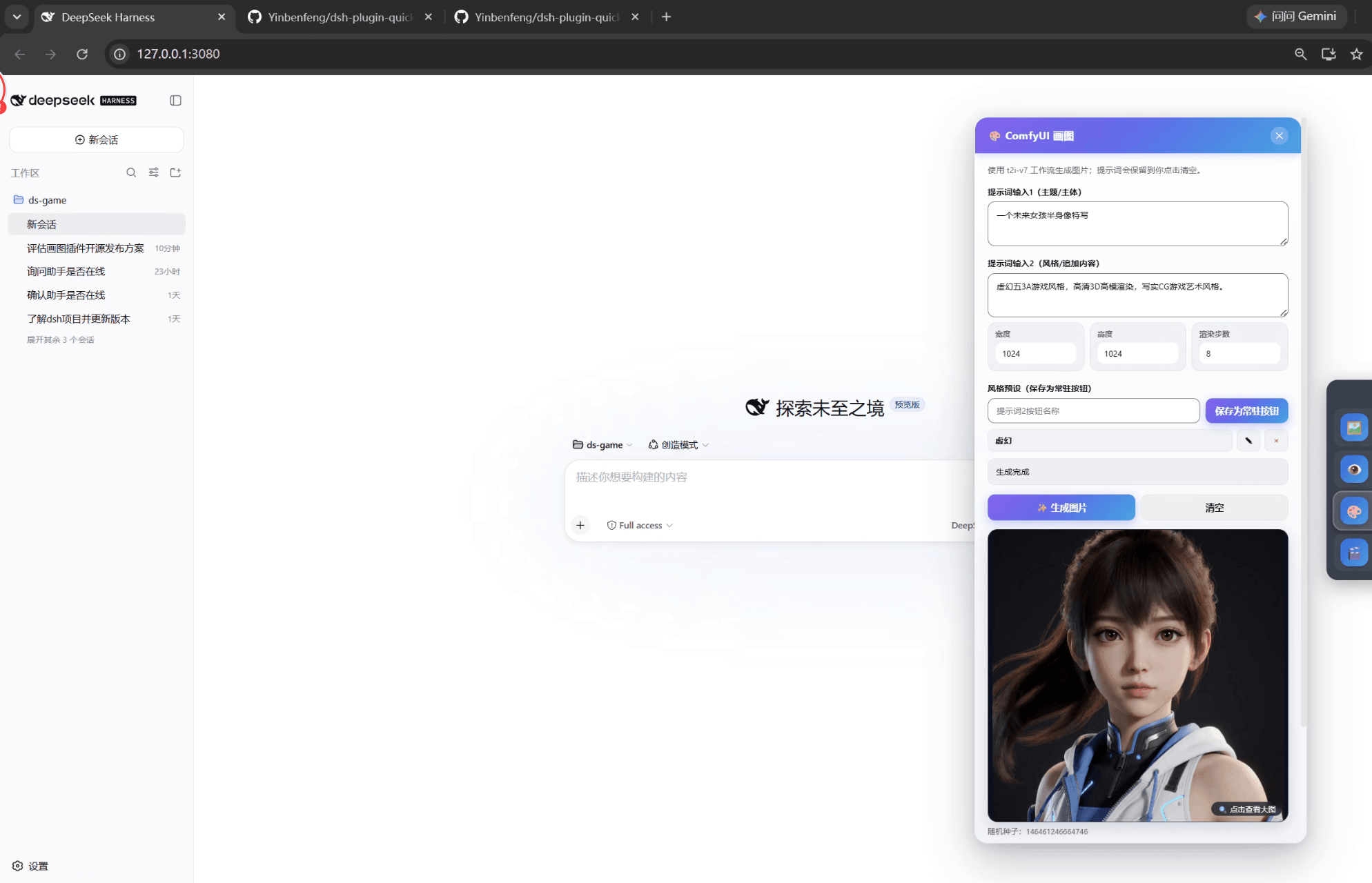
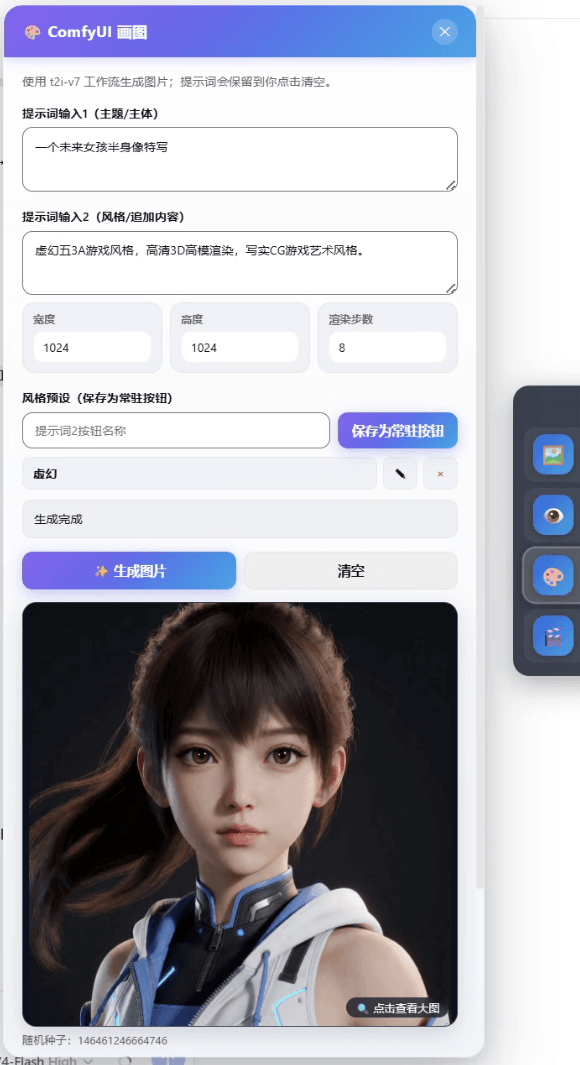
一个基于本地 ComfyUI 的 DSH 常驻画图面板插件:打开 DSH 即可在右下角看到"画图"入口,无需在对话中调用。
dsh-plugin-quick-draw-tool(暂未发布到 npm,从本仓库安装)示例图由本插件工作流(Krea 2 Turbo + Qwen 编码器)生成,仅作展示。
| 示例 1 | 示例 2 | 示例 3 |
|---|---|---|
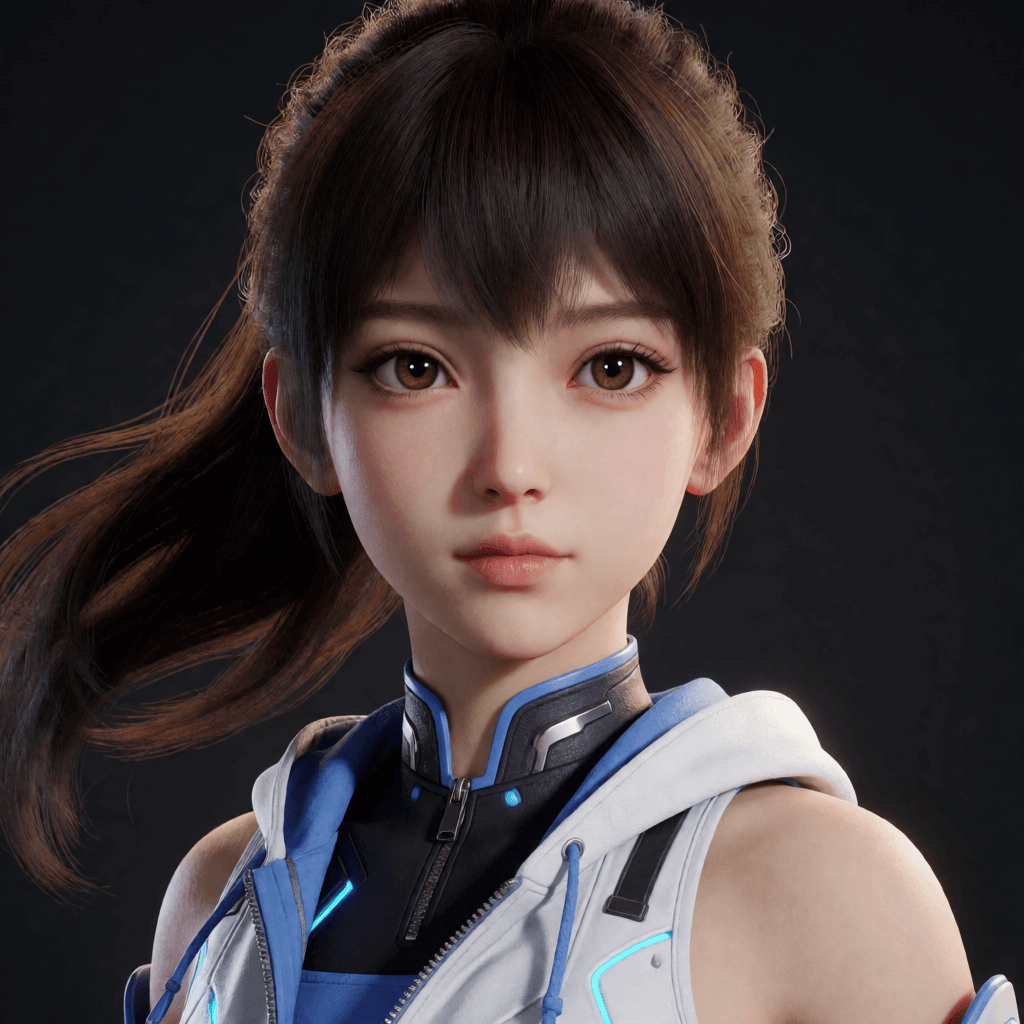 |
 |
 |
Node.js >=22.19、Git、Python 3.12.x。
根据你的 NVIDIA 显卡驱动安装对应版本的 PyTorch(CUDA 版)。已验证组合:2.13.0+cu130。安装命令请参考 https://pytorch.org,例如:
pip install torch torchvision torchaudio --index-url https://download.pytorch.org/whl/cu130PyTorch 与显卡驱动由用户自行安装,插件不会替你做这件事。
从 GitHub 安装:
npm install git+https://github.com/Yinbenfeng/dsh-plugin-quick-draw-Tool-.git把包加入 DSH Web Profile 的依赖和 bundle 列表:
{
  "dependencies": {
    "dsh-plugin-quick-draw-tool": "git+https://github.com/Yinbenfeng/dsh-plugin-quick-draw-Tool-.git"
  },
  "dsh": {
    "profile": {
      "bundles": [
        "@deepseek-ai/dsh-base",
        "@deepseek-ai/dsh-web-app",
        "dsh-plugin-quick-draw-tool"
      ]
    }
  }
}
保留 profile 原有的 bundles,只把
dsh-plugin-quick-draw-tool追加进去。
在项目目录运行:
powershell -ExecutionPolicy Bypass -File .\scripts\setup.ps1脚本会克隆官方 ComfyUI 并固定到 v0.33.0(commit 2f35f4a)。默认安装目录:
%USERPROFILE%\.dsh\comfyui-drawing\ComfyUI模型不随插件分发,需要你按下表从官方页面下载,并放入 ComfyUI 根目录下的对应子目录。下表第一列为完整放置路径(默认安装目录下):
| 文件 | 完整放置路径 | 下载页面 | 许可证 |
|---|---|---|---|
krea2_turbo_mxfp8.safetensors |
%USERPROFILE%\.dsh\comfyui-drawing\ComfyUI\models\diffusion_models\krea2_turbo_mxfp8.safetensors |
https://huggingface.co/Comfy-Org/Krea-2/tree/main/diffusion_models | Krea 2 Community License(https://www.krea.ai/krea-2-licensing) |
qwen3vl_4b_fp8_scaled.safetensors |
%USERPROFILE%\.dsh\comfyui-drawing\ComfyUI\models\text_encoders\qwen3vl_4b_fp8_scaled.safetensors |
https://huggingface.co/Comfy-Org/Qwen3-VL/tree/main/text_encoders | Apache-2.0 |
qwen_image_vae.safetensors |
%USERPROFILE%\.dsh\comfyui-drawing\ComfyUI\models\vae\qwen_image_vae.safetensors |
https://huggingface.co/Comfy-Org/Qwen-Image_ComfyUI/tree/main/split_files/vae | Apache-2.0 |
Krea 2 Turbo 注意:该模型使用 Krea 2 Community License,包含年收入 100 万美元以下的商业使用门槛和内容过滤要求。下载前请先阅读并接受 https://www.krea.ai/krea-2-licensing。
你也可以随时运行检查脚本,缺失的模型会列出对应的下载页面:
powershell -ExecutionPolicy Bypass -File .\scripts\check.ps1powershell -ExecutionPolicy Bypass -File .\scripts\start-comfyui.ps1ComfyUI 默认只监听 127.0.0.1:8188。
重启 DSH 并打开页面,右下角即可看到"画图"按钮。点击即用:提示词 → 生成 → 预览 → 保存。
| 变量 | 作用 | 默认值 |
|---|---|---|
DSH_COMFYUI_ROOT |
脚本使用的 ComfyUI 安装目录 | %USERPROFILE%\.dsh\comfyui-drawing\ComfyUI |
DSH_COMFYUI_URL |
ComfyUI 服务地址 | http://127.0.0.1:8188 |
DSH_COMFYUI_WORKFLOW |
API 工作流绝对路径 | 包内 workflows/t2i-v7-api.json |
DSH_COMFYUI_PRESETS |
提示词2预设存储文件 | %USERPROFILE%\.dsh\comfyui-prompt2-presets.json |
npm run build
npm run check
npm test
生成的 lib/ 由 build 重新构建,prepack 会自动跑测试。
插件原创代码采用 MIT。
第三方组件各自适用自己的许可证,详见 THIRD_PARTY_NOTICES.md:ComfyUI(GPL-3.0)、Krea 2 Turbo(Krea 2 Community License)、Qwen 模型组件(Apache-2.0)。仓库与安装包均不包含任何模型权重。
CLASSIFICATION EVIDENCE
系统优先读取 GitHub Topics,再与站内分类词典和词根规则比对。当前命中: text-to-image。
Tencent
Open-source LLM knowledge platform: turn raw documents into a queryable RAG, an autonomous reasoning agent, and a self-maintaining Wiki.

liustack
The first vision plugin for DeepSeek Harness, and the vision bridge for every text-only coding agent. Paste an image, get structured JSON evidence (OCR, layout, semantics). | 全网最强 DeepSeek Harness 外挂视觉插件,为 DeepSeek、GLM 等纯文本模型外挂视觉能力,粘贴图片即得结构化 JSON 证据(OCR、版面、语义)。

dream-num
An open-source Office workspace where people and AI agents create, collaborate, and review together.