
安全与治理
插件

dsh-redteam-model
SeaOf0
基于dsh web实现的多种模式,目的是服务于redteam进行授权的安全研究,覆盖渗透测试、红队评估、代码审计等范围领域,请勿用于非法行为。(允许二开,赋予模块各位自己的业务逻辑,方法论只有自己熟练的才好用,好的方法论=好的生态)
PROJECT TOPICS
INSTALL REFERENCE
dsh plugin --profile web add github:Xxihagalife/dsh-lock-screen
该命令指向仓库当前默认分支;尚无绑定当前 commit 的完整验证结果。
PROJECT README
English | 中文
A full-screen password lock for DeepSeek Harness (dsh).
Running long tasks? Lock the UI before you walk away, and nobody passing your desk sees a session, a
tool call, a file path or an API key spelled out in a diff.
The lock is purely visual. The agent keeps running in the Host process the whole time — the plugin never touches sessions, timers, streams or the sandbox. It does not even have a handle to them.
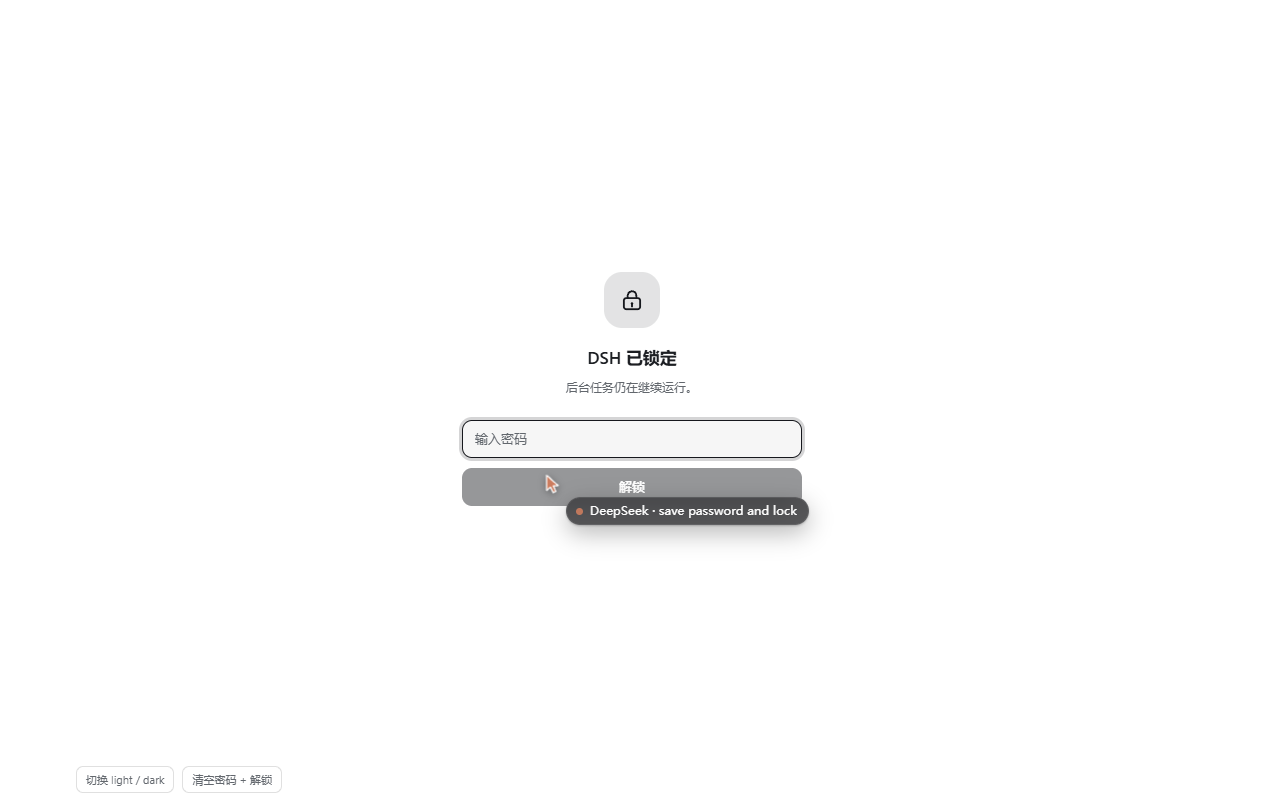
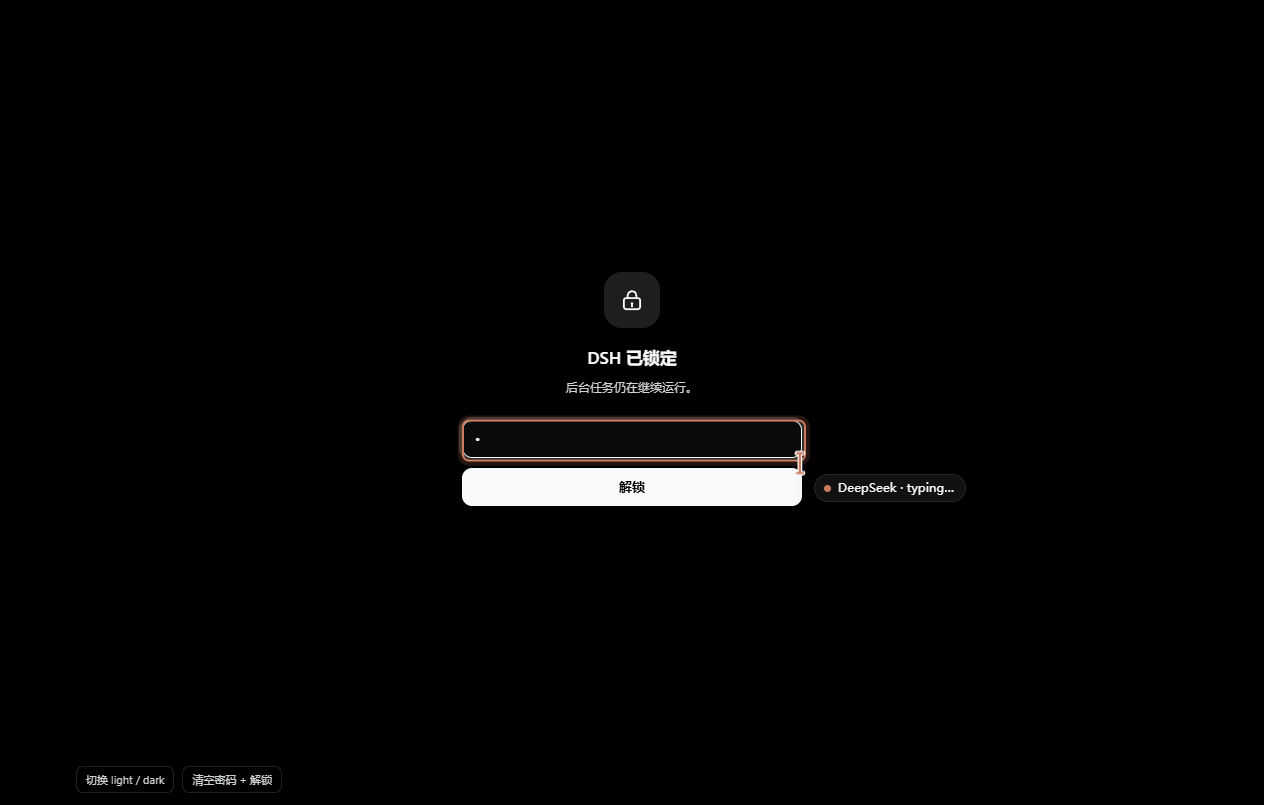
Ctrl/Cmd + Shift + L from anywhere.localStorage; the plaintext never leaves the password field.storage events.DSH (locked) while locked, and is restored on unlock.--dsw-alias-* tokens (surfaces derived with
color-mix), so it does not fight a custom theme.From the DSH plugin manager (recommended — the desktop app's Settings → Plugins, or the
dshmarket market once this plugin is listed):
dsh plugin --profile <profile> add dsh-lock-screenFrom a checkout of this repo:
dsh plugin --profile <profile> add /path/to/dsh-lock-screenAfter installing, refresh the Web UI once (the client module loads at page load). The lock button appears at the bottom of the sidebar, next to Settings.
| Action | How |
|---|---|
| Lock now | Click the lock at the sidebar foot, or press Ctrl/Cmd + Shift + L |
| Unlock | Type the password and press Enter |
| Set / change / remove the password | Shift + click the lock (opens the panel without locking) |
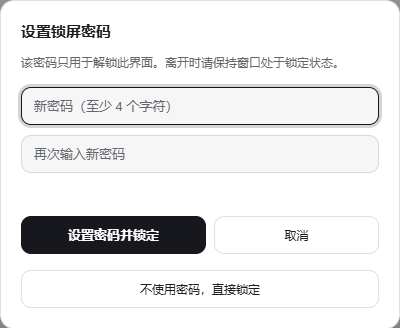
| Lock without a password | Third row of the setup panel: “Lock without a password” |
The first time you click the lock, the setup panel asks for a password (at least 4 characters, twice). Saving it locks immediately.
This is a privacy screen, not a security boundary:
localStorage itself are all
outside its reach.localStorage
(keys dsh.lock-screen.credential, dsh.lock-screen.locked). It is not encryption, and there is no
recovery path: forget it and you clear those two keys (DevTools console) or remove the plugin.If you need real isolation, use the OS lock screen or a separate OS account.
Two slots, one module:
sidebar.footer.action — the lock button (order: 10), icon-only when the sidebar is collapsed to a rail.shell.overlay — the full-screen layer (order: 100) holding the lock screen and the setup panel.client.js is a single ES module registered through window.__ModuleLoader__.load(...), written with
React.createElement (no JSX, no bundler). It injects exactly two services, slots and locale, and
registers both slots inside ctx.effect so they are removed on unload. UI strings live in
locale/en.json / locale/zh.json and are read through the locale service, so the panel follows the
Harness language.
State is a small module-level store (useSyncExternalStore) persisted to localStorage:
| Key | Value |
|---|---|
dsh.lock-screen.locked |
"1" / "0" |
dsh.lock-screen.credential |
{"v":1,"salt":"<hex>","hash":"<hex>"} |
hash = SHA-256(salt + password) via WebCrypto; a small fallback keeps it working on hosts without
crypto.subtle.
While locked, a capture-phase keydown handler swallows shortcuts outside the overlay and keeps Tab
inside the password field, so the app behind the layer does not react to a bystander's typing.
There is no build step. To iterate on the UI without installing, open
docs/harness.html — it loads React from a CDN, fakes the two services,
imports the real client.js and renders both slots next to a stub conversation list. It also has a small
HUD to flip light/dark and reset the stored password.
Because the module is loaded through the plugin manager's symlinked copy, an edit under this folder is live after a page refresh in a running GUI.
>= 0.2.1-rc.4 (Web UI, desktop app included).2.0.21-next / dsh 0.2.1-rc.4, light and dark.MIT © Zhang Xi
CLASSIFICATION EVIDENCE
系统优先读取 GitHub Topics,再与站内分类词典和词根规则比对。当前命中: privacy。
SeaOf0
基于dsh web实现的多种模式,目的是服务于redteam进行授权的安全研究,覆盖渗透测试、红队评估、代码审计等范围领域,请勿用于非法行为。(允许二开,赋予模块各位自己的业务逻辑,方法论只有自己熟练的才好用,好的方法论=好的生态)

dhicoc
Complete reverse-skill (88 SKILL.md) as a DeepSeek Harness (dsh) Cordis plugin — reverse engineering, authorized pentesting and security research skill pack.

delta-box
Lightweight, agent-native sandboxing with diff, commit and abort