
模型与 MCP
待识别

rea
morluto
Reverse engineer anything with agents, from app behavior down to native binaries.
PROJECT TOPICS
INSTALL REFERENCE
dsh plugin --profile web add github:XenoPhonLau/dsh-activity-bar
该命令指向仓库当前默认分支;尚无绑定当前 commit 的完整验证结果。
PROJECT README



Turn the space freed by DSH's collapsed side panels into narrow icon rails, VS Code style — and give the width back to your workspace.
中文 · English
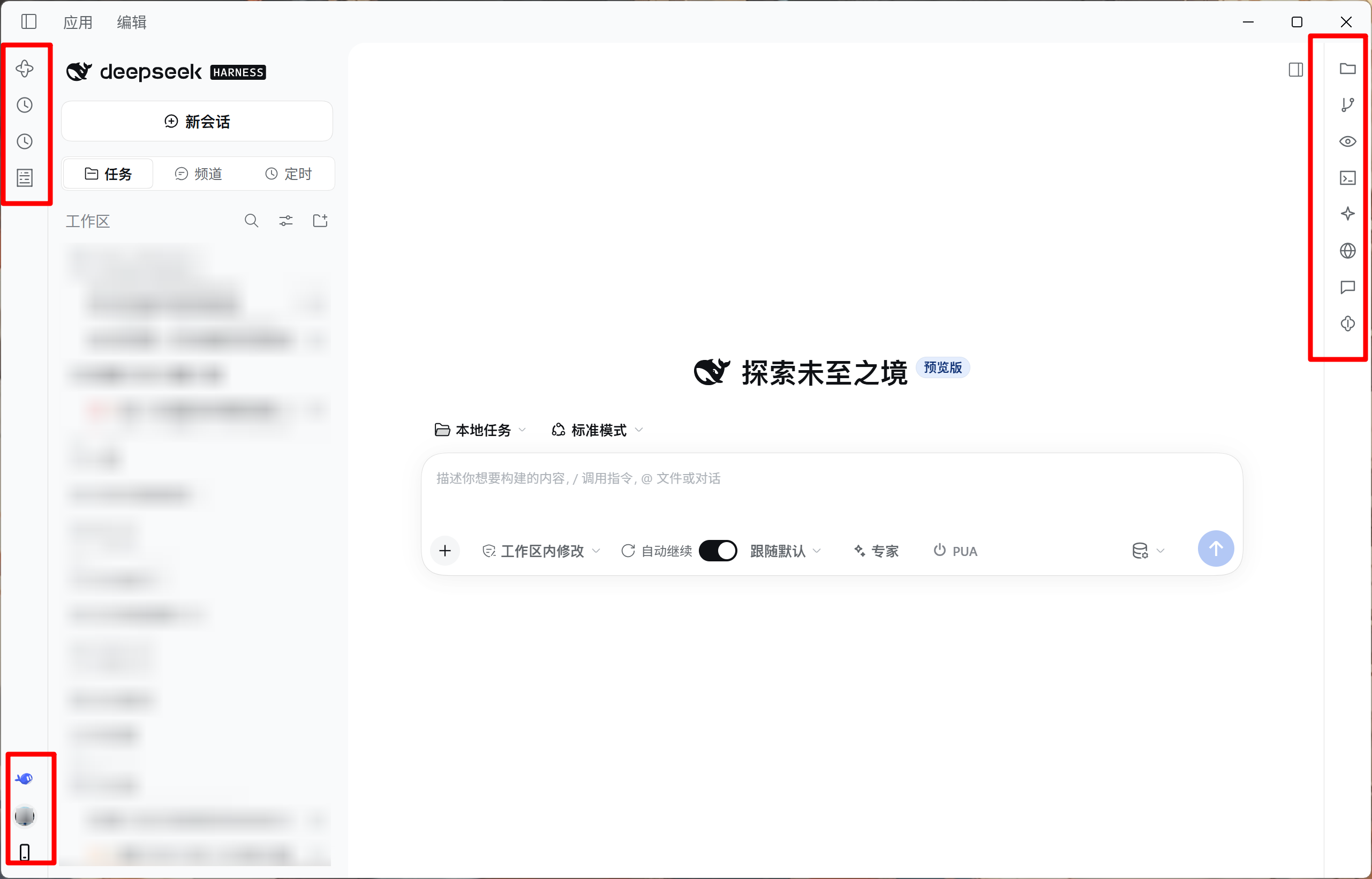
DSH keeps its left sidebar and right bar open by default; together they eat close to 40% of the window width. With this plugin installed:
DeepSeek Harness 0.2.1-rc.3 or newer (Node >= 22.13).
From git, one command:
dsh plugin --profile desktop add "dsh-activity-bar@git+https://github.com/XenoPhonLau/dsh-activity-bar.git"dsh lives at <DeepSeek Harness>/resources/runtime/cli/bin/dsh.cmd; point --profile at the profile you want it in. The command writes the dependency into that profile and registers the package in dsh.profile.bundles for you.
Then restart DSH — plugins are mounted at start-up.
To pick up a newer commit, run:
dsh plugin --profile desktop update dsh-activity-barCLASSIFICATION EVIDENCE
系统优先读取 GitHub Topics,再与站内分类词典和词根规则比对。当前命中: deepseek-harness。
morluto
Reverse engineer anything with agents, from app behavior down to native binaries.

deepseek-ai
DeepSeek Harness: Everything is a Plugin.

nexu-io
The 1st Collaborative AI Design Agent Workspace. Local-first and open source. Create motion, prototypes, websites, apps, dashboards, presentations, images, and videos with your team and AI agents. Share work, exchange feedback, and iterate together in one workspace.