

模型与 MCP
待识别

rea
morluto
Reverse engineer anything with agents, from app behavior down to native binaries.
PROJECT TOPICS
INSTALL REFERENCE
dsh plugin --profile web add github:Wolfloiz/plugin-janus
该命令指向仓库当前默认分支;尚无绑定当前 commit 的完整验证结果。
PROJECT README
Two faces, one bridge: control Herdr from DeepSeek Harness, and DeepSeek Harness from Herdr.


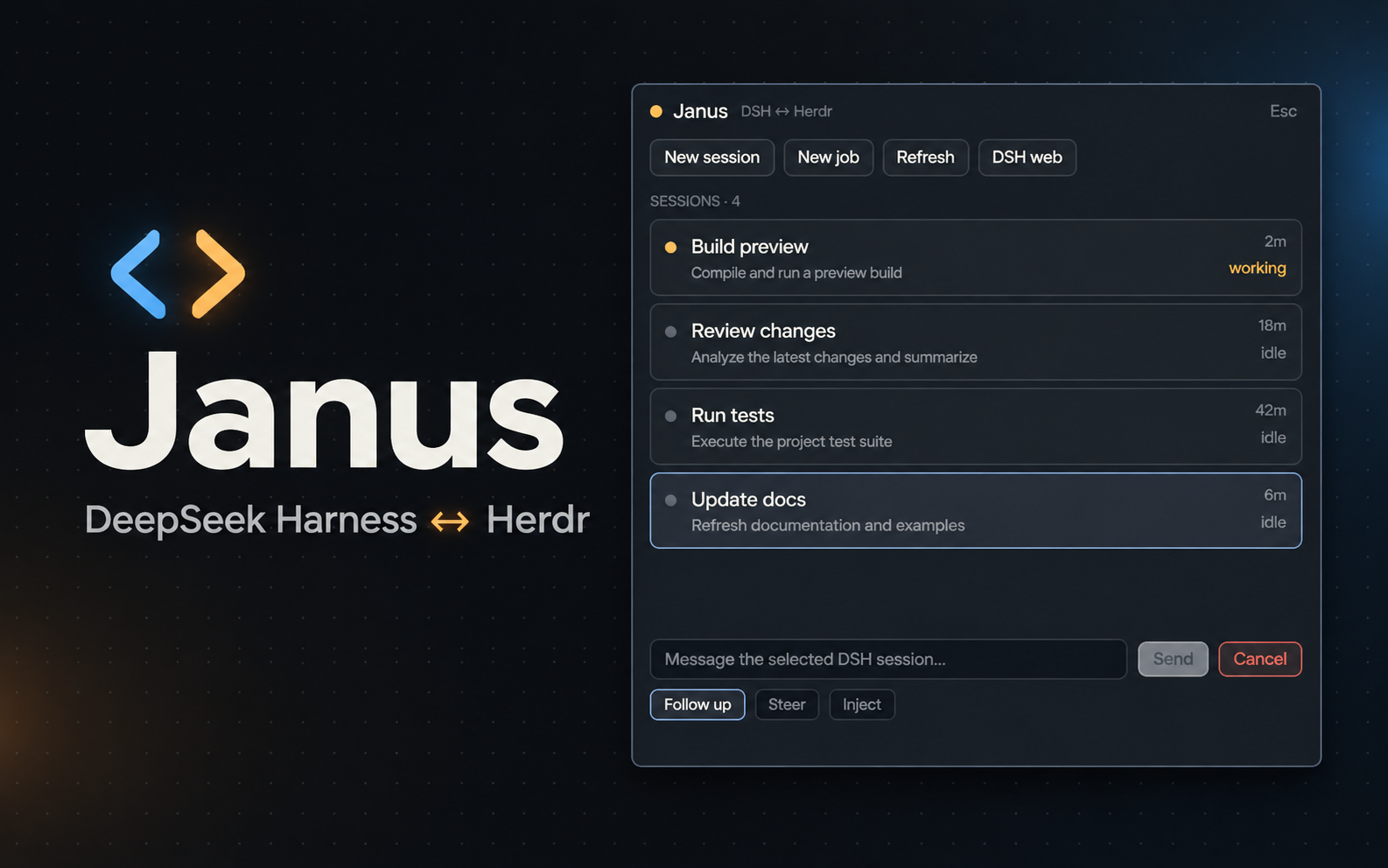
Janus is a DeepSeek Harness plugin plus a Herdr mod. Each side can drive the other:
dsh headless jobs — including resuming them by session id.Português · Publishing guide · Herdr recipe · Plan
┌──────────────────────── DSH (dsh web process) ────────────────────────┐
│  agent ──tools──> dsh-janus ──execFile──> herdr-app / hc  ───────────┼──> Herdr
│                        │                                              │
│                        ├── HTTP 127.0.0.1:<port> + bearer token       │
│                        │     GET  /v1/state, /v1/events, /v1/terminal │
│                        │     POST /v1/prompt, /v1/spawn, /v1/job…    │
│                        └── agent.followup / steer / cancel           │
└──────────────────────────────▲────────────────────────────────────────┘
                               │ fetch, token from ~/.dsh/janus/bridge.json (0600)
┌──────────────────────────────┴────────────────────────────────────────┐
│  Herdr mod: 150 px dock in the sidebar + 560×720 panel (ctrl-shift-j)  │
└───────────────────────────────────────────────────────────────────────┘
The plugin writes a discovery file with a fresh random token on every start. The mod reads it, polls state every 3 seconds, and shows status changes as Herdr toasts. The bridge binds loopback only; all routes require the token.
janus_herdr tool)| Action | What it does |
|---|---|
status |
Herdr app status plus hc terminals |
list |
Spaces, tabs, terminals, agents |
read |
A terminal's screen and history |
send |
Paste text and press Enter |
keys |
Named keys (enter, esc, ctrl+c, …) |
run |
Start a program/agent in a new terminal |
open |
New space/tab with an agent and optional first task |
focus |
Focus a space, tab, or terminal |
notify |
Toast in Herdr through the mod |
kill / close |
Destructive; require confirm: true |
janus_dsh tool and the mod)| Action | What it does |
|---|---|
sessions |
Live sessions: title, status, cwd, model, last text |
prompt |
followup, steer, or inject into another session |
cancel |
Cancel the active turn |
spawn |
New persistent session in the DSH web process |
job |
Visible dsh headless run in a Herdr tab |
job_continue |
Resume a job with dsh headless --session-id |
notify |
Herdr toast |
The Herdr panel also has a dock, notifications, a prompt input, a two-click Cancel, New session / New job forms, and a job list with Terminal and Continue.
0.2.2-rc.1 (or a compatible 0.2.x) with the web profile.herdr-app and hc on PATH.git clone https://github.com/Wolfloiz/plugin-janus.git
cd plugin-janus
bash scripts/install.shThe installer:
dsh-janus bundle with dsh plugin --profile web add;headless profile and points its default
model at deepseek-account/deepseek-flash;mods/janus into ~/.config/herdr-app/mods/janus;janus-dock into the active layout, with backups;ctrl-shift-j → janus.open in keys.json;janus CLI.Then restart the DSH web process:
# in the terminal running dsh web
Ctrl+C
dsh web
Reopen http://127.0.0.1:3080 and resume the session. The Herdr side applies
live; the DSH side needs the restart to load the final module.
Once dsh-janus is on npm:
dsh plugin --profile web add dsh-janusOr install the repository root from Git at a pinned commit:
dsh plugin --profile web add \
  "git+https://github.com/Wolfloiz/plugin-janus.git#<sha>"
The repository root is a bundle: it declares dsh.bundle, and its main
re-exports the implementation from dsh-janus/lib/index.js. The npm package in
dsh-janus/ is the same version/name for npm installs. dsh plugin add
appends the bundle to dsh.profile.bundles. See Publishing.
Clone the repo and symlink the mod, then add the dock/keys (the installer does both):
cd plugin-janus
ln -sfn "$PWD/mods/janus" ~/.config/herdr-app/mods/janus
herdr-app check ~/.config/herdr-app/mods/janus
The gallery version of this repo follows the Herdr sharing convention:
mods/janus/, RECIPE.md, preview.png, and the GitHub topic herdr-mod.
In DSH, ask in natural language:
t2j.”run the tests to terminal t7.”In Herdr:
open for the panel.ctrl-shift-j opens the panel; Esc closes it.done / job_done / notice events become toasts.127.0.0.1 only, on an ephemeral port.~/.dsh/janus/bridge.json with mode
0600; the directory is 0700.Authorization: Bearer <token>.kill, close) require confirm: true; the
panel asks for a second click on Cancel.bridge.json private.Live on 2026-11-11, with the DSH web running:
status, run, send, read, kill (echo terminal round trip).JANUS-PROMPT-OK), headless job
(JANUS-HEADLESS-OK), and Continue with --session-id
(JANUS-CONTINUE-OK).JANUS-SPAWN-OK).janus notify produced a Herdr toast.npm test; herdr-app check mods/janus passes.npm test # controller, bridge, and plugin wiring
npm run check # node --check on all sources
npm run check:mod # herdr-app check mods/janus
npm run dev:bridge # fake DSH + fake Herdr for the mod
npm run build:index # docs/index.json + docs/icons/janus.svgThe dev bridge writes a discovery file and serves two fake sessions, so you can work on the Herdr UI without restarting DSH:
node scripts/dev-bridge.js --discovery "$HOME/.dsh/janus/bridge.json"package.json Git bundle: dsh.bundle + main -> dsh-janus/lib/index.js
cordis.patch.yml root bundle patch (inserts the janus row)
dsh-janus/ npm package + plugin implementation (Cordis, no runtime deps)
lib/index.js plugin entry
lib/bridge.js HTTP + token + discovery
lib/controller.js sessions, jobs, Herdr actions
lib/herdr.js JSON-first herdr-app / hc wrapper
lib/tools.js janus_herdr / janus_dsh definitions
cordis.patch.yml bundle layer
bin/janus.js debug CLI
test/ node:test + doubles
mods/janus/ Herdr mod (gpui-kit)
main.js dock + full panel
mod.json
RECIPE.md Herdr gallery recipe
preview.png 960×600 gallery preview
keys.json suggested global binding
scripts/ install / uninstall / patch / dev bridge / index
docs/ GitHub Pages index + assetsSee PUBLISHING.md for the three channels:
herdr-mod, root RECIPE.md,
preview.png, mods/janus/; appears at
herdr.dev/mods within the hour.dsh-janus bundle to npm
or use the default Git source, generate docs/index.json, enable GitHub
Pages, and share the index URL; users add it in
Plugins → Custom plugin indexes → Discover. The index URL is a list, not
a tarball: add it as a source, then install the Janus card.The implementation is complete and live-tested. The only pending step is the DSH web restart that loads the final module (service injection and derived session titles); the currently running process already serves the bridge and all core actions.
The grill-me and grilling skills used to settle this design come from
mattpocock/skills and live in
.dsh/skills/.
MIT. See LICENSE.
CLASSIFICATION EVIDENCE
系统优先读取 GitHub Topics,再与站内分类词典和词根规则比对。当前命中: deepseek-harness。
morluto
Reverse engineer anything with agents, from app behavior down to native binaries.

deepseek-ai
DeepSeek Harness: Everything is a Plugin.

nexu-io
The 1st Collaborative AI Design Agent Workspace. Local-first and open source. Create motion, prototypes, websites, apps, dashboards, presentations, images, and videos with your team and AI agents. Share work, exchange feedback, and iterate together in one workspace.