

模型与 MCP
待识别

rea
morluto
Reverse engineer anything with agents, from app behavior down to native binaries.
PROJECT TOPICS
INSTALL REFERENCE
dsh plugin --profile web add github:WhitePlusMS/dsh-git-graph
该命令指向仓库当前默认分支;尚无绑定当前 commit 的完整验证结果。
PROJECT README






dsh-git-graph by WhitePlusMS is a read-only Git visualization plugin for the native right sidebar of DeepSeek Harness (DSH) Web. Browse your workspace's commit history, branches, and file changes without an API key or conversation message.
Quick facts
| Item | Value |
|---|---|
| Plugin name | dsh-git-graph (repository and DSH bundle row id) |
| Repository | https://github.com/WhitePlusMS/dsh-git-graph |
| Install source | GitHub Release archive (dsh-git-graph.tgz) or the Awesome DSH Plugin catalog |
| Requires | DSH 0.2.2-rc.1, Node.js 24.9+, dsh CLI, pnpm, Git on the DSH Host |
| Operations | Read-only — no stage, commit, push, pull, fetch, merge, or tag |
| Languages and license | Chinese / English UI · MIT |
Install · Usage · Keyboard controls · FAQ · Scope · Uninstall · Documentation
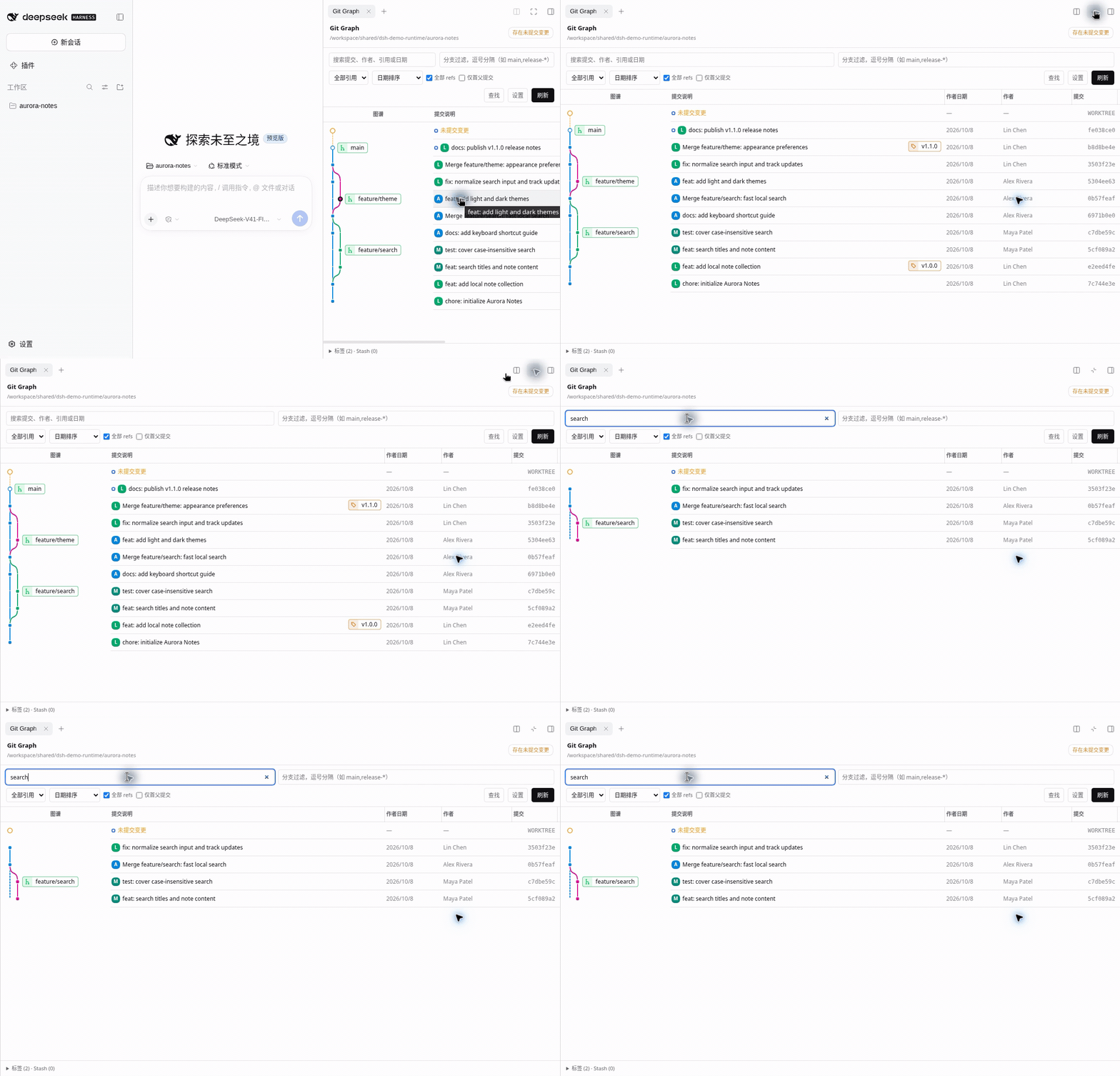
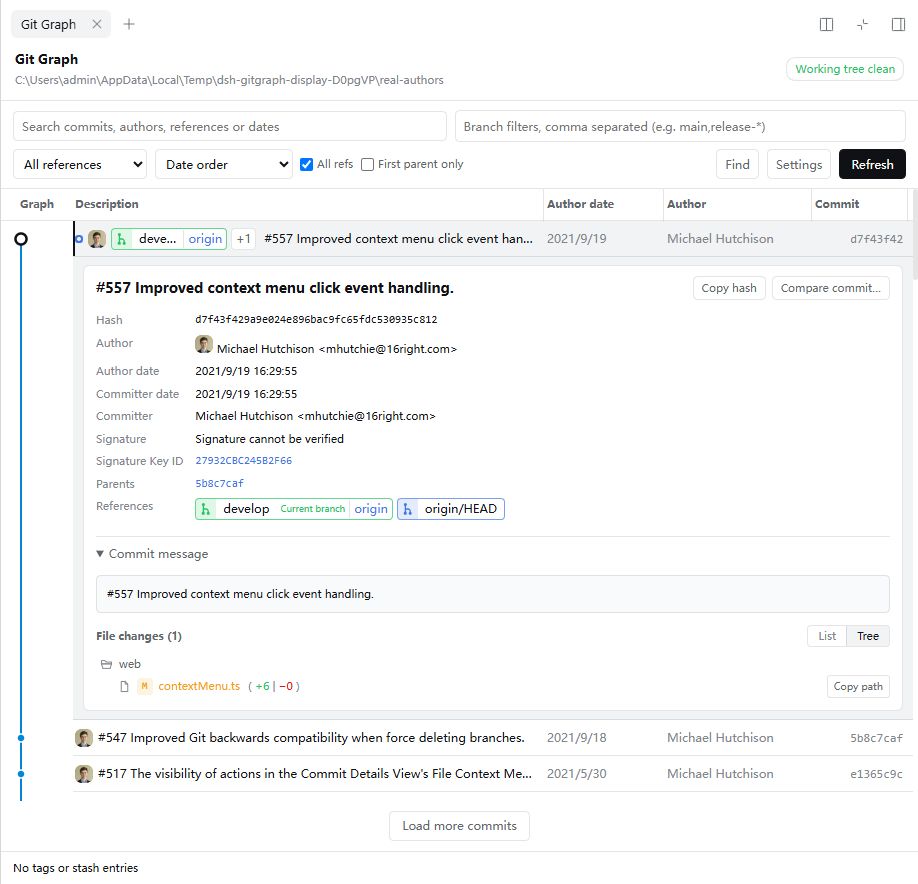
The GIFs were recorded with 0.4.0; the comparison and full-source screenshots below are from 0.5.0. They show earlier versions. The new branch navigation, dropdown controls, and dynamic graph alignment in 0.6.0 were checked in real DSH; see the fix and validation record.
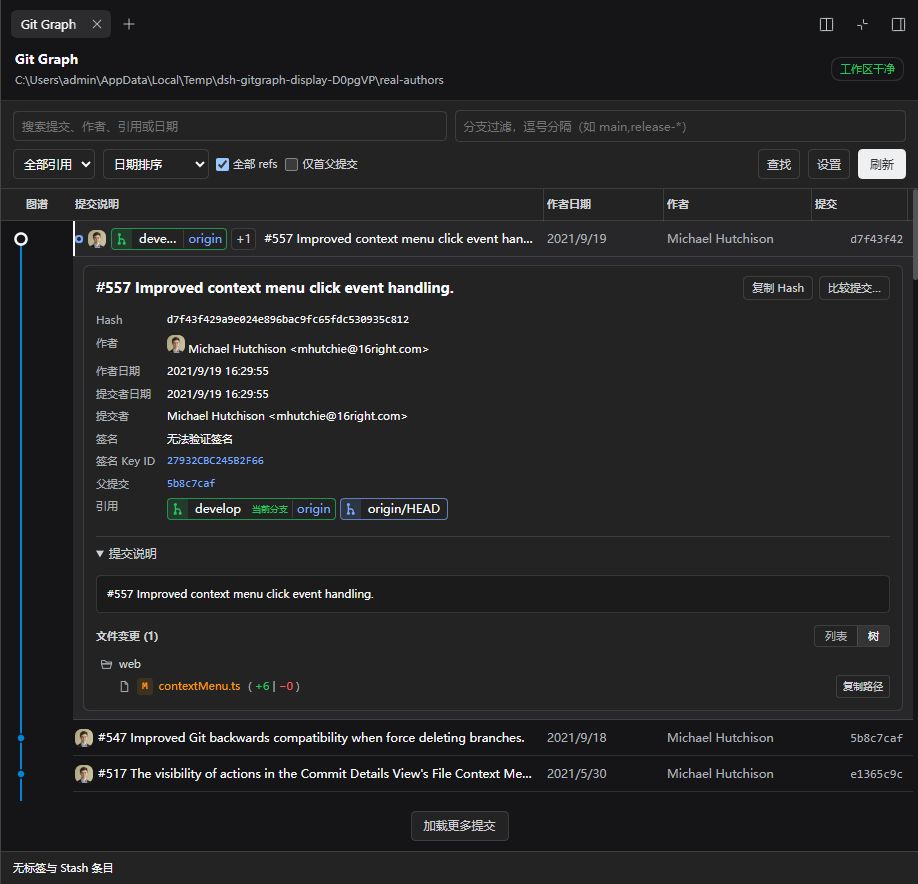
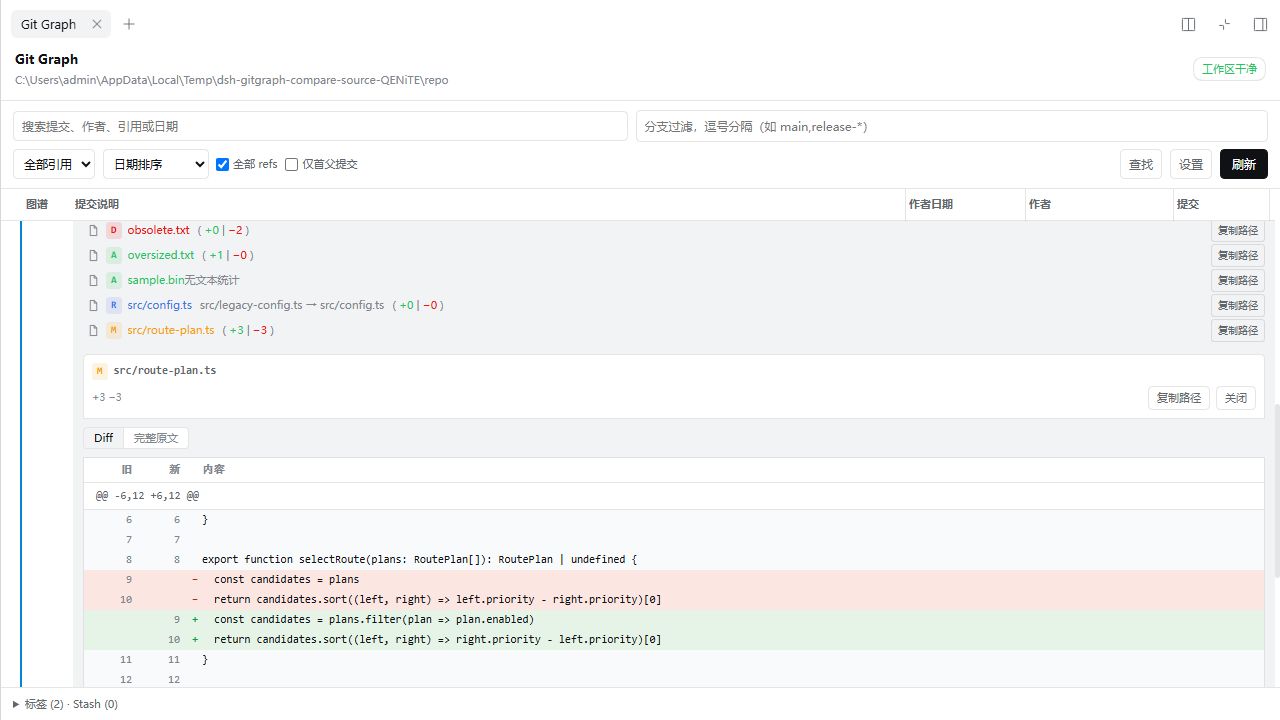
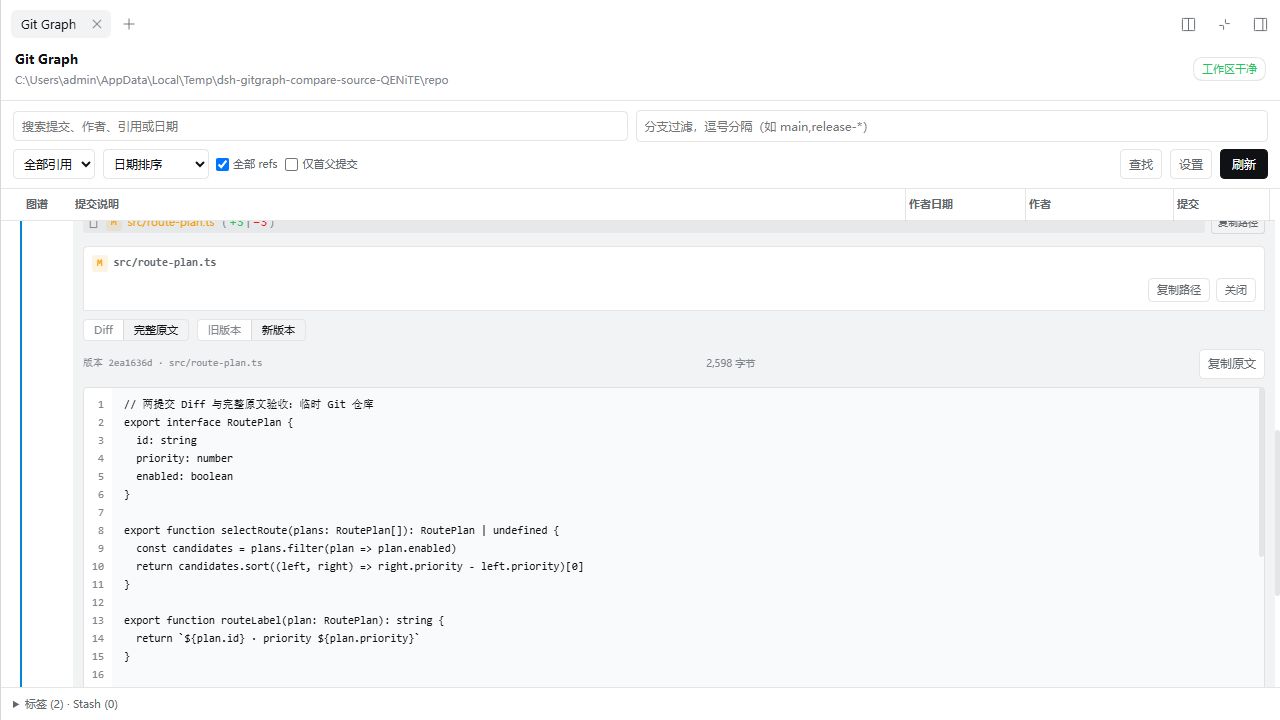
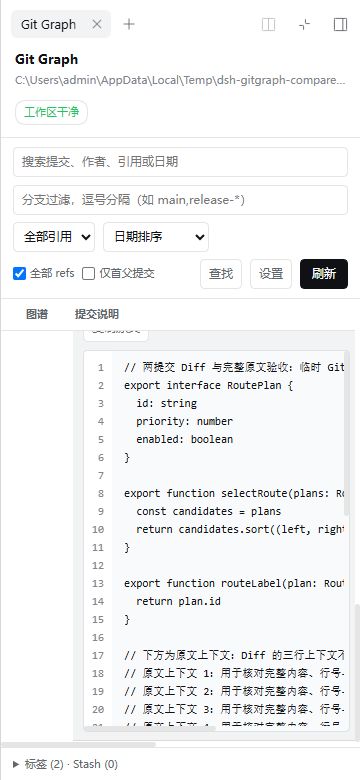
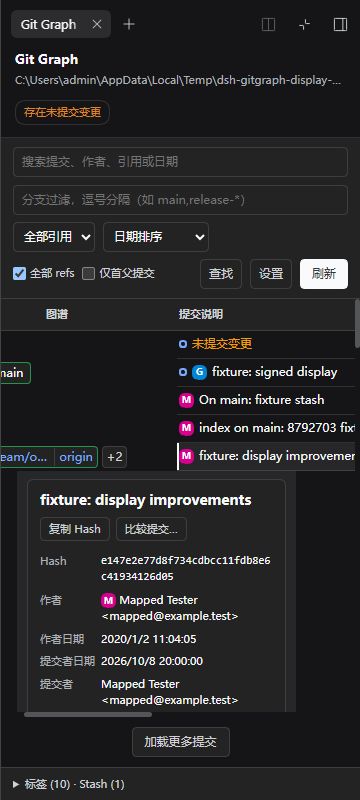
third_party/MinerU if it already has a local worktree, even when the main repository has no .gitmodules.See the 0.6.0 release notes for fixes and upgrade details.
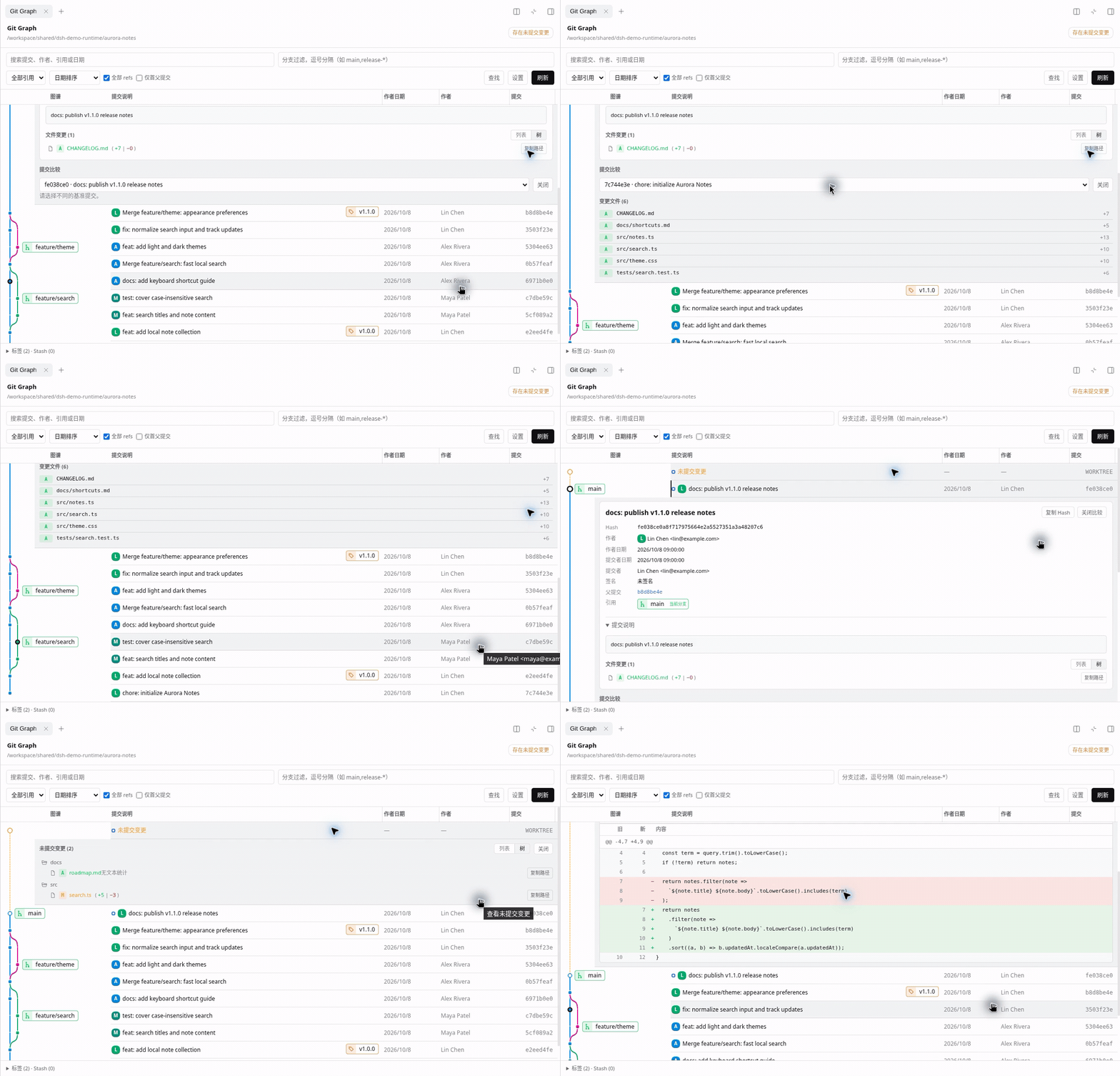
Commit details and file diffs
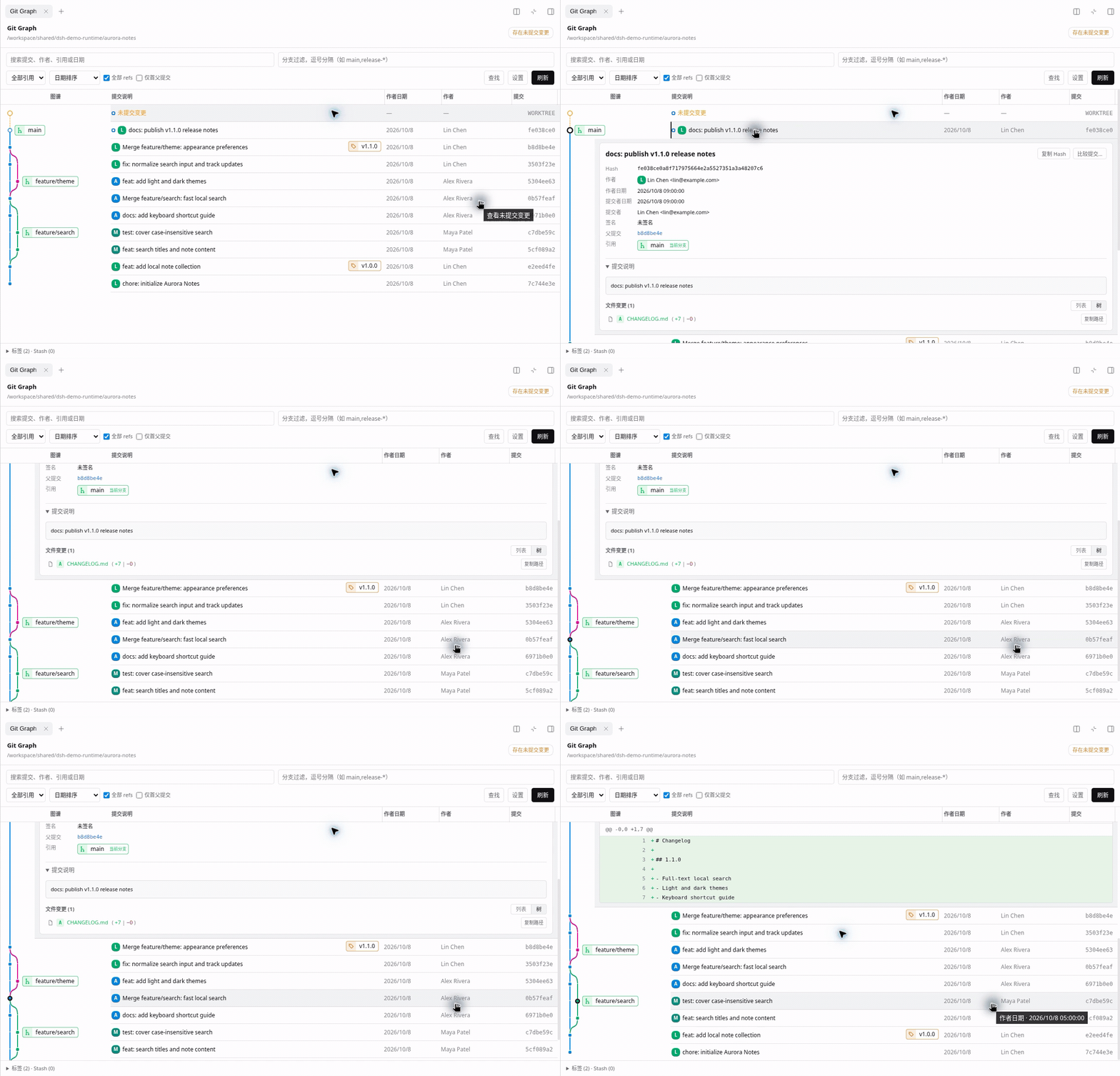
Commit comparison and uncommitted changes
Requires DSH 0.2.2-rc.1, Node.js 24.9+, the dsh CLI, pnpm for plugin installation, and Git installed on the DSH Host.
Install the latest prebuilt Release package through DSH's plugin page, the CLI, or Awesome DSH Plugin. The catalog lists WhitePlusMS/dsh-git-graph; use the Release archive URL below if its CLI menu offers a GitHub source install. For a fixed version, use the versioned asset on the v0.7.1 release page.
In DSH, open Plugins → Add plugin, paste this URL, install it, and choose Enable now:
https://github.com/WhitePlusMS/dsh-git-graph/releases/latest/download/dsh-git-graph.tgzOr install from the terminal:
dsh plugin --profile web add https://github.com/WhitePlusMS/dsh-git-graph/releases/latest/download/dsh-git-graph.tgzThe archive includes the built lib/ entry points. You do not need to clone this repository, build it locally, or keep a development folder at a fixed path.
The same archive URL works in the plugin page and the CLI. It tracks the latest Release and contains the files DSH needs to load the plugin.
Name note. The npm package named
dsh-git-graphis a different, unrelated plugin (authorenoughpower, version 0.1.x, with staging and commit features). This project is installed from the Release archive above;dsh-git-graphis used here only as the DSH bundle row id and the package name inside this repository.
Check the installed version:
dsh plugin --profile web list dsh-git-graphStart DSH Web with dsh web. If you already have an older version, use the versioned URL to upgrade, then restart the same DSH instance.
dsh plugin --profile web add https://github.com/WhitePlusMS/dsh-git-graph/releases/download/v0.7.1/dsh-git-graph-0.7.1.tgzUse the same profile name for installation, startup, and removal.
For a custom profile, local .tgz installation, or source builds, see the development guide.
Use Settings to adjust the display. Settings are saved separately for each repository.
Real avatars are enabled by default and access external avatar services: GitHub repositories search public commits by author email; other repositories ask their own Git service first (Gitea/Gogs /avatar endpoint) and then Gravatar; GitHub noreply addresses resolve directly. You can disable them in Settings; missing images or failed requests retain initials.
dsh plugin --profile web remove dsh-git-graphUse the profile you installed into, and restart it after removal.
| Control | Action |
|---|---|
Ctrl/Cmd+F |
Find within loaded results |
Ctrl/Cmd+Shift+F |
Toggle display settings |
Esc |
Close the repository, branch, filter, or settings dropdown first, then Find |
↑ / ↓ |
Select a commit when Find is closed and cleared |
H |
Locate HEAD, or show an out-of-range hint |
Enter / Space on a row or node |
Select that commit |
Drag a column divider / ← / → |
Resize a column; arrow keys work when the divider is focused |
| Double-click a divider | Restore its default width |
Shortcuts apply while focus is inside Git Graph. Normal navigation keys do not intercept typing in inputs or scrolling in a file viewer.
How do I view commits and file diffs in DeepSeek Harness Web?
Install the plugin for DSH 0.2.2-rc.1, then open dsh-git-graph from the native right sidebar. See Usage for two-commit comparisons and full historical source.
Why does DSH report cannot resolve profile bundle "dsh-git-graph"?
A previous local-directory installation may still link to a folder that was moved or deleted. Reinstall the Release package in the same profile; removing it first also lets DSH register the bundle again if the old installation was no longer enabled:
dsh plugin --profile web remove dsh-git-graph
dsh plugin --profile web add https://github.com/WhitePlusMS/dsh-git-graph/releases/latest/download/dsh-git-graph.tgz
Restart that DSH Web instance afterward. Running dsh plugin --profile web install alone reuses the saved package source and cannot repair a link to a missing folder.
Is dsh-git-graph on npm?
No. The npm package with this name belongs to a different project by another author. Install this plugin from the Release archive URL shown above; dsh plugin --profile web add dsh-git-graph (a bare package name) would resolve to that other project.
Is this the same as other DSH Git plugins?
No. Plugins such as kp-z/dsh-dev-git-graph, lengmoXXL/dsh-git, EasyTZ/dsh-git, and LeonZ666/dsh-gitworktree-gui are independent projects. This one is a read-only Git Graph for the native right sidebar, installed only from this repository's Releases.
Do I need an API key or a conversation message?
No. Git Graph reads the current workspace's local Git data directly.
Can Git Graph commit, merge, push, pull, or fetch?
No. The plugin is read-only; refreshing the graph does not fetch remote changes or modify the repository.
llms.txt — compact machine-readable summary for AI assistants and indexes
Inspired by vscode-git-graph. Thanks to its authors and contributors.
Licensed under MIT.
CLASSIFICATION EVIDENCE
系统优先读取 GitHub Topics,再与站内分类词典和词根规则比对。当前命中: deepseek-harness。
morluto
Reverse engineer anything with agents, from app behavior down to native binaries.

deepseek-ai
DeepSeek Harness: Everything is a Plugin.

nexu-io
The 1st Collaborative AI Design Agent Workspace. Local-first and open source. Create motion, prototypes, websites, apps, dashboards, presentations, images, and videos with your team and AI agents. Share work, exchange feedback, and iterate together in one workspace.