

模型与 MCP
待识别

rea
morluto
Reverse engineer anything with agents, from app behavior down to native binaries.
PROJECT TOPICS
INSTALL REFERENCE
dsh plugin --profile web add github:Wangmo-bit/DS-link
该命令指向仓库当前默认分支;尚无绑定当前 commit 的完整验证结果。
PROJECT README
Let the sessions you already have in DSH work together.
English · 简体中文

You already have development, product and research sessions. DS-link lets them exchange messages, ask for help and receive explicit replies. You no longer have to carry questions and answers between chat windows, and you do not need to build a separate bot team.
Install:
dsh plugin --profile <your-profile> add @wangmo-bit/ds-link@0.8.21. You can also download the same package from the GitHub release. Installing does not restart the Host or apply the optional bridge.
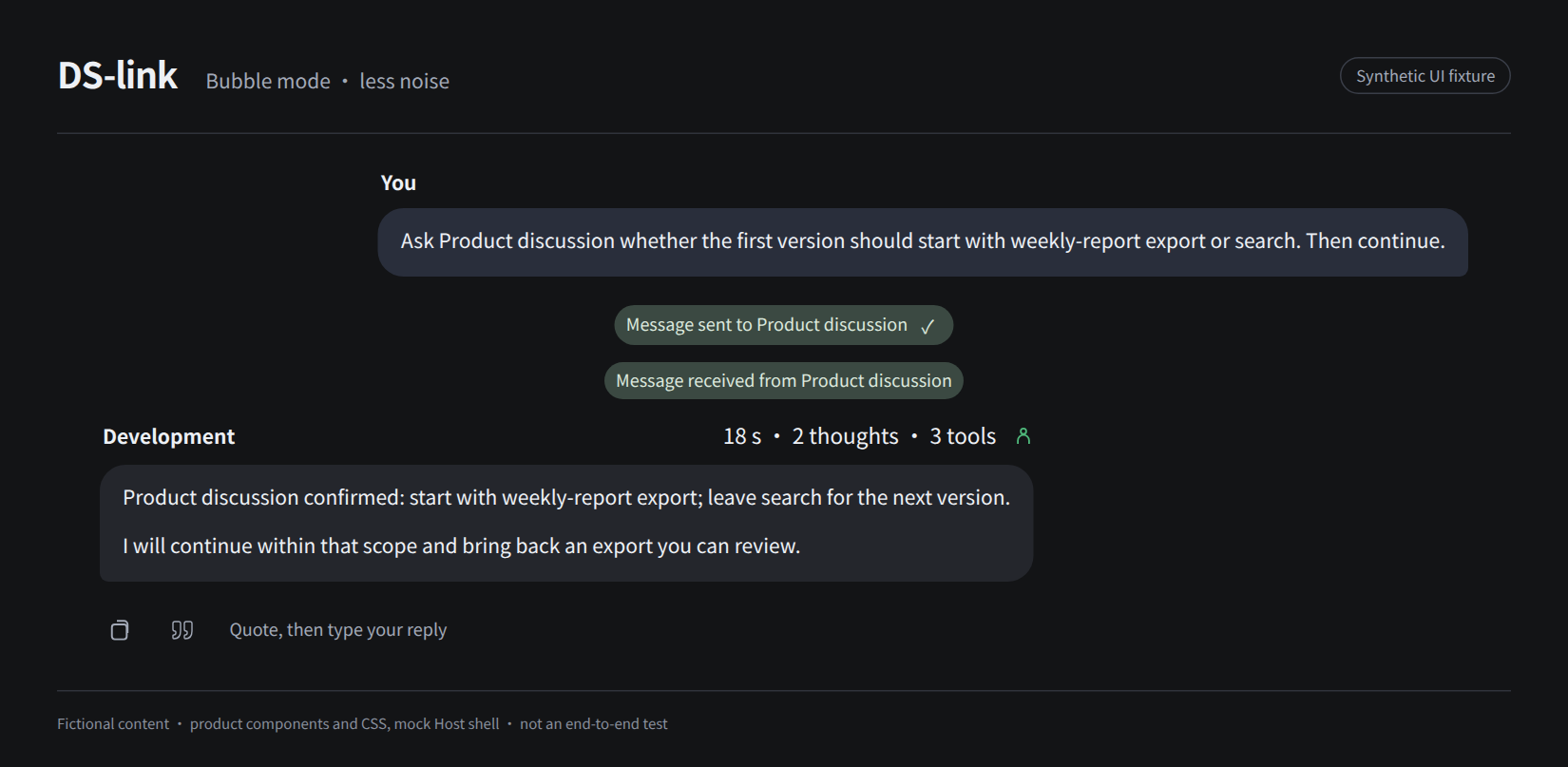
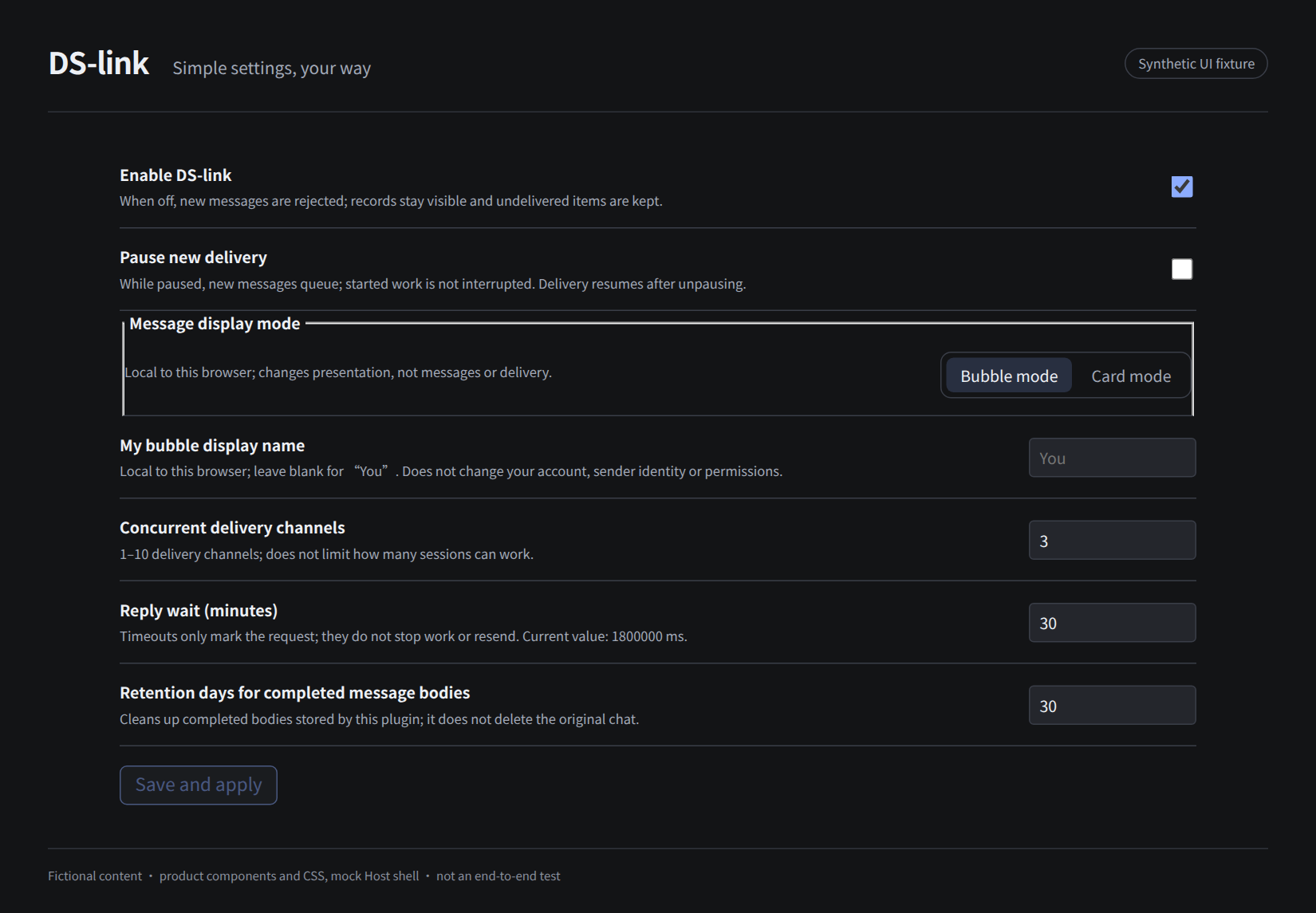
The images use fictional content and a synthetic interface, not real conversations or an end-to-end validation recording.
DS-link connects registered sessions on the same DSH host. Workspaces may differ; computers, team networks and public-network Agents are not connected.
Tell your development session:
Ask Product discussion whether the first version should start with weekly-report export or search. Then continue.
It finds the product session and sends a request. After an explicit reply, you continue in the development session instead of carrying the question and answer between windows yourself.
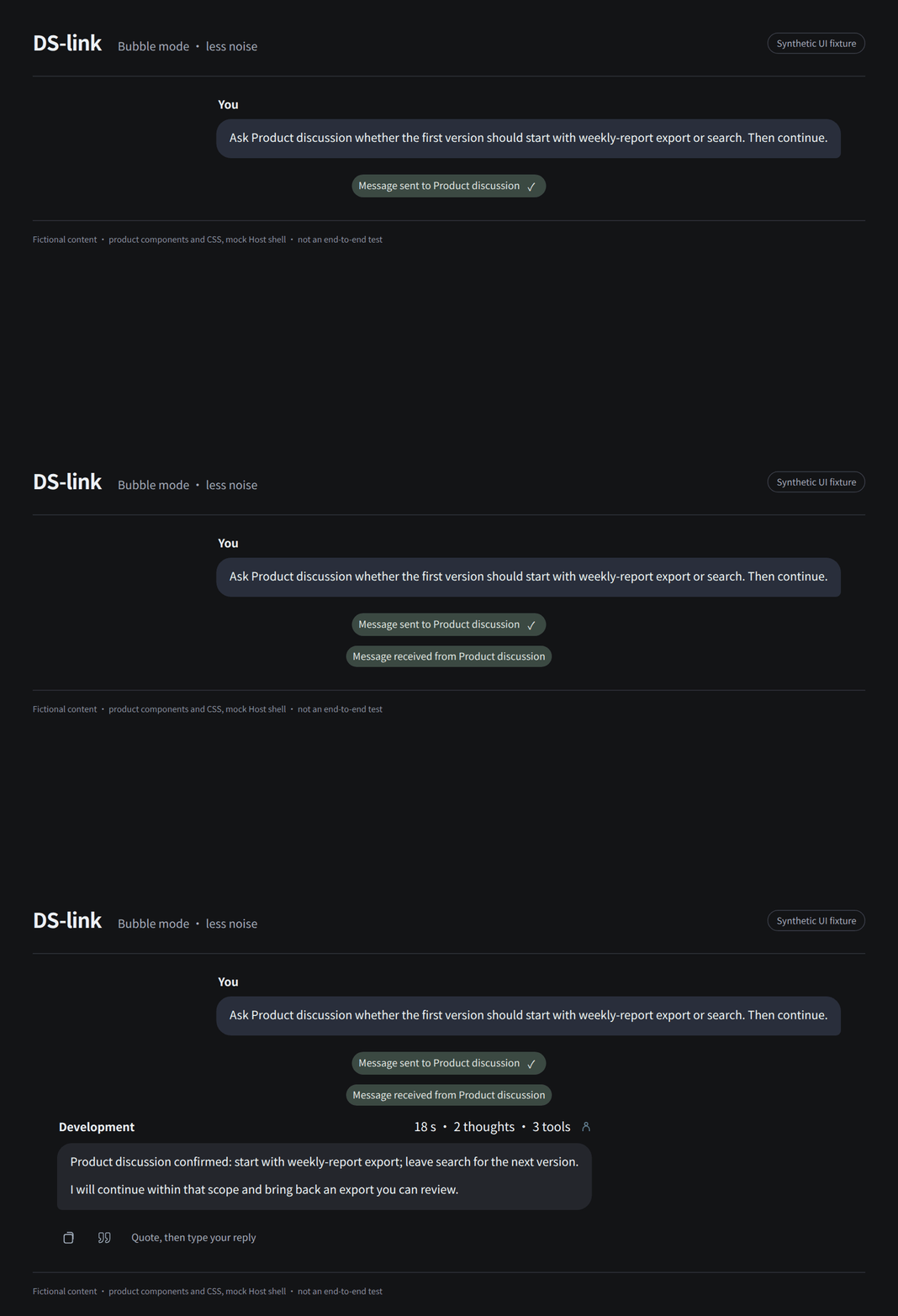
You ask in natural language and the Agent calls tools. The panel holds settings and records, not a manual message-sending form. A model may still misunderstand scope or fail to coordinate; review important results. See first use.
For everyday conversation, delegation and reading results when you do not want to watch every execution step.
For troubleshooting, checking execution, or when you prefer DSH's native presentation.
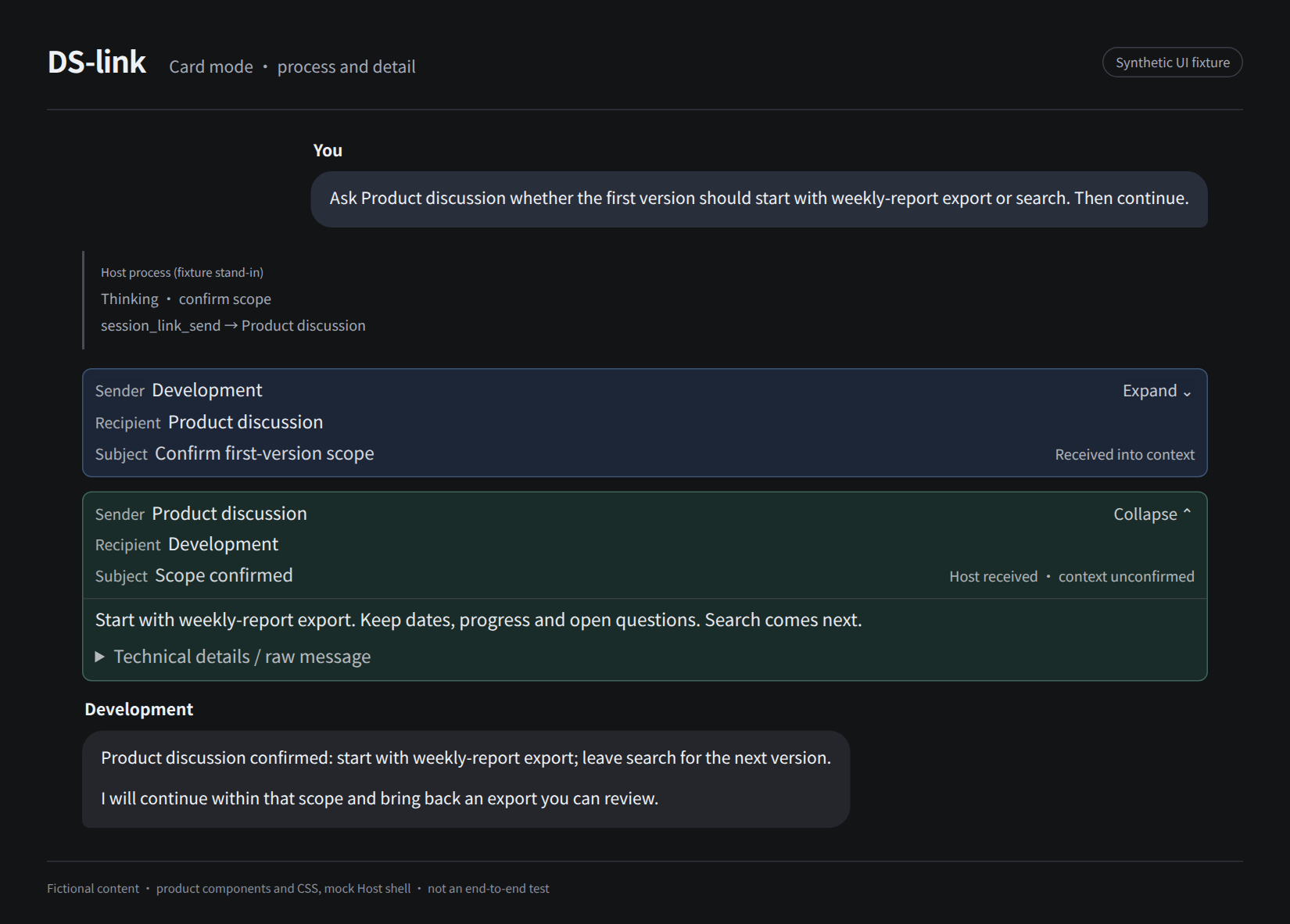
Switching changes presentation, not conversation content, communication ability or permissions. The preference is stored in the current browser and site only. Full bubble flow and Agent hints require a matching Host bridge; installing the plugin alone does not guarantee the full effect. Card mode does not need the bridge. See installation.
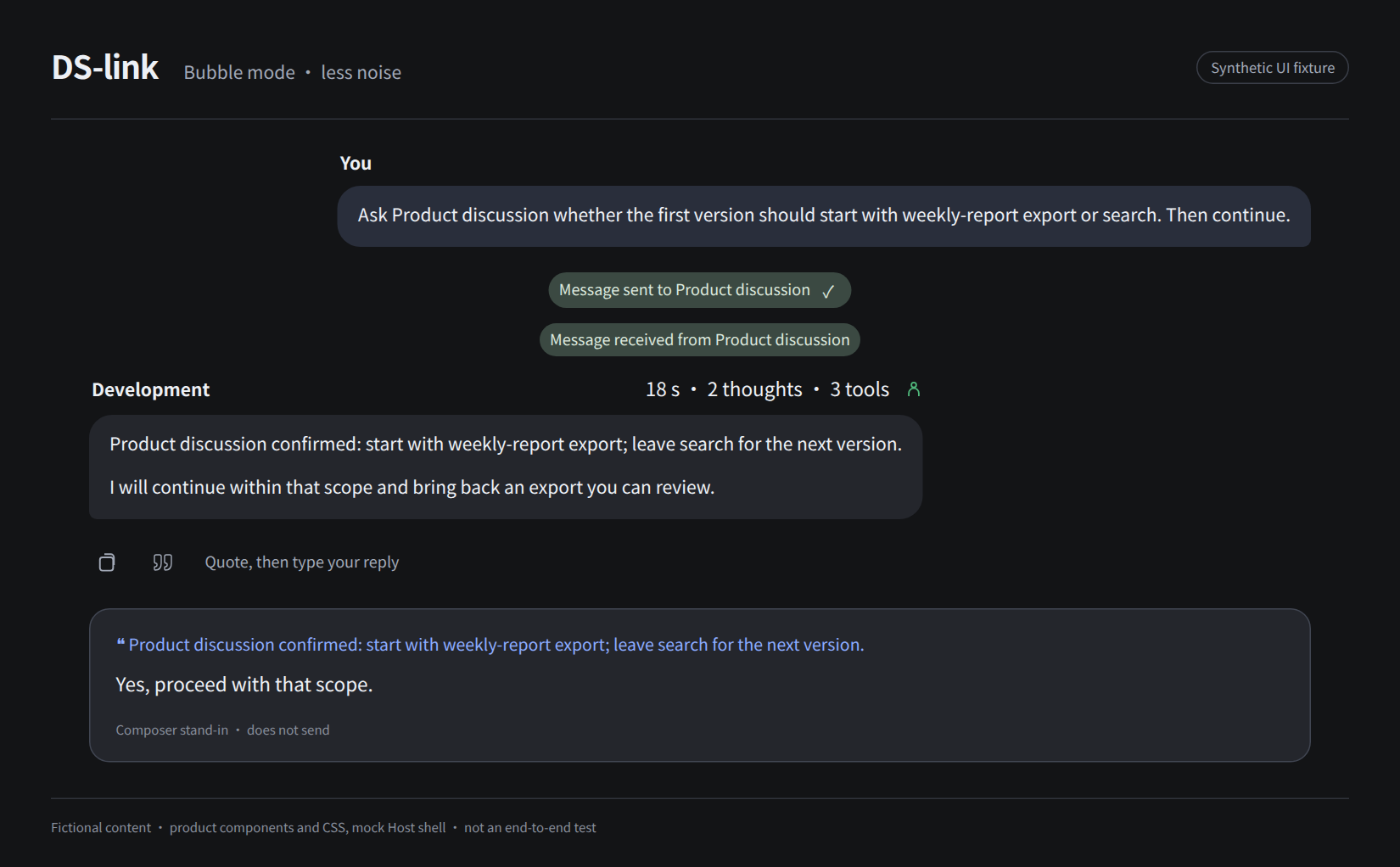
A quote carries text, not a permanent message link or a "reply only to this" hard constraint; it helps the model understand what you refer to, and does not replace your explicit instruction.
Everyday communication has five settings: enable, pause new delivery, delivery channels, reply wait time, completed-body retention days. Start with the defaults and change them when needed.
Display mode and "my bubble display name" are separate browser-local preferences; the name does not become sender identity or permission. See settings.
Requires Node.js 24, DSH and pnpm; verified environments are primarily Linux Web. For the first install, use an isolated profile and back up the target profile's package.json, pnpm-lock.yaml and cordis.patch.yml.
dsh plugin --profile <your-profile> add @wangmo-bit/ds-link@0.8.21You can also download the .tgz from the GitHub release, or build from source:
git clone https://github.com/Wangmo-bit/DS-link.git
cd DS-link
npm ci
npm run build
mkdir -p output
npm pack --pack-destination ./output
dsh plugin --profile <your-profile> add /absolute/path/to/wangmo-bit-ds-link-VERSION.tgz
Installing the plugin and modifying the Host are separate actions. These commands do not apply the bridge or restart anything. The package is @wangmo-bit/ds-link; existing session_link_* tools and data identifiers remain compatible. See installation and migration.
See the security model (in Chinese); report vulnerabilities privately through security reporting.
| I want to… | Go to |
|---|---|
| Start using / adjust settings | Quickstart · Settings |
| Install / troubleshoot / understand limits | Installation · Known issues |
| Understand design choices | Philosophy · Architecture (in Chinese) |
| Report a problem / contribute | Issues · Contributing · Testing |
Concrete scenarios and problem reports are welcome; you never need to provide private conversations or full configuration files.
Project-owned code uses MIT. Third-party material, dependencies and Host-bridge licensing are documented in notices; demonstration assets in asset notes. This is an independent community plugin, not an official DeepSeek product, and it is not endorsed by DeepSeek. Your providers bill model usage; check important actions and results yourself.
CLASSIFICATION EVIDENCE
系统优先读取 GitHub Topics,再与站内分类词典和词根规则比对。当前命中: deepseek-harness。
morluto
Reverse engineer anything with agents, from app behavior down to native binaries.

deepseek-ai
DeepSeek Harness: Everything is a Plugin.

nexu-io
The 1st Collaborative AI Design Agent Workspace. Local-first and open source. Create motion, prototypes, websites, apps, dashboards, presentations, images, and videos with your team and AI agents. Share work, exchange feedback, and iterate together in one workspace.