

其他
完整应用

deepseek-harness
deepseek-ai
DeepSeek Harness: Everything is a Plugin.
PROJECT TOPICS
INSTALL REFERENCE
dsh plugin --profile web add github:WLV-ZEDD/dsh-chatgpt-web
该命令指向仓库当前默认分支;尚无绑定当前 commit 的完整验证结果。
PROJECT README




Zero-cost conversational AI model provider for DeepSeek Harness powered by free ChatGPT Web (GPT 5.6 Luna).

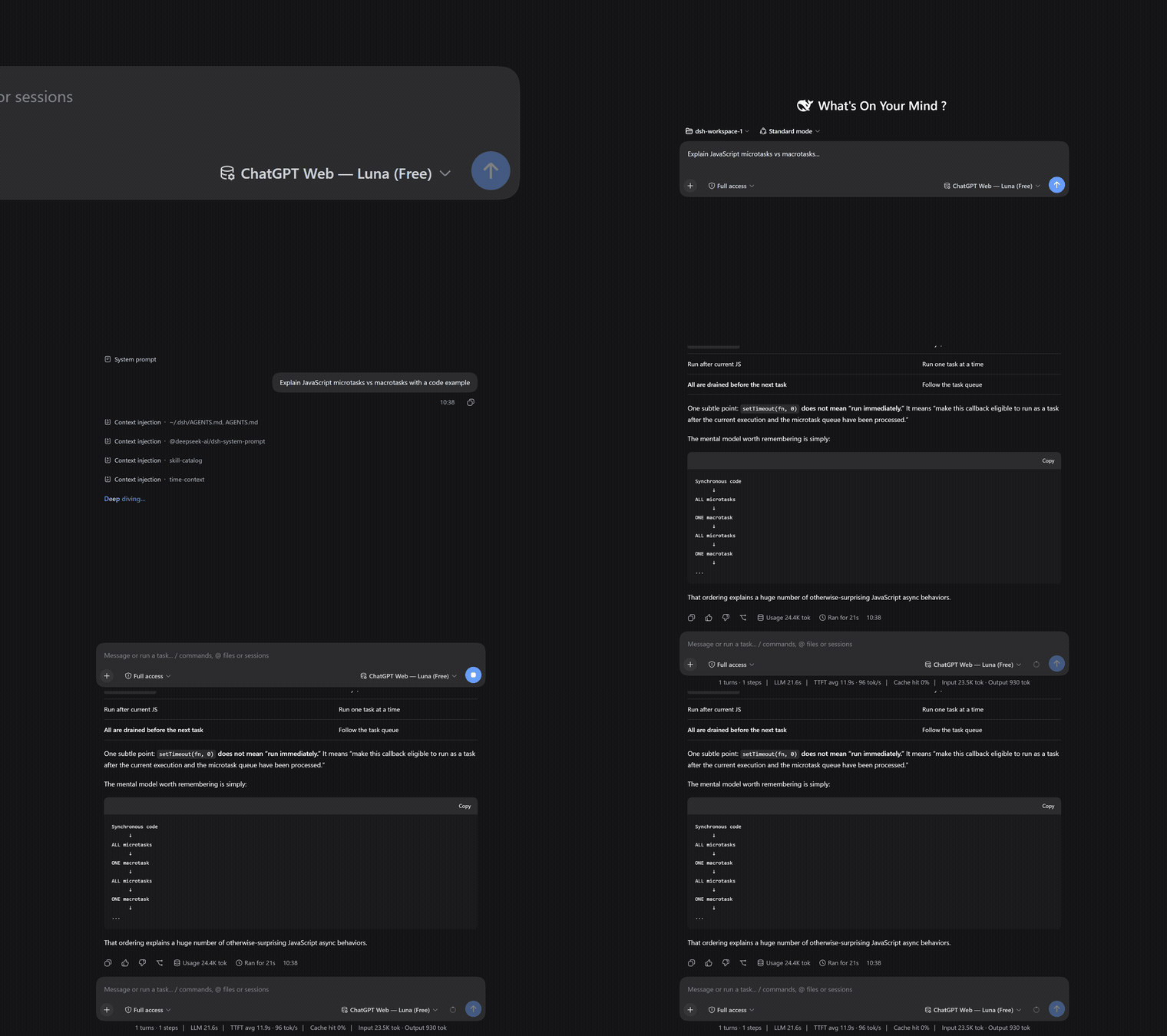
dsh-chatgpt-web turns your local browser session of ChatGPT into a seamless, $0.00 API-free conversational model provider directly inside DeepSeek Harness (DSH).
It connects via headless or visible Chrome browser automation to chatgpt.com, streaming real-time Markdown responses, code solutions, explanations, and reasoning back to your DSH chats without consuming API credits.
Small conversational web models (like GPT 5.6 Luna) excel at explanations, dialogue, Q&A, brainstorming, code snippet generation, and side-assistant tasks. By running in Pure Chat Mode, the bridge eliminates prompt overhead, tool hallucinations, and syntax errors of autonomous multi-tool execution loops, providing a fast, rock-solid, zero-cost LLM provider.
ctx.effect. DeepSeek Harness starts the background sidecar automatically on launch and shuts it down on exit.chatgpt-web/luna (gpt-5-6-luna).gpt-4o, o1).Install @wlv-zedd/dsh-chatgpt-web in your DeepSeek Harness environment or profile:
pnpm add @wlv-zedd/dsh-chatgpt-webAuthenticate your ChatGPT account once:
npx @wlv-zedd/dsh-chatgpt-web loginA dedicated Chrome window will open. Log into your OpenAI / ChatGPT account. Once the ChatGPT composer is visible, the browser session is safely and securely saved locally to ~/.dsh/storages/chatgpt-web/.
Add the provider to your ~/.dsh/settings.yaml:
providers:
  chatgpt-web:
    displayName: "ChatGPT Web (Free)"
    api: openai-responses
    baseURL: http://127.0.0.1:17841/v1
    headers:
      Authorization: "Bearer chatgpt-web-free"
    streamIdleTimeoutMs: 300000
    models:
      - id: chatgpt-web/luna
        name: "ChatGPT Web — Luna (Free)"
        contextWindow: 1050000
        maxTokens: 32768
        input:
          - text
          - image

agent-default-model:
  provider: chatgpt-web
  model: chatgpt-web/luna
And add the sidecar plugin to your profile's cordis.patch.yml (or cordis.yml):
- insert:
    - id: dsh-chatgpt-web
      name: '@wlv-zedd/dsh-chatgpt-web'
Now start DeepSeek Harness:
pnpm dsh webDSH will automatically start the background sidecar process, connect to your authenticated ChatGPT session, and accept prompts!
Verify your setup at any time with the built-in diagnostic doctor:
npx @wlv-zedd/dsh-chatgpt-web doctorExample healthy output:
✓ Configuration is valid (~/.dsh/storages/chatgpt-web/config.json)
✓ Chrome executable found: C:\Program Files\Google\Chrome\Application\chrome.exe
✓ ChatGPT login state has authenticated browser evidence
✓ Responses proxy is healthy on 127.0.0.1:17841
Doctor result: readychatgpt.com. Not affiliated with or endorsed by OpenAI.


MIT License © 2026 WLV-ZEDD. DeepSeek Harness is an open-source project by DeepSeek AI.
CLASSIFICATION EVIDENCE
系统优先读取 GitHub Topics,再与站内分类词典和词根规则比对。当前命中: 无有效分类标签。
deepseek-ai
DeepSeek Harness: Everything is a Plugin.

anywhere-labs
为 DeepSeek Harness (DSH) 插件生态打造的现代化桌面端解决方案。万物皆「插件」,桌面本身也是「插件」。

awesome-dsh-plugin
A curated list of plugins for DeepSeek Harness (dsh) · DeepSeek Harness 插件精选列表