
模型与 MCP
待识别

rea
morluto
Reverse engineer anything with agents, from app behavior down to native binaries.
PROJECT TOPICS
PROJECT README
English | 简体中文
Use plugins from ecosystems such as Claude Code and Codex in DeepSeek Harness (DSH), and manage plugins, skills, and MCP in one place.
Universal Plugin Hub expands the plugin sources available to DSH. Browse the built-in official Claude catalog and install Claude Code and Codex plugins. You can also add GitHub repositories yourself as plugin sources, or add a GitHub plugin marketplace that follows the Claude or Codex marketplace specification and install plugins from it. It also automatically scans your local skills directory, lets you enable or disable individual skills, and manages MCP servers, connection settings, and tool switches in the same interface.
After installation, the Hub recognizes a plugin's Skills, Commands, Agents, MCP, Hooks, and LSP configuration and converts or registers those capabilities with DSH. Skills and commands become available from the composer's / menu, subagents use DSH's delegation tool, and bundled MCP, Hooks, and LSP are managed with the plugin.
| Plugin capability | How you use it in DSH |
|---|---|
| Skills | Synced to DSH's native skills directory and available from the composer's / menu, with scripts and resources in the skill directory preserved. |
| Commands | Markdown commands from Claude Code plugins are converted into DSH skills so you can use their workflows. |
| Agents | Subagent definitions become callable skills, with a delegation entry point that uses DSH's native subagent tool. |
| MCP | Connect plugin-declared MCP servers, configure service addresses, authentication, headers, and environment variables, then inspect tools and control which ones are enabled. |
| Hooks | Plugin hook configuration files are registered with DSH's hooks bridge and follow the plugin's enabled state. |
| LSP | Plugin-declared language servers are registered with DSH when their executables are available; missing executables are reported. |
@ Plugin mentions |
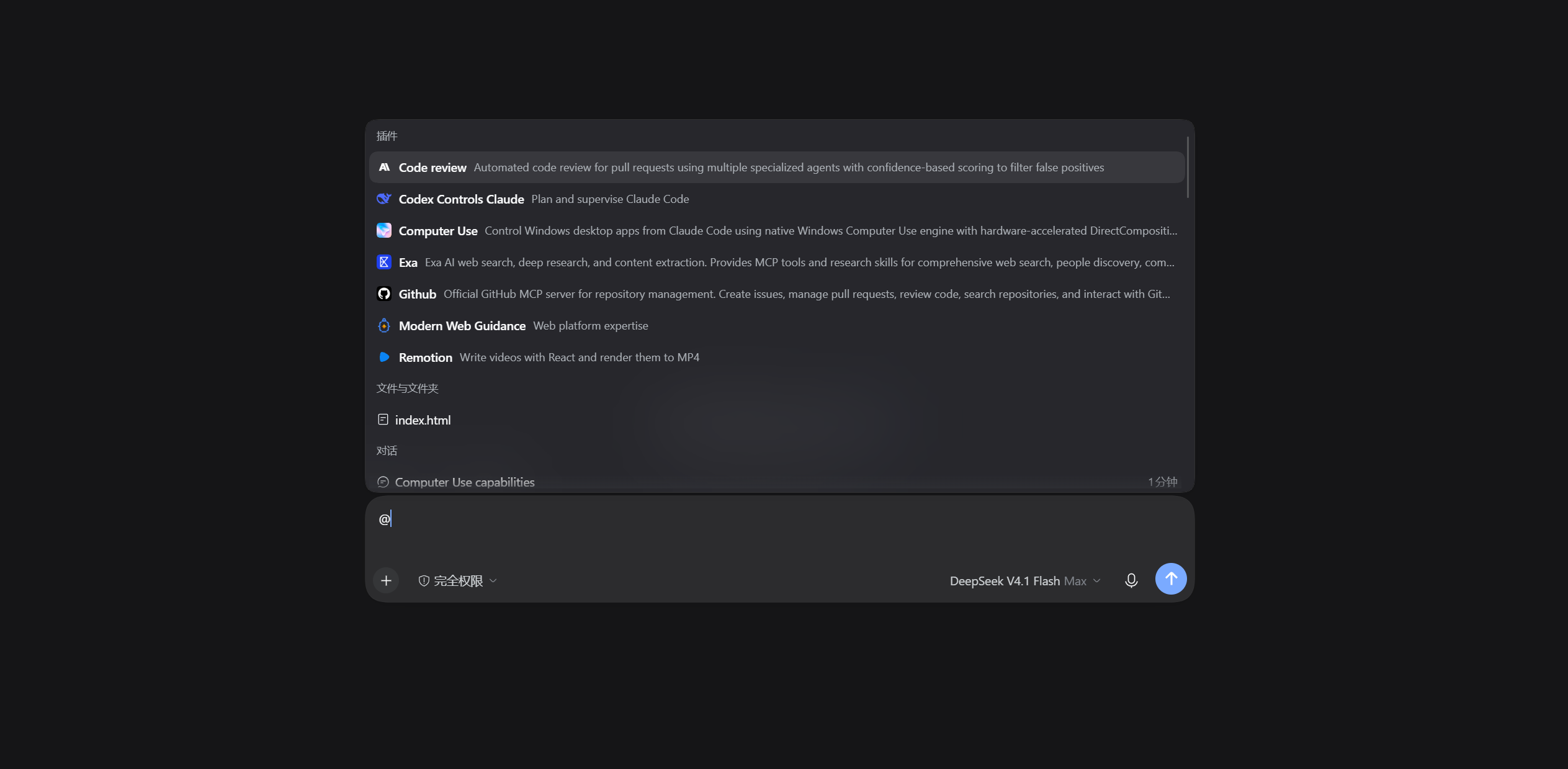
Type @ in the DSH composer to pick enabled plugins. The turn prioritizes those plugins and selects only the skills, commands, subagents, and enabled MCP tools your task needs instead of loading every capability at once. |
anthropics/claude-plugins-official), then add Claude or Codex marketplaces and Git repositories containing standalone plugins. Catalogs and icons are cached for reuse on return visits.SKILL.md files, or import from local directories and Git URLs. Uploaded skills go straight to the Skills tab; if a skill of that name is already present, the dialog offers to overwrite or cancel. Plugin-declared MCP connectors are brought in with their plugins.~/.agents/skills under your home directory (~\.agents\skills on Windows) and show the skills in the Skills tab without importing them individually./ menu and prevents model invocation. Enabling it again restores its original invocation settings, with its files kept in place.@ in chat: Type @ in the DSH composer to search and insert one or more enabled plugins. DSH routes the turn to those plugins on demand, so you do not have to remember individual command names.Plugin cards show descriptions and installation states, with source tabs, search, filters, and sorting. The interface follows DSH's light and dark themes. Hover previews let you scroll descriptions and select or copy text, while expanded MCP tools appear as compact status pills.
Official plugin catalog: Browse official Claude plugins, search and preview descriptions, and install with one click.
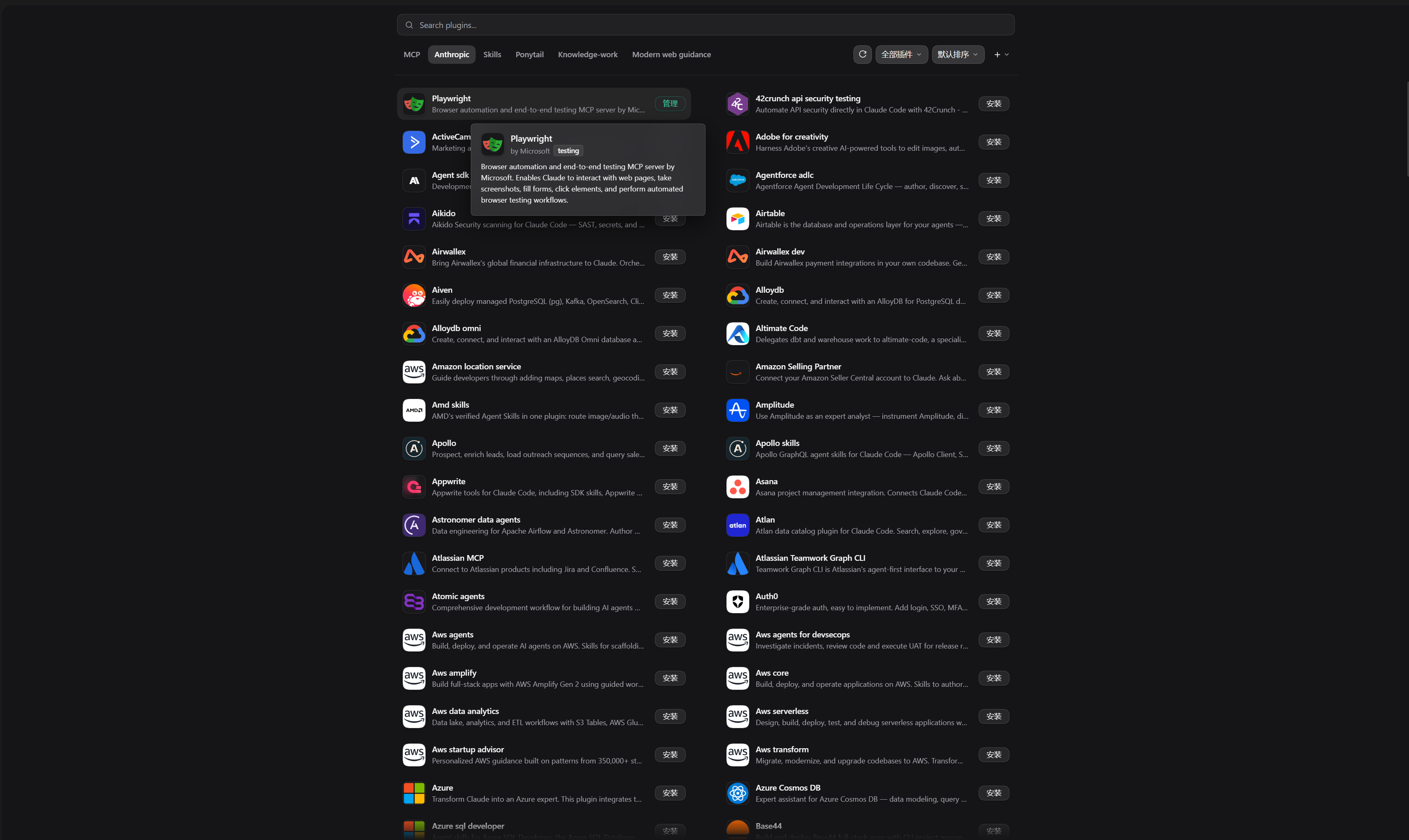
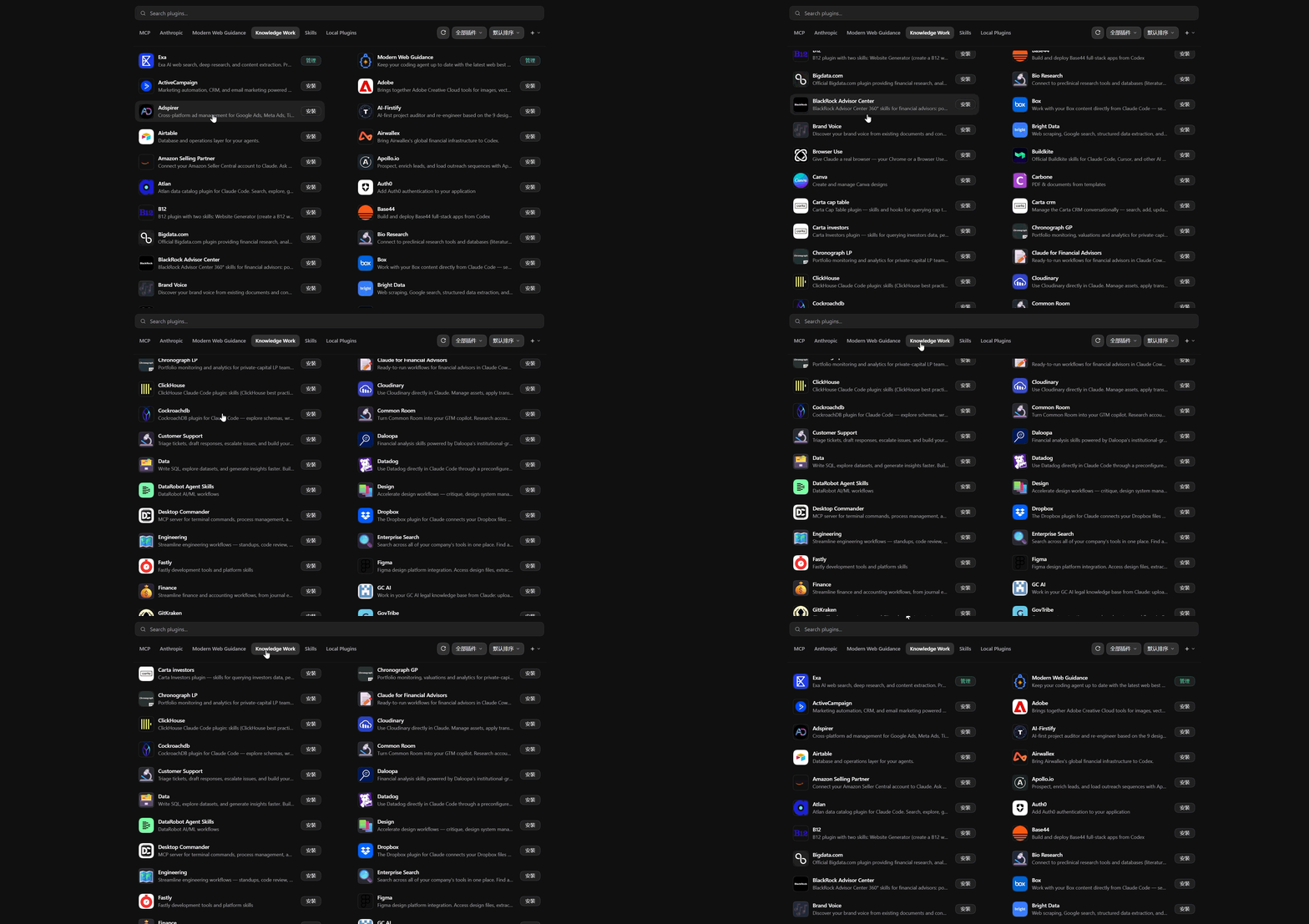
Scroll back to top: After scrolling down a plugin list, click the active source tab again to return to the top.
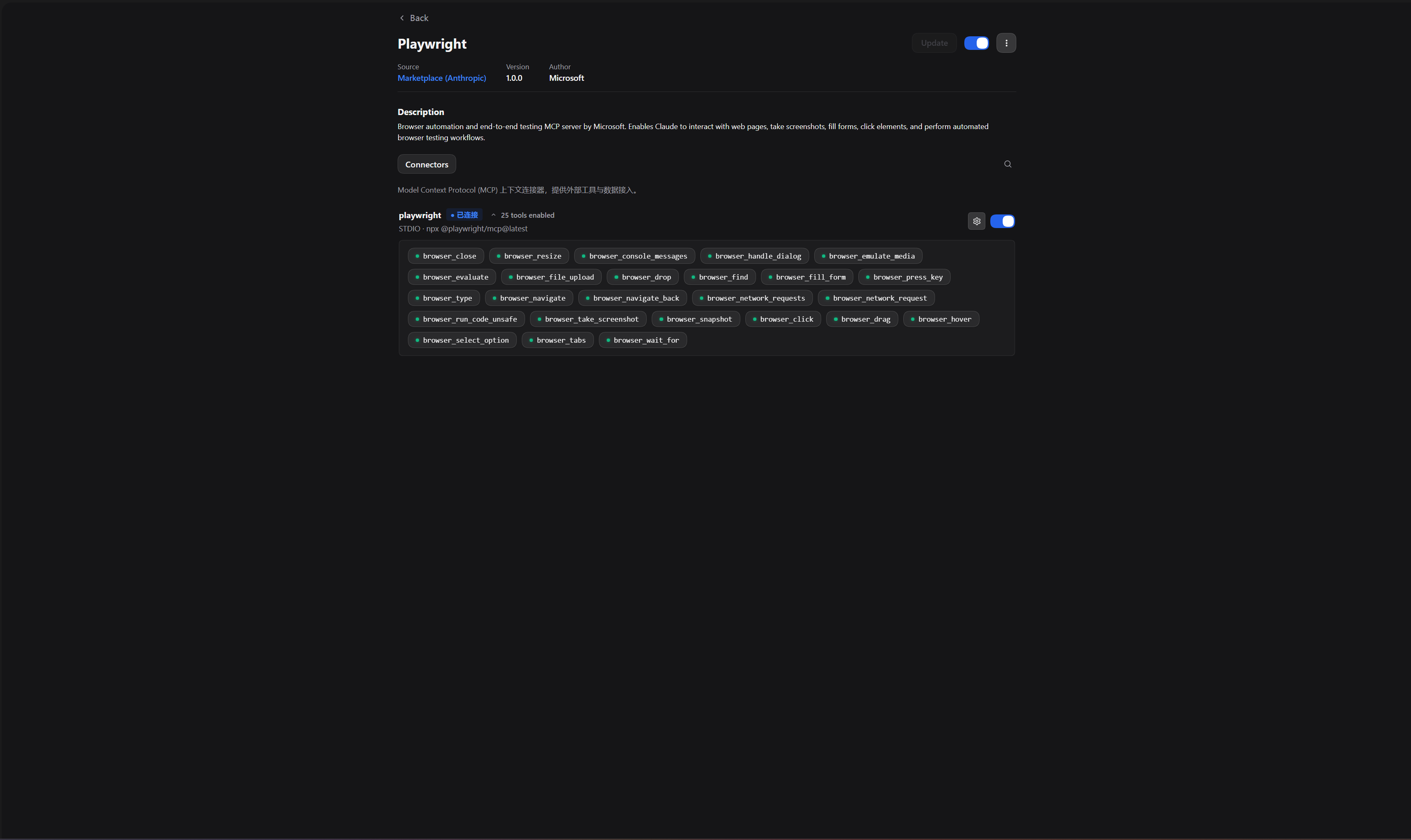
Plugin details: Review a plugin's source, version, and capabilities, and manage the plugin and its MCP connectors.
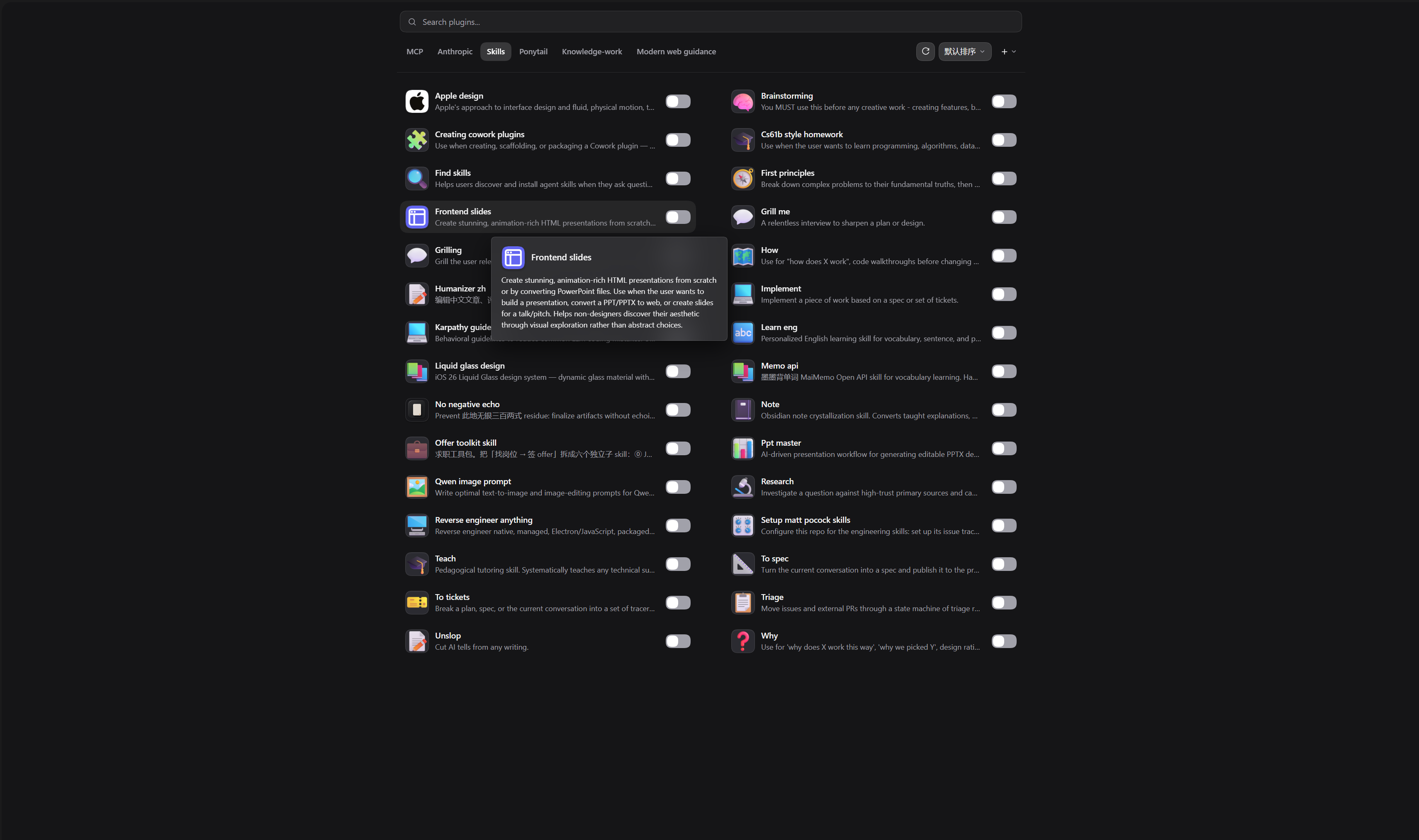
Local skills: Automatically discover skills in ~/.agents/skills, read their instructions, and enable or disable them individually.
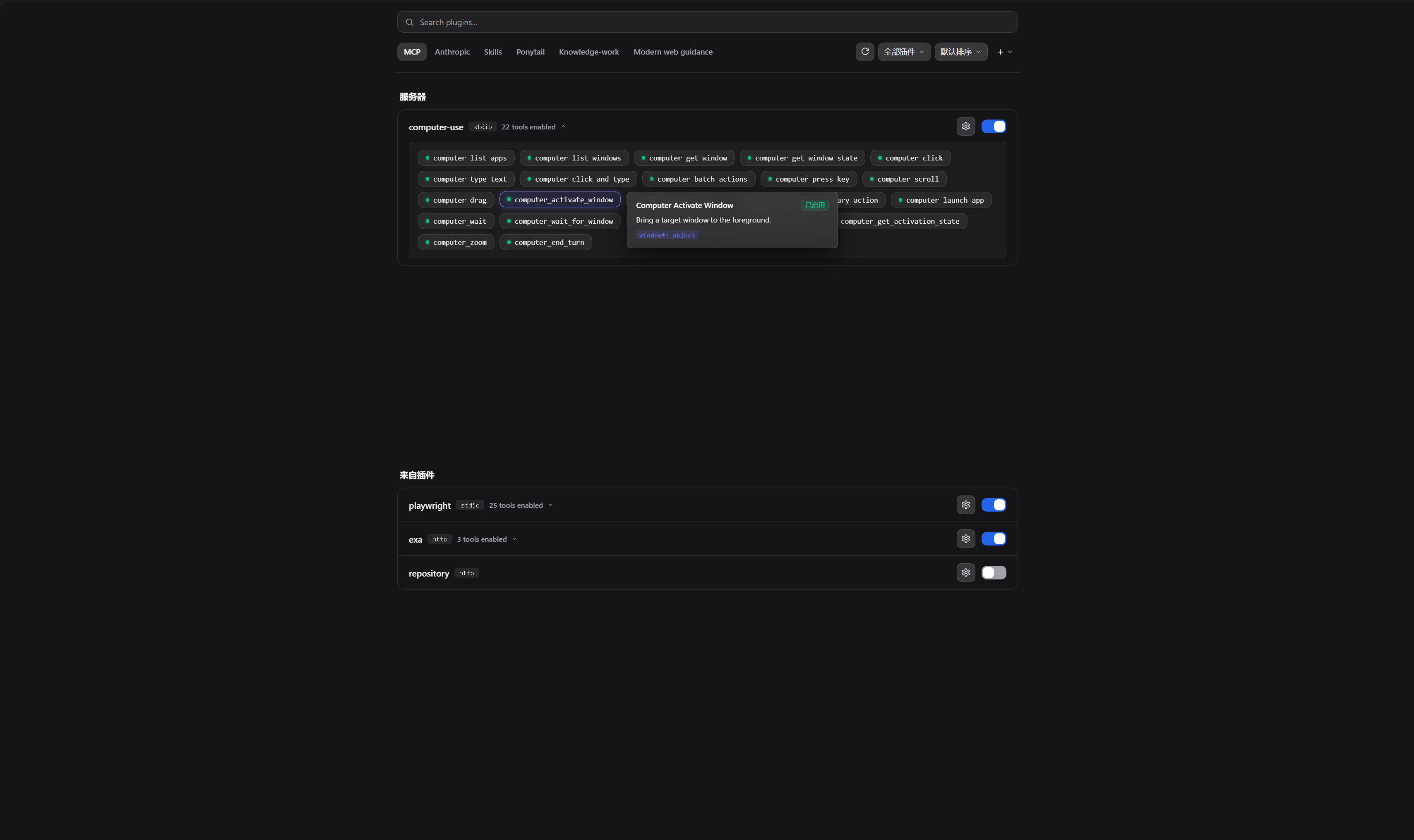
MCP management: View your own servers alongside plugin connectors, inspect tool descriptions, and control servers and individual tools.
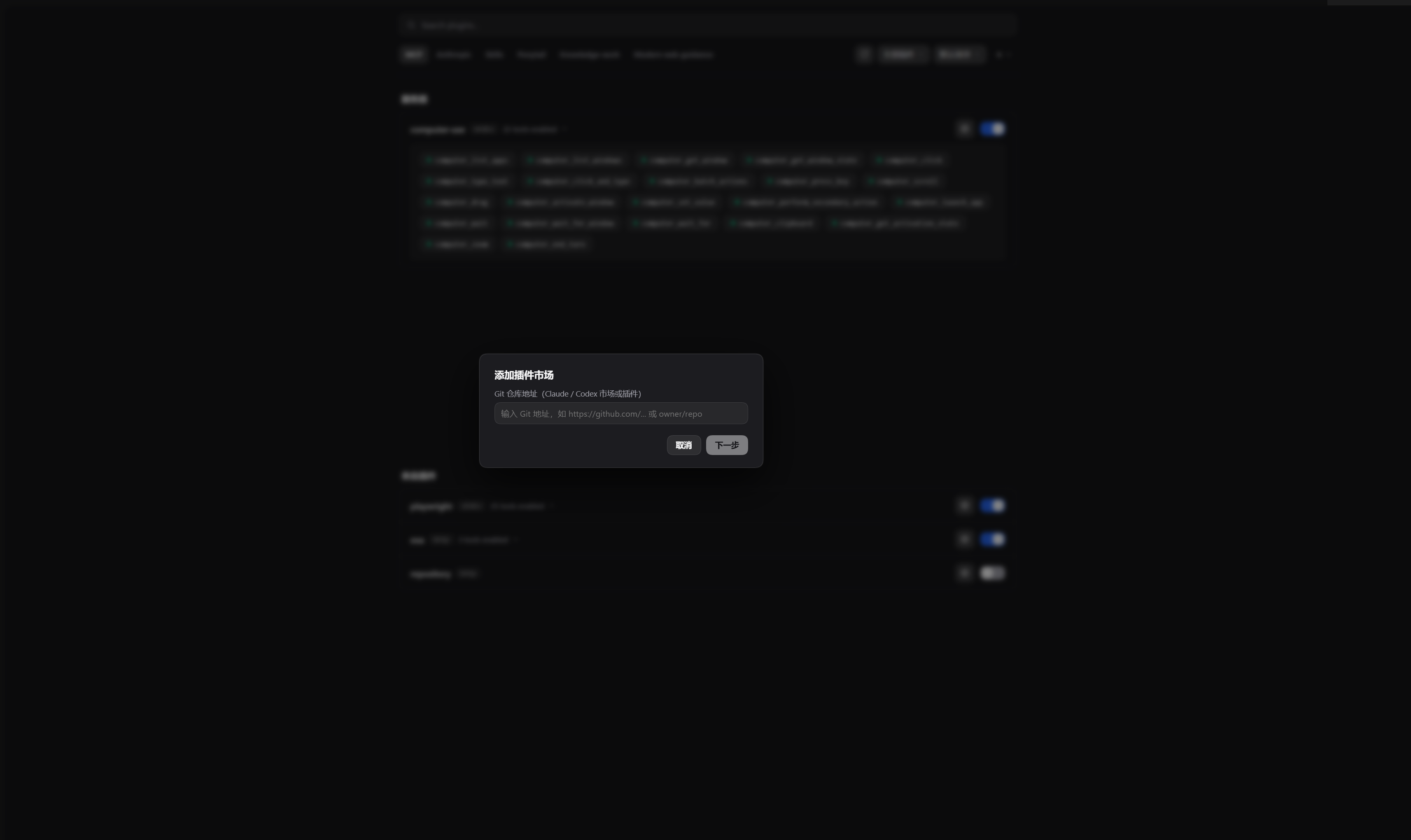
Add plugin sources: Add your own Git repositories to import Claude or Codex marketplaces and plugins.
@ plugin selector: Type @ in the DSH composer to select enabled plugins and route to their capabilities.
Supports DeepSeek Harness Desktop and the CLI web profile.
Open DeepSeek Harness.
Go to Settings -> Plugins.
Click Add plugin and enter the package name:
universal-plugin-hubYou can also enter the repository URL:
https://github.com/Ultmebius/universal-plugin-hub.gitClick install.
Run this in your terminal:
dsh plugin add universal-plugin-hub@: Type @ in the DSH composer and choose an enabled plugin to route requests automatically.After installing a plugin with Skills or Commands, find its skills in the DSH composer's / menu, or mention enabled plugins with @ in chat. For a plugin with MCP connectors, open the From plugins group in the MCP tab to configure connections and inspect tools.
Local skill discovery follows DSH's native scope: it recognizes ~/.agents/skills/<name>/SKILL.md and ~/.agents/skills/<name>.md, without recursively scanning deeper directories. When DSH_AGENTS_HOME is set, it scans the skills directory under that location instead.
| Content | Recognized structure |
|---|---|
| Claude marketplace | .claude-plugin/marketplace.json |
| Codex marketplace | .agents/plugins/marketplace.json |
| Claude plugin | .claude-plugin/plugin.json |
| Codex plugin | .codex-plugin/plugin.json |
| Agent Skills | A SKILL.md file, a skill directory, or a collection of skill directories |
When a plugin or marketplace includes both Claude and Codex descriptors, the Claude format takes precedence.
File uploads accept .zip, .tgz, .tar.gz, and SKILL.md, up to 22 MB per upload. Larger archives can be extracted and imported through a directory path. Import the complete directory or archive for skills with scripts or other resources so relative paths remain usable.
~/.dsh/profiles/desktop/node_modules/universal-plugin-hub~/.agents/skills (configurable through DSH_AGENTS_HOME)~/.dsh/agent-skills/universal-plugin-hub/installed/<plugin-name>~/.dsh/agent-skills/universal-plugin-hub/market/<source-id>~/.dsh/agent-skills/universal-plugin-hub/state.json~/.dsh/profiles/<profile>/cordis.patch.yml~/.dsh is the default data directory. Paths follow DSH_HOME when it is configured.
CLASSIFICATION EVIDENCE
系统优先读取 GitHub Topics,再与站内分类词典和词根规则比对。当前命中: deepseek-harness。
morluto
Reverse engineer anything with agents, from app behavior down to native binaries.

deepseek-ai
DeepSeek Harness: Everything is a Plugin.

nexu-io
The 1st Collaborative AI Design Agent Workspace. Local-first and open source. Create motion, prototypes, websites, apps, dashboards, presentations, images, and videos with your team and AI agents. Share work, exchange feedback, and iterate together in one workspace.