
模型与 MCP
待识别

rea
morluto
Reverse engineer anything with agents, from app behavior down to native binaries.
PROJECT TOPICS
INSTALL REFERENCE
dsh plugin --profile web add github:ToBeWin/DSH-Temporary-Chat
该命令指向仓库当前默认分支;尚无绑定当前 commit 的完整验证结果。
PROJECT README
Start talking first. Choose a project only when you actually need one.




Quick start · 中文说明 · All ToBeWin plugins
@tobewin/dsh-temporary-chat adds workspace-free temporary conversations to DeepSeek Harness.
It brings the familiar “start a chat without opening a project” workflow to Harness while preserving its native Session model. A temporary chat is a real ungrouped DSH Session, not a fake workspace or a forked interface.
This is an independent community project by ToBeWin. It is not affiliated with or endorsed by DeepSeek.
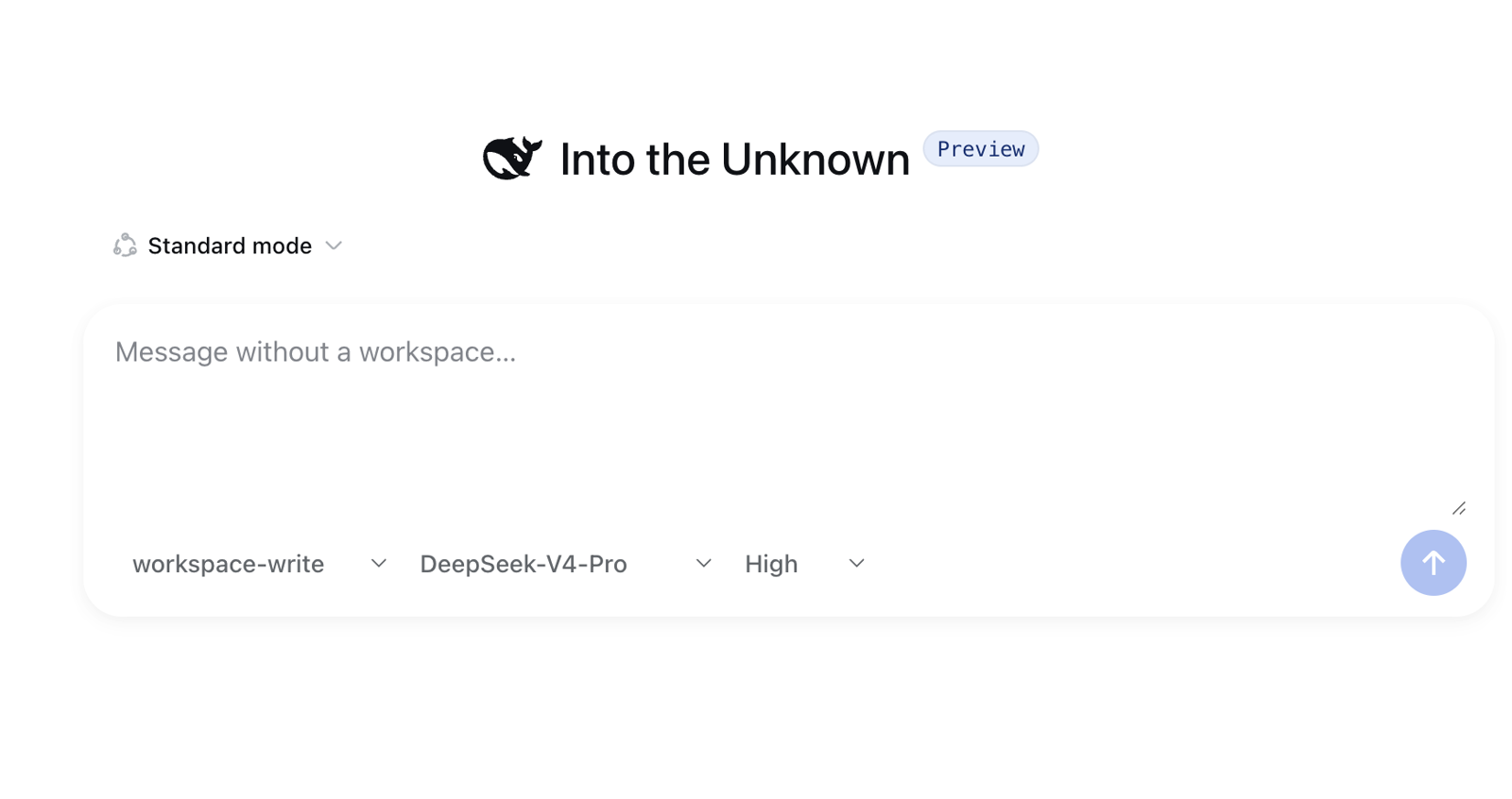
dsh plugin --profile web add @tobewin/dsh-temporary-chatRestart the DSH Web Host, then select Temporary chat from the sidebar.
git clone https://github.com/ToBeWin/DSH-Temporary-Chat.git
cd DSH-Temporary-Chat
pnpm install
pnpm build
dsh plugin --profile web add "link:$(pwd)"
Restart DSH after installation. Re-run pnpm build whenever the client source changes, then restart the Web Host to reload the plugin.
The first-message controls are intentionally constrained by the Host. Agent presets can only be changed while DSH considers the Session blank. Available models and access modes are the ones configured in your Host; the plugin does not invent, store, or transmit credentials.
This plugin is deliberately decoupled from Harness internals. It uses only declared extension slots and public contracts for Session creation, input, models, Agent presets, and session commands. It does not:
Temporary means “not registered under a DSH Workspace.” The public DSH Session creation contract may still use the Host's default working directory for tool execution. Temporary chat is not a claim that tools are sandboxed; choose a read-only permission preset when appropriate.
The first release is tested against the DeepSeek Harness 0.1.0-rc.6 package line and Web Host app version 0.0.1. The plugin checks the public Host version and disables itself outside the tested range. New Harness versions require a separate compatibility check before support is enabled.
pnpm install
pnpm check
pnpm build
Please report the DSH version, operating system, selected Profile, and a minimal reproduction when opening an issue. Remove private paths, keys, tokens, and conversation content before posting.
MIT © ToBeWin
@tobewin/dsh-temporary-chat 为 DeepSeek Harness 增加无需工作区的临时对话。
它让 Harness 具备“不开项目也能直接对话”的体验,同时仍然使用原生 Session 模型。临时对话是真实的未分组 DSH Session,不会伪造工作区,也不会 fork 官方界面。
本项目由 ToBeWin 独立维护,与 DeepSeek 无隶属或官方背书关系。
从 npm 安装:
dsh plugin --profile web add @tobewin/dsh-temporary-chat重启 DSH Web Host 后,在侧栏点击 临时对话。
本地开发安装:
git clone https://github.com/ToBeWin/DSH-Temporary-Chat.git
cd DSH-Temporary-Chat
pnpm install
pnpm build
dsh plugin --profile web add "link:$(pwd)"
修改客户端代码后,需要重新执行 pnpm build 并重启 DSH Web Host。
可选模型和权限完全以 Host 配置为准,插件不会新增模型、保存或上传任何凭据。Agent 预设只能在 Session 仍为空白时修改,这是 Host 的正常限制。
本插件只使用公开的扩展槽与 API:Session 创建、输入、模型、Agent 预设和会话命令。它不会修改、复制、patch 或 fork Harness 源码;不会导入私有运行时组件;不会抓取或篡改 DSH DOM;也不会上传聊天内容、项目文件或模型密钥。
“临时”仅表示不归属 DSH Workspace。官方 Session 创建 API 仍可能使用 Host 的默认工作目录执行工具,因此临时对话不等于工具沙箱。需要限制本地文件操作时,请选择只读权限模式。
首个版本已针对 DeepSeek Harness 0.1.0-rc.6 和 Web Host 0.0.1 验证。插件会检查公开 Host 版本,未验证版本会自动禁用入口;新的 Harness 版本需重新验证后才会支持。
pnpm install
pnpm check
pnpm build
欢迎提交 Issue 和 PR。请提供 DSH 版本、操作系统、Profile 名称和最小复现步骤;提交前务必移除私有路径、密钥、Token 与聊天内容。
MIT © ToBeWin
CLASSIFICATION EVIDENCE
系统优先读取 GitHub Topics,再与站内分类词典和词根规则比对。当前命中: deepseek。
morluto
Reverse engineer anything with agents, from app behavior down to native binaries.

deepseek-ai
DeepSeek Harness: Everything is a Plugin.

nexu-io
The 1st Collaborative AI Design Agent Workspace. Local-first and open source. Create motion, prototypes, websites, apps, dashboards, presentations, images, and videos with your team and AI agents. Share work, exchange feedback, and iterate together in one workspace.