
模型与 MCP
待识别

rea
morluto
Reverse engineer anything with agents, from app behavior down to native binaries.
PROJECT TOPICS
INSTALL REFERENCE
dsh plugin --profile web add github:Tlxy-code/Tlxy.dsh-todo
该命令指向仓库当前默认分支;尚无绑定当前 commit 的完整验证结果。
PROJECT README
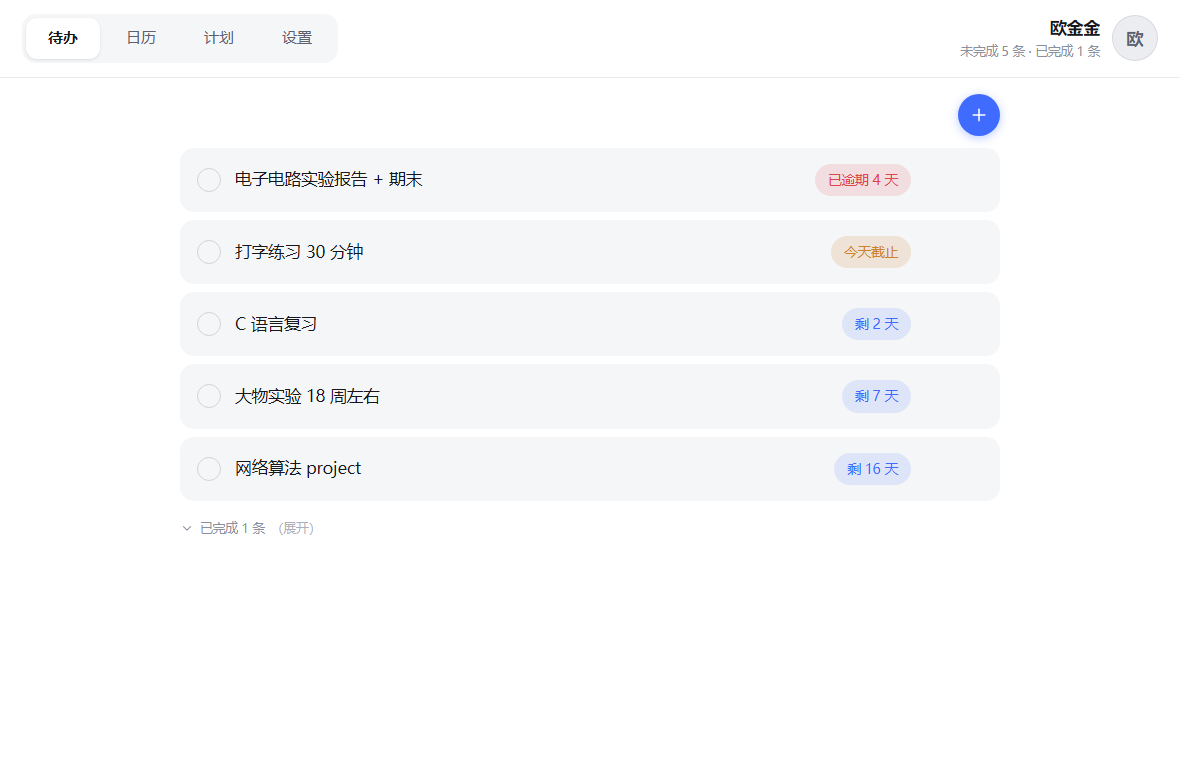
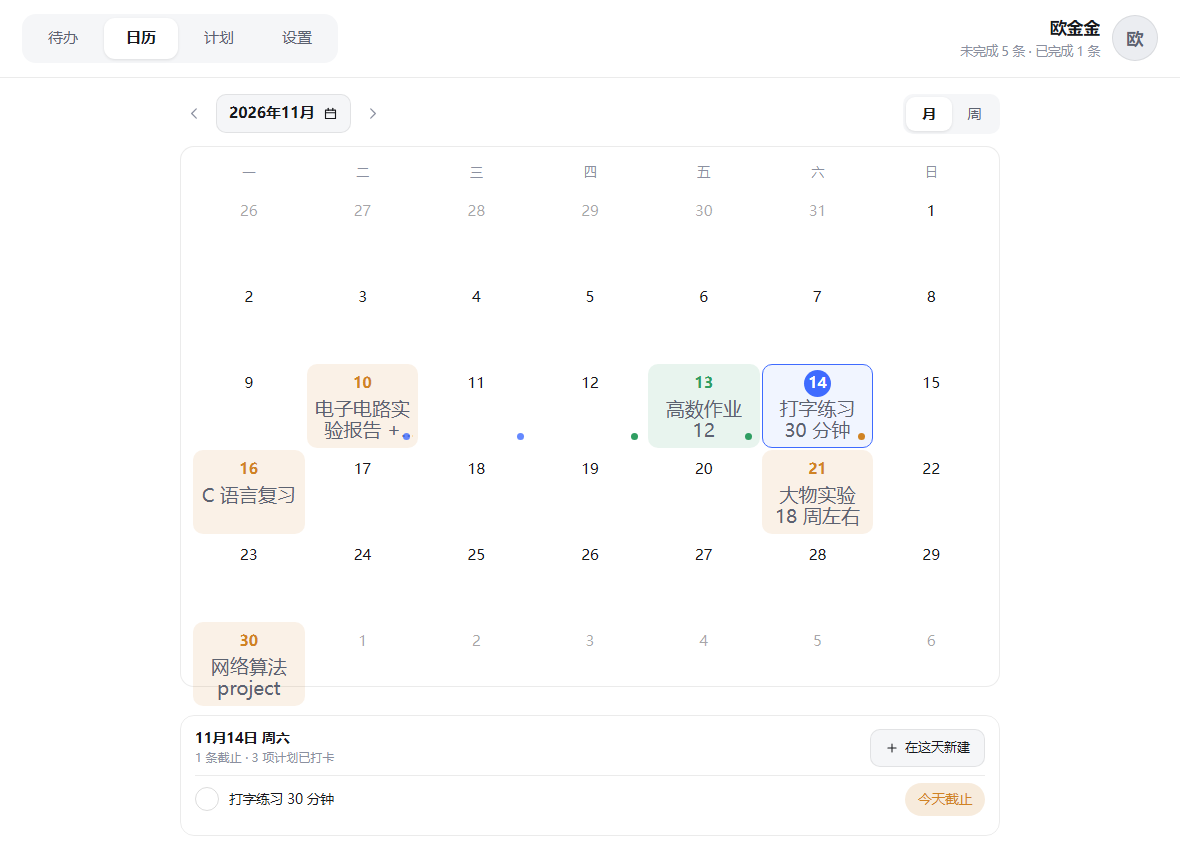
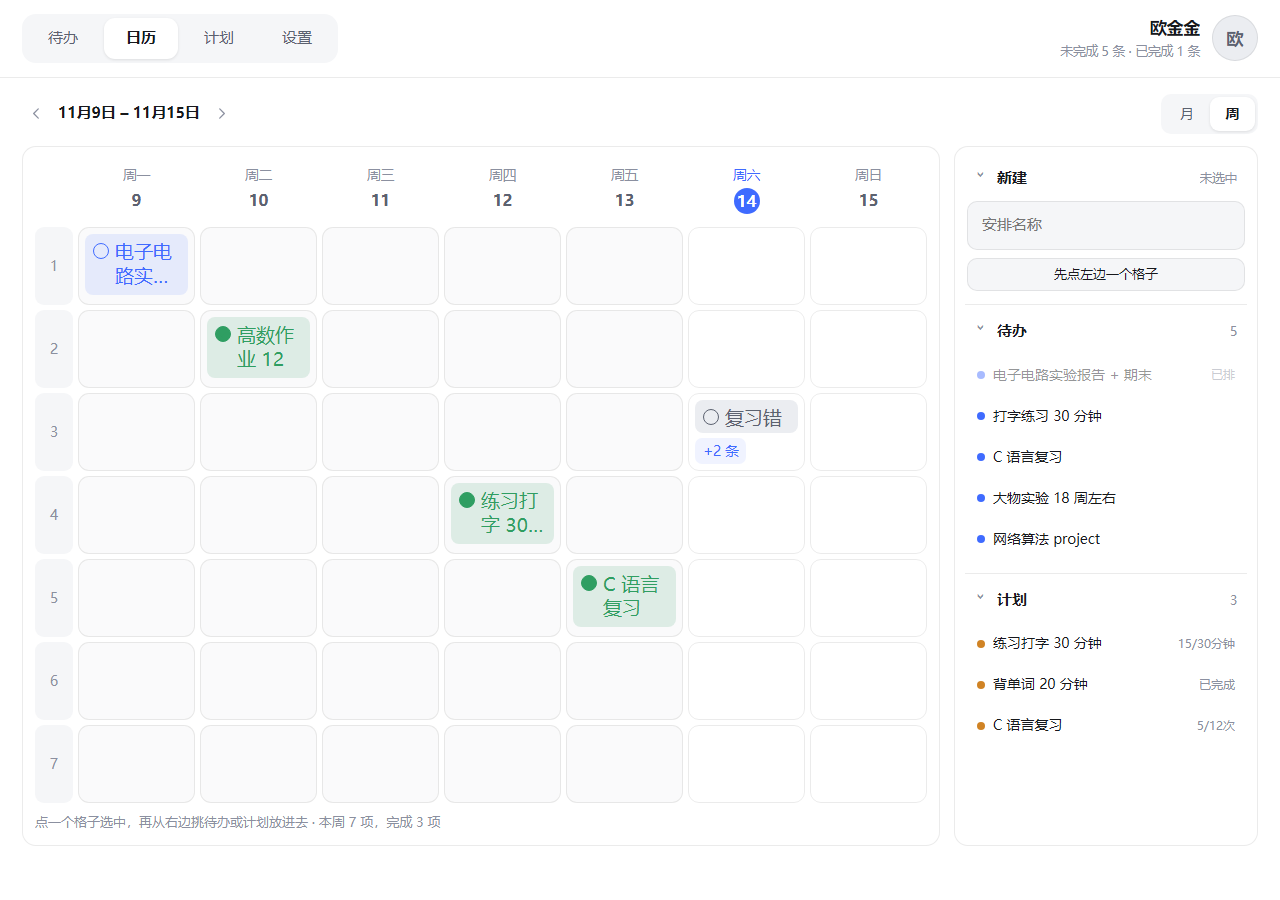
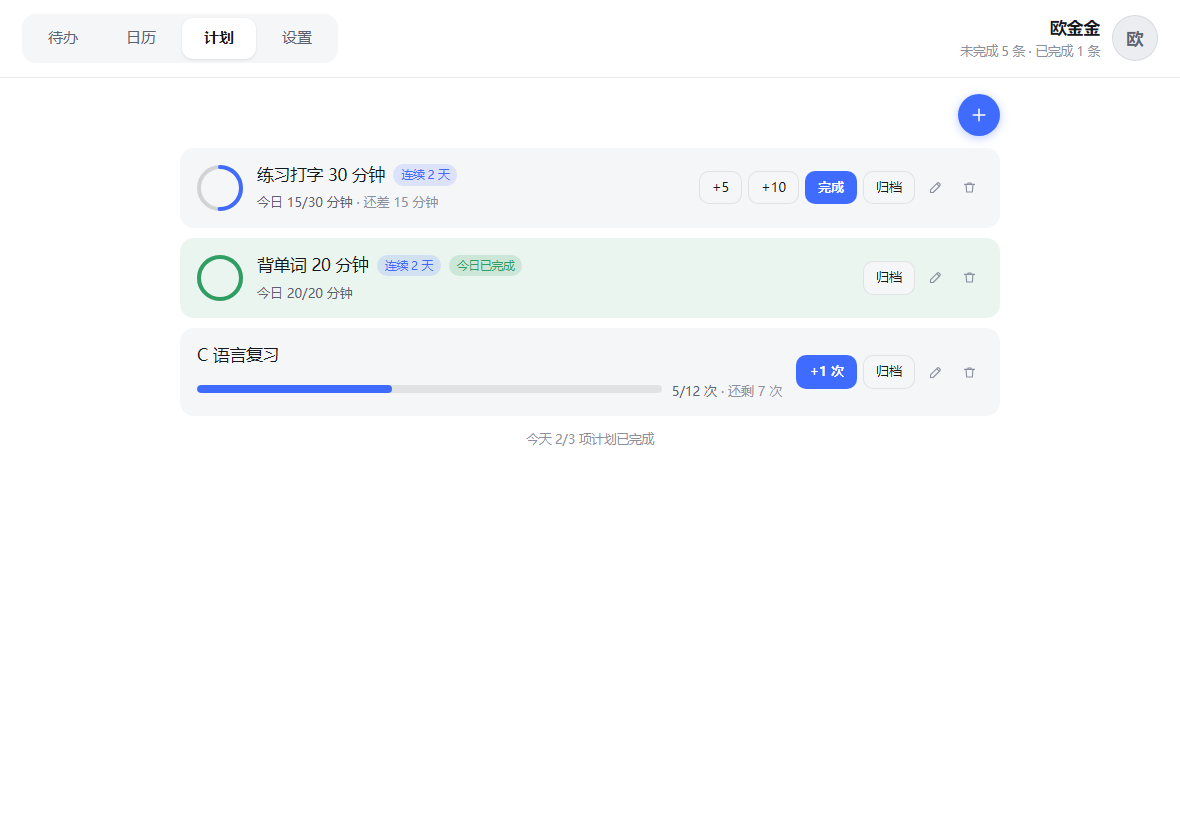
DeepSeek Harness(DSH)的待办 / 日历 / 长期计划插件。装在左侧栏,点图标就是整页面板。
English · 中文
!;一格多条时点「+N 条」向下展开。周安排不改待办原本的截止日。| 待办 | 日历(月) |
|---|---|
 |
 |
| 日历(周) | 计划 |
|---|---|
 |
 |
| 设置 | 功能说明 |
|---|---|
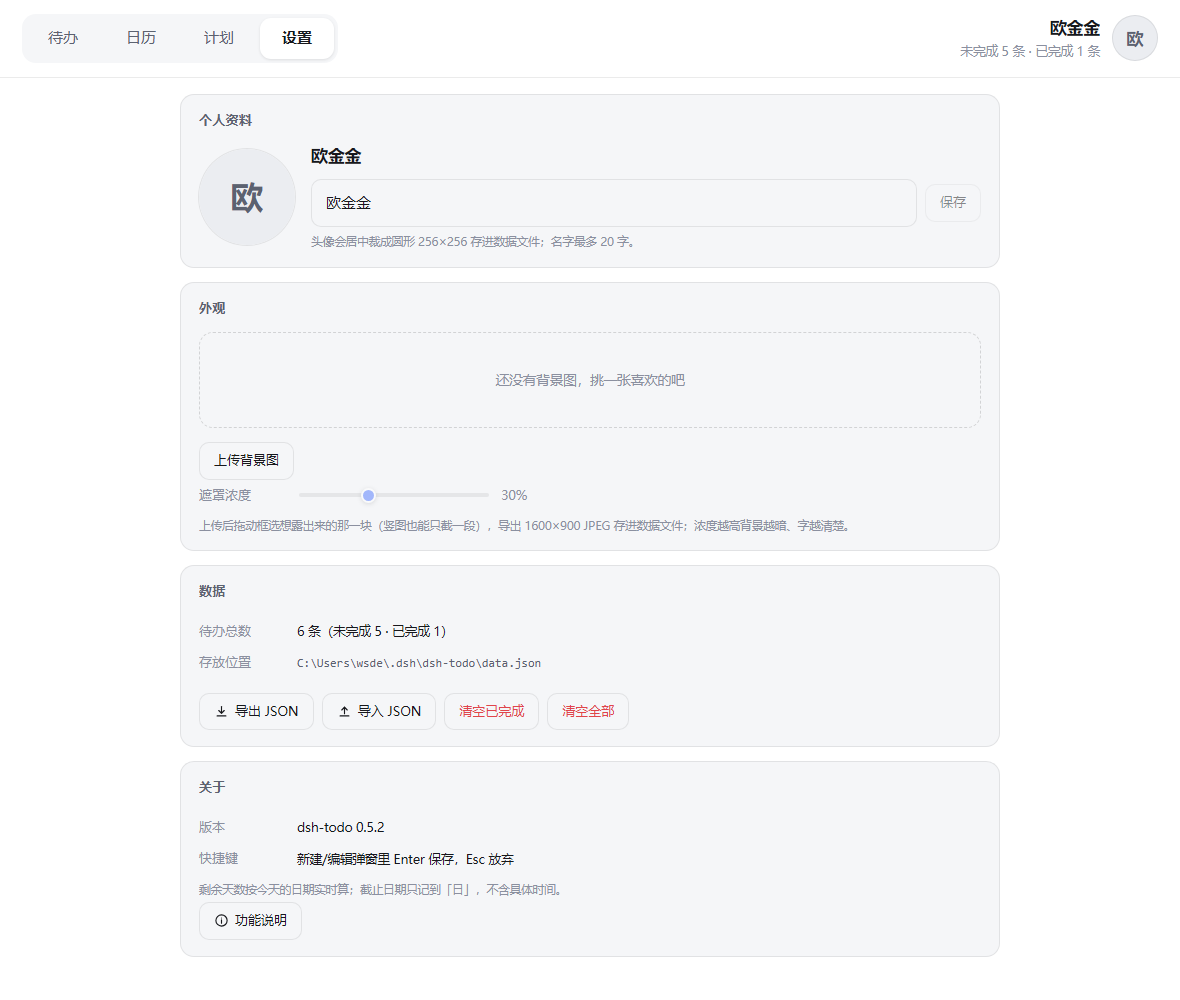 |
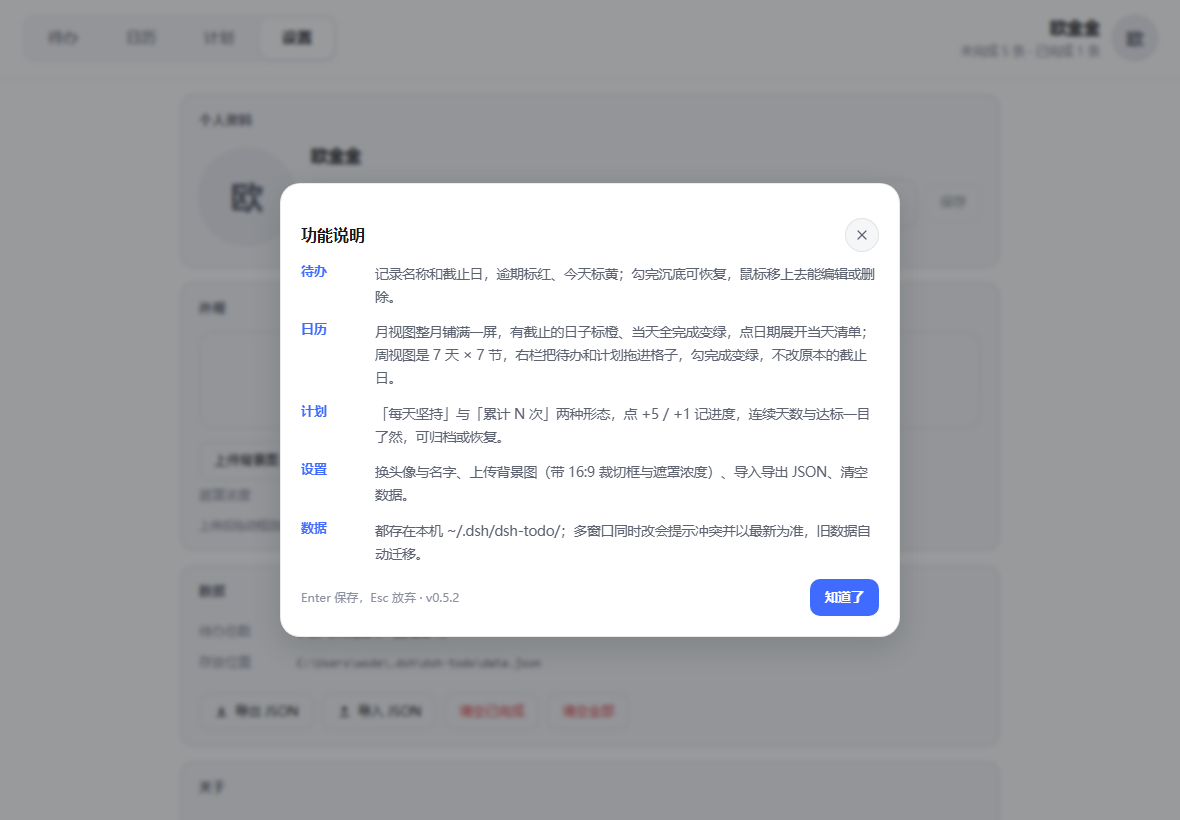 |
直接从 GitHub 安装(推荐):
dsh plugin --profile desktop add github:Tlxy-code/Tlxy.dsh-todo也可以用 Release 里预打包的压缩包,省掉拉整仓源码:
dsh plugin --profile desktop add https://github.com/Tlxy-code/Tlxy.dsh-todo/releases/download/v0.5.3/dsh-todo-0.5.3.tgz装完刷新页面,左侧边栏会出现「待办」图标。收录进插件市场后也可以从市场里装。
%USERPROFILE%\.dsh\dsh-todo\(可用环境变量 DSH_TODO_HOME 改根目录)data.json:待办、计划、周安排、视图状态、用户名、头像background.jpg:背景图单独存放,不塞进 data.json/dsh-todo-api,写盘用「临时文件 + rename」的原子写;多窗口同时改会返回 409 并提示刷新,不会互相覆盖。version 字段,升级时自动迁移旧格式。无需构建:client.js 由页面直接加载,样式在 client.css(宿主用 /dsh-todo-style.css 提供)。
node --test test/store.test.mjs   # 数据层
node test/render.test.mjs         # 组件渲染(假 React)
node test/preview.mjs # 生成 docs/preview-*.png(需要 Edge/Chrome)MIT,见 LICENSE。
A to-do, calendar and long-term habit plugin for DeepSeek Harness. It lives in the left sidebar and renders as a full panel.
Data lives in ~/.dsh/dsh-todo/ (data.json + background.jpg), written atomically through the host route /dsh-todo-api, with a 409 on concurrent writes and automatic migration of older data.
CLASSIFICATION EVIDENCE
系统优先读取 GitHub Topics,再与站内分类词典和词根规则比对。当前命中: deepseek。
morluto
Reverse engineer anything with agents, from app behavior down to native binaries.

deepseek-ai
DeepSeek Harness: Everything is a Plugin.

nexu-io
The 1st Collaborative AI Design Agent Workspace. Local-first and open source. Create motion, prototypes, websites, apps, dashboards, presentations, images, and videos with your team and AI agents. Share work, exchange feedback, and iterate together in one workspace.