
其他
完整应用

deepseek-harness
deepseek-ai
DeepSeek Harness: Everything is a Plugin.
PROJECT TOPICS
PROJECT README
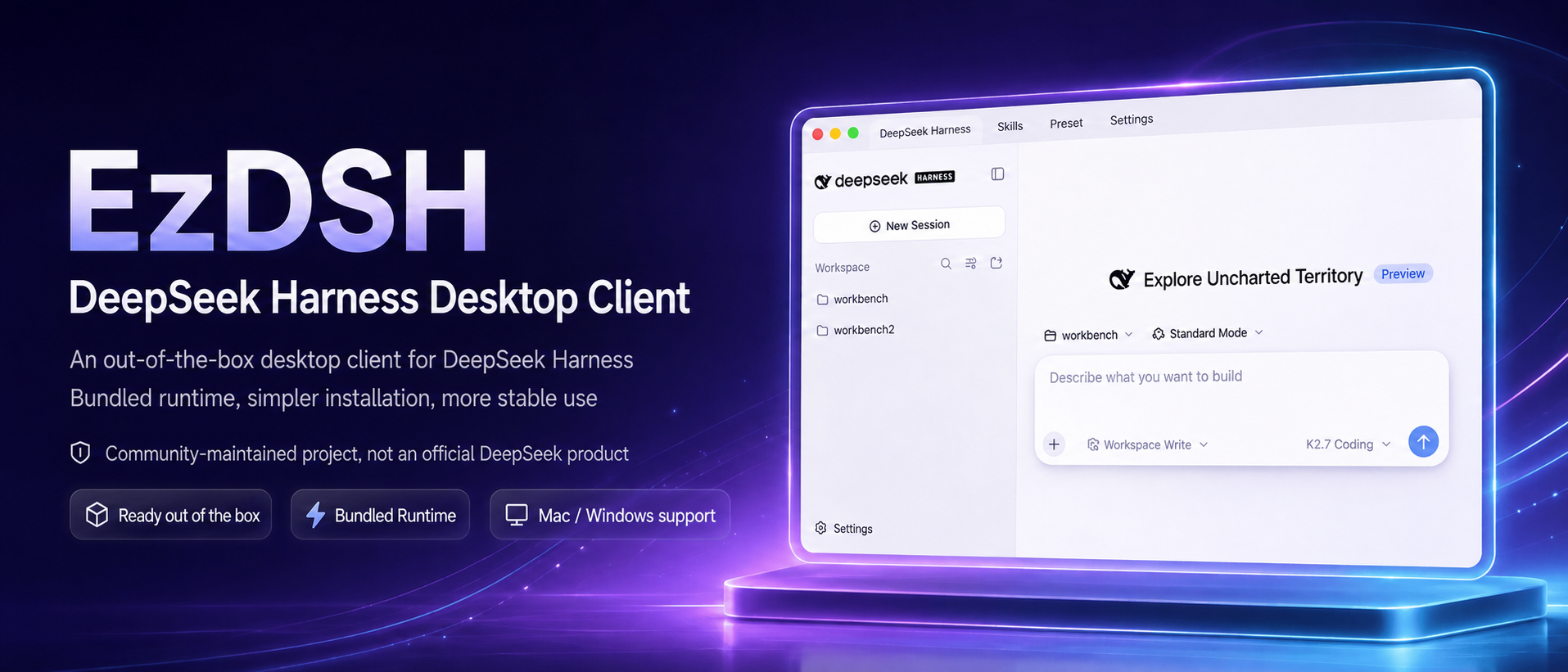
An open DeepSeek Harness distribution for macOS and Windows.
A personal AI entry point with a bundled Runtime, an extensible plugin ecosystem, remote operation, and integrated workspaces.
Mission & Values • Why EzDSH • Local Use • Build from Source • 中文版
Make technology equitable.
Give everyone an AI entry point for work and life, turning frontier technology into capabilities that are directly usable, composable, and continuously improving.
DeepSeek Harness is a powerful open agent foundation, but using it locally can mean installing runtimes, starting services from the terminal, managing ports, editing provider configs, and keeping processes alive. EzDSH is more than a desktop wrapper: it is a user-facing distribution built around DeepSeek Harness.
EzDSH packages the Runtime, curates a plugin ecosystem, connects remote operation and integrated workspaces, and turns complex capabilities into tools people can use in everyday work and life.
EzDSH brings DeepSeek Harness out of the repository and into a usable entry point for real life.
EzDSH ships with a fixed-version DeepSeek Harness Runtime. You do not need to install Node.js, pnpm, or the Harness CLI yourself. The app creates the workspace, picks a local port, starts the runtime, and loads the Harness Web UI automatically.
Plugin installation is handled by EzDSH’s distribution layer as well. The app uses its bundled DSH Runtime and pnpm, automatically handles known Profile workspace compatibility issues, and verifies that the plugin was added to the target Profile. You do not need to copy commands or add compatibility flags manually.
EzDSH is not a browser wrapper. It manages the complete Runtime lifecycle:
You see a stable desktop app, not a collection of terminal windows.
EzDSH makes DeepSeek Harness more than a runtime. It provides a place to discover, install, combine, and use capabilities built around DSH:
EzDSH starts the DSH Runtime directly and leaves provider configuration to the Harness Web UI. EzDSH's own provider setup page is currently hidden so the first release can focus on reliable startup and packaging; the desktop configuration flow will be added in a later version.
Your keys, sessions, profiles, plugins, and logs stay on your machine.
127.0.0.1EzDSH is built for users who want to keep their model calls and work data under their own control.
App code, Runtime, and user data are kept separate. Updating EzDSH replaces the client and runtime without touching your:
You do not rebuild your environment every time the app updates.
DeepSeek Harness provides the agent runtime, model calls, tool execution, and core Web UI. EzDSH adds the distribution and product layer that makes those capabilities approachable:
Harness provides the core. EzDSH makes it usable, extensible, and accessible.
These steps are for users who only want to use EzDSH. You do not need Node.js, pnpm, or a terminal.
Open the Releases page.
Download the installer for your platform:
.dmg.exeDownload these files from the release asset list. GitHub Actions' Artifacts are build archives wrapped in ZIP format and are intended for CI inspection, not normal installation.
Install EzDSH:
.dmg and drag EzDSH.app to Applications..exe installer and follow the prompts.Open EzDSH from Applications or the Start menu.
Configure your model provider in the Harness Web UI.
Start working. EzDSH launches the Runtime and opens the Harness workspace automatically.
These steps are for developers who want to run the project locally from a source checkout. This is different from building an installer.
Install Node.js 24.18.0 (or a version accepted by package.json).
Open a terminal and enter the project directory:
cd /Users/snake/Documents/ChatGPT/ezdshInstall project dependencies. Run this once after cloning, or whenever dependencies change:
npm cinpm ci installs the published @deepseek-ai/dsh@0.1.6-alpha.2 dependencies. The local Runtime is the vendored @deepseek-ai/dsh@0.1.6-alpha.2, so build that source checkout before starting the app:
npm run dsh:source:install
npm run dsh:source:build
The development runtime resolver automatically uses the built vendored CLI. Set EZDSH_DSH_SOURCE only when testing another explicit source checkout.
Start the local development app:
npm run devUse the Harness Web UI opened by EzDSH. Press Ctrl+C in the terminal to stop the development app.
These steps are for developers who need to create a distributable installer or release package.
Use a macOS Apple Silicon machine and install Node.js 24.18.0 (or a version accepted by package.json).
Open a terminal and enter the project directory:
cd /Users/snake/Documents/ChatGPT/ezdshInstall project dependencies:
npm cinpm run package:mac:releaseThis builds the bundled DSH Runtime, creates a signed DMG, and verifies the packaged Runtime. A valid Developer ID Application certificate is required. The artifacts are written to dist/.
EzDSH.app into Applications. Opening dist/mac-arm64/EzDSH.app directly is useful for local development, but does not test the DMG installation or Gatekeeper flow.Use a native Windows x64 machine and install Node.js 24.18.0.
Open PowerShell and enter the project directory:
cd C:\path\to\ezdshInstall project dependencies:
npm cinpm run package:winThis stages the Windows Node Runtime, builds the DSH Runtime with Windows-native dependencies, creates an NSIS installer, and verifies the unpacked bundle. The installer is written to dist/.
npm run package:win:releaseWindows packaging is prepared for x64 only. It is not executed on the current macOS development machine.
| Platform | Package |
|---|---|
| macOS (Apple Silicon) | .dmg |
| Windows | .exe installer |
EzDSH checks for updates automatically and notifies you when a new release is available.
For normal installation, download the .dmg or .exe directly from a GitHub Release.
EzDSH is released under the MIT License.
Built for the DeepSeek Harness community.
CLASSIFICATION EVIDENCE
系统优先读取 GitHub Topics,再与站内分类词典和词根规则比对。当前命中: desktop-app。
deepseek-ai
DeepSeek Harness: Everything is a Plugin.

anywhere-labs
为 DeepSeek Harness (DSH) 插件生态打造的现代化桌面端解决方案。万物皆「插件」,桌面本身也是「插件」。

awesome-dsh-plugin
A curated list of plugins for DeepSeek Harness (dsh) · DeepSeek Harness 插件精选列表