
模型与 MCP
待识别

rea
morluto
Reverse engineer anything with agents, from app behavior down to native binaries.
PROJECT TOPICS
INSTALL REFERENCE
dsh plugin --profile web add github:TecFancy/dsh-lingualab
该命令指向仓库当前默认分支;尚无绑定当前 commit 的完整验证结果。
PROJECT README
English | 简体中文
The LinguaLab panel is one row in the left rail's 「更多」 menu, opening a whole page in the centre column, leaving the current Session untouched. It turns media that already sits in the workspace into intensive-listening practice: one episode at a time, sentence by sentence, with the notes written back to disk where the agent can read them.
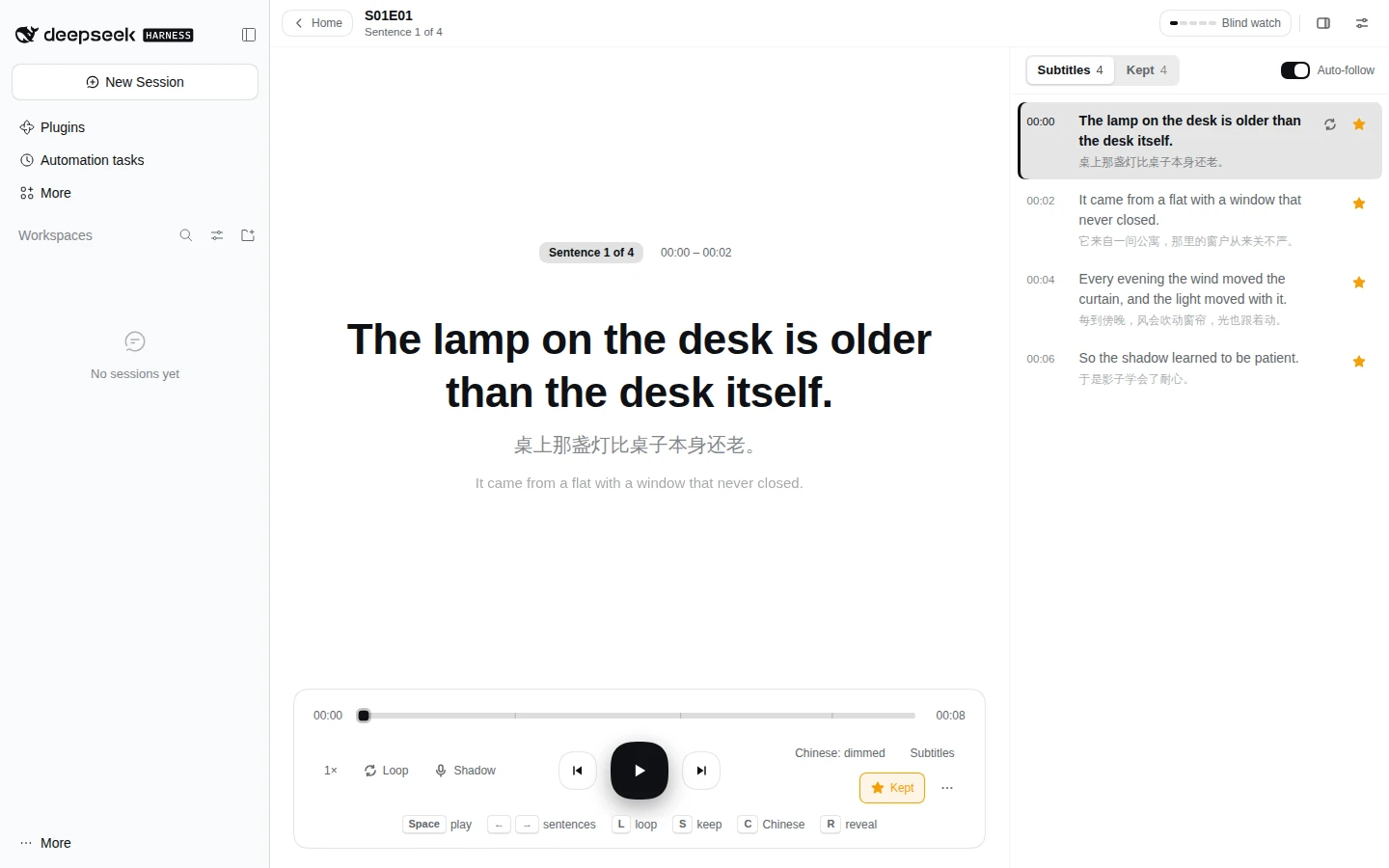
Requires a DeepSeek Harness install with a Web profile, and Node 22.19 or newer. ffmpeg and ffprobe are only needed to prepare video episodes.
dsh plugin --profile web add dsh-lingualabReplace web with your own profile name. To pin a version:
dsh plugin --profile web add dsh-lingualab@0.21.3Then open the left rail's 「更多」 menu and pick LinguaLab. Drop an audio file and its subtitles onto the page to start.
Usage statistics are off by default. Turning them on sends one pseudonymous ping a day to
t.hi-ruofei.com; see Anonymous usage statistics for the exact payload and how to switch it on.
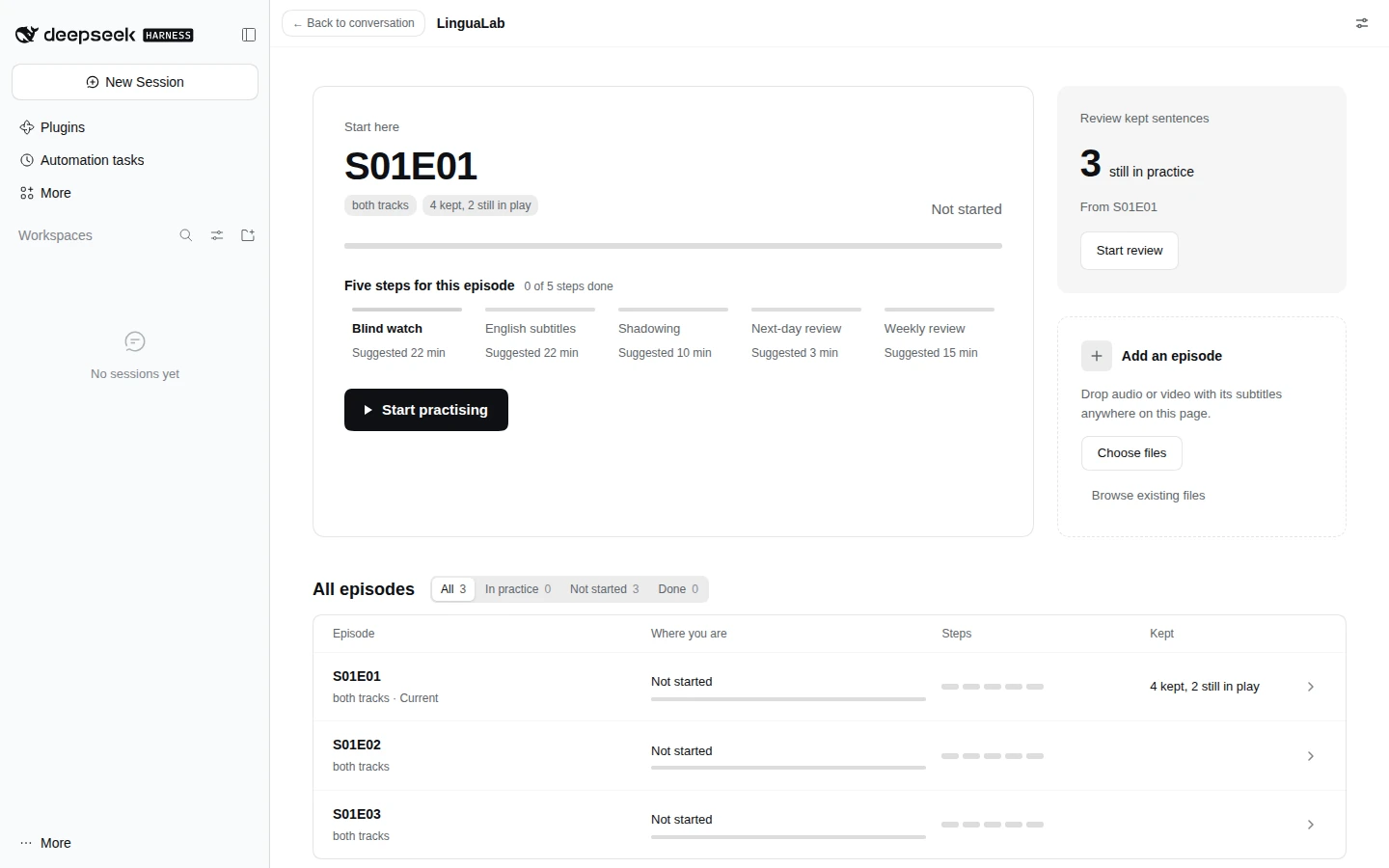
See Usage for the library layout, pairing rules, video formats and preparation settings, every practice control, notes, review and settings.
Both halves are written. The host provides the library scan, import route, media routes with Range support, browsable picker, notes read/write path and review list; the client provides the home, practice view, kept-sentences column and review, plus the browsing and media-folder layers.
The page has no rail row of its own, and no card on the 「应用」 page either. It is registered as a main panel under the key lingualab, and the entry is the first row of the left rail's 「更多」 menu. This plugin registers that row into sidebar.panellist.actions itself, and selecting it calls layout.selectPanel('lingualab'). The rail still does not grow a row per plugin, and the entry now belongs to the plugin, so it no longer depends on dsh-apps-panel being installed.
It is developed on development and released by pulling into main, which tags the version and publishes it to npm.
| Doc | What it covers |
|---|---|
| Usage | The home, adding material, episodes and segments, video, practice, notes and review, settings |
| Anonymous usage statistics | What the daily ping contains, what it never contains, how to turn it off |
| Releasing | ship, the pull request into main, the tag, deploy |
| Host routes | Every route the host registers and what it answers |
| Repository layout | What lives in each directory |
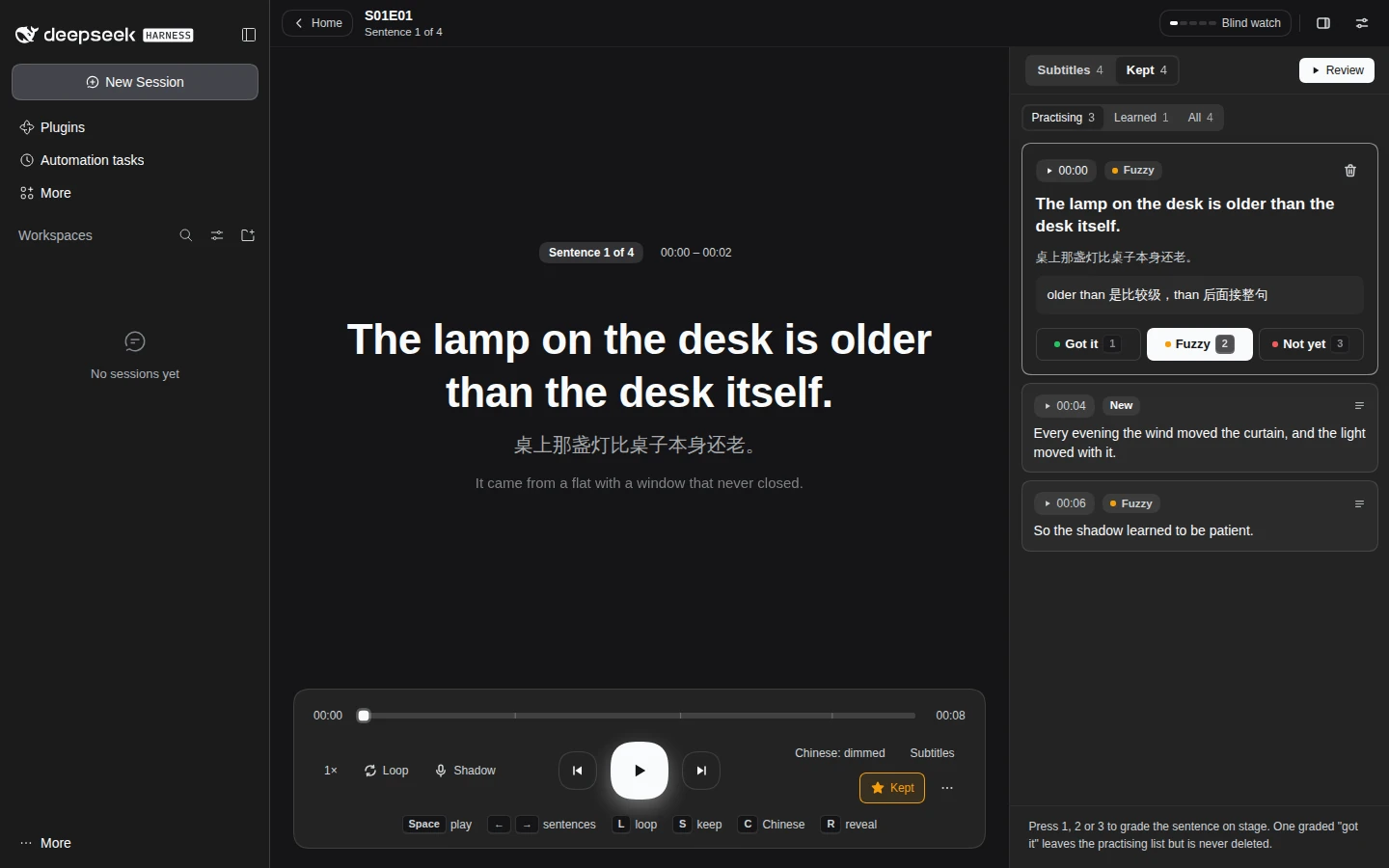
The layout, colours and interaction of the home, the practice view and the notes and steps drawers are drafted in Figma: LinguaLab redesign. The frames are Practice / Light and Practice / Dark, Home / Light and Home / Dark, Notes / Light and Five steps / Light.
The file is the reference for proportions and hierarchy, not for values: it hardcodes hex colours and the Inter font, while the page reads the host's --dsw-alias-* tokens and font so it follows the theme. A theme chosen in the settings overrides those same tokens on the page's root element and nowhere else.
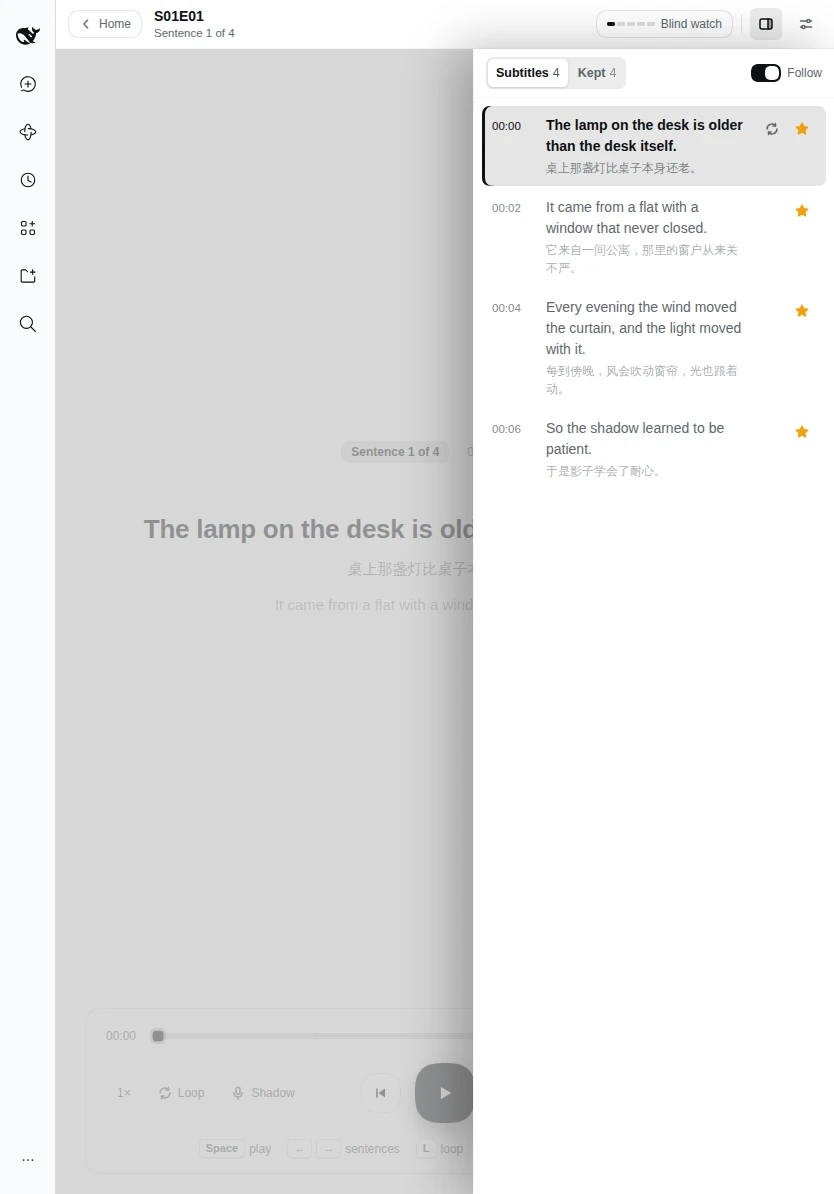
On a narrow screen the right column becomes a drawer over the stage instead of a column beside it:
The ping is off by default. When it is on, each running host process sends at most one ping a day, only after the host has admitted a request; nothing is sent at start or when the ping is off.
It sends only the payload version, package name and version, a random install id, the Node major version, OS and architecture, an episode-count bucket and whether ffmpeg is available.
It never sends file names, folder paths, episode titles, notes, subtitles, user names, email, tokens, session ids, host names or IP addresses.
To turn it on, set telemetry to true in the plugin's profile entry (the Plugins page or cordis.patch.yml). While it is off, no id is generated, the library is not listed and no request is made.
See Anonymous usage statistics for the complete payload, delivery behavior and install-id rules.
MIT — see LICENSE.
CLASSIFICATION EVIDENCE
系统优先读取 GitHub Topics,再与站内分类词典和词根规则比对。当前命中: deepseek-harness。
morluto
Reverse engineer anything with agents, from app behavior down to native binaries.

deepseek-ai
DeepSeek Harness: Everything is a Plugin.

nexu-io
The 1st Collaborative AI Design Agent Workspace. Local-first and open source. Create motion, prototypes, websites, apps, dashboards, presentations, images, and videos with your team and AI agents. Share work, exchange feedback, and iterate together in one workspace.