
其他
完整应用

deepseek-harness
deepseek-ai
DeepSeek Harness: Everything is a Plugin.
PROJECT TOPICS
PROJECT README
简体中文 | English
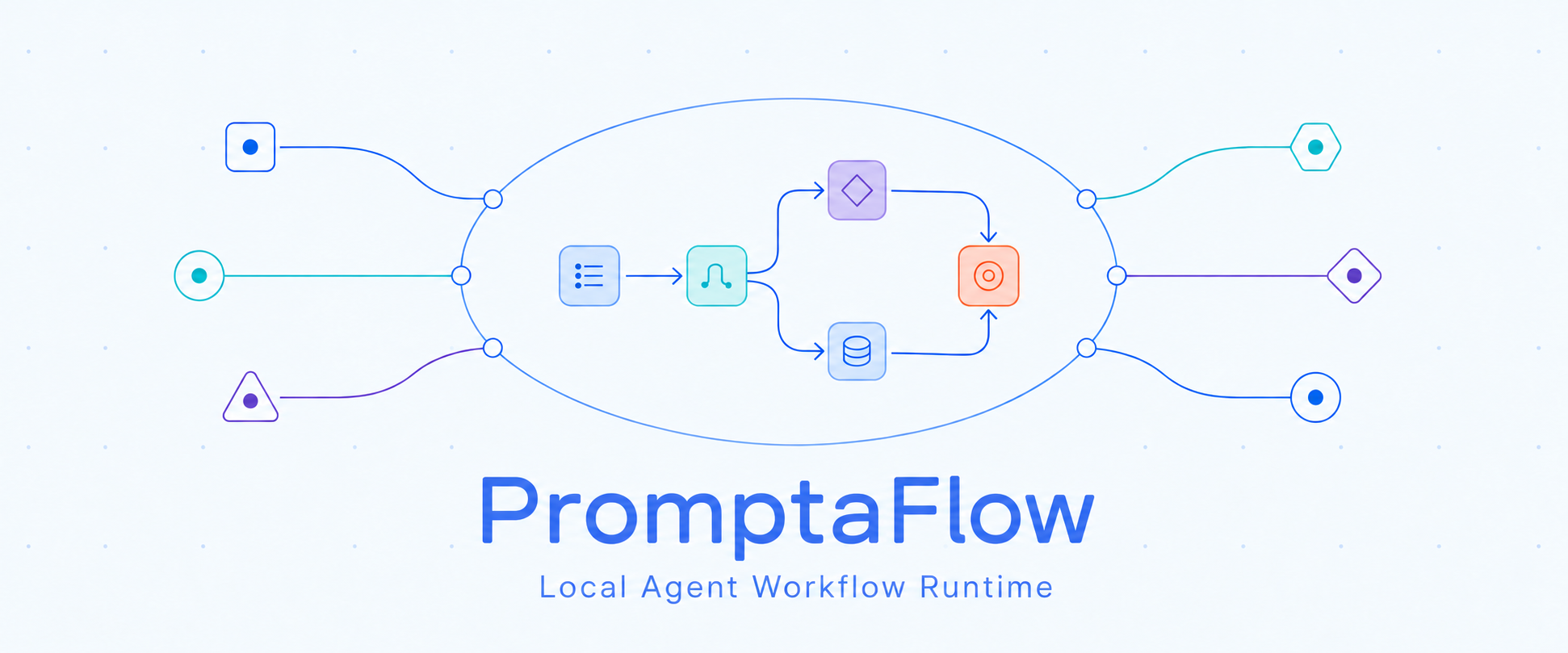
PromptaFlow turns a goal into a durable, inspectable Agent workflow. Describe the work you want done, let an Agent generate a static Workflow DSL, review and publish it, then run it through installed Agent CLIs or the conversation you are already in.
A fixed loopback Hub on 127.0.0.1:8848 is the front door. It selects a
workspace and routes MCP, API and UI traffic to that workspace's Control
Runtime, which owns graph state, authorization and the authoritative
allowed_commands[]. Each Runtime uses authenticated Execution Workers to run
trusted Handlers such as Agent CLIs. Workflow definitions are compiled to
LangGraph, and durable state is stored under ~/.promptaflow/projects/.
Agent App / Browser / API
           │
           ▼
 Hub :8848 (MCP Gateway)
           │
           ▼
 Workspace Control Runtime ──► Execution Workers ──► Agent CLIs / Handlers
           │
└── LangGraph state, runs and ArtifactsPromptaFlow requires Python 3.10 or newer and uv.
Install the latest stable CLI in an isolated environment:
uv tool install promptaflow
paf --version
paf serve --project-root /absolute/path/to/project
To install a prerelease, allow prerelease versions explicitly:
uv tool install --prerelease allow promptaflowAlternatively, install into the active Python environment with pip:
python -m pip install promptaflow
# For a prerelease:
python -m pip install --pre promptaflow
The PyPI package provides the Runtime and the paf/promptaflow commands. It
does not install an Agent App integration or MCP App cards; follow the
host-specific instructions below when those are needed.
Paste this into a supported Agent App. The Agent follows the maintained instructions in the repository and chooses the installation path for the current App:
Install PromptaFlow for this app from https://github.com/TNJ2026/promptaflow.If the repository is already cloned, open that checkout in the Agent App and use this prompt instead:
Install or configure PromptaFlow for this app from the current local repository. Do not clone it again or download a Release; follow the host-specific documentation in this checkout, preserve local changes, and stop before any App or Profile restart that I must perform.When the checkout is not the current workspace, replace “current local repository” with its absolute path.
App-specific instructions:
git clone https://github.com/TNJ2026/promptaflow.git
cd promptaflow
uv sync --extra dev
uv run paf serve
The unified serve command reuses or starts the Hub, registers the current
workspace and waits for its managed Runtime to become ready. Open
http://127.0.0.1:8848/ui to see running workspaces.
On Windows, the native launchers work from PowerShell, Command Prompt or Explorer without changing the PowerShell execution policy:
start-promptaflow.cmd
restart-promptaflow.cmd
stop-promptaflow.cmd
Pass a workspace path to the start command when needed:
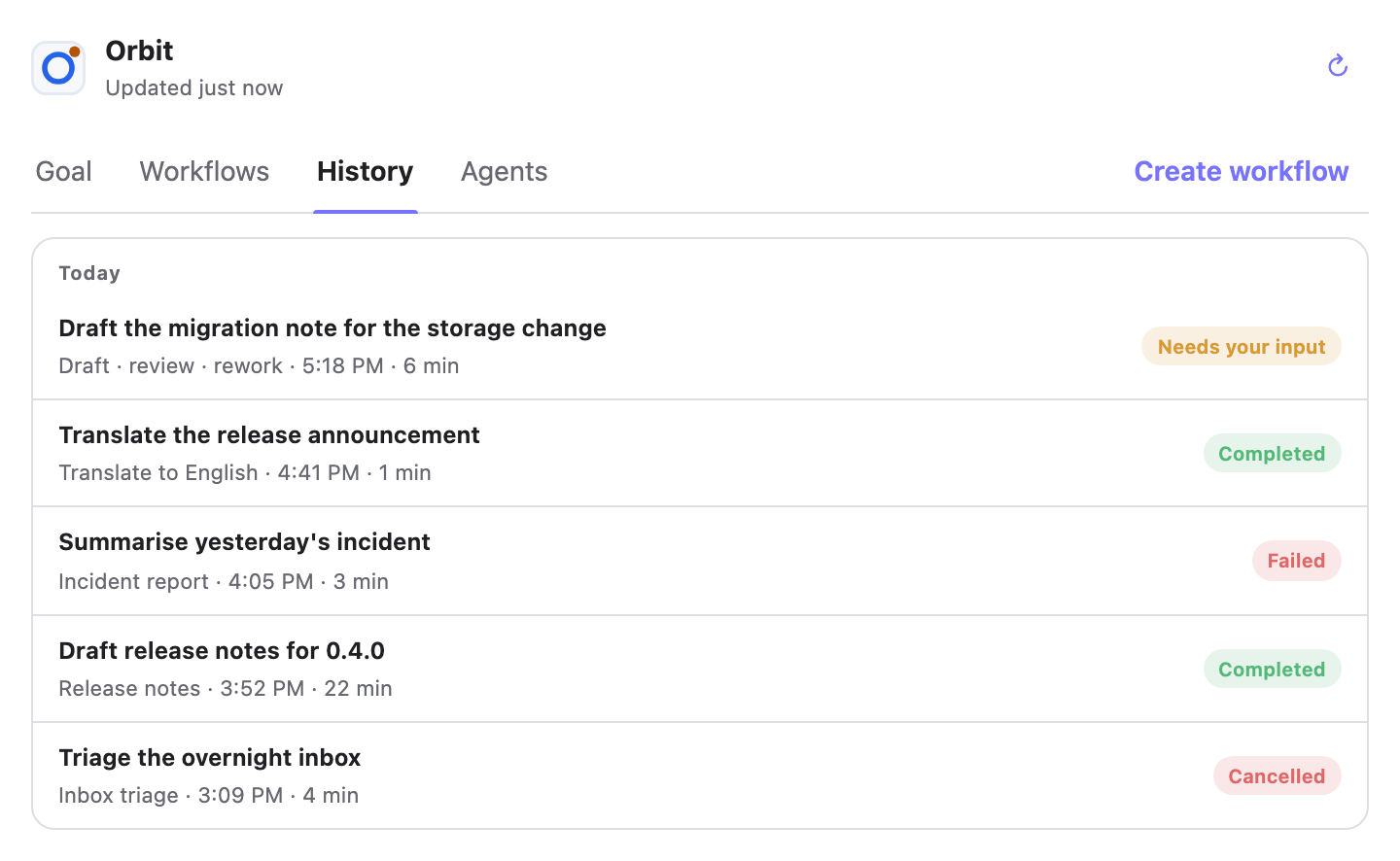
start-promptaflow.cmd "D:\Develop\your-project"PromptaFlow ships five compact MCP App views. In an App that supports MCP Apps, calling the associated tool draws the card beside the conversation. The phrases below are examples you can say naturally; the Agent maps them to the tools.
Open PromptaFlow.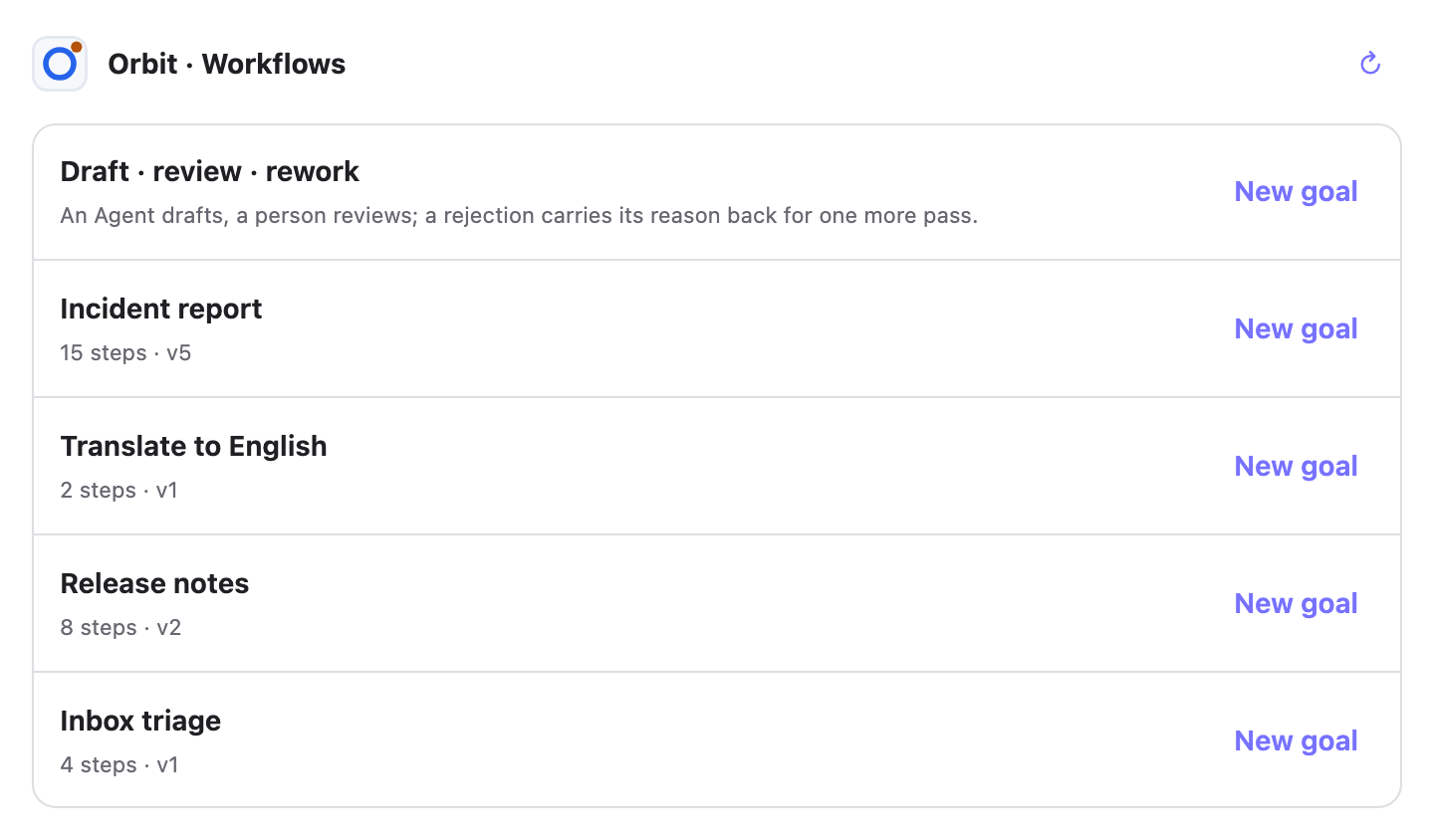
Show my PromptaFlow workflows.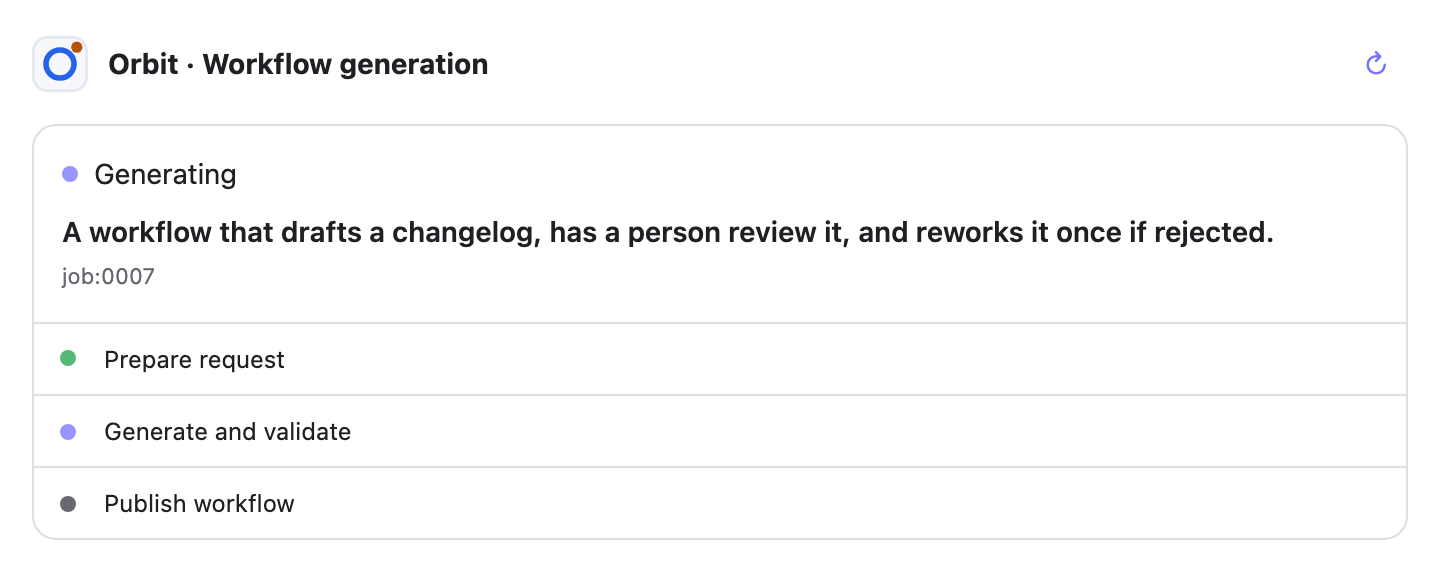
Create a workflow that summarizes an article and turns it into a concise presentation.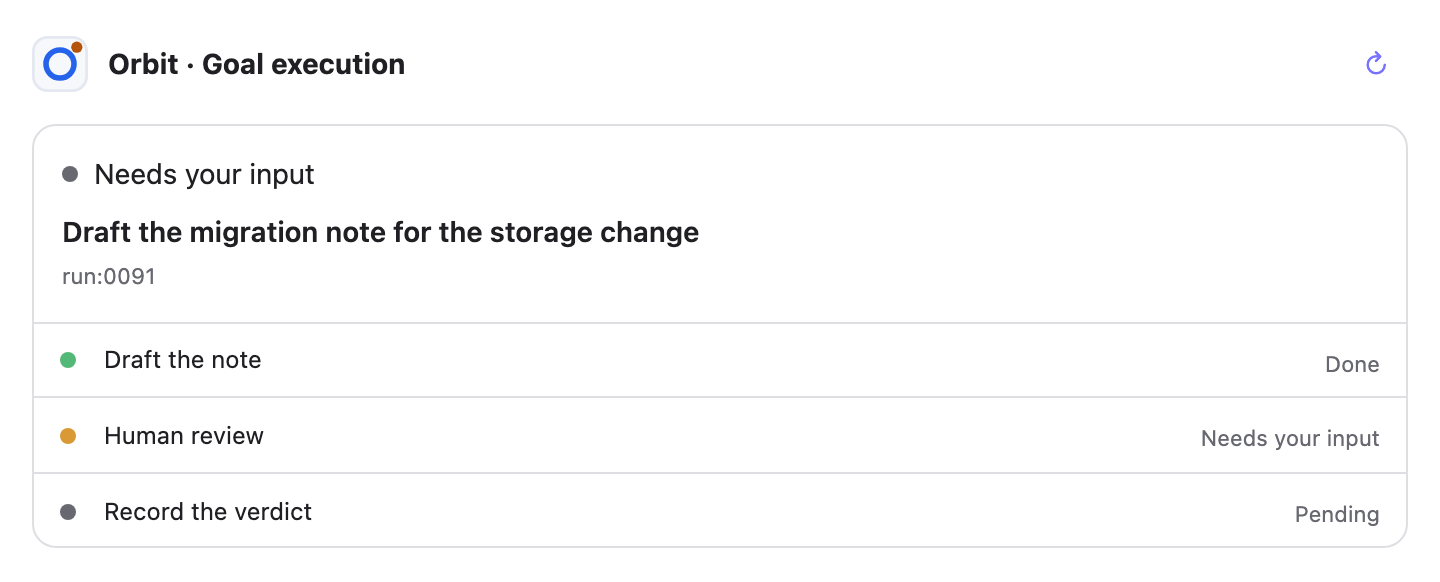
Run the article-to-presentation workflow for this article.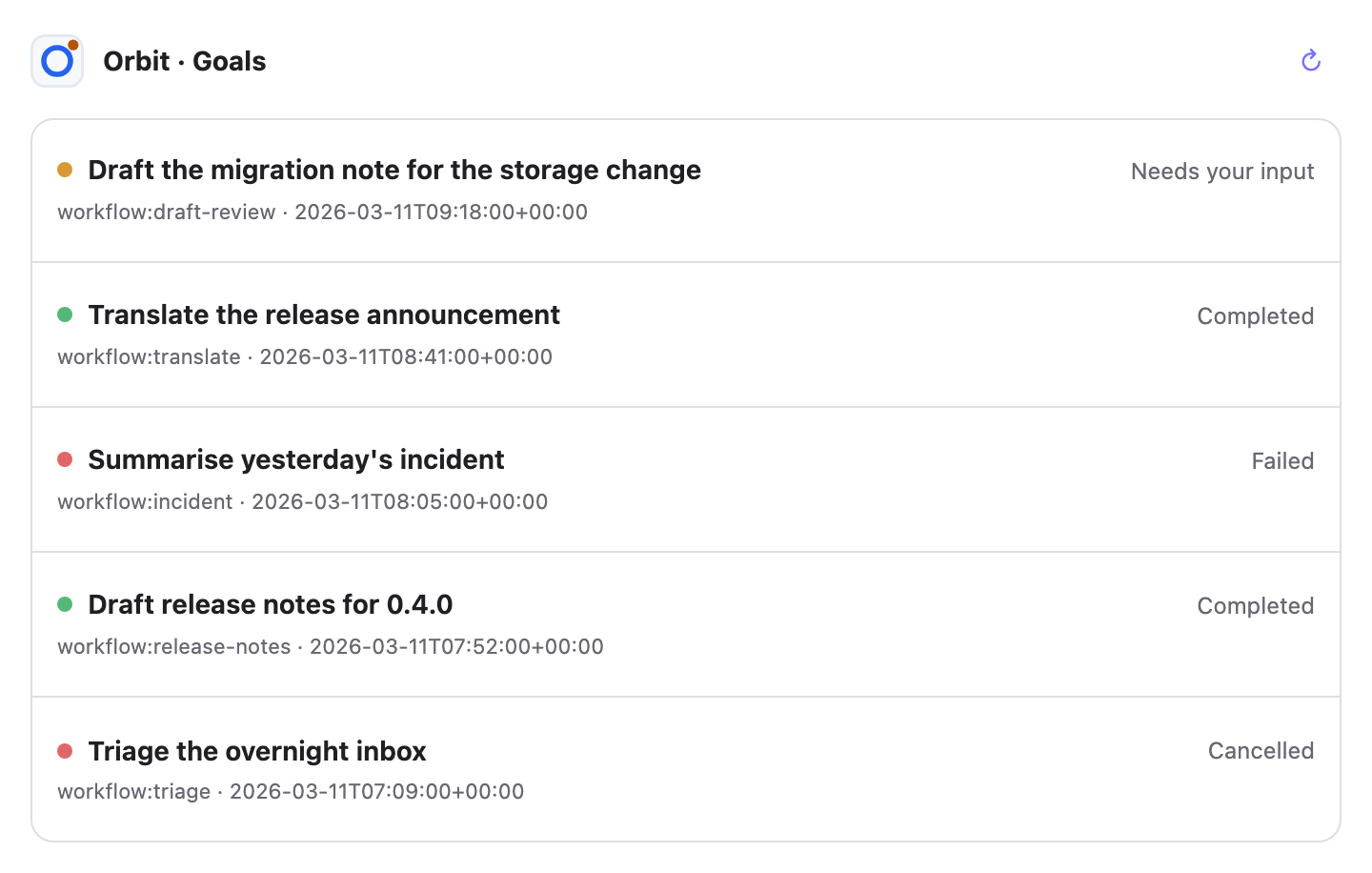
Show my recent PromptaFlow goals.See the card guide for tool mappings, card behavior and cache refresh details.
Over MCP, the main tools are list_workflows, generate_workflow, start_run,
inspect_run and cancel_run. Clients must use the Runtime's current
allowed_commands[] instead of constructing mutation URLs.
Agent steps normally run through the CLI named by the workflow. When no CLI is
installed—or when you want the current App to do the work—start the run with
execution_mode="current_app". PromptaFlow keeps the workflow structure intact,
queues each Agent step for the initiating conversation and stores the effective
graph with the run. The mode is asynchronous and supports parallel branches and
resuming safely from a checkpoint.
Only by asking for it. There is no CLI flag, no toggle in the UI, and no automatic fallback when a CLI turns out to be missing — a run that was not started in this mode stays in the mode it was started in.
| Way | What to do |
|---|---|
| Ask the Agent App | Say so in the conversation. The bundled skill selects the workflow and passes the mode. |
| MCP tool | start_run(workflow_id=..., goal=..., execution_mode="current_app") |
| HTTP API | POST /api/v1/langgraph-runs with "execution_mode": "current_app" in the body |
Workflows whose Agent steps name a CLI you do not have are filtered out of the
default catalogue. When choosing one for this mode, list with
ready_only=false — a missing CLI is exactly what this mode makes irrelevant.
inspect_workflow_definition also takes execution_mode so you can see how a
definition compiles here before starting anything.
Starting a run in this mode:
Use PromptaFlow to <goal>. Run every Agent step in this conversation
instead of forking a CLI.
用工作流 workflow:<id> 执行目标:<目标原文>,Agent 步骤都交给你在当前对话里做,不要调用 CLI。Picking a workflow first, when you are not sure one exists:
Show me the PromptaFlow workflows that could run entirely in this
conversation, including the ones whose CLIs I have not installed.
Following a run that is already delegated:
Continue the PromptaFlow run you are executing for me — claim the next
step, do it, and report what it produced.
The conversation drives the run through the delegation tools:
list_delegations to see queued work, claim_delegation to take one step,
checkpoint_delegation and renew_delegation while it is long-running, and
complete_delegation to hand the result back. A claimed step that is never
completed is recovered through reconcile_delegation.
Installing promptaflow puts two names for the same command on your
PATH: promptaflow, so that what you installed is what you can type, and
paf, which is what everything below uses.
paf serve
paf serve --project-root /absolute/path/to/project
paf hub register /absolute/path/to/project --no-agent-project-access
paf --version
paf runtimes --json
paf mcp
paf mcp --project-root /absolute/path/to/project --agent-project-access
paf run list
paf run inspect <run_id>
paf workflow validate <file> --catalog <catalog.json>
paf workflow publish <file> --catalog <catalog.json> --expected-version <n>uv sync --extra dev
.venv/bin/python -m unittest discover -s tests
node --test tests/ui/client_modules.test.mjsBuild the Python and plugin packages:
uv build
RELEASE_VERSION=X.Y.Z # Replace with the version being released, for example X.Y.Z-alpha.
python scripts/build-marketplace-release.py \
  --version "$RELEASE_VERSION" \
  --output "dist/promptaflow-marketplace-${RELEASE_VERSION}.zip" \
  --plugin-output "dist/promptaflow-plugin-${RELEASE_VERSION}.zip"
Pushing a full SemVer tag such as vX.Y.Z or vX.Y.Z-alpha runs the cross-platform Release
workflow and uploads the GitHub distribution assets. PyPI publishing is opt-in on
a manual workflow run; ordinary tag releases remain GitHub-only.
CLASSIFICATION EVIDENCE
系统优先读取 GitHub Topics,再与站内分类词典和词根规则比对。当前命中: 无有效分类标签。
deepseek-ai
DeepSeek Harness: Everything is a Plugin.

anywhere-labs
为 DeepSeek Harness (DSH) 插件生态打造的现代化桌面端解决方案。万物皆「插件」,桌面本身也是「插件」。

awesome-dsh-plugin
A curated list of plugins for DeepSeek Harness (dsh) · DeepSeek Harness 插件精选列表