
开发工具
待识别

treg
superdesigndev
OpenRouter for agent tools. Join community here: https://discord.gg/6mQYYfFMAn
PROJECT TOPICS
INSTALL REFERENCE
dsh plugin --profile web add github:Sumcam-L/dsh-ue-asset
该命令指向仓库当前默认分支;尚无绑定当前 commit 的完整验证结果。
PROJECT README
本地 UE4/UE5 资产工具:一个 C# 核心 + CLI(ueasset),加一个 DeepSeek Harness 插件。
不需要 FModel 在跑,不需要联网,只读本地 PAK / IoStore,按需导出。
CUE4Parse (NuGet)  ──►  DshUeAsset.Core  ──►  ueasset CLI / serve
                                              ├── DSH Host 插件(17 个原生工具)
                                              └── DSH Client 插件(右栏 tab / 设置页 / 卡片)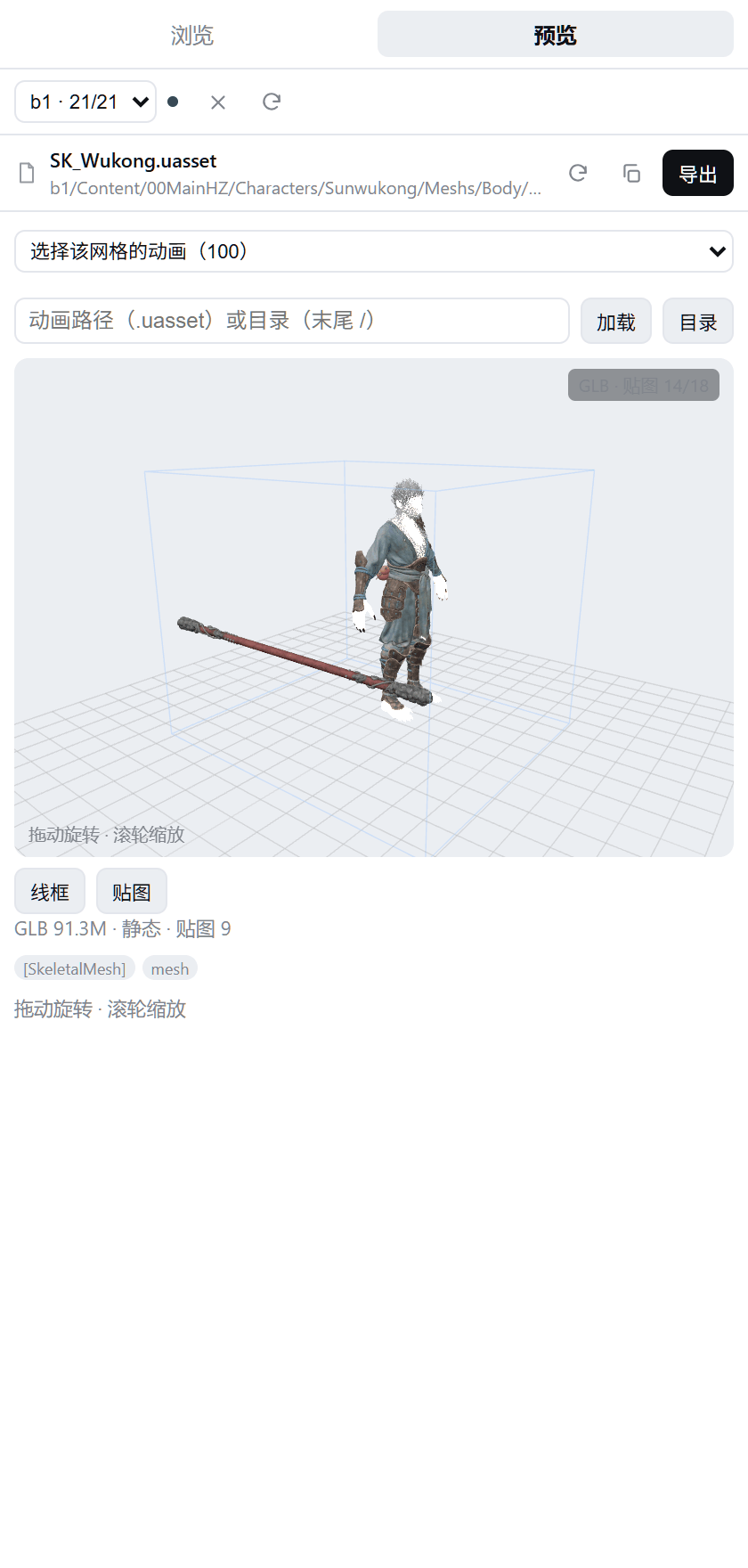
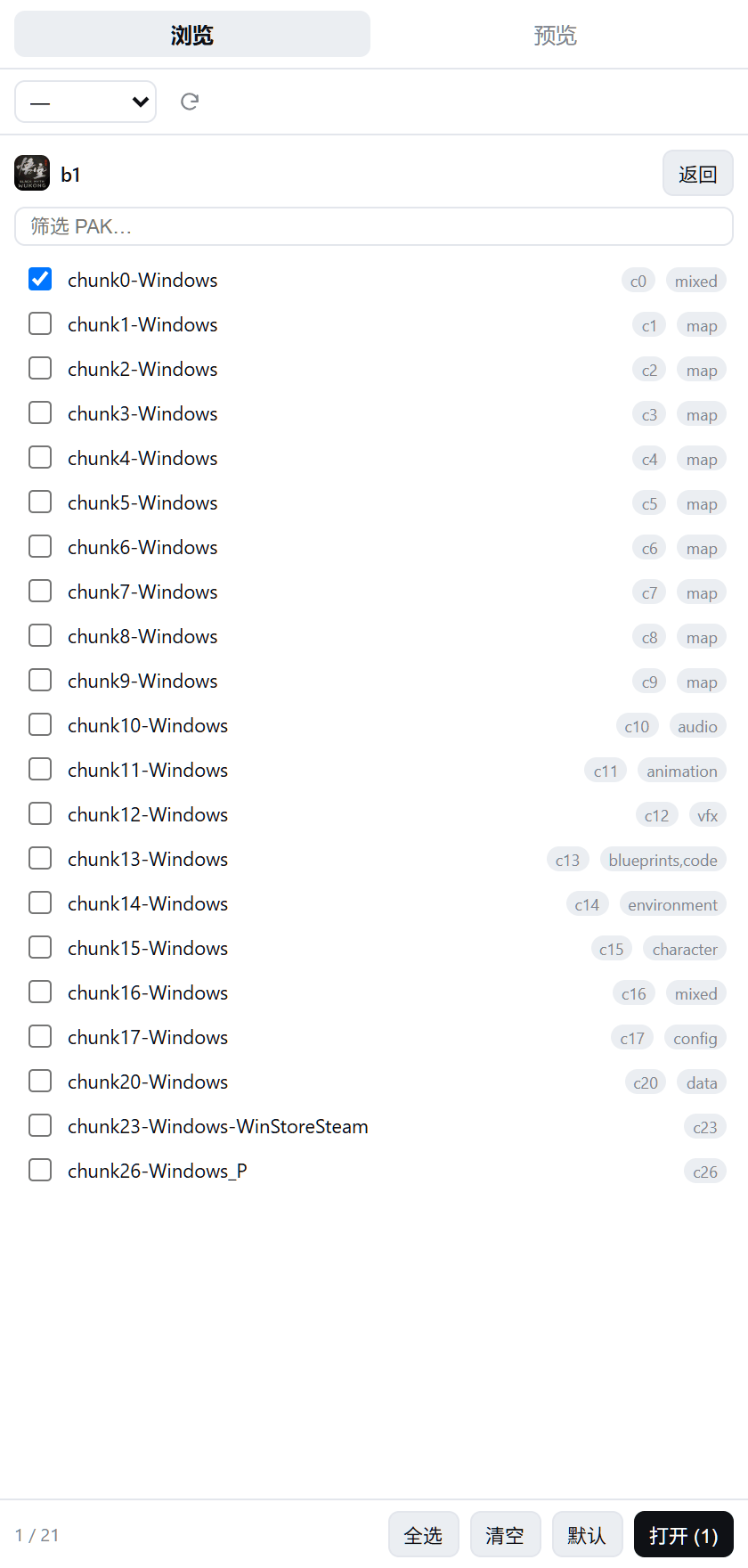
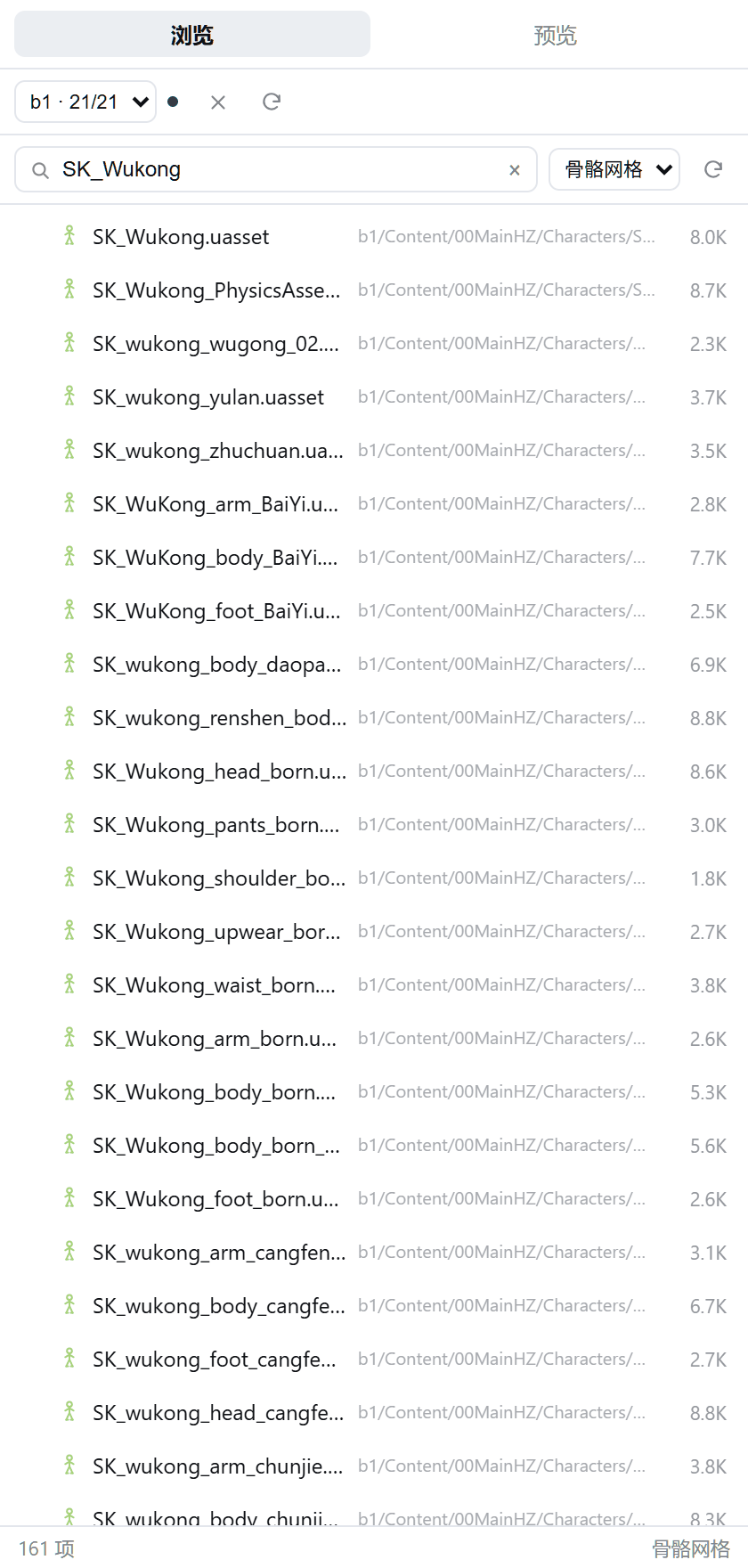
模型预览(SK_Wukong.uasset → GLB 91.3 MB,贴图与骨架都在)· 按 chunk 挂载 PAK · 路径搜索 + 类型筛选
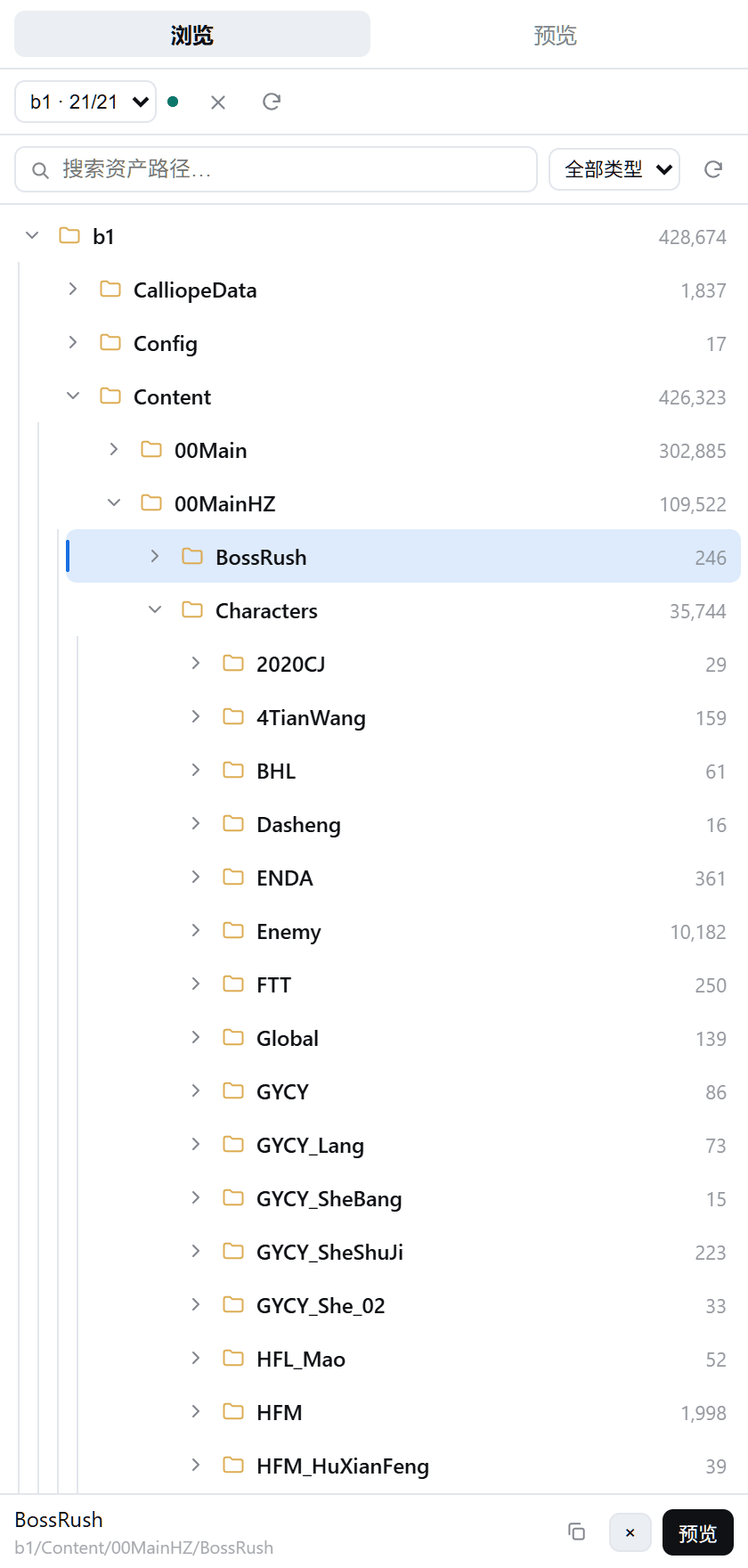
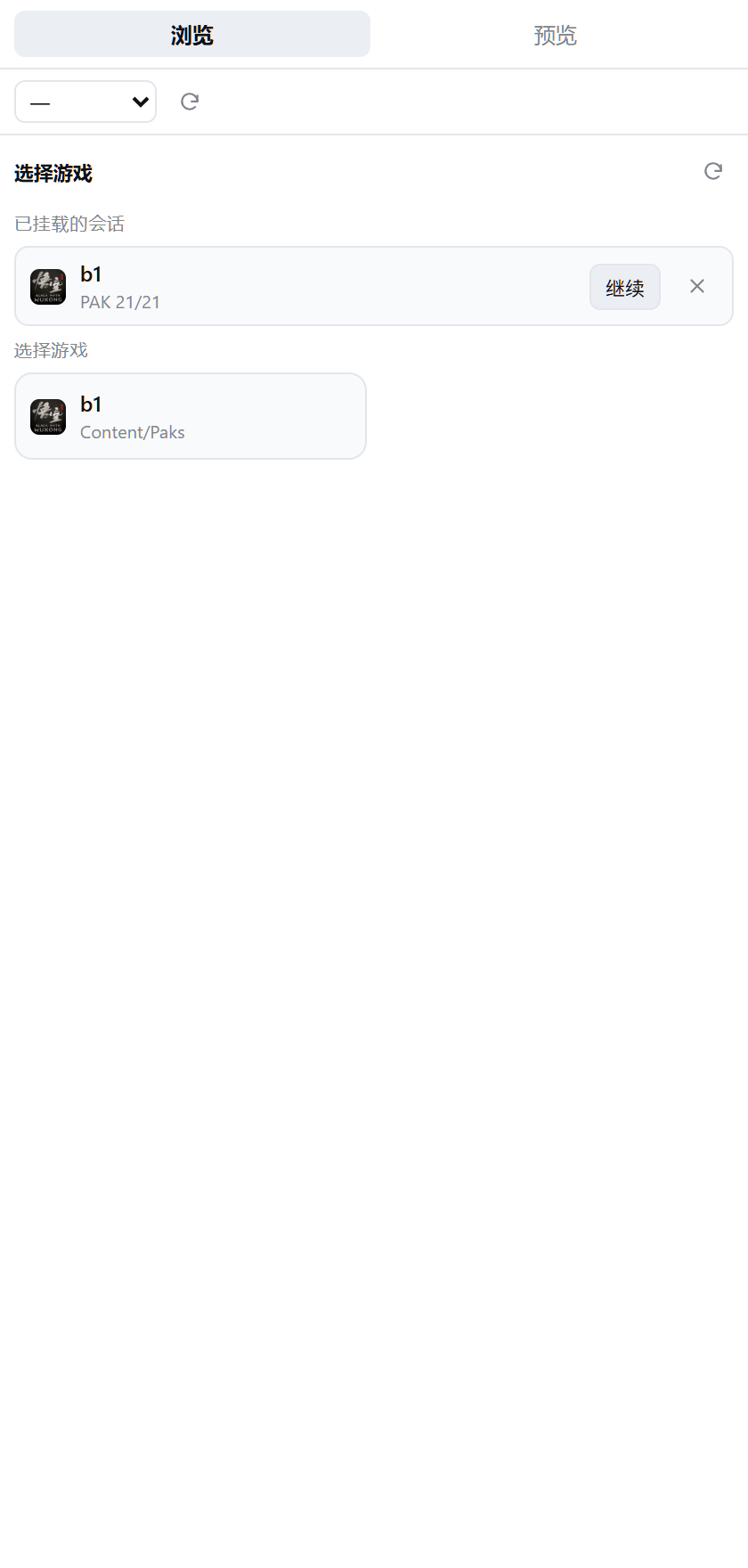
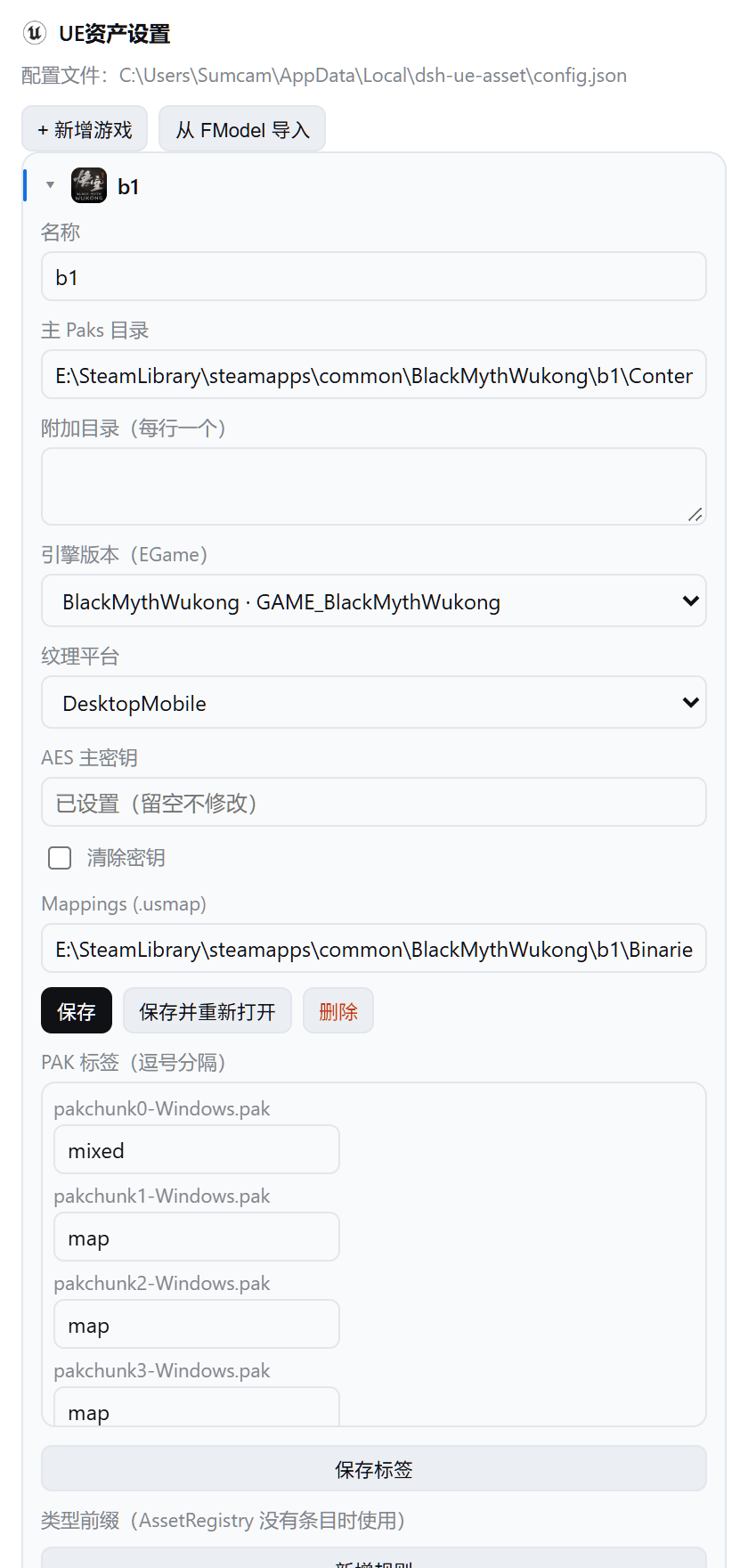
目录树(层级引导线 + 每级计数)· 选择游戏(图标取自游戏 exe)· 设置页(引擎版本枚举 / PAK 标签 / AES)
本机(.NET SDK 10.0.101 + CUE4Parse 1.2.2.202610 + 黑神话:悟空)已实测:
| 能力 | 状态 | 实测结果 |
|---|---|---|
| 挂载加密 PAK | ✅ | 21 个 PAK,missing=0,502,366 个虚拟路径,约 1.6 秒 |
| 目录浏览 / 路径搜索 | ✅ | tree / find |
| 属性读取 | ✅ | 依赖 usmap;缺失时明确报 parser_error |
| 纹理预览 | ✅ | TextureDecoder + TextureEncoder → PNG |
| 导出 | ✅ | ExportSession.RunAsync,产物直接落在导出目录内 |
| serve 协议 | ✅ | JSON-lines,stdin/stdout |
| DSH Host 工具 | ✅ | 17 个工具,smoke + 全链路测试通过 |
| DSH 右栏 / 设置页 | ✅ | sidebar.right.pane.tab + settings.section |
| 3D 模型预览 | ✅ | StaticMesh / SkeletalMesh → 自包含 GLB → three.js 视口(绑定姿势) |
| AI 模型返图 | ⬜ | 计划中(需要离屏 WebGL 往返) |
# 1. 构建
dotnet build src/DshUeAsset.Cli/DshUeAsset.Cli.csproj -c Release

# 2. 从 FModel 的 AppSettings.json 导入游戏(只读那个 JSON,不需要启动 FModel)
dotnet src/DshUeAsset.Cli/bin/Release/net10.0/ueasset.dll config import-fmodel

# 3. 补齐 Oodle(解压加密/压缩 PAK 必需)
#    设置 → UE资产设置 → Oodle 旁的「下载」按钮:优先用本机副本,找不到才从公开镜像下载;
#    也可以手动编辑 %DSH_HOME%\dsh-ue-asset\config.json → "oodleLibrary"

# 4. 挂载 + 搜索 + 预览
ueasset open b1
ueasset find --profile b1 T_Boss --limit 10
ueasset preview --profile b1 <asset-path> --out out.png
CLI 每次调用都是独立进程;需要跨命令复用挂载时用 serve(DSH 插件就是这么做的)。
%DSH_HOME%\dsh-ue-asset\config.json(DSH_HOME 未设时是 %USERPROFILE%\.dsh),CLI 与插件共用:
从 0.1.9 及更早版本升级时,启动会自动把旧的
%LOCALAPPDATA%\dsh-ue-asset整个搬到这里(配置、缓存、Oodle DLL),只跑一次,旧目录里已存在的同名文件不会被覆盖。
{
  "profiles": {
    "b1": {
      "name": "b1",
      "directory": "E:/.../BlackMythWukong/b1/Content/Paks",
      "extraDirectories": [],
      "game": "GAME_BlackMythWukong",
      "platform": "DesktopMobile",
      "aesKey": "0x...",
      "dynamicKeys": [],
      "usmap": "E:/.../Mappings.usmap"
    }
  },
  "outputRoot": "E:/WorkSpace/Tools/dsh-ue-asset/Exports",
  "oodleLibrary": "E:/.../oo2core_9_win64.dll",
  "defaultMeshFormat": "UEFormat"
}密钥只存在这个文件里,永远不经过工具参数——DSH 会留存工具参数进对话历史。
plugin/ 是一个标准 bundle:Host (index.js) + Client (client.js),包名 dsh-ue-asset,package.json 里声明了 dsh.bundle + dsh.client,因此可以被 dsh plugin add 直接安装(也在 awesome-dsh-plugin 列表里)。
装法一:预构建包(推荐,自带 dist/ueasset.exe)
dsh plugin --profile desktop add https://github.com/Sumcam-L/dsh-ue-asset/releases/latest/download/dsh-ue-asset.tgz装法二:npm
dsh plugin --profile desktop add dsh-ue-asset两种都要把 "dsh-ue-asset" 加进 profile package.json 的 dsh.profile.bundles,然后重启 DSH。
装法三:源码(本仓库开发时)
# 桌面版 DSH 的 profile 由 Electron 独占托管,dsh CLI 会拒绝写入。
# 先用 dry-run 看清它要改什么:
powershell -NoProfile -File scripts/install-plugin.ps1

# 确认后写入(junction + dependency + bundles),然后重启 DSH:
powershell -NoProfile -File scripts/install-plugin.ps1 -Apply
从 git 装(github:Sumcam-L/dsh-ue-asset#path:/plugin)只会拿到 plugin/ 目录本身,没有二进制,需要先 dotnet publish 出 dist/,或者用 exePath 指向已有的 ueasset.exe。
新增(P1):
uea_search_assets:中文名/别名搜索(如「黑熊精」→ SK_GYCY_xiong_02),模型优先排序;uea_open_asset:把资产推送到右栏预览(客户端 1.5s 内自动切换);uea_preview(..., waitForClient):等待并返回客户端 GLB 加载回执;uea_asset_types)→ 内置前缀。重新启动后,在任意对话里应能看到工具 uea_open_game / uea_tree / …,
右栏出现「UE 资产」tab,设置页出现「UE资产设置」分区。
如果用的是 CLI 托管的 profile(非 Electron),也可以直接:
dsh plugin --profile <name> add link:E:/WorkSpace/Tools/dsh-ue-asset/plugin
包内二进制位置的解析兼容两种布局:平铺安装读 <包>/dist,符号链接的检出读仓库根的 dist。
装好后:
uea_open_game / uea_sessions / uea_tree / uea_find / uea_inspect / uea_preview / uea_export / uea_job / uea_paks / uea_get_tag / uea_set_tag / uea_asset / uea_index / uea_animations / uea_asset_types / uea_search_assets / uea_open_asset/close,正在导出的会话会被拒绝);PAK 列表支持筛选、chunk 徽章、全选 / 清空 / 默认和一行统计FPoseLink.LinkID 重建节点连线(引脚名、层级都是真的),并给出节点类型分布与状态列表Host 用 ctx.webServer.register 暴露 /ue-asset/api/* 给 Client;没有依赖未公开的 Remote 装饰器。
dotnet build DshUeAsset.slnx -c Release
dotnet test DshUeAsset.slnx -c Release
node scripts/plugin-smoke.mjs b1

# 缓存占用 / 清理(插件设置页走的是同一条 RPC)
ueasset cache stats
ueasset cache clear
文档:
| 不做 | 原因 |
|---|---|
| 启动 / 控制 FModel | 解析在 CUE4Parse 库里,不在 WPF 壳里 |
| 联网下载 keys / mappings | 运行时零网络(唯一例外是设置页里手动点的 Oodle 下载按钮) |
| 魔改引擎的额外加密 | 只支持标准 AES + usmap |
| repack / 写回游戏 | 只读 |
| Unity / Godot / RE | 抽象边界是「虚幻引擎资产」 |
dsh-ue-asset(repository 指回本仓库)dsh-ue-asset.tgz(文件名不带版本号,releases/latest/download/ 链接不会因发版失效)awesome-dsh-plugin 的 data/plugins/Sumcam-L__dsh-ue-asset--plugin.ymldsh-ue-asset@0.1.3+ 内置 win-x64 的 ueasset.exe、e_sqlite3.dll、libSkiaSharp.dll、CUE4Parse-Natives.dll(dist/)。Oodle(oo2core_9_win64.dll)因 Epic 许可不随包分发,运行时会自动从游戏目录 / OODLE_DLL / oodleLibrary 查找;设置页的「下载」按钮可在缺失时从社区镜像补齐(仅下载到本机)。
CLASSIFICATION EVIDENCE
系统优先读取 GitHub Topics,再与站内分类词典和词根规则比对。当前命中: cli。
superdesigndev
OpenRouter for agent tools. Join community here: https://discord.gg/6mQYYfFMAn

T-Auto
A toolkit for low-level operations in DSH, designed to reduce token usage and task execution time / DSH 底层操作工具插件,旨在减少 Token 消耗与任务耗时

crafter-station
A public gallery of animated pets for Codex, Claude Code, DeepSeek Harness, Hermes, OpenCode, Gemini CLI, and more.