
模型与 MCP
待识别

rea
morluto
Reverse engineer anything with agents, from app behavior down to native binaries.
PROJECT TOPICS
INSTALL REFERENCE
dsh plugin --profile web add github:Suibianlilili/dsh-always-on-top
该命令指向仓库当前默认分支;尚无绑定当前 commit 的完整验证结果。
PROJECT README


English | 中文
A pin button for the DSH Desktop title bar: click once to keep the window above every other window, click again to release it.
A small DSH plugin — one host route and one client script. No dependencies, no build step, ~30 KB unpacked.

Idle / pinned:
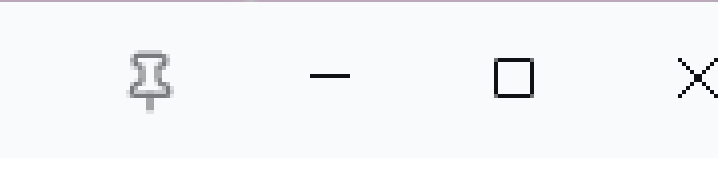
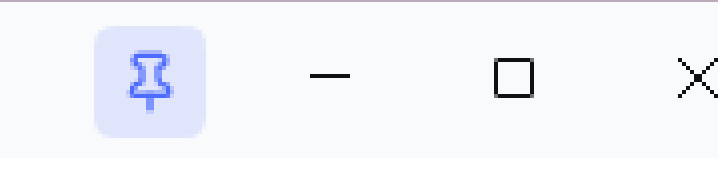
┌──────────────────────────────────────────────┐
│  App  Edit                         📌   ─ □ ✕ │
├──────────────────────────────────────────────┤WS_EX_TOPMOST window styleThe package is published on npm as dsh-always-on-top.
# DSH CLI (web / tui profiles)
dsh plugin --profile web add dsh-always-on-top

# Or add it to the desktop profile directly
pnpm -C "$env:USERPROFILE\.dsh\profiles\desktop" add dsh-always-on-top

# Then add "dsh-always-on-top" to dsh.profile.bundles and restart the app
The
desktopprofile is owned by the Electron app, so the CLI refuses to manage it. Use the command above, or install from the app's plugin settings.
pnpm -C "$env:USERPROFILE\.dsh\profiles\desktop" add "github:Suibianlilili/dsh-always-on-top"

# Then add "dsh-always-on-top" to dsh.profile.bundles and restart the app# 1. install the package into the profile
pnpm -C "$env:USERPROFILE\.dsh\profiles\desktop" add dsh-always-on-top
# 2. add "dsh-always-on-top" to package.json -> dsh.profile.bundles
# 3. restart the appThe pin sits at the right end of the title bar, left of the minimize button:
Click to toggle. Tooltips follow the system language (English / Chinese).
DSH Desktop is an Electron app, so the window belongs to the Electron main process. The plugin runs in the DSH host process, which the main process spawns — therefore process.ppid is exactly the process that owns the window.
POST /dsh-always-on-top/toggleGet-Process -Id <ppid>user32!SetWindowPos to set or clear WS_EX_TOPMOST (HWND_TOPMOST / HWND_NOTOPMOST)GetWindowLong(GWL_EXSTYLE) back and only reports success when the bit actually changedNo Electron changes, no main-process injection, no undocumented APIs.
| Requirement | |
|---|---|
| OS | Windows 10 / 11 |
| Runtime | DSH Desktop (Electron) |
| DSH | 0.2.x (dsh.client injection), tested on 0.2.1-rc.2 |
The button stays hidden in dsh web (browser) and on other operating systems.
The button is positioned for the current title bar (42 px tall, ~138 px of window controls). If a future DSH release changes the title bar, adjust two numbers in the CSS in lib/client.js:
right (currently 146px)top (currently 7px)$DSH_HOME/dsh-always-on-top.json (default ~/.dsh/)# the app must be running; pass the Electron main process PID
node scripts/toggle-test.mjs <pid>MIT
CLASSIFICATION EVIDENCE
系统优先读取 GitHub Topics,再与站内分类词典和词根规则比对。当前命中: deepseek-harness。
morluto
Reverse engineer anything with agents, from app behavior down to native binaries.

deepseek-ai
DeepSeek Harness: Everything is a Plugin.

nexu-io
The 1st Collaborative AI Design Agent Workspace. Local-first and open source. Create motion, prototypes, websites, apps, dashboards, presentations, images, and videos with your team and AI agents. Share work, exchange feedback, and iterate together in one workspace.