
其他
完整应用

deepseek-harness
deepseek-ai
DeepSeek Harness: Everything is a Plugin.
PROJECT TOPICS
INSTALL REFERENCE
dsh plugin --profile web add github:StarryHui/dsh-custom-background
该命令指向仓库当前默认分支;尚无绑定当前 commit 的完整验证结果。
PROJECT README
vibe coding初作品,自定义 DeepSeek Harness(DSH)WebUI 背景插件。在设置侧边栏「agent 预设」下方提供「背景」页面,全部调整实时生效,刷新 / 重启后保持。
background 命名空间,重启不丢。 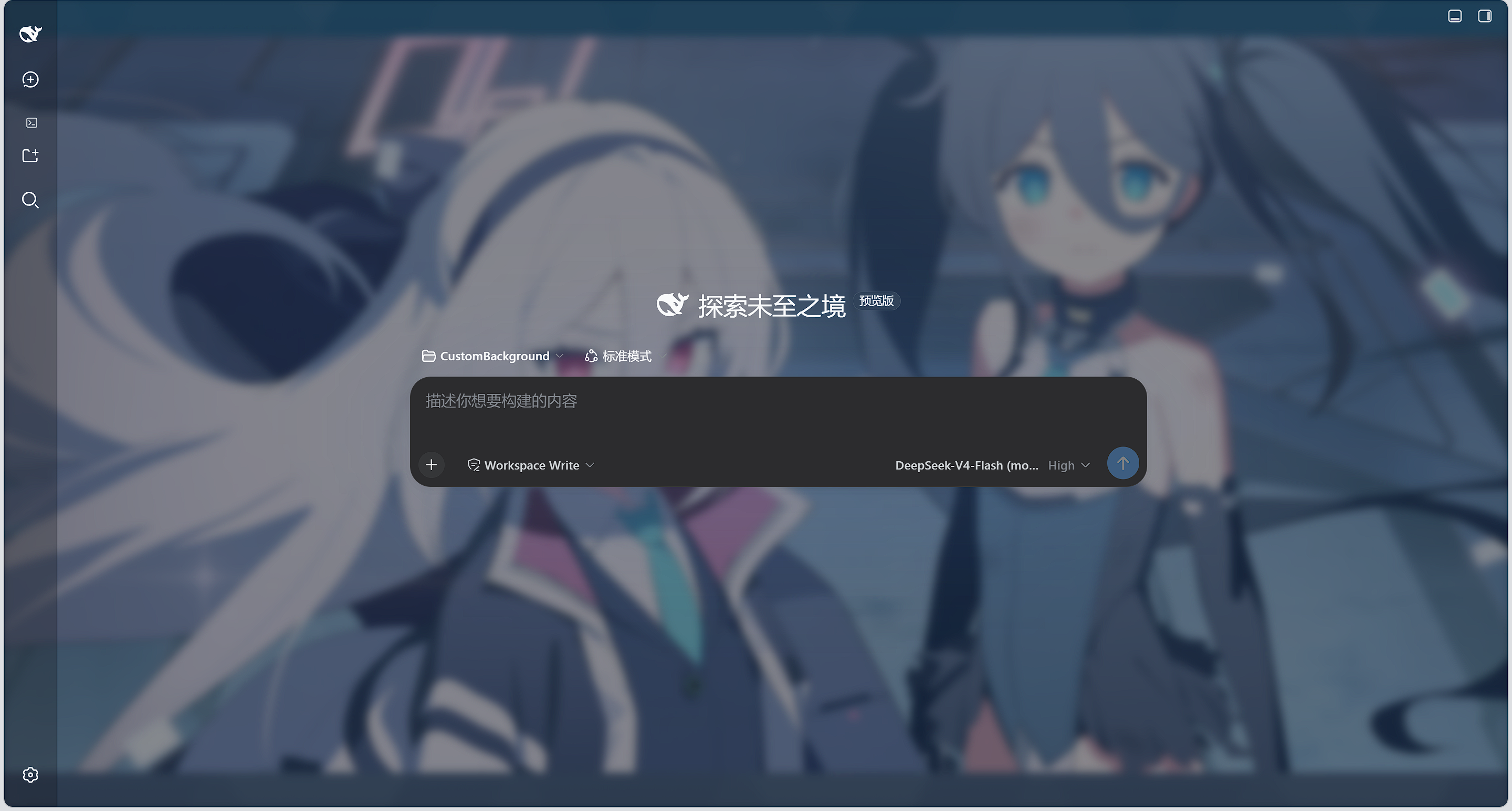
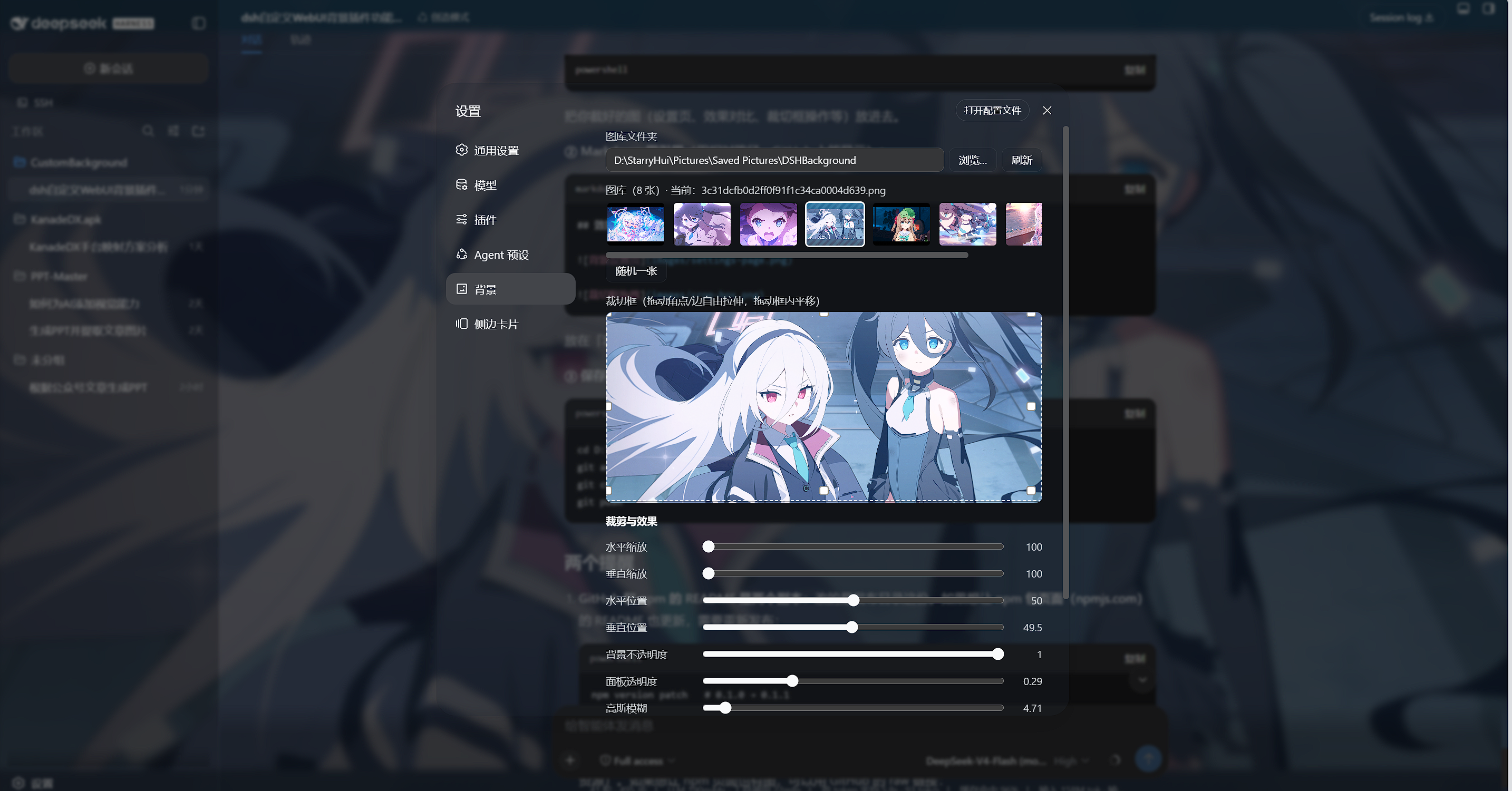
dsh web 可正常启动。dsh plugin --profile web add @starryhui/dsh-background@latestdsh web插件已发布到 npm(@starryhui scope),一条命令安装:
dsh plugin --profile web add @starryhui/dsh-background@latest装完重启 dsh web,设置侧边栏「agent 预设」下方出现「背景」入口。
装到了旧版本? pnpm 11+ 默认的发布年龄门禁(
minimumReleaseAge,内置 24 小时)会把新发布的版本静默隔离。解决办法:在 profile 的pnpm-workspace.yaml设置minimumReleaseAge: 0(或把@starryhui/*加进minimumReleaseAgeExclude),再执行dsh plugin --profile web update @starryhui/dsh-background@latest。
# 1. 克隆仓库
git clone https://github.com/StarryHui/dsh-custom-background.git
cd dsh-custom-background

# 2. 安装到 web profile(lib/ 已随仓库提交,无需本地构建)
dsh plugin --profile web add link:$(pwd)

# 3. 重启 dsh web,设置 → 背景 即可配置
dsh web
仓库安装仅供开发调试:改
src/后需在 DSH 源码 checkout(packages/client)中重新构建 (tsc -b+tsdown --env.DSH_BUILD_FACE client)并把新lib/复制回本仓库。
background 通过插件自建同源路由(/dsh-bg/state、/dsh-bg/save、/dsh-bg/css)读写,不依赖官方 settings RPC 的命名空间白名单。src/ 为源码;lib/ 为构建产物(随仓库提交,便于免构建安装)。MIT
CLASSIFICATION EVIDENCE
系统优先读取 GitHub Topics,再与站内分类词典和词根规则比对。当前命中: 无有效分类标签。
deepseek-ai
DeepSeek Harness: Everything is a Plugin.

anywhere-labs
为 DeepSeek Harness (DSH) 插件生态打造的现代化桌面端解决方案。万物皆「插件」,桌面本身也是「插件」。

walkinglabs
Harness engineering beginner tutorial, from 0 to 1