
Agent 与会话
插件

nuwa-skill
alchaincyf
你想蒸馏的下一个员工,何必是同事。蒸馏任何人的思维方式——心智模型、决策启发式、表达DNA。Distill how anyone thinks.

SiriLee/dsh-rewind
DSH 插件:便捷无感的同窗口内对话回退,从不新建分支;自带轻量工作区备份,可一并还原文件(Claude Code /rewind 语义)。 · DSH plugin: effortless in-window conversation rewind — never forking a new session; ships a lightweight workspace backup that restores files together with the rewind (Claude Code /rewind semantics).
PROJECT TOPICS
INSTALL REFERENCE
dsh plugin --profile web add github:SiriLee/dsh-rewind
该命令指向仓库当前默认分支;尚无绑定当前 commit 的完整验证结果。
PROJECT README
DeepSeek Harness plugin: in-window conversation rewind to any earlier user message.
No forking, no window switch, with optional workspace-file restore — Claude Code-style /rewind semantics.
English | 中文


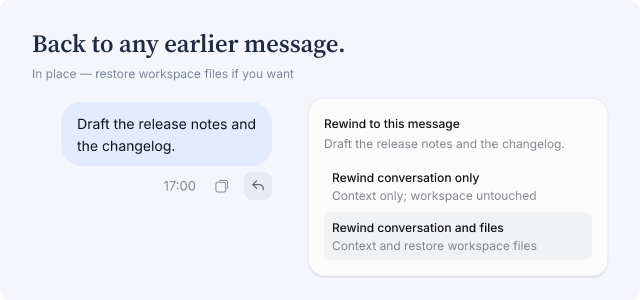
A deliberately focused plugin with one job: rewind to any user message, no matter how far back, in place — and conveniently restore the files it changed along the way.
Every user message carries a ↶ rewind button in its action row. Clicking it opens a mode-selection popover — "rewind conversation only" or "rewind conversation and files", the latter showing the file-change list for confirmation first. You can also pick and rewind conveniently via the /rewind and /undo commands.
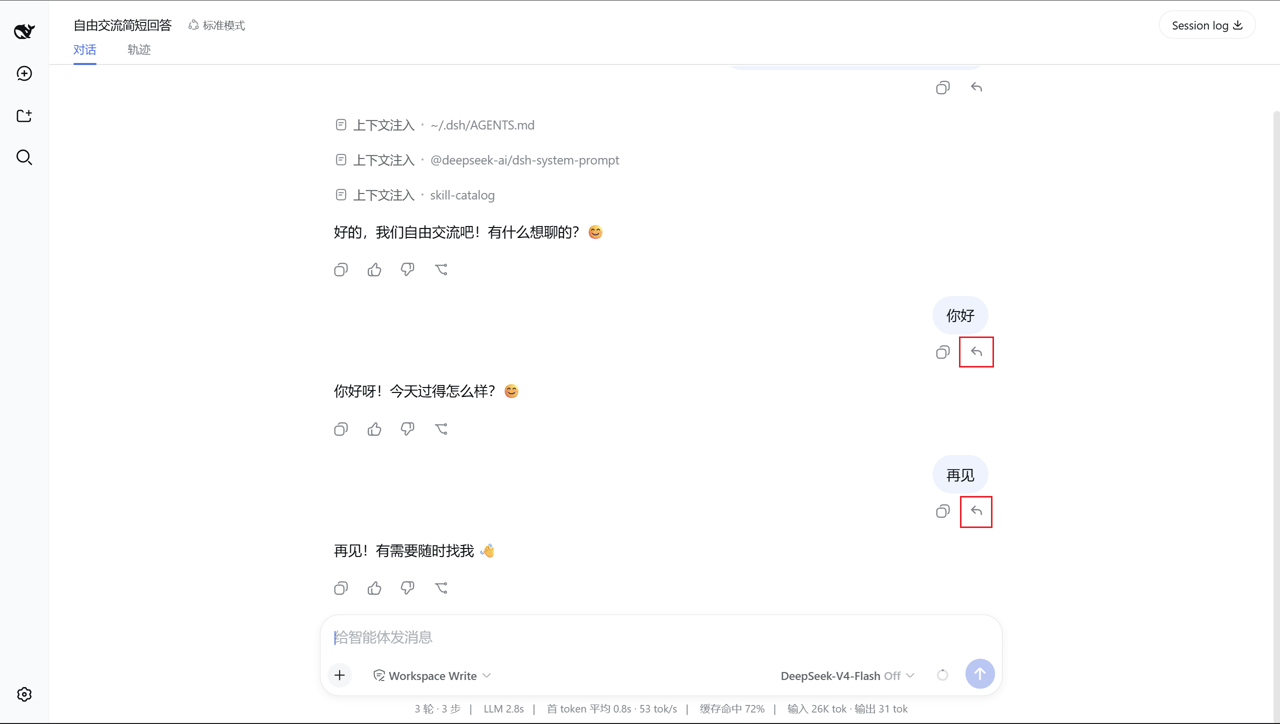 Per-message ↶ rewind button |
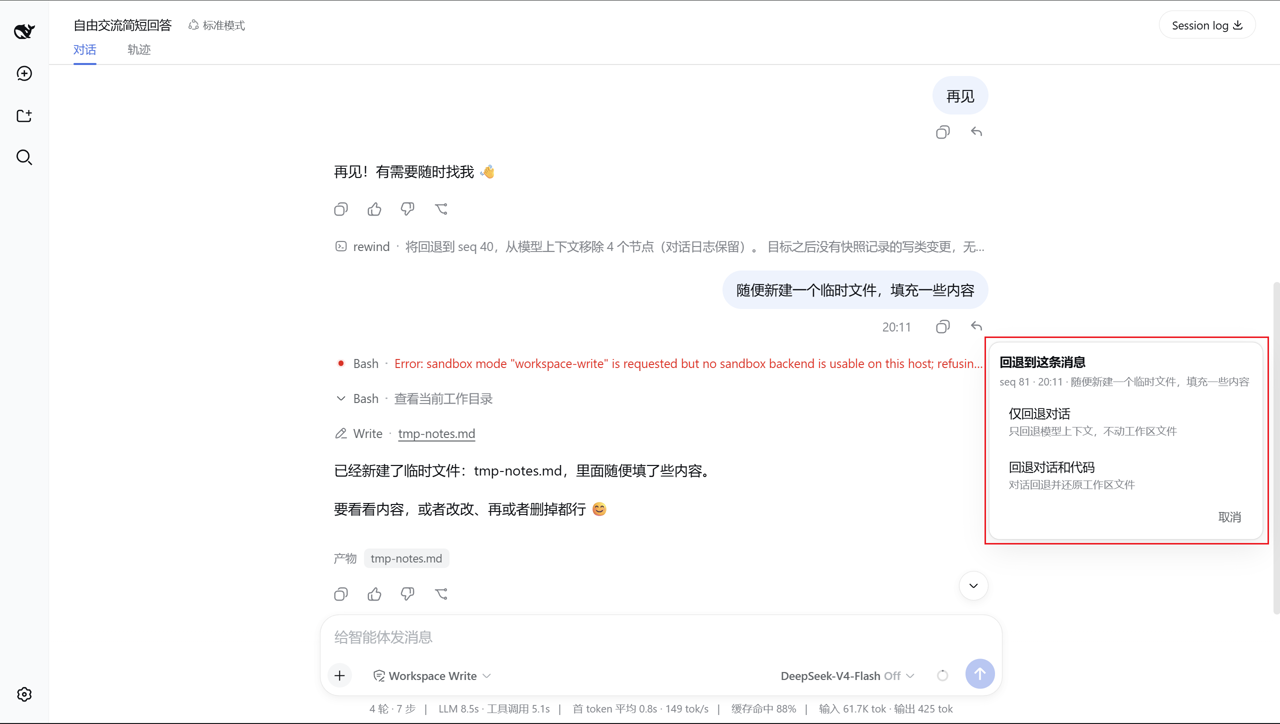 Mode-selection popover |
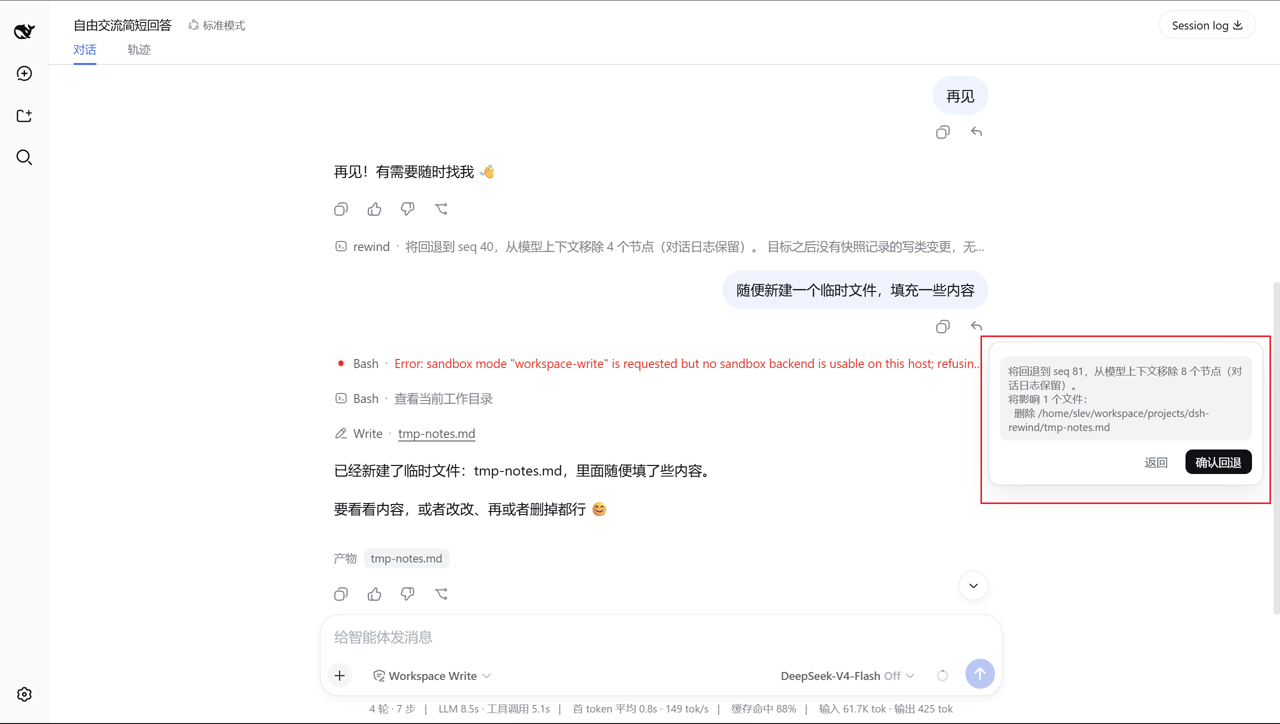 "Conversation and files" impact list |
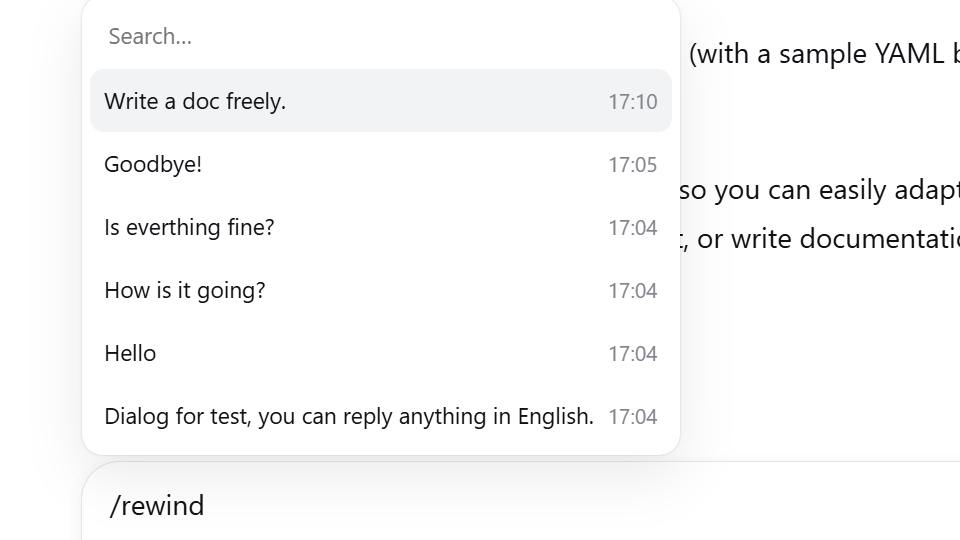 /rewind candidate picker |
Command line:
dsh plugin --profile <name> add dsh-rewind-pluginGraphical interface: the Plugins page → Add plugin → enter dsh-rewind-plugin → install.
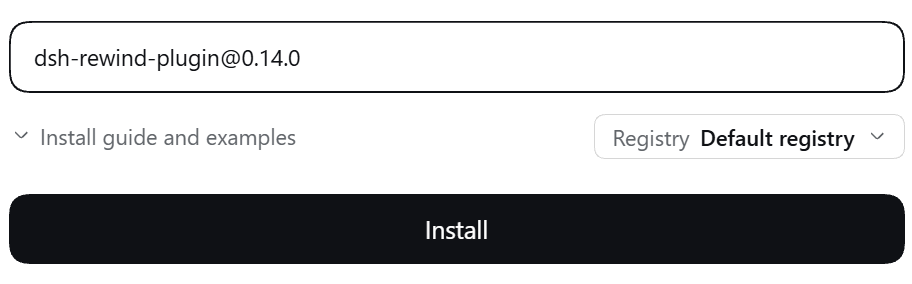
The default install is built for the latest stable DSH release. If you are on a different DSH version, find a matching one in Releases.
[!WARNING] The npm name
dsh-rewindbelongs to another author's package — install withdsh-rewind-plugin.
/rewind (or its alias /undo) to open the rewind menu.Keyboard: both the candidate picker and the mode popover support ↑↓ to move, Enter to confirm, Esc to cancel/back.
steering message the model hasn't read yet is also a valid rewind target, and withdrawing it does not interrupt the current run.As you work with dsh-rewind, checkpointing automatically captures the state of your code before each prompt you send that starts a turn. This creates the session's snapshots and saves them to <dsh home>/rewind-snapshots/ (default: ~/.dsh/rewind-snapshots/). The plugin keeps file snapshots for the 100 most recent checkpoints in a session. Discarding an older checkpoint deletes the snapshot files that no remaining checkpoint references.
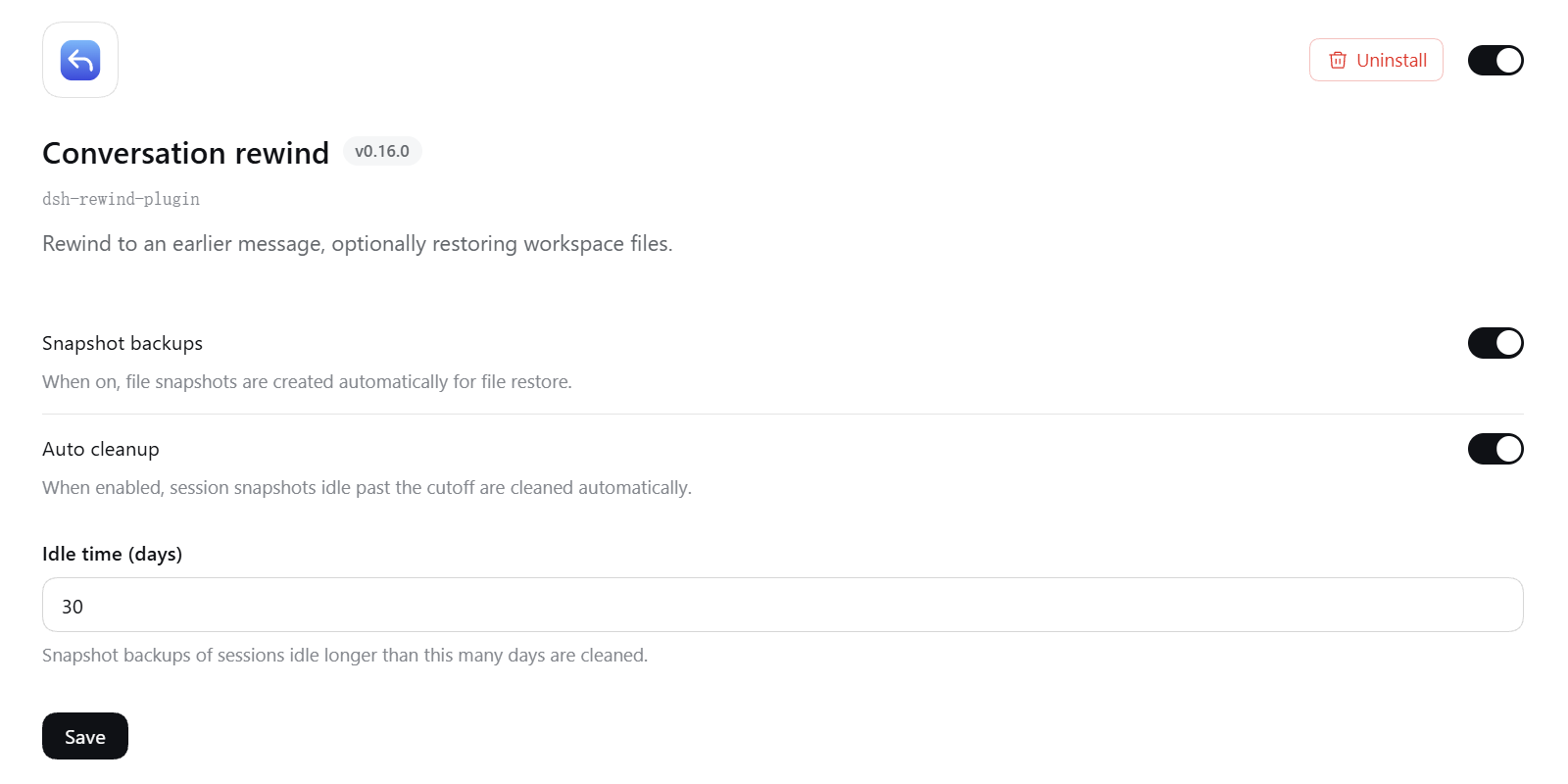
The Snapshot backups feature (on by default) controls checkpointing. It can be switched off in this plugin's configuration card. When off, no new snapshots are created; file changes made while off cannot be restored. Users who do not need file restore can avoid the extra copies and read/write overhead.
The Snapshot auto-cleanup feature (off by default) deletes the snapshot directories of long-inactive sessions when enabled, once the session has been idle for about 30 days (by default). Configure and review it in this plugin's configuration card (the auto-cleanup switch and the idle-day cutoff). See Snapshot auto-cleanup for details.
# Uninstall the plugin
dsh plugin --profile <name> remove dsh-rewind-plugin

# To also delete local data
rm -rf <dsh home>/rewind-snapshots
rm <dsh home>/snapshot-cleanup-last-sweep.json
The plugin's configuration entries are stored in the current Profile's config file cordis.patch.yml. To clean up completely, delete the corresponding entries manually.
Compared with the default behavior:
| Dimension | Default behavior | This plugin |
|---|---|---|
| Conversation rewind | Branch into a new conversation | In-place rewind — no new session branch, no window switch, no leftover session copies |
| File restore | Manual restore / Git management | One-click restore — quickly undo changes together with the conversation, fitting agent workflows |
| Restore dependencies | Often needs a Git repository or a full snapshot engine | None — works in any directory |
The whole design rests on two principles, simple but deliberate: the conversation half "masks, never deletes", using DSH's native "hide + replace" mechanism; the file half "partial tracking + checkpointing", following Claude Code's checkpoint semantics.
append-only is a hard rule: the session log only grows and is never rewritten — the foundation of auditability and privacy. A rewind never touches history; it makes a single move: append one "empty message" marker to the end of the log and use it to "mask + replace" the target message and everything after it, so the model and the UI see only what came before it.
/compact: /compact compresses a span of history into a summary, while /rewind swaps in an "empty message" marker. Because it is canonical, DSH's log replay, compaction, and resume preflight all recognize it and never mistake it for a real message;Design note: the entire conversation rewind is a single append. It's deterministic, auditable, and — because the log was never broken — a "clean" time-travel. Minimal action, complete semantics.
The file half follows Claude Code's checkpoint semantics — partial tracking + checkpointing, not a whole-tree snapshot. This trade-off saves space while still covering changes to tracked files:
write, edit) — records the files it first touches and backs up their pre-edit status; it never backs up the whole workspace, so it's lightweight.Design note: boundary checkpointing + first-touch capture + version reuse — the message-boundary checkpoint re-reads every tracked file and records its state; first touch adds a new file with its pre-touch state; restore touches only files that differ. Small on disk and suitable for quick, session-level recoveries.
This plugin deliberately stays lightweight and focused on one thing — "conversation rewind". The following are out of its scope, and each has a better owner (see design boundaries):
>=24.9.0.package.json engines.dsh.[!WARNING] This project and DeepSeek Harness are both in developer preview. Pin exact versions in reproducible environments and review the behavior notes above.
[!NOTE] Browser diagnostics are available; see Browser diagnostics.
This plugin only appends rewind-marker events to the session log; it never deletes or rewrites logged history. Workspace files are written only when you choose "conversation and files"; backups are stored under <dsh home>/rewind-snapshots/; restores draw only from those backups. It never touches your git repository, makes no network requests, and accesses no credentials. For sessions you've left inactive for a long time, a snapshot auto-cleanup (off by default) can remove their snapshot directory in whole, leaving the active session and the chat log untouched. Full security model: docs/security-model.md; to report a vulnerability, see SECURITY.md.
npm install            # devDeps from the npm registry
npm run check          # one-shot full gate: typecheck + test + build + verify:host + pack --dry-run
npm run typecheck      # tsc on all three surfaces (host + client + client-test)
npm test               # vitest: all unit and compatibility suites
npm run build          # esbuild: lib/index.js (host ESM) + lib/client.js (loader closure) + .d.ts
node scripts/verify-host.mjs   # end-to-end verification of the built artifact
prepack runs the full build, so npm pack / npm publish always ship a complete lib/. Install from npm or a packed tarball — a git checkout has no built lib/.
Maintainers: the source layout and architecture are in docs/architecture.md; the harness interface reference is in docs/harness-reference.md.
Contributing guide: CONTRIBUTING.md.
Releases go out through GitHub Actions Trusted Publishing (OIDC, no stored NPM_TOKEN): push a v<version> tag and CI publishes with Sigstore provenance.
npm version patch && git push origin <branch> --tagsOne-time npm-side setup and the full workflow details: docs/release/release.md.
CLASSIFICATION EVIDENCE
系统优先读取 GitHub Topics,再与站内分类词典和词根规则比对。当前命中: session、history。
alchaincyf
你想蒸馏的下一个员工,何必是同事。蒸馏任何人的思维方式——心智模型、决策启发式、表达DNA。Distill how anyone thinks.

freestylefly
Prompt as Code | GPT Image 2 / 2.5 提示词与案例库,530+ 个案例、20+ 套工业级模板与可复用 Skills,新增 2.5 同提示词对比专区,附完整提示词与生成记录,持续更新。

titanwings
Distilly — Distill how they think into reusable Skills for any Agent or Bot. Formerly Colleague Skill(原同事 Skill).