
模型与 MCP
待识别

rea
morluto
Reverse engineer anything with agents, from app behavior down to native binaries.
PROJECT TOPICS
INSTALL REFERENCE
dsh plugin --profile web add github:Si-xiyu/dsh-git-graph
该命令指向仓库当前默认分支;尚无绑定当前 commit 的完整验证结果。
PROJECT README
DSH Git Graph is a VS Code-style Git graph plugin for DeepSeek Harness — commit history, branch actions and inline diffs, inside a session tab.
English | 简体中文
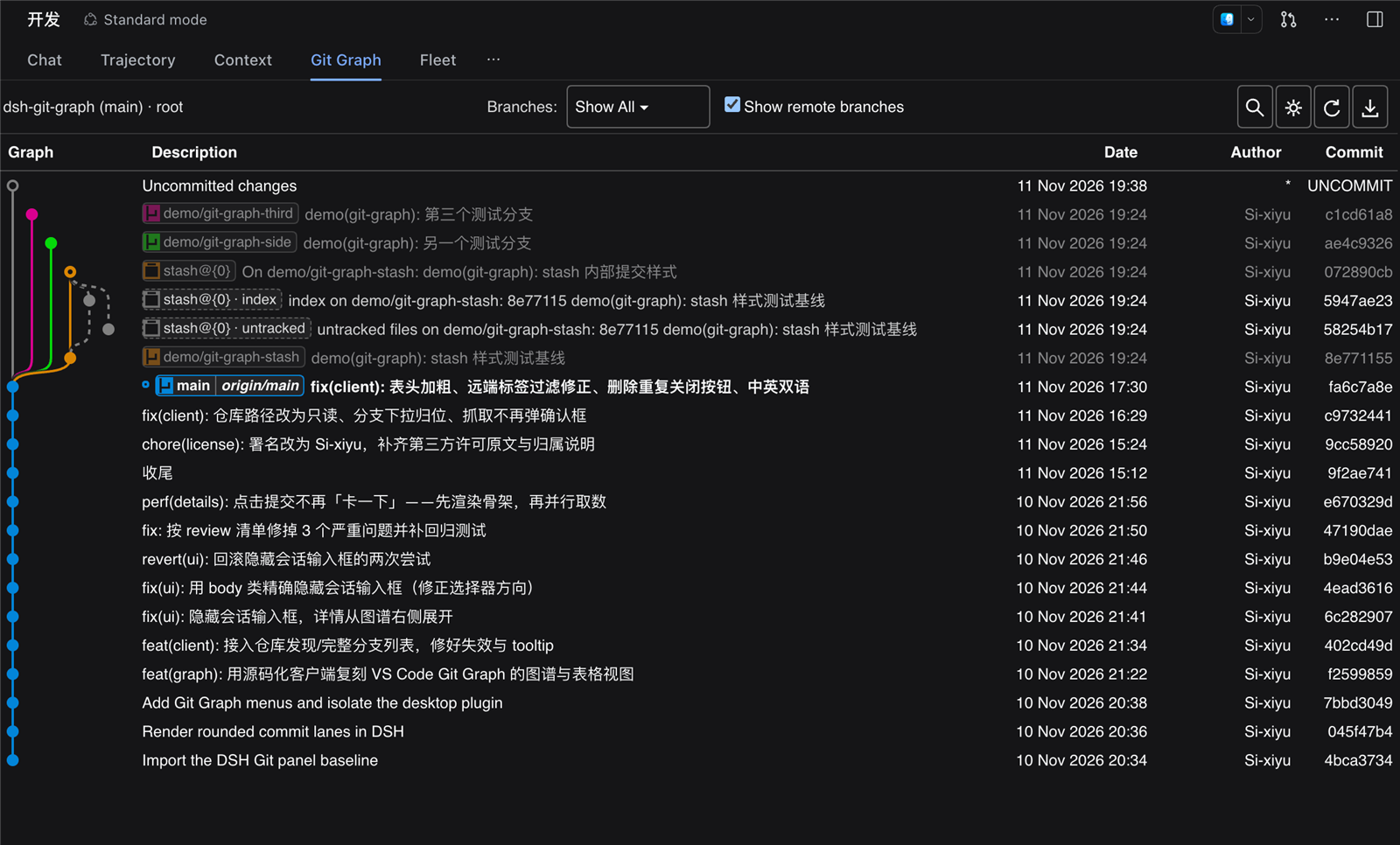
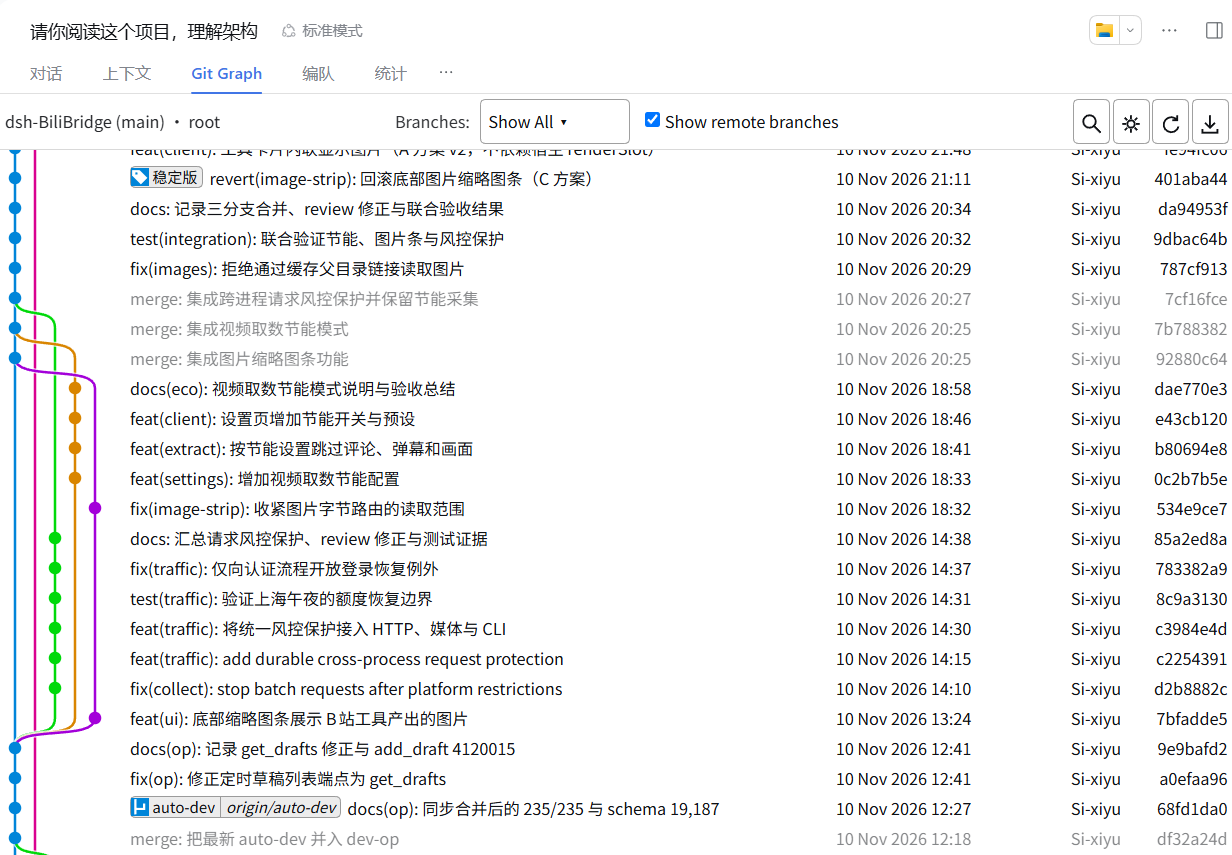
DSH Git Graph turns the repository of the current session into a commit graph you can work on without leaving the chat page: switch, create and delete branches, merge, rebase, reset, cherry-pick, tag, stash, push and pull — with an inline commit details view and a diff drawer.
index / untracked entries) and the
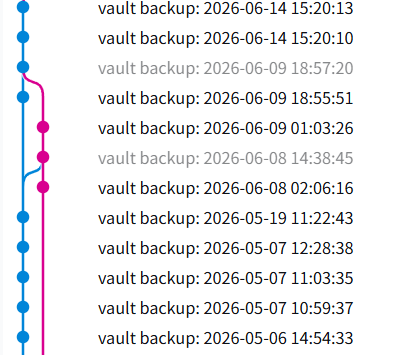
uncommitted-changes row are drawn distinctly; commits outside the checked-out branch are muted.+n / -n on the right. Click a file to open its diff.Ctrl/⌘+F search with highlighting, Ctrl/⌘+R refresh, Ctrl/⌘+H
jump to HEAD, arrow keys to move (Ctrl / Ctrl+Shift for first / alternative parent–child).
dsh plugin --profile desktop add dsh-vsc-git-graphRestart DSH Desktop, open a session inside a Git repository, and select the Git Graph tab.
In root
npm run distThen Settings → Plugins → install from archive and pick dist/dsh-vsc-git-graph-<version>.tgz.
git clone https://github.com/Si-xiyu/dsh-git-graph.git
dsh plugin --profile desktop add ./dsh-git-graphOnce the plugin is listed in the DSH plugin catalog, it can also be
installed from Settings → Plugins → Discover (dsh 0.2.1+). Add
https://cdn.jsdelivr.net/npm/dsh-plugin-catalog/index.json as an index source if the Discover tab is
empty.
Paste this into your agent:
Install the DSH Git Graph plugin from https://github.com/Si-xiyu/dsh-git-graph into my
DeepSeek Harness desktop profile.

1. Check prerequisites: `git --version` works, and `dsh --version` is >= 0.1.0-rc.5.
2. Install from npm: `dsh plugin --profile desktop add dsh-vsc-git-graph`.
3. If the npm registry is unreachable, clone the repo and install the local path instead:
   `git clone https://github.com/Si-xiyu/dsh-git-graph.git` then
   `dsh plugin --profile desktop add <absolute-path-to-the-clone>`.
4. Restart DSH Desktop, open a session inside a Git repository, and confirm a "Git Graph"
   tab appears in the session tab bar.
Machine-readable install notes for agents: AGENTS.md.
git on your PATHThe host half registers /vsc-git-graph on the app's webServer, and that route runs
git — including write operations (checkout, merge, commit, discard, push). A
webServer route carries no Host/Origin check and no browser authentication by
itself, so the handler runs the app's Connection trust fence
(ctx.connection.requestRejection) before the method check, before reading the
body, and before any git command: cross-site and DNS-rebinding requests answer 403,
callers without the browser's login-token credential answer 401. A composition that
provides no connection service registers no reachable handler (503) rather than an
open one.
npm install
npm run build   # src/ -> lib/client.js (single-file client bundle)
npm test        # host + graph-engine + client bundle tests
npm run dist    # distributable tarball
The graph layout engine lives in src/graph.js and is specified behaviourally in
docs/GRAPH-SPEC.md.
Released under the MIT License (© Si-xiyu).
licenses/.src/graph.js is an
independent implementation written against a behavioural specification: behaviour matches the
reference for visual parity, while the source text is not a copy.CLASSIFICATION EVIDENCE
系统优先读取 GitHub Topics,再与站内分类词典和词根规则比对。当前命中: deepseek-harness。
morluto
Reverse engineer anything with agents, from app behavior down to native binaries.

deepseek-ai
DeepSeek Harness: Everything is a Plugin.

nexu-io
The 1st Collaborative AI Design Agent Workspace. Local-first and open source. Create motion, prototypes, websites, apps, dashboards, presentations, images, and videos with your team and AI agents. Share work, exchange feedback, and iterate together in one workspace.