
其他
插件

dsh-bili-scroll
c1overzz
DSH 插件:每天替你刷一轮 B站,读字幕挑出值得的、写一份日报,值得的 @ 你
PROJECT TOPICS
INSTALL REFERENCE
dsh plugin --profile web add github:SamLeRiddle/dsh-closet
该命令指向仓库当前默认分支;尚无绑定当前 commit 的完整验证结果。
PROJECT README
Collapsible sidebar groups for DeepSeek Harness.
English · 简体中文 · Download v0.1.4 · Changelog
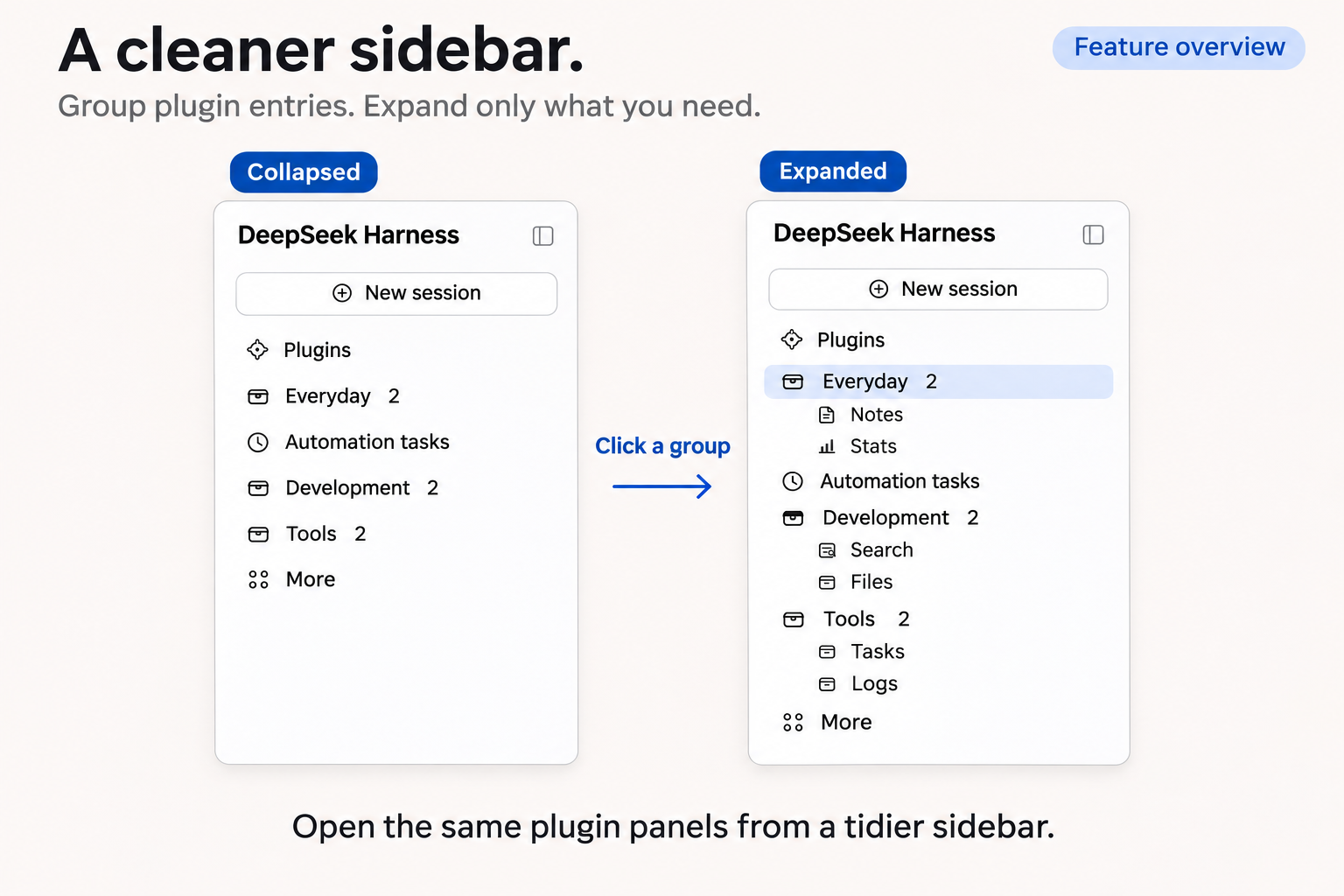
dsh-closet directory or the TGZ as a local DSH bundle.For Windows Desktop, use its bundled CLI or supported plugin manager with the desktop profile.
Back up <DSH_HOME>/config/dsh-closet.json before upgrading. Existing valid configurations remain compatible. If an older version grouped official sidebar entries, return them to the sidebar before upgrading; existing records are not automatically removed.
Open DSH settings and select 匣.
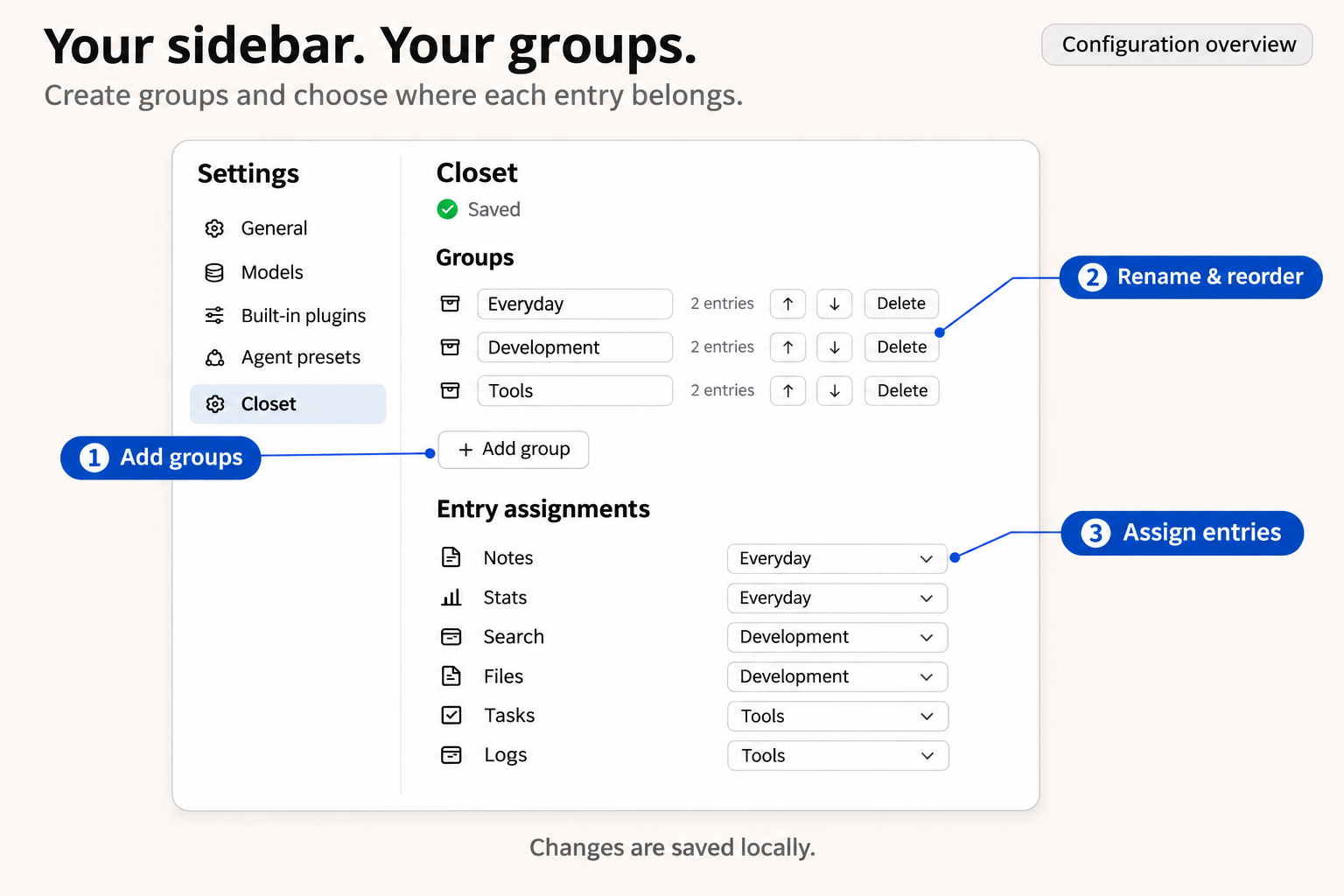
Settings are saved to <DSH_HOME>/config/dsh-closet.json, defaulting to ~/.dsh/config/dsh-closet.json. Saves are processed in order, with pending edits combined into the latest state.
Temporary read failures leave the original configuration untouched. Invalid JSON is backed up before rebuilding, and existing .broken backups are preserved.
The runtime has been tested with Windows 11 and DSH Desktop 0.2.2-rc.1. Version 0.1.4 fixes official sidebar entries being incorrectly listed for assignment in the English host interface.
Current limitations:
To change the default /closet API prefix, add an override in your profile’s cordis.patch.yml:
- id: closet
  config:
    routePrefix: /custom
Restart DSH and refresh the page. The host and client will both use /custom/api/config. Nested paths such as /tools/closet and the root prefix / are also supported.
Run the regression suite from the plugin directory:
npm testThe release passed 23 regression tests. Tested environments and runtime fingerprints are documented in the Windows validation notes.
CLASSIFICATION EVIDENCE
系统优先读取 GitHub Topics,再与站内分类词典和词根规则比对。当前命中: 无有效分类标签。
c1overzz
DSH 插件:每天替你刷一轮 B站,读字幕挑出值得的、写一份日报,值得的 @ 你

hellowind777
一个自主的高级智能伙伴,不仅分析问题,更持续工作直到完成实现和验证。

xing-shuyin
Just open your browser — get all your work done.