
模型与 MCP
待识别

rea
morluto
Reverse engineer anything with agents, from app behavior down to native binaries.
PROJECT TOPICS
INSTALL REFERENCE
dsh plugin --profile web add github:SaltyAnt7342/dsh-macos-compact-chrome
该命令指向仓库当前默认分支;尚无绑定当前 commit 的完整验证结果。
PROJECT README
A small, browser-only DSH plugin that gives the macOS Desktop sidebar a compact chrome.
On a laptop the stock sidebar spends most of its height above the session history: a 52px window strip, a 60px brand row, a full-width New Session bar, then one stacked row per global panel. This plugin folds those into one control row under the window strip, so the workspace and session history start about 170px higher.

The stock sidebar (left, with the brand row, the full-width New Session bar and the stacked panel rows) compared with this plugin's compact chrome:

The switch lives in Settings → General:
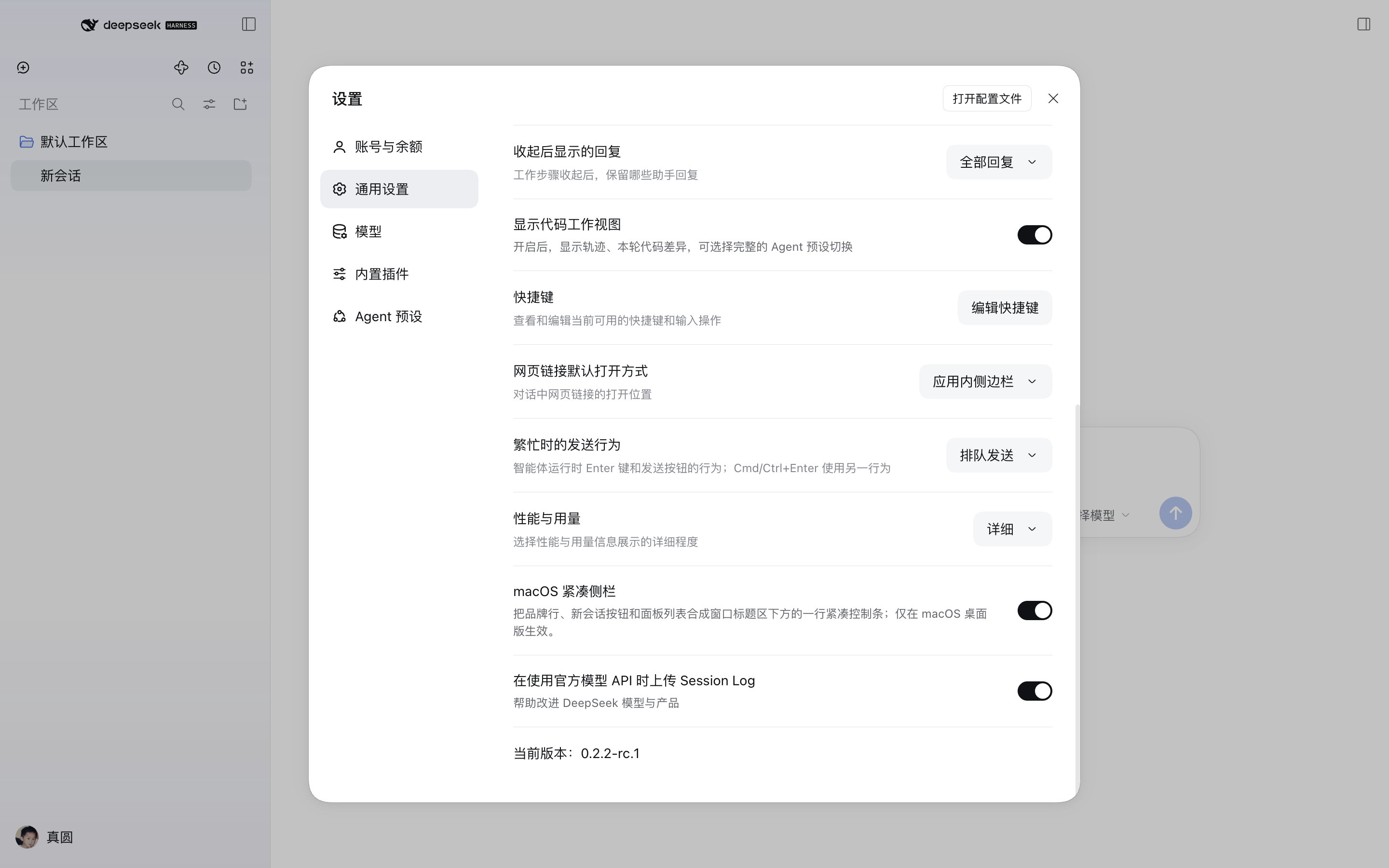
dsh plugin --profile desktop add github:SaltyAnt7342/dsh-macos-compact-chromeor use the Plugins page in the app: Add plugin → paste
https://github.com/SaltyAnt7342/dsh-macos-compact-chrome and install.
Reload the window afterwards.
The npm package name dsh-macos-compact-chrome is reserved for a later
registry release; until then the GitHub repository is the install source.
The plugin is browser-only: no Host service, no tools, no network access, no configuration keys.
Open Settings → General → Compact macOS sidebar and switch it off to return to the stock rows. The choice is stored per browser profile in localStorage['dsh-macos-compact-chrome'] (on / off, default on).
For an A/B check without the settings page, run this in the Web inspector and reload:
localStorage['dsh-macos-compact-chrome'] = 'off'html[data-platform='darwin']); other platforms keep the stock layout.0.2.2-rc.1 on macOS arm64. The rules key off stable class tokens (topStrip, logoRow, newSession, panelList, regionArea, footArea) rather than generated class hashes, so a future sidebar rewrite should retire the stylesheet, not break the app.One <style> tag plus a data-dsh-compact-chrome marker on <html>:
No DOM node is moved and no shipped component is imported.
data-platform="darwin", but has no traffic lights to clear; the result is still valid, slightly airier.The plugin is plain ESM plus one browser module — no build step:
index.js — Host half (no-op; the capability is client-side).client.js — browser module: preference store, stylesheet, Settings row.cordis.patch.yml — inserts the plugin row into the profile.locale/en.json, locale/zh.json — plugin-manager title and description.To iterate, install the checkout directory as a bundle (plugin_manager install from the local path links it), edit client.js, then toggle the bundle off and on again from the Plugins page to reload the browser module.
tooling/ carries a second route: patch ui-sidebar sources and repackage the whole app. It produces a local unsigned DMG and ships the daily-check and rebuild-and-install scripts.
That route needs a local official source clone and a full build environment, so it suits long-term personal use; for appearance alone, install the plugin above. The patch, updater, and upstream PR drafts live in tooling/; version history is in CHANGELOG.md.
MIT. Not affiliated with or endorsed by DeepSeek; DeepSeek Harness is MIT-licensed by DeepSeek.
CLASSIFICATION EVIDENCE
系统优先读取 GitHub Topics,再与站内分类词典和词根规则比对。当前命中: deepseek-harness。
morluto
Reverse engineer anything with agents, from app behavior down to native binaries.

deepseek-ai
DeepSeek Harness: Everything is a Plugin.

nexu-io
The 1st Collaborative AI Design Agent Workspace. Local-first and open source. Create motion, prototypes, websites, apps, dashboards, presentations, images, and videos with your team and AI agents. Share work, exchange feedback, and iterate together in one workspace.