

模型与 MCP
待识别

rea
morluto
Reverse engineer anything with agents, from app behavior down to native binaries.
PROJECT TOPICS
INSTALL REFERENCE
dsh plugin --profile web add github:SaltedFish-ZZJ/dsh-weread-shelf
该命令指向仓库当前默认分支;尚无绑定当前 commit 的完整验证结果。
PROJECT README


把微信读书搬进 DSH 的左侧栏:书架 → 独立窗口阅读 → 回来陪读 AI → 划线想法一路写进 Obsidian。
A WeRead (微信读书) shelf plugin for DSH: browse your shelf, open a book in a chrome-less reader window, ask an AI companion about it, and file highlights into your Obsidian vault.
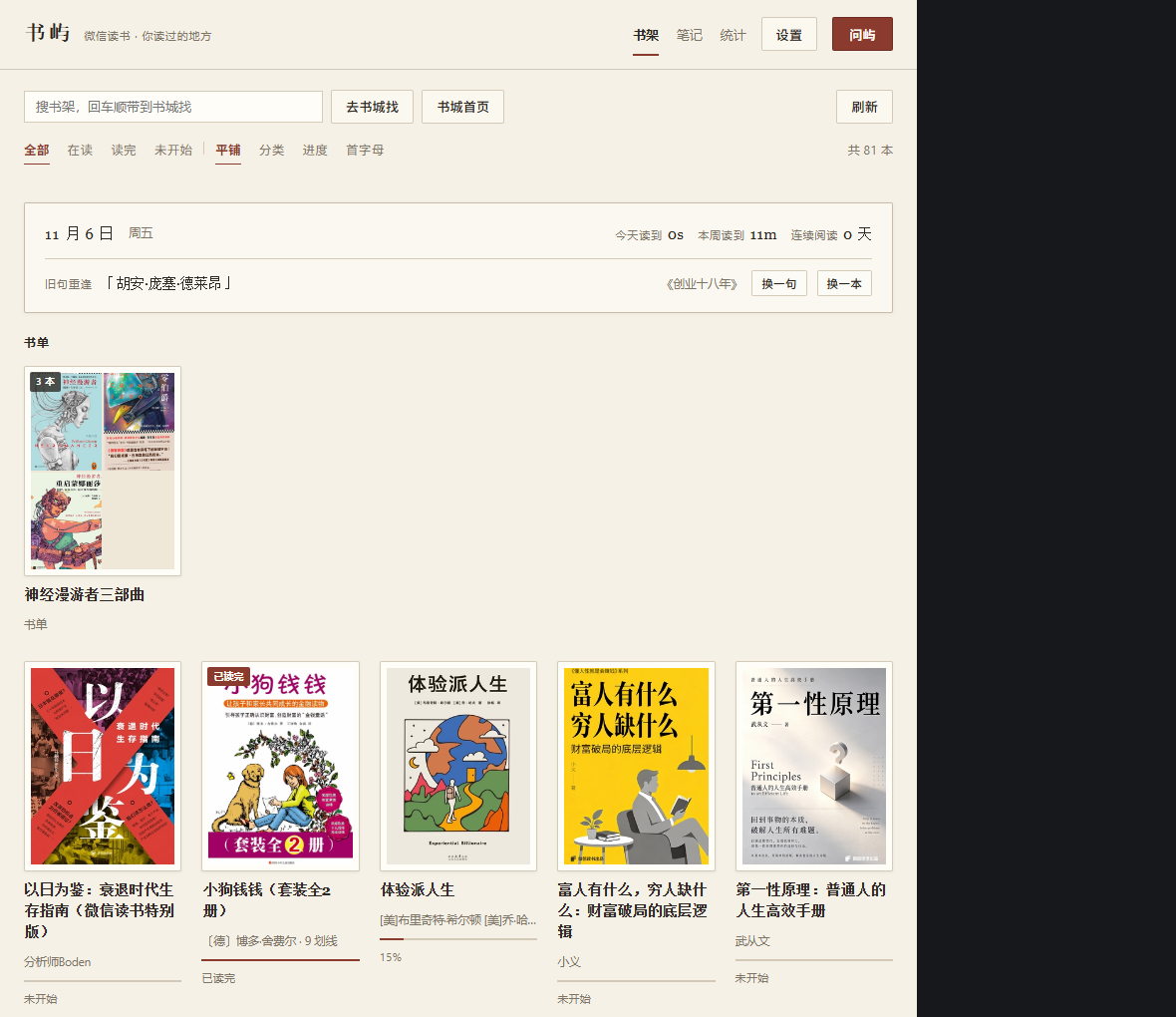
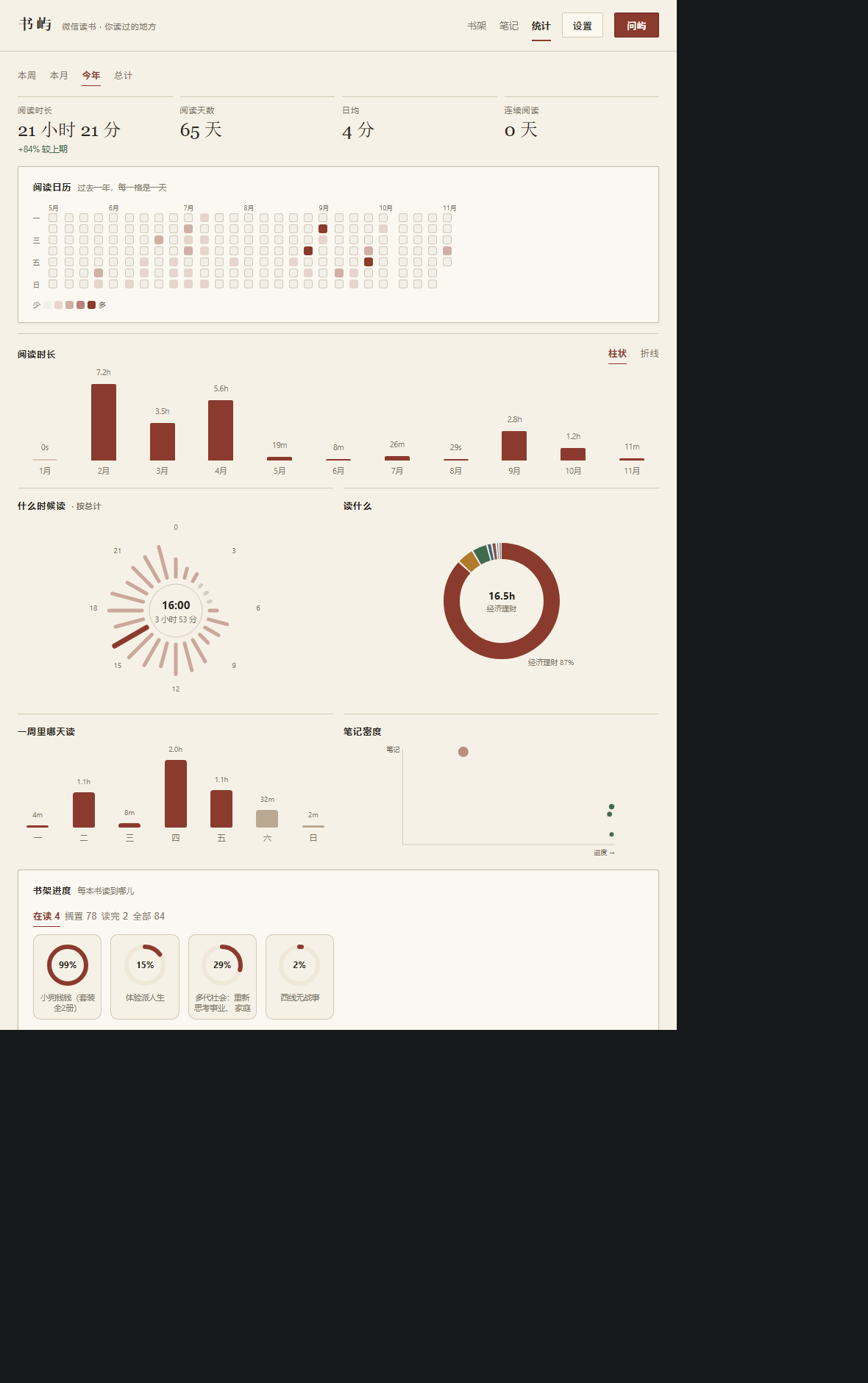
| 统计 | 详情 |
|---|---|
 |
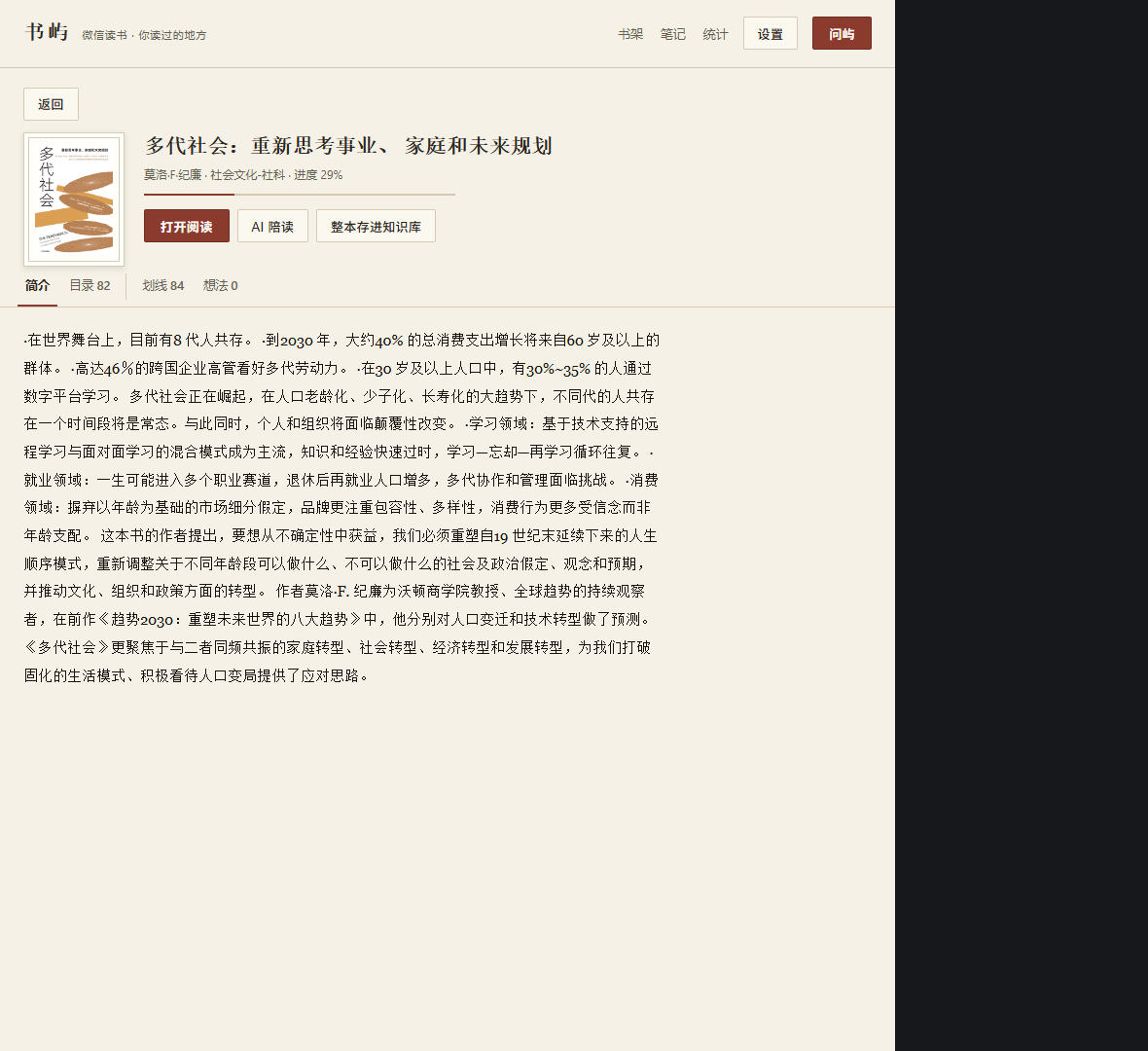 |
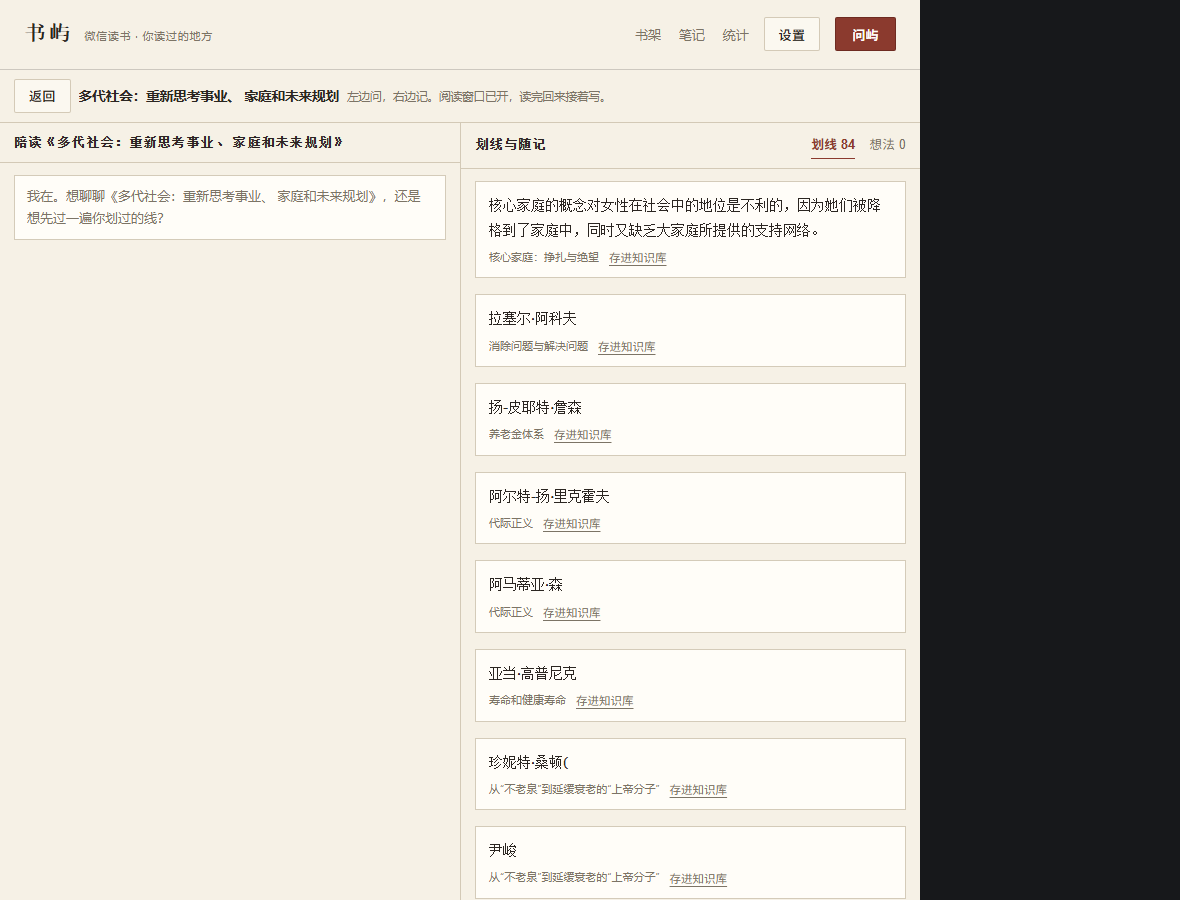
wrk- Key)。全部书籍 + 书单文件夹 + 四种分组(平铺 / 分类 / 进度 / 首字母)+ 在读·读完·未开始筛选 + 全站书城检索。--app 开一个没有地址栏的独立窗口——不是内嵌 iframe(微信读书会拦 frame,且有封号提示)。weread_shelf / weread_notes / weread_stats / weread_search),对话里可以直接问「我书架里有哪些经济类的书」。需要 DSH 桌面版(0.2.x)。插件是本地 bundle,装上就出现在左侧栏。
git clone https://github.com/SaltedFish-ZZJ/dsh-weread-shelf.git然后在 DSH 里安装这个目录(二选一):
D:\path\to\dsh-weread-shelf 作为 bundle 装上并启用」,它会调用 plugin_manager install_bundle。装好后左侧栏出现「书屿」图标;首次打开会让你填 API Key。
微信读书 App →「我」→ 设置 → 微信读书 Skill → 获取 API Key(形如 wrk-xxxxxxxx)。
Key 存在 DSH 的 credentials 服务里,不写进本仓库、也不进配置文件。
DSH 的插件市场没有「上传」入口,它是索引驱动的:谁提供一份索引 JSON,用户把这份索引的 URL 加进「发现」里,就能浏览和安装其中的插件。所以这个仓库自带一份 format-1 索引。
market/index.json,由 npm run market:index 生成(git 源 + 固定 commit)https://cdn.jsdelivr.net/gh/SaltedFish-ZZJ/dsh-weread-shelf@main/market/index.jsonhttps://raw.githubusercontent.com/SaltedFish-ZZJ/dsh-weread-shelf/main/market/index.json、https://ghproxy.net/https://raw.githubusercontent.com/SaltedFish-ZZJ/dsh-weread-shelf/main/market/index.json添加步骤:
几个约束(来自 @deepseek-ai/dsh-plugin-market-index 的校验规则):
http(s) URL,且不跟随重定向——填最终地址;本机若解析不了 raw.githubusercontent.com,换 jsDelivr 或你自己的静态托管。market/icon.svg 和索引放在一起。source 是 git + 40 位 commit,安装时执行 git+https://github.com/…/dsh-weread-shelf.git#<commit>,不会跟着 main 乱跑。node scripts/market-index.mjs <commit> 重新生成(publishTimestamp 用发版时间),需要保留旧版本时把它追加进 versions 数组。plugins[] 里那一段原样交过去就行。面板右上「设置」:
| 项 | 说明 |
|---|---|
| 打开阅读后自动进入陪读台 | 默认开 |
| Obsidian 库根 / 子目录 | 默认 personal/书屿(相对库根) |
| 微信读书 API Key | 已连接 / 断开、替换 |
| 问屿的 AI | 跟随 DSH 模型,或自定义 OpenAI 兼容接口 |
库根默认 ~/Obsidian(没配过的话请自己在设置里改成你的库路径),写在宿主侧 ~/.dsh-weread-shelf/settings.json——这是普通配置,不含密钥。
默认走宿主 llm 服务 + agentDefaultModel.currentSelection(),也就是 DSH 里当前选中的模型;消耗的是它的 token,与微信读书无关(wrk- Key 只取数据,不产生 token)。
也可以在「设置 → 问屿的 AI」里切到自定义接口:填一个 OpenAI 兼容的 base URL(如 https://api.deepseek.com/v1)、模型名和一个接口 Key。宿主会直接 POST <base>/chat/completions 并按 SSE 解析,此时消耗的是那家接口的 token,DSH 的模型不参与。接口 Key 存在 credentials(weread/ai-key),不落配置文件。
单书提问的上下文约 3.5k 字符(简介 + 目录 + 前 60 条划线 + 前 30 条想法),输出上限 1200 token,历史只带最近 8 轮。
POST i.weread.qq.com/api/agent/gateway),17 个接口全部只读:不改进度、不加书架、不导出正文。/api/weread/cover 代理(白名单:*.qq.com / *.qpic.cn / *.weixin.qq.com / *.myqcloud.com),只为绕开图片防盗链。非官方项目,与腾讯 / 微信读书无关。接口来自微信读书对外开放的 Agent Skill,插件本身不破解、不模拟登录、不绕过风控。微信读书会提示「请勿使用第三方插件」——这也是本项目用独立窗口而不是内嵌 iframe 的原因。使用风险自负。
单文件客户端,没有构建步骤(client.js 是 window.__ModuleLoader__ 形式的纯 JS)。
node tests/smoke.mjs                          # 无头渲染:各视图 + 完整点击流 + 断言
node tests/host.mjs                           # 桩 ctx 跑真路由(JSON 契约)
node tests/host.mjs --live                    # 再打真网关(需本机已存 Key)
node tests/shots.mjs                          # 用真实数据导出预览 HTML + headless Chrome 截图
tests/shots.mjs 会通过插件自己的路由抓真实书架/统计/日历数据、把封面内联成 data URI,再交给 smoke.mjs --data 渲染成静态页——docs/ 里的图就是这么来的。
index.js         宿主半:/api/weread 路由(state key shelf book notes stats calendar search
                 open ask save archive settings ai)、4 个只读工具、Obsidian 写入
weread.js        官方网关客户端:业务参数平铺顶层 + skill_version,带 TTL 缓存
client.js        面板半:window.__ModuleLoader__ 单文件(sidebar.panellist + main 两个槽位)
cordis.patch.yml bundle 声明;package.json / locale / icon.svg
scripts/         market-index.mjs(生成插件市场索引)
market/          index.json + icon.svg:DSH「发现」用的索引,可整段复制给别人
tests/           smoke.mjs(无头渲染 + 静态预览)、host.mjs(路由端到端)、
                 shots.mjs(真实数据截图)、credentials.mjs(读 Key 的小工具)
CI 跑的是两个离线测试(node tests/smoke.mjs、node tests/host.mjs),不需要 API Key;--live 与 shots 只在本地用。
现在还不能做的:
weread://bestbookmark 只在装了桌面版 App 的电脑上能跳到段落,网页阅读器没有段落锚点,试过之后去掉了这个按钮,改成「在书屿读」直接打开这本书。/shelf/sync + /user/notebooks),按需要再画。/api/weread/* 直接注册在宿主 webServer 上(本机回环),未走 connection 层的会话校验。Pull request 都欢迎。
完整记录见 CHANGELOG.md。
/open 只接受 https 链接<img>MIT
CLASSIFICATION EVIDENCE
系统优先读取 GitHub Topics,再与站内分类词典和词根规则比对。当前命中: deepseek-harness。
morluto
Reverse engineer anything with agents, from app behavior down to native binaries.

deepseek-ai
DeepSeek Harness: Everything is a Plugin.

nexu-io
The 1st Collaborative AI Design Agent Workspace. Local-first and open source. Create motion, prototypes, websites, apps, dashboards, presentations, images, and videos with your team and AI agents. Share work, exchange feedback, and iterate together in one workspace.