
模型与 MCP
待识别

rea
morluto
Reverse engineer anything with agents, from app behavior down to native binaries.
PROJECT TOPICS
INSTALL REFERENCE
dsh plugin --profile web add github:SMTcoffe/dsh-hippocampus
该命令指向仓库当前默认分支;尚无绑定当前 commit 的完整验证结果。
PROJECT README
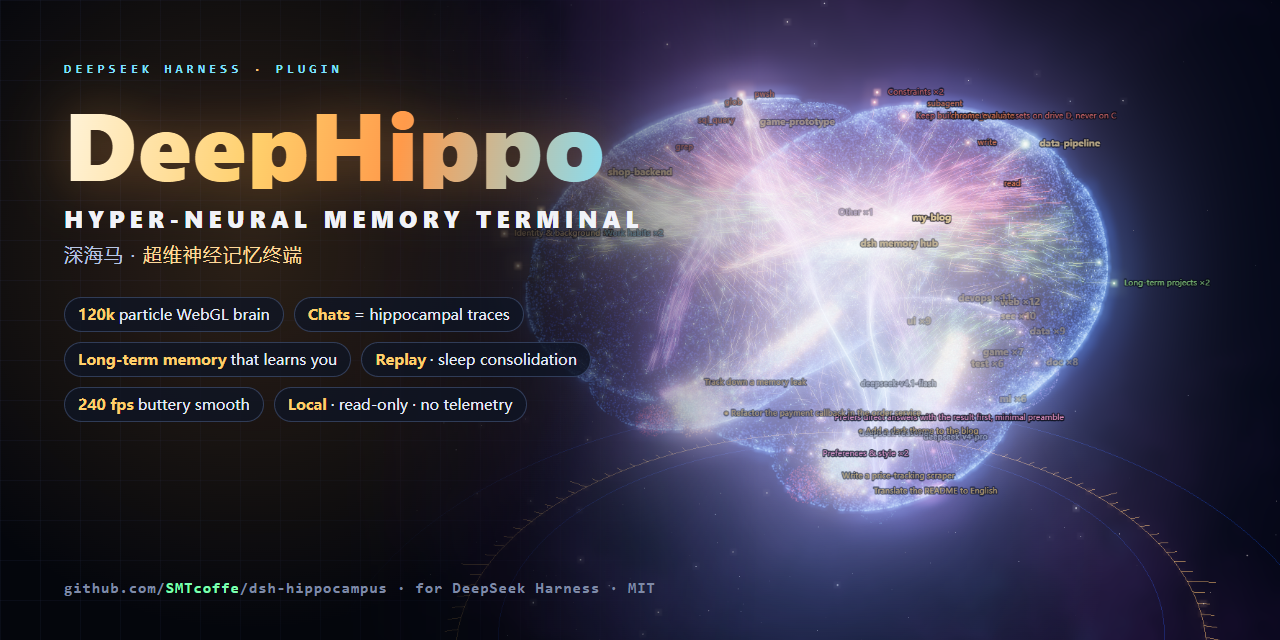
Hyper-Neural Memory Terminal for DeepSeek Harness (dsh)
Every conversation, workspace, tool call and long-term memory you have in dsh,
rendered as a living 3D brain that fires, dreams, and gets to know you better over time.





English · 简体中文
After a few weeks with dsh, your history turns into a long scrolling list. Which project burned the most tokens? What were you working on last week? Where is that conversation about the payment callback? And what has the AI actually learned about how you work?
DeepHippo puts all of it inside a brain. Once installed, a 🧠 button appears in the bottom-right corner of dsh. Press Ctrl+Alt+H and the screen turns into a neural network of roughly 120,000 particles, firing in real time:
| Brain region | What it shows from dsh |
|---|---|
| 🟡 Hippocampus (two golden arcs) | Each conversation is an episodic memory trace. Newer ones sit near the head and glow brighter; live conversations keep firing |
| 🔵 Cortex | Workspaces. Each one owns a patch of cortex, wired to its conversations |
| 💗 Prefrontal / cingulate / temporo-parietal | Long-term memory: identity, preferences, work habits, long-running projects and constraints, each in its own region |
| 🟠 Motor cortex | Tools (pwsh, grep, web_fetch…), sized by call count |
| 🟣 Cerebellum | Skills, clustered by domain (web / data / devops / ml…) |
| ⚪ Brainstem | Models (deepseek-v4-pro / flash / reasoner…) with their cost |
| 🔷 Fornix and fiber tracts | Shared memory (AGENTS.md) and the links between regions |
All screenshots use the fictional demo data from
npm run demo. No real conversations are shown.
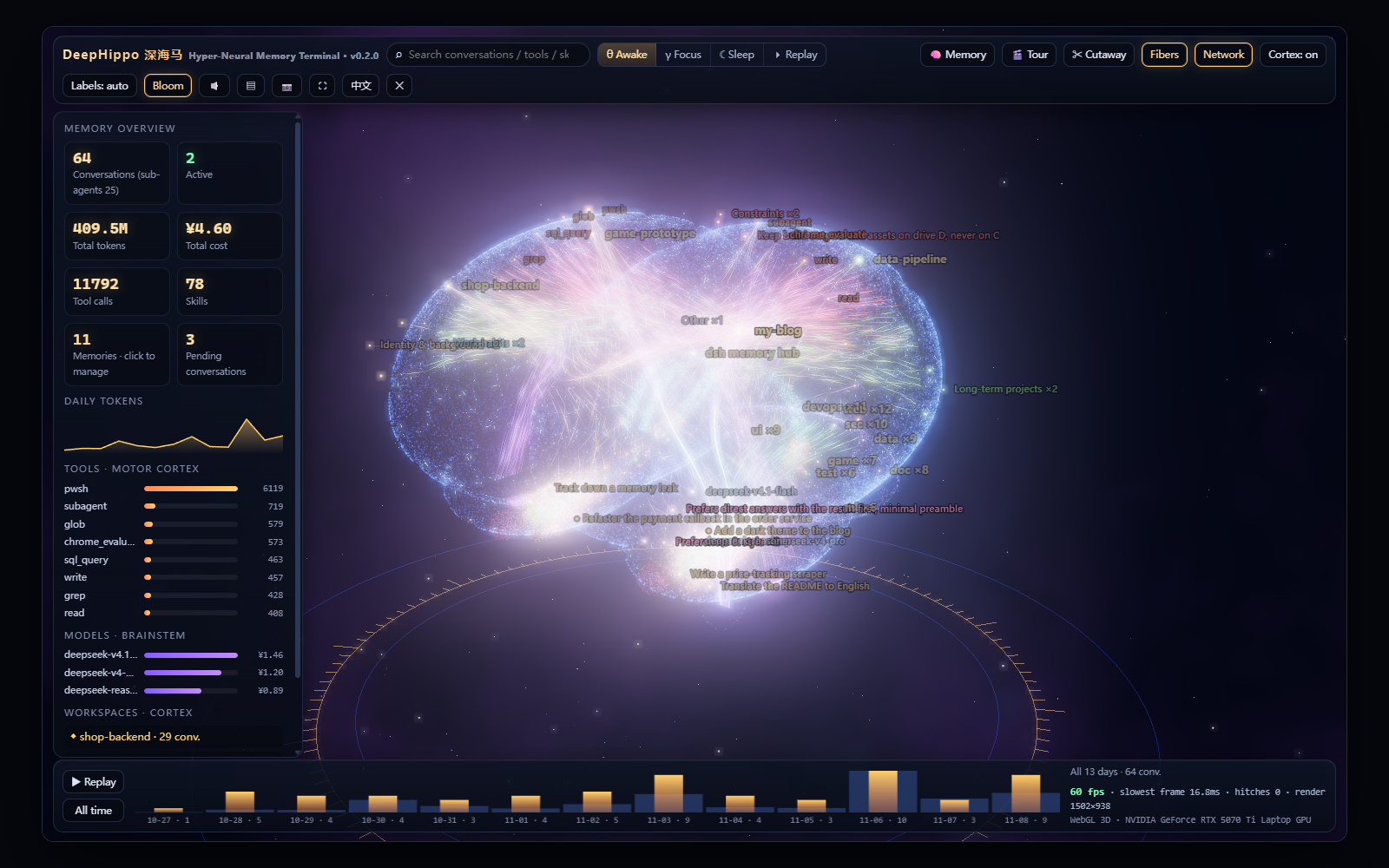
Overview: dashboard on the left (conversations, tokens, cost, top tools / models / workspaces), timeline at the bottom, live fps
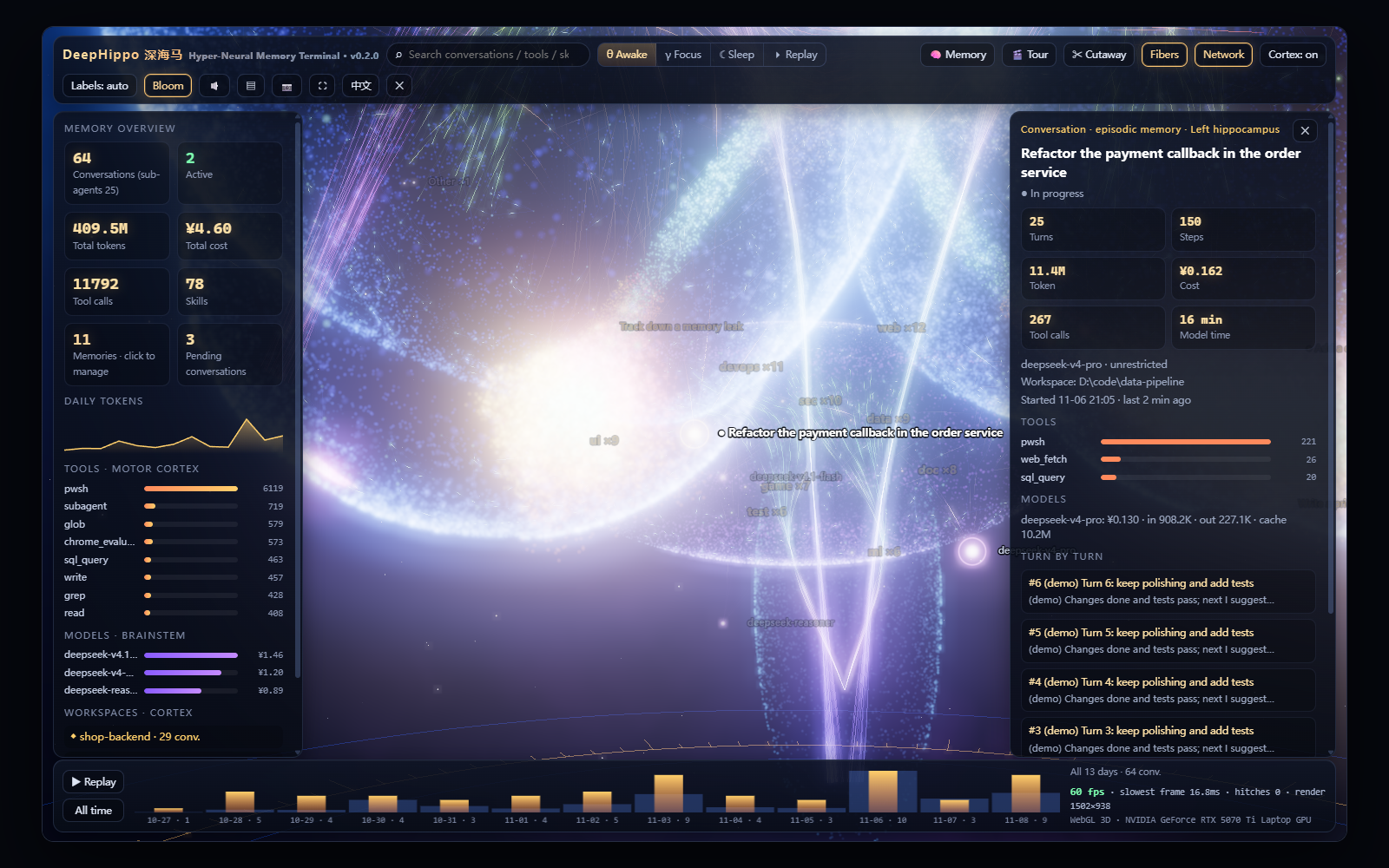 Open a conversation: turns, steps, tokens, cost, tools and models used, and a per-turn summary |
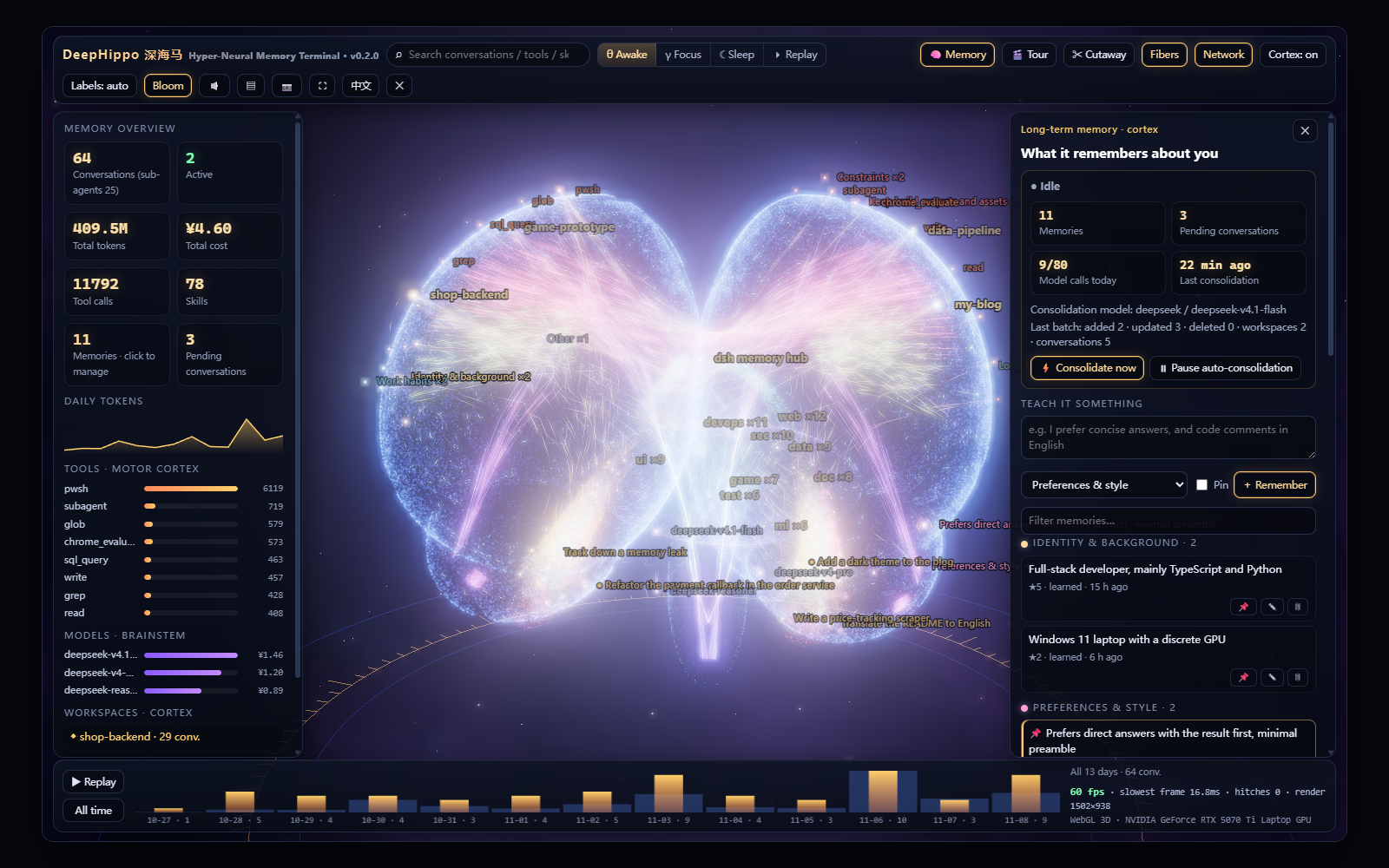 Long-term memory panel: what it remembers about you. Add, pin, edit, delete, or consolidate now |
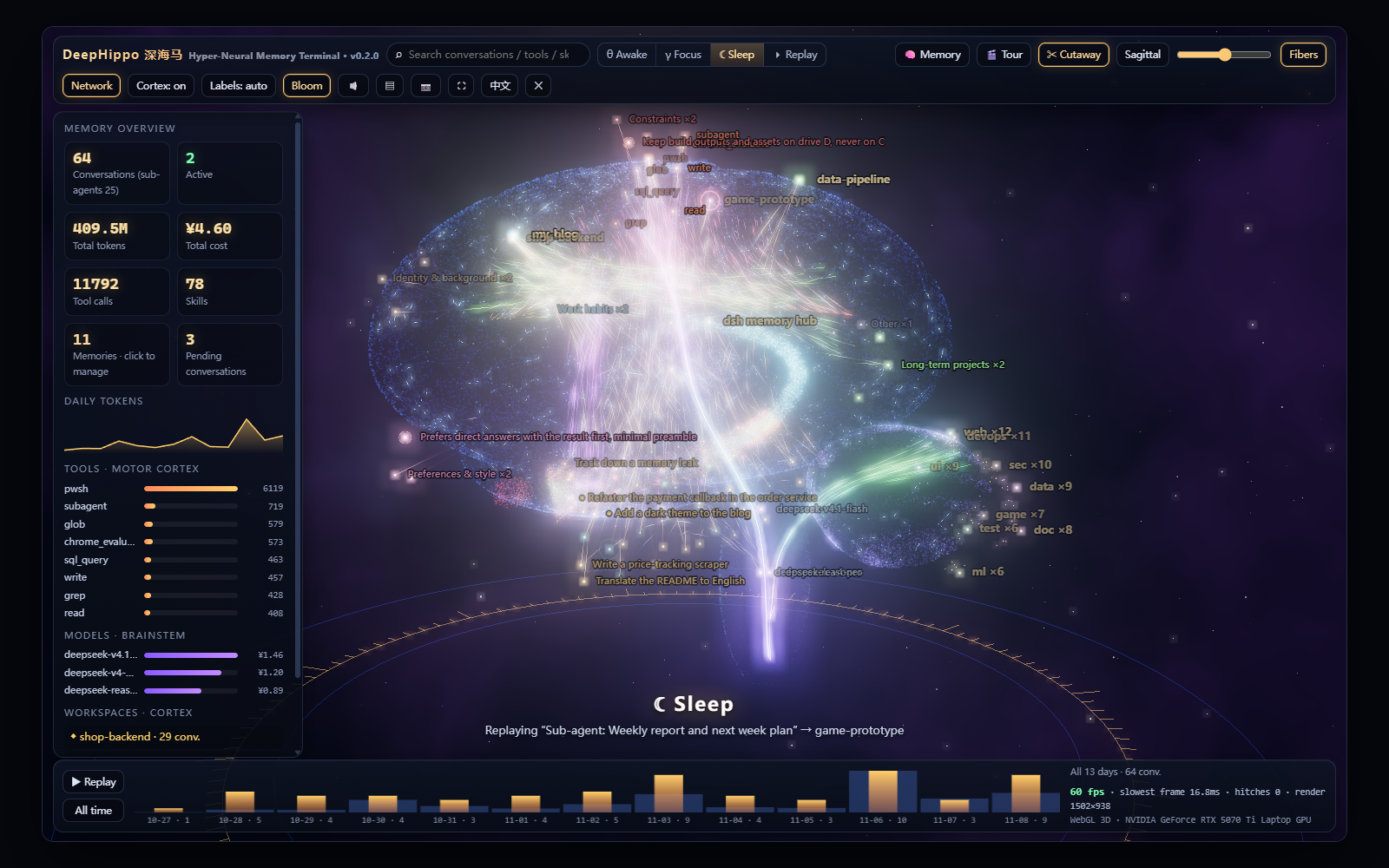 Cutaway + sleep consolidation: slice the brain open, and watch the hippocampus replay the day's conversations into the cortex, the way people consolidate memories while asleep |
|
Memory you can see
A dashboard that thinks
Four brainwave modes
And also
DeepHippo doesn't just draw your memory. It also keeps one.
memory_remember / memory_forget / memory_search tools. Facts you asked it to remember are never removed by automatic consolidation. You can also edit, pin or delete memories in the brain's Memory panel.~/.dsh/hippocampus/memory.json (source of truth), 长期记忆.md (a human-readable mirror) and consolidation.log (what each consolidation did).[!IMPORTANT] Automatic consolidation calls your model and uses your quota. On first run it backfills past conversations in batches of about 10k characters. After that it only processes new conversations, at most 80 calls a day (configurable). Don't want it? Set
memory.auto: falseto keep manual memory only, ormemory.enabled: falseto turn memory off completely (nothing injected or consolidated, and no tools registered). The visualization itself never calls a model.
Requires DeepSeek Harness (desktop or web) >= 0.2.1-rc.5, < 0.3.0.
dsh plugin --profile desktop add github:SMTcoffe/dsh-hippocampusFor the web version, install it into the web profile as well:
dsh plugin --profile web add github:SMTcoffe/dsh-hippocampusRestart dsh and a draggable 🧠 button appears in the bottom-right corner. Ctrl+Alt+H toggles the brain, Esc closes it.
git clone https://github.com/SMTcoffe/dsh-hippocampus.git
dsh plugin --profile desktop add link:./dsh-hippocampus
With link:, dsh uses your local folder directly. Restart dsh after changing the code.
Uninstall: dsh plugin --profile desktop remove dsh-hippocampus.
Add this to your profile's cordis.patch.yml:
- id: dsh-hippocampus
  name: dsh-hippocampus
  config:
    maxSessions: 300       # max conversations shown on the hippocampus (4–500)
    memoryRoot: ''         # scene-memory folder, defaults to $DSH_HOME/场景记忆
    diagnostics: false     # true = log fps and long frames for 60 s after opening to $DSH_HOME/hippocampus/diag.log
    memory:
      enabled: true        # master switch: off = nothing injected, no consolidation, no tools
      auto: true           # automatic consolidation (calls your model); false = manual only
      provider: ''         # model used for consolidation; empty = the one from your latest conversation
      model: ''
      idleMinutes: 3       # how long a conversation must be quiet before consolidation
maxCallsPerDay: 80 # daily cap on model calls~/.dsh on your machine (conversation index, AGENTS.md, scene memory, skills). The visualization uploads nothing, and three.js is bundled, with no CDN. The only thing that leaves your machine is automatic memory consolidation, which uses the model you already configured in dsh./dsh-hippocampus/* only accepts loopback requests (or ones the dsh host fence allows) and rejects cross-site and cross-origin requests. If the host fence throws, the request is rejected./graph response. "Open" is limited to text files and folders, and every write must come from the local machine.npm test.Measured on an RTX 5070 Ti Laptop GPU with a 240 Hz display: 229–239 fps, p99 frame time under 9 ms, 0 hitches in 60 seconds.
How: all particles are computed in GPU shaders. Labels are drawn on a single 2D canvas instead of hundreds of DOM elements. The dsh page behind the brain (including animated wallpapers) is hidden while it's open, so nothing renders twice. Animation runs on real time, so dropped frames never slow it down. Resolution only drops after sustained low fps, with at least 8 seconds between changes, so it never flickers.
Seeing stutter? Set diagnostics: true, reproduce it once, and diag.log will show where each long frame came from.
npm run demo     # standalone page with fictional data: http://127.0.0.1:47313/ (add -- --lang=zh for Chinese demo data)
npm test         # trust-fence and route security tests
npm run demo doesn't need dsh installed, which makes it handy for UI work. To regenerate the README screenshots and banner:
npm run demo -- --port=47321
npx electron docs/capture/shots.cjs
npx electron docs/capture/banner.cjs
# Chinese screenshots (written to docs/screenshots/zh)
npm run demo -- --port=47322 --lang=zh
npx electron docs/capture/shots.cjs --port=47322 --lang=zh
Layout:
lib/: server side. index.js handles routes and injection, graph.js reads dsh data, memory.js is long-term memory.assets/: front end. hippocampus.js is the shell and 2D view, brain3d.js is the WebGL brain, and vendor/ holds the bundled three.js.test/: demo data and tests.If DeepHippo makes your dsh a bit more fun, you're welcome to buy me a coffee. It's completely optional, and thank you! A ⭐ on GitHub helps a lot too.


WeChat Pay · Alipay
CLASSIFICATION EVIDENCE
系统优先读取 GitHub Topics,再与站内分类词典和词根规则比对。当前命中: deepseek、deepseek-harness。
morluto
Reverse engineer anything with agents, from app behavior down to native binaries.

deepseek-ai
DeepSeek Harness: Everything is a Plugin.

nexu-io
The 1st Collaborative AI Design Agent Workspace. Local-first and open source. Create motion, prototypes, websites, apps, dashboards, presentations, images, and videos with your team and AI agents. Share work, exchange feedback, and iterate together in one workspace.